
製品終了view
The Ratakee Digital AM/FM Radio Alarm Clock (Model RA01SA) is designed for ease of use and clear readability, featuring large 1.4-inch LED digits. This versatile alarm clock offers multiple alarm sound options, an AM/FM radio with preset capabilities, a dimmable display, sleep timer, and snooze function. It operates via AC power with a battery backup for continued functionality during power outages。
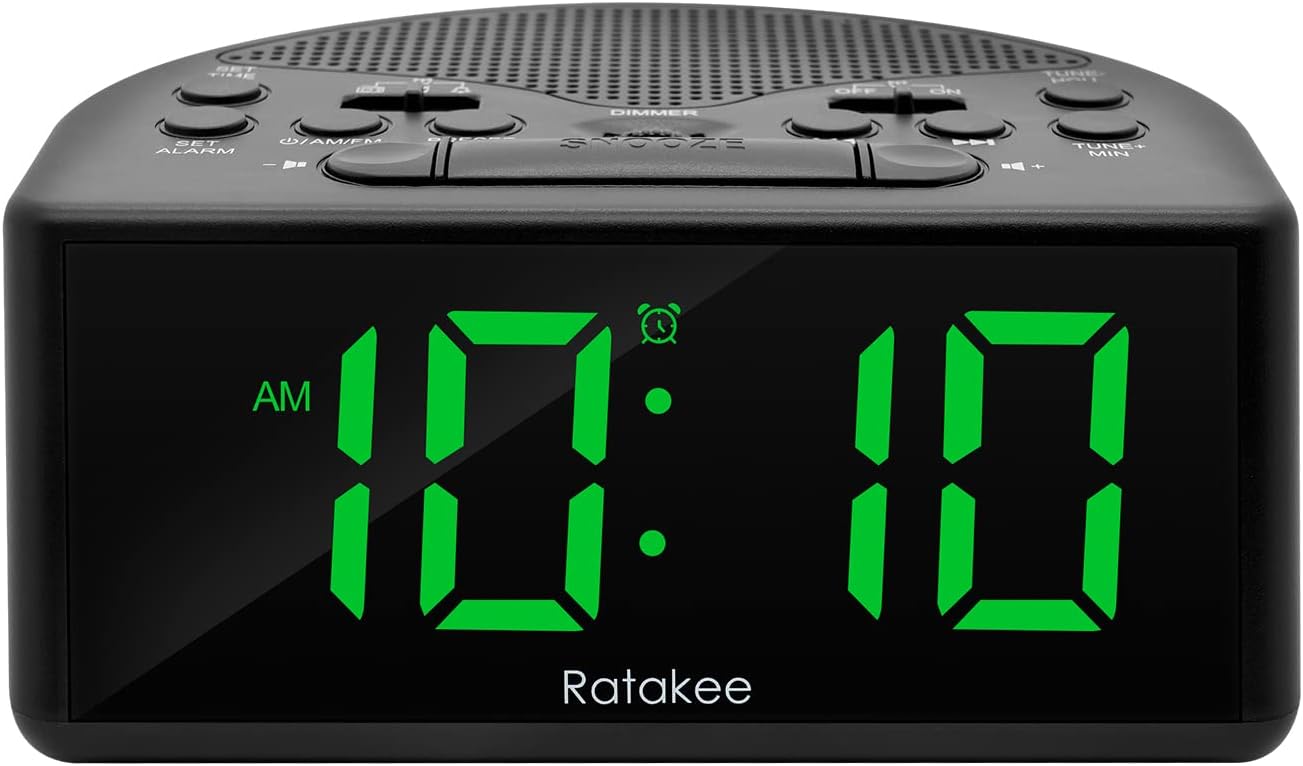
図1: 前面 view of the Ratakee Digital AM/FM Radio Alarm Clock displaying 10:10 AM.
設定
目覚まし時計の電源を入れる
The alarm clock can be powered by an AC outlet or by batteries for backup.
- AC電源: Connect the included power cord to the AC120V outlet and plug it into a wall socket. The display will light up, and the radio will be operational.
- バッテリーバックアップ: パワーouのためにtage protection, insert 3 AA batteries (not included) into the battery compartment located on the bottom of the unit. When powered by batteries, the display will auto-dim after 20 seconds of no operation to conserve power, but the clock, alarm, and radio functions will remain active.

Figure 2: Illustration of the dual power methods: AC cord connection and battery compartment for 3 AA batteries.
操作手順
This section details the operation of your Ratakee alarm clock. Refer to Figure 3 for button and switch locations.

Figure 3: Top panel controls of the Ratakee Digital AM/FM Radio Alarm Clock.
時間の設定
- を押し続けます 時間を設定する ボタンを2秒間押し続けます。時間の数字が点滅し始めます。
- 使用 TUNE+ HOU 時間を調整するボタン。
- 使用 TUNE- MIN 分を調整するボタン。
- を押す 時間を設定する もう一度ボタンを押して確定し、時間設定モードを終了します。
アラームを設定する
The alarm clock offers three selectable alarm sounds: AM/FM radio, music, or a classic beep.

Figure 4: The alarm clock offers three distinct alarm sound options.
- を押し続けます 目覚ましを設定する ボタンを2秒間押し続けます。アラームの時刻の数字が点滅します。
- 使用 TUNE+ HOU アラームの時間を設定するボタン。
- 使用 TUNE- MIN アラームの分を設定するボタン。
- Slide the alarm tone switch (located near the 目覚ましを設定する button) to select your desired alarm sound: radio, music, or beep.
- を押す 目覚ましを設定する button again to confirm the alarm time and sound.
- To turn the alarm ON or OFF, use the dedicated ON/OFF slide switch for the alarm (located on the top panel, near the right side).
アラーム音量の調整: The alarm volume is adjustable from 5 to 15 levels. When using the radio as an alarm, the clock will play the last station you listened to at the set volume level.
AM / FMラジオの操作
The radio allows you to store up to 20 AM and 20 FM stations.

Figure 5: The alarm clock features AM/FM radio with strong reception capabilities.
- Turn Radio On/Off: を押す ON/AM/FM ラジオのオン/オフを切り替えるボタン。
- バンドの切り替え: ラジオがオンの状態で、 ON/AM/FM AM バンドと FM バンドを切り替えるボタン。
- 手動チューニング: 使用 TUNE+ HOU そして TUNE- MIN 希望する周波数に手動でチューニングするためのボタン。
- 自動スキャン/プリセット: を押す プリセット button to scan and store available stations automatically.
- プリセットの呼び出し: 使用 プリセット 保存されている放送局を循環表示するボタン。
- 音量を調整: 使用 ボリューム+ そして 音量 - ラジオの音量を調整するボタン(1~16 レベル)。
注記: When listening to FM stations with earphones (via the earphone jack), stereo mode will automatically activate for enhanced sound.
ディスプレイ調光器
The alarm clock features a full-range dimmable LED display (0-100% brightness).

Figure 6: Adjusting the display brightness from 0% to 100% for optimal viewing。
回転する ディマー knob (located on the top panel) to adjust the display brightness to your preferred level.
スリープタイマー
スリープ タイマーを使用すると、ラジオは設定された時間再生された後、自動的にオフになります。
スリープタイマーを起動するには、 寝る button. Each press will cycle through available sleep timer durations (e.g., 10, 20, 30, 60, 90 minutes). The radio will turn off automatically after the selected time.
スヌーズ機能
アラームが鳴ったら、大きな スヌーズ button (located on the top center) to temporarily silence the alarm for an additional 9 minutes of sleep.

Figure 7: Easily activate the snooze function for a short delay in your alarm.
イヤホンジャック
A 3.5mm earphone jack is provided on the side of the unit for private listening. Plug in your earphones to enjoy radio content without disturbing others.
メンテナンス
- クリーニング: To clean the unit, wipe it with a soft, dry cloth. Do not use abrasive cleaners or solvents.
- バッテリー交換: If using battery backup, replace the 3 AA batteries when the display dims significantly or the clock functions become unreliable during a power outage. 新しい電池を挿入するときは、極性が正しいことを確認してください。
- ストレージ: 長期間保管する場合は、液漏れを防ぐために電池を取り外してください。
トラブルシューティング
| 問題 | 考えられる原因 / 解決策 |
|---|---|
| ディスプレイが暗いかオフになっています。 |
|
| アラームは鳴りません。 |
|
| 電波の受信が悪いか、静的です。 |
|
| Cannot set radio presets. |
|
仕様
| 特徴 | 詳細 |
|---|---|
| ブランド | ラタキー |
| モデル番号 | RA01SA |
| 表示タイプ | Digital LED (Green Digits) |
| 表示サイズ | 1.4 inches (LED Digits) |
| 電源 | Corded Electric (AC120V) / Battery Powered (3 AA batteries, not included) |
| 製品寸法 | 幅5.4インチ x 高さ2.4インチ |
| アイテム重量 | 0.4キログラム(14オンス) |
| ラジオバンド | AM/FM (20 AM, 20 FM presets) |
| アラーム着信音 | 3 (AM/FM Radio, Music, Beep) |
| アラーム音量 | Adjustable (5-15 levels) |
| ディスプレイ調光器 | 0-100% (Rotary Knob) |
| スリープタイマー | 10~90分 |
| スヌーズ時間 | 9 minutes |
| イヤホンジャック | はい |
| 材料 | プラスチック |
| 屋内/屋外での使用 | 屋内 |
保証とサポート
保証の種類: 生涯保証
For technical support, troubleshooting assistance, or warranty claims, please contact Ratakee customer service. Refer to the product packaging or the official Ratakee web最新の連絡先情報については、サイトをご覧ください。
You may also find helpful resources and frequently asked questions on the manufacturer's support page.