
1. はじめに
Thank you for choosing the Parsonver FF2 Smartwatch. This device is designed to be a comprehensive companion for your daily life, offering advanced fitness tracking, health monitoring, and smart notifications. With its 5ATM water resistance, over 100 sports modes, and a vibrant 1.8-inch HD touchscreen, the FF2 Smartwatch helps you stay connected and active. Please read this manual carefully to understand how to operate your new smartwatch and ensure its optimal performance.
2. 箱の中身
Upon opening your Parsonver FF2 Smartwatch package, you should find the following items:
- 1x FF2 Smartwatch
- 充電ケーブル x 1
- ユーザーマニュアル x 1
3.セットアップガイド
3.1 スマートウォッチの充電
Before initial use, fully charge your smartwatch. Connect the magnetic charging cable to the charging contacts on the back of the watch and plug the USB end into a standard USB power adapter (not included) or a computer's USB port. A full charge typically takes approximately 2 hours.

Image: The Parsonver FF2 Smartwatch, its magnetic charging cable, and the user manual included in the box.
3.2 コンパニオンアプリのダウンロード
To unlock all features and synchronize data, download the official Parsonver companion app on your smartphone. 検索する "Parsonver Fit" (or similar name as specified in the manual) in the Apple App Store for iOS devices or Google Play Store for Android devices.
3.3 スマートフォンとのペアリング
- スマートウォッチが充電され、電源がオンになっていることを確認してください。
- スマートフォンでBluetoothを有効にします。
- Open the Parsonver Fit app and follow the on-screen instructions to create an account or log in.
- In the app, navigate to the device pairing section and select your FF2 Smartwatch from the list of available devices.
- スマートフォンとスマートウォッチの両方でペアリング要求を確認します。

Image: A smartphone displaying the Parsonver companion application interface.
4. 操作手順
4.1 表示とカスタマイズ
The FF2 Smartwatch features a vibrant 1.8-inch HD touchscreen with a resolution of 320x390 pixels. You can adjust the brightness to one of 5 levels for optimal visibility in various lighting conditions. Personalize your watch with over 200 captivating watch faces available through the app, or upload your own photos to create a unique look.
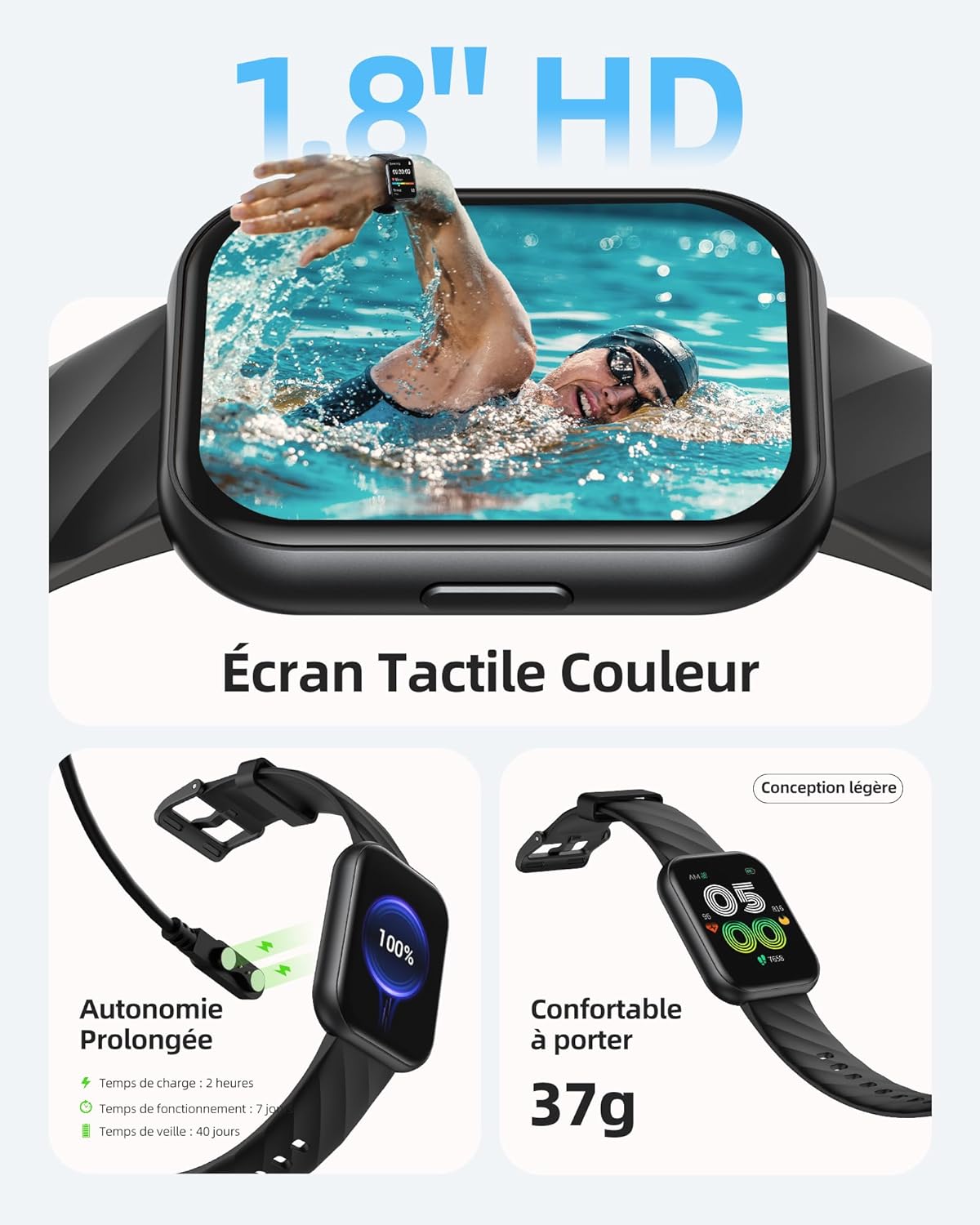
Image: The Parsonver FF2 Smartwatch showcasing a selection of its customizable watch faces.
4.2 スポーツモードとアクティビティトラッキング
The smartwatch supports over 100 sports modes, including running, cycling, swimming, yoga, and more. It accurately records your activity data such as heart rate, steps, pace, calories burned, and distance. This data is synchronized with the app for detailed analysis and progress tracking.
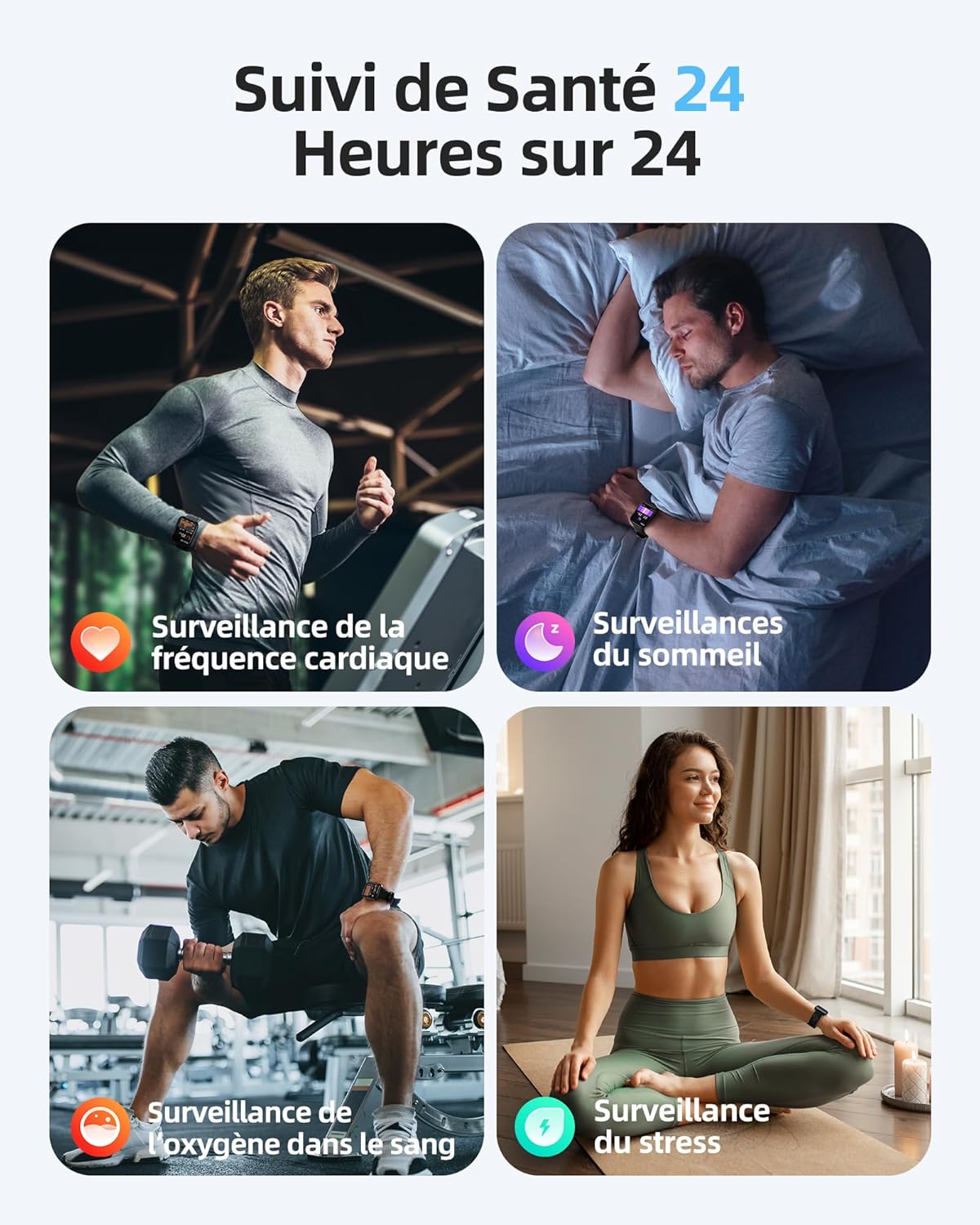
Image: A person engaged in physical activity, with the Parsonver FF2 Smartwatch on their wrist displaying activity metrics.
4.3 Water Resistance and Swimming Tracking
With a 5ATM water resistance rating, the FF2 Smartwatch can withstand water pressure up to 50 meters, making it suitable for swimming. It tracks swimming duration, laps, heart rate, and SWOLF efficiency, providing comprehensive data to help improve your swimming performance.

Image: A swimmer wearing the Parsonver FF2 Smartwatch, with an overlay of swimming activity data.
4.4 健康状態のモニタリング
スマートウォッチは継続的な健康モニタリング機能を提供します。
- 24時間7日の心拍数モニタリング: Tracks your heart rate continuously and provides alerts for abnormal readings.
- 睡眠追跡: 睡眠を監視しますtag睡眠の質を理解し、改善するために、睡眠レベル(深い睡眠、浅い睡眠、レム睡眠、覚醒睡眠)を分析します。
- 血中酸素濃度(SpO2)モニタリング: 血中酸素飽和度を測定します。
- ストレスモニタリング: Helps you understand and manage your emotional stress levels.
- 女性の健康追跡: Assists women in predicting and tracking menstrual periods and ovulation.
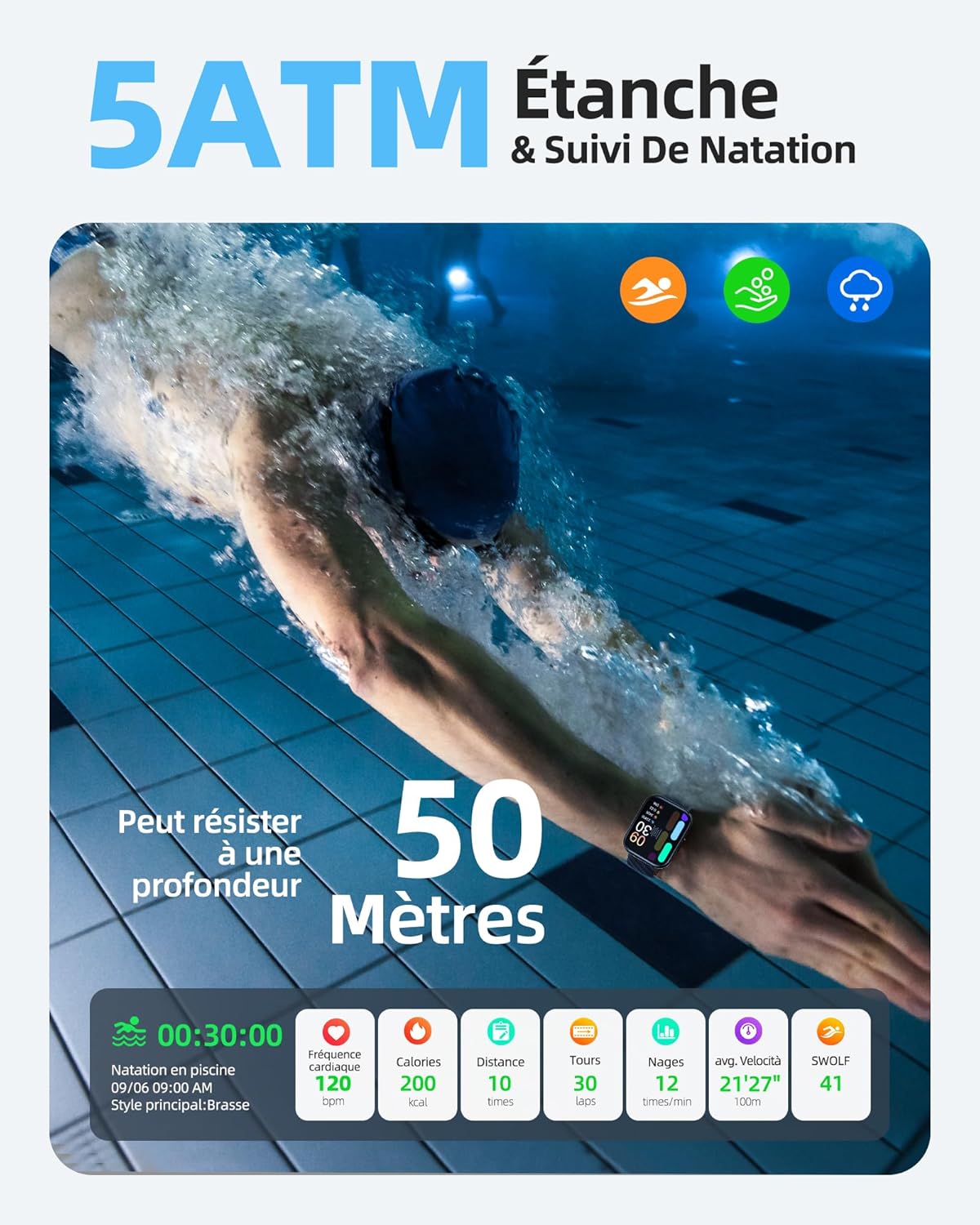
Image: The Parsonver FF2 Smartwatch on a wrist, showing real-time heart rate data.
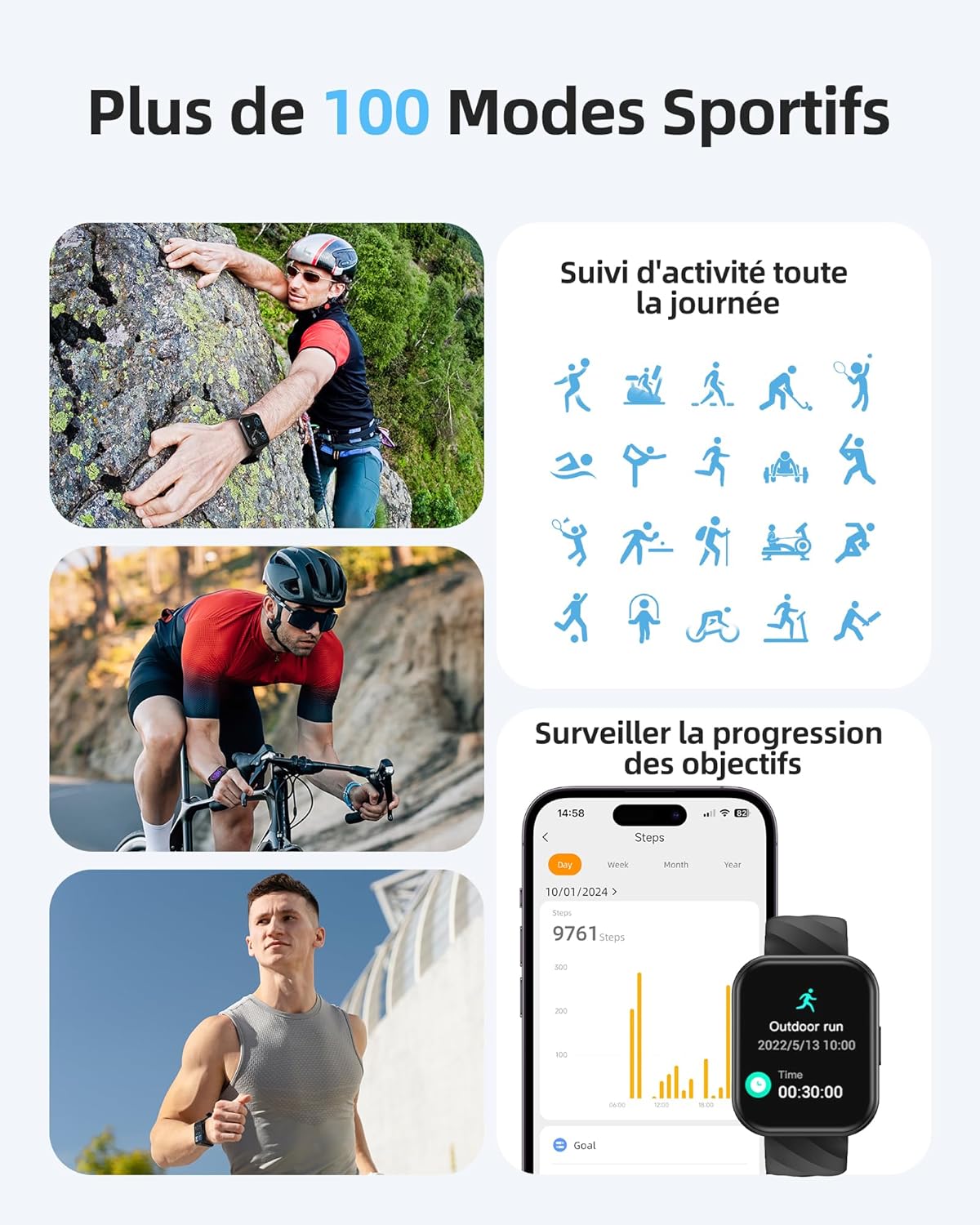
Image: A person sleeping, with the Parsonver FF2 Smartwatch on their wrist displaying sleep tracking information.
4.5 スマート通知
Stay informed with real-time notifications for incoming calls, SMS messages, emails, and social media alerts (e.g., WhatsApp, Facebook) directly on your wrist. You can decline calls from the watch, but direct answering is not supported.

Image: A person looking at their Parsonver FF2 Smartwatch, which displays various app notification icons.
4.6その他の機能
The FF2 Smartwatch includes several other convenient functions:
- リモートカメラ制御
- 天気予報
- 音楽コントロール
- ストップウォッチと目覚まし時計
- 座りっぱなしのリマインダー
- 呼吸法
- 携帯電話を探す機能
5. メンテナンス
5.1 スマートウォッチのクリーニング
皮膚への刺激を防ぎ、デバイスの衛生状態を保つために、スマートウォッチとストラップを定期的に清掃してください。柔らかくて清潔な布を使用してください。amp 時計の文字盤とストラップを拭く際は布を使用してください。刺激の強い化学薬品や研磨剤の使用は避けてください。
5.2バッテリーケア
The FF2 Smartwatch offers up to 7 days of typical usage and 40 days of standby time on a single charge. To prolong battery life, avoid extreme temperatures and fully discharging the battery frequently. Charge the watch using the provided magnetic cable.
5.3 耐水性に関する注意事項
While the FF2 Smartwatch is 5ATM water resistant, it is important to avoid wearing it in hot baths, saunas, or steam rooms. High temperatures and steam can compromise the watch's water resistance and cause damage.
6。 トラブルシューティング
If you encounter any issues with your Parsonver FF2 Smartwatch, please refer to the following common solutions:
- 時計がオンにならない: 時計が完全に充電されていることを確認してください。充電器に少なくとも30分間接続してください。
- 携帯電話とペアリングできません: スマートフォンのBluetoothが有効になっていること、そして時計が通信範囲内にあることを確認してください。時計とスマートフォンの両方を再起動し、アプリから再度ペアリングをお試しください。
- 不正確なデータ: Ensure the watch is worn snugly on your wrist. For sports tracking, select the correct activity mode.
- 通知を受信できませんでした: Check app permissions on your phone to ensure the Parsonver Fit app has access to notifications. Verify that notifications are enabled within the app settings.
- 画面が反応しない: 時計を再起動してみてください。問題が解決しない場合は、カスタマーサポートにお問い合わせください。
For further assistance, please refer to the support section of the Parsonver Fit app or visit the official Parsonver webサイト。
7. 仕様
Here are the technical specifications for the Parsonver FF2 Smartwatch:
| 特徴 | 仕様 |
|---|---|
| モデル番号 | FF2 |
| オペレーティング·システム | Android(対応) |
| アイテム重量 | 37グラム |
| 製品寸法(長さ x 幅 x 高さ) | 24.69 x 3.81 x 1.19 cm |
| バッテリー | CR5 1個(付属) |
| 接続技術 | ブルートゥース |
| GPS | GPSなし |
| 特集 | Notification, Alarm Clock, Activity Tracker, Multisport Tracker, Touchscreen |
| ディスプレイ解像度 | 320x390ピクセル |
| ヒューマンインターフェイス入力 | タッチスクリーン |
| 色 | 黒 |
| バッテリー容量 | 320mAh |
| 無線通信規格 | ブルートゥース |
| バッテリー構成 | リチウムイオン |
| 画面サイズ | 1.8インチ |

Image: Technical diagram illustrating the dimensions of the Parsonver FF2 Smartwatch.
8. 保証とサポート
Your Parsonver FF2 Smartwatch comes with a standard manufacturer's warranty. For details regarding warranty coverage, returns, or technical support, please refer to the warranty information provided in the packaging or contact Parsonver customer service directly. You can usually find contact information on the official Parsonver webサイトまたはコンパニオン アプリ内でご利用いただけます。
ビデオ: オーバーview of the Parsonver FF2 Smartwatch features, including its display, sports modes, and health tracking capabilities.