
導入
Thank you for choosing the Colesma Smart Watch. This manual provides detailed instructions on how to set up, operate, and maintain your new smartwatch. Please read this manual thoroughly before using the device to ensure optimal performance and longevity.
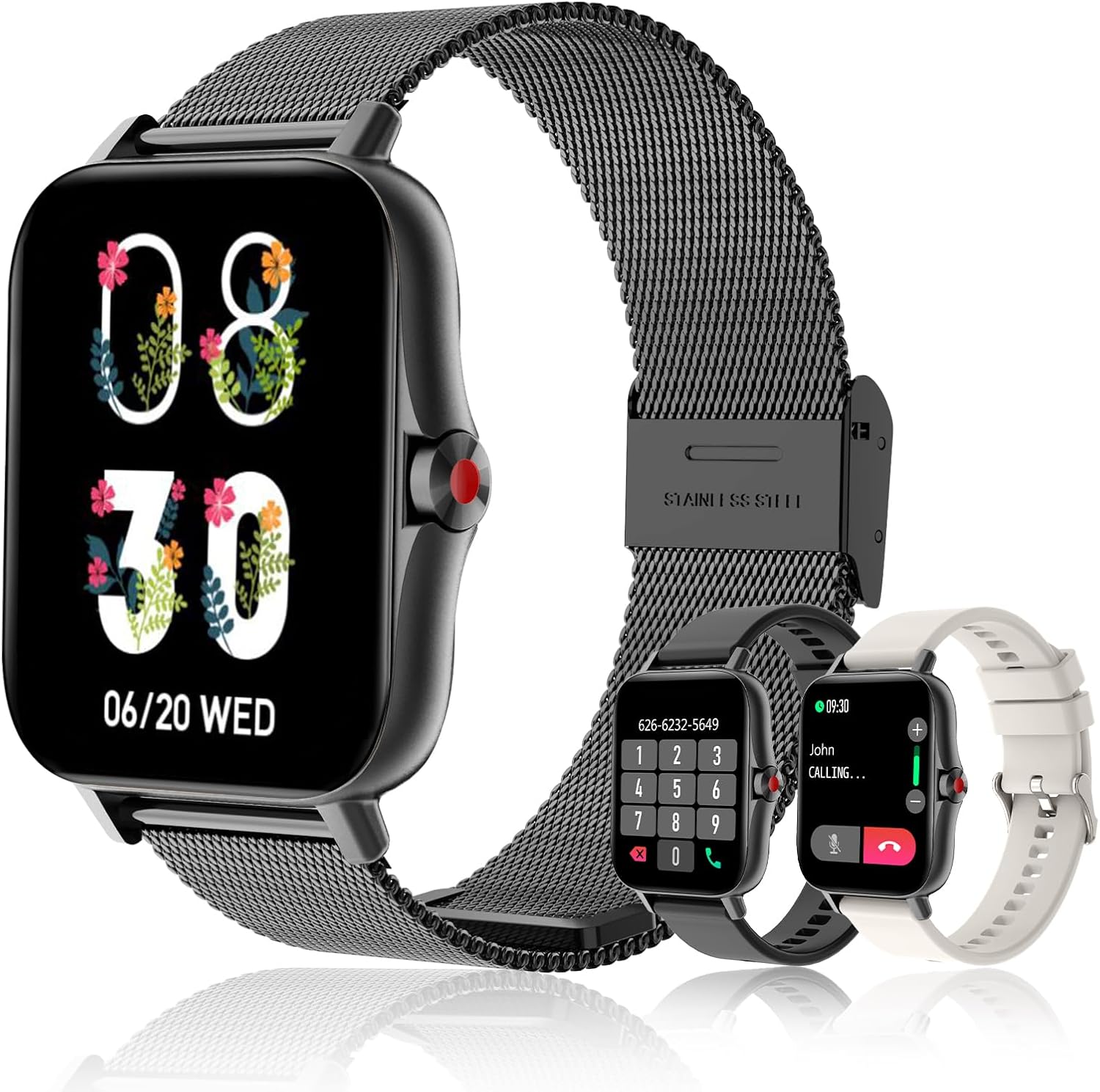
The Colesma Smart Watch, featuring a sleek black design with a mesh band, and including two additional interchangeable bands for versatile styling.
箱の中身
- Smart Watch Body x 1
- Smartwatch Bands x 2 (one pre-installed, one additional)
- Smart Watch Charging Cable x 1
- ユーザーマニュアル x 1
セットアップガイド
1. 初期充電
初めてご使用になる前に、スマートウォッチを完全に充電してください。磁気充電ケーブルをウォッチ背面の充電ポイントに接続し、USB端子を対応する電源アダプター(別売)に接続してください。
2. アプリのインストールとペアリング
The Colesma Smart Watch requires the "Da Fit" app for full functionality and pairing with your smartphone.
- アプリをダウンロード: Scan the QR code in the included user manual or search for "Da Fit" in the Google Play Store (for Android) or Apple App Store (for iOS).
- Bluetoothを有効にする: スマートフォンで「設定」に移動し、Bluetooth がオンになっていることを確認します。
- Da Fitアプリを開く: Launch the "Da Fit" app and follow the on-screen instructions to create an account or log in.
- デバイスを追加: In the app, navigate to the "Add Device" section. The app will search for nearby devices. Select "i18" or the corresponding device name to connect.
- ペアリングの確認: 時計とスマートフォンにペアリングリクエストが表示される場合があります。両方のデバイスでペアリングを確認してください。

Visual guide for connecting your Colesma Smart Watch to the Da Fit application on your mobile device.
3. Enabling Bluetooth Call Function
通話の応答と発信機能を使用するには、追加の Bluetooth 接続が必要です。
- ウォッチ中: Swipe down from the watch face to access the quick settings. Tap the "Phone ON" icon to enable the call function.
- 電話で: Go to your phone's Bluetooth settings. Look for a device named "i18" (or similar, often with a headphone icon) and connect to it.
- Once connected, you can use your watch to answer and make calls.
Video demonstrating how to pair your Colesma Smart Watch for call functionality.
A guide to establishing the Bluetooth connection for your smartwatch.
操作手順
基本的なナビゲーション
- スワイプダウン: Access quick settings (Brightness, Phone ON/OFF, Do Not Disturb, etc.).
- 上にスワイプする: View 通知。
- 左/右にスワイプ: Navigate through main functions (Activity, Heart Rate, Sleep, Weather, Music, etc.).
- サイドボタンを押します: ウォッチフェイスに戻るか、アプリメニューにアクセスします。
主な特徴
Bluetooth Call & Message Reminder
Once paired, your smartwatch allows you to answer/make calls directly and receive notifications from various apps (WhatsApp, Facebook, Twitter, etc.). Note: Message replies are not supported.

The smartwatch showing its Bluetooth call and message reminder capabilities, allowing convenient communication directly from your wrist.
Demonstration of the call and answer fitness tracker features for Android and iOS.
A video illustrating the smart watch's message reminder function.
Health Monitoring (HR, BP, SpO2, Sleep)
The smartwatch continuously monitors your heart rate, blood pressure, blood oxygen (SpO2), and sleep patterns. View detailed data in the Da Fit app.

The smartwatch's interface showing real-time blood oxygen levels and sleep monitoring graphs, providing comprehensive health insights.

The smartwatch offers 24/7 health monitoring, including heart rate and sleep quality tracking, to help you understand and improve your well-being.
スポーツモード
Choose from 8 built-in sports modes to track your workouts, including walking, running, cycling, skipping, badminton, basketball, football, and swimming. Data is synced to the app.
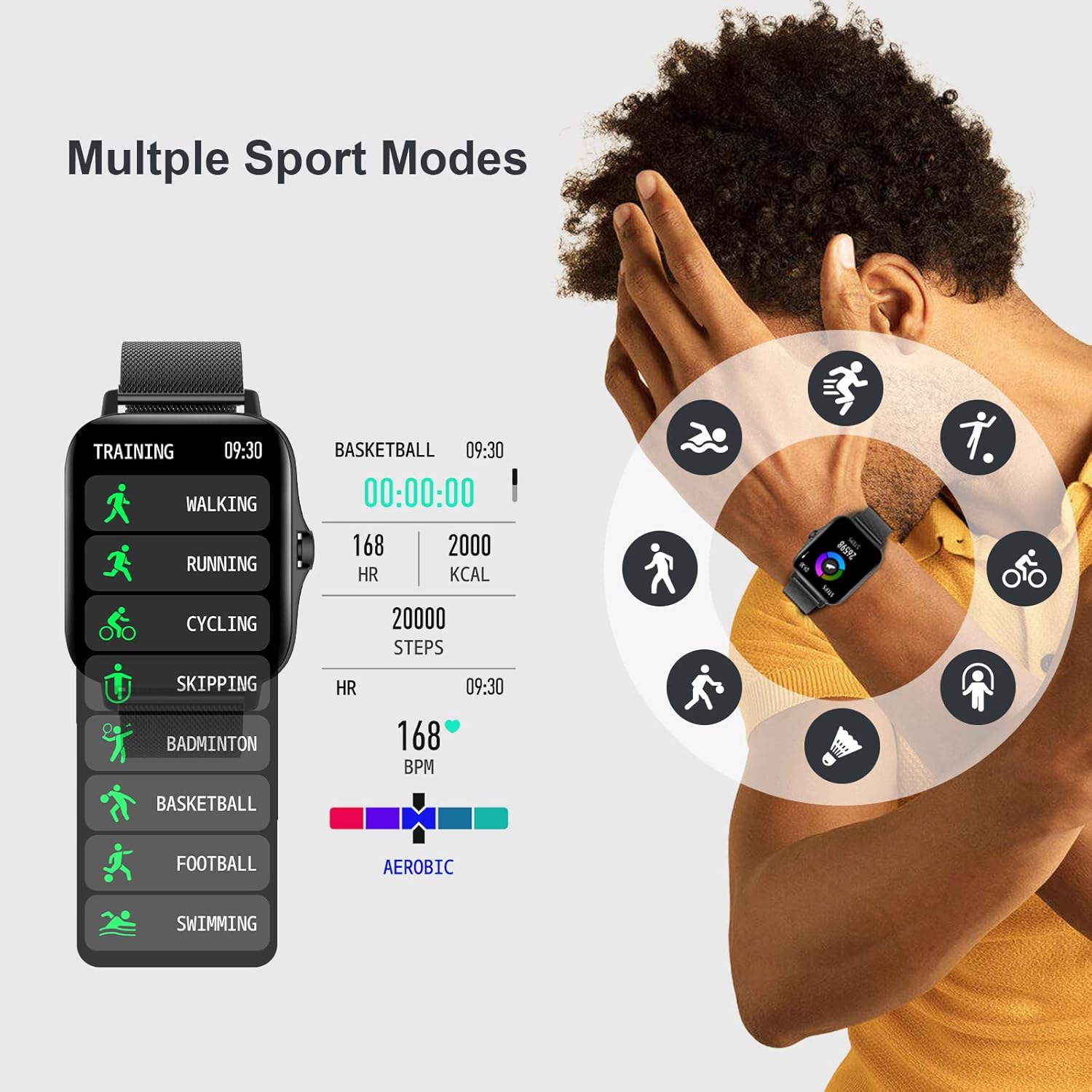
The smartwatch features multiple sport modes, allowing you to accurately track various physical activities and monitor your performance.

Comprehensive sports and health monitoring features, including heart rate zones, sleep quality, steps, blood pressure, and SpO2, to support your active lifestyle.
DIYウォッチフェイス
Personalize your watch face with over 100 options available in the Da Fit app, or upload your own photos.

Customize your smartwatch with over 100 watch faces or create your own DIY designs on the 1.7-inch HD large full-touch colorful screen.
A video demonstrating how to customize your watch screen with various dials and personal photos.
リモートカメラ制御
Enter the mobile phone app's photo interface, then swing your arm to remotely trigger your phone's camera and capture moments.

The smartwatch enables easy remote control photography, allowing you to capture wonderful moments by simply swinging your arm.
メンテナンス
スマートウォッチのクリーニング
- Wipe the watch body and straps regularly with a soft, damp 布。
- 強力な化学薬品や研磨材の使用は避けてください。
- 充電する前に、充電接点が清潔で乾燥していることを確認してください。
ストラップの交換
The Colesma Smart Watch features quick-release pins for easy strap replacement. To remove a strap, pull the pin inwards and gently detach the strap. To attach a new strap, align the pin with the lug hole and release the pin to secure it.
Video tutorial on how to remove and install the watch strap.
耐水性
The watch is IP67 waterproof, meaning it can withstand splashes, rain, and brief immersion in water. It is not suitable for hot showers, diving, or prolonged submersion.
トラブルシューティング
| 問題 | 考えられる原因 | 解決 |
|---|---|---|
| 時計が起動しない | バッテリー残量が少ない | Charge the watch for at least 2 hours. |
| 携帯電話とペアリングできません | Bluetoothがオフ、アプリが起動していない、時計が遠すぎる | Ensure phone Bluetooth is on, open Da Fit app, keep watch close to phone. Restart both devices. |
| 通知なし | App permissions not granted, notification settings off | Check Da Fit app notification settings and phone's app permissions. Ensure watch is connected. |
| 通話機能が動作しない | Second Bluetooth connection not established | Follow steps in "Enabling Bluetooth Call Function" section to connect the second Bluetooth profile. |
| 不正確な健康データ | Watch fit too loose/tight, sensor dirty | Ensure watch is worn snugly but comfortably. Clean the sensor on the back of the watch. |
仕様
| 特徴 | 詳細 |
|---|---|
| モデル番号 | i18-Black |
| 画面サイズ | 1.69 inches (1.59 inches listed in specs, using 1.69 from title for consistency) |
| 製品寸法 | 1.73 x 1.73 x 0.39インチ |
| アイテム重量 | 6.4オンス |
| バッテリー容量 | 230ミリamp 営業時間 |
| オペレーティング·システム | AndroidとiOSに対応 |
| 接続性 | ブルートゥース |
| 耐水性 | IP67 |
保証とサポート
For warranty information and customer support, please refer to the contact details provided on the product packaging or visit the official Colesma webサイトでご確認ください。保証請求の際は購入証明として領収書を保管してください。
メーカー: コレスマ
最初に入手可能: 5年2022月XNUMX日
For further assistance, you may also refer to the official user guides available online: