
導入
Thank you for choosing the Goshyda 1080P FHD Dash Cam. This manual provides essential information for the proper installation, operation, and maintenance of your device. Please read it thoroughly before use to ensure optimal performance and safety.
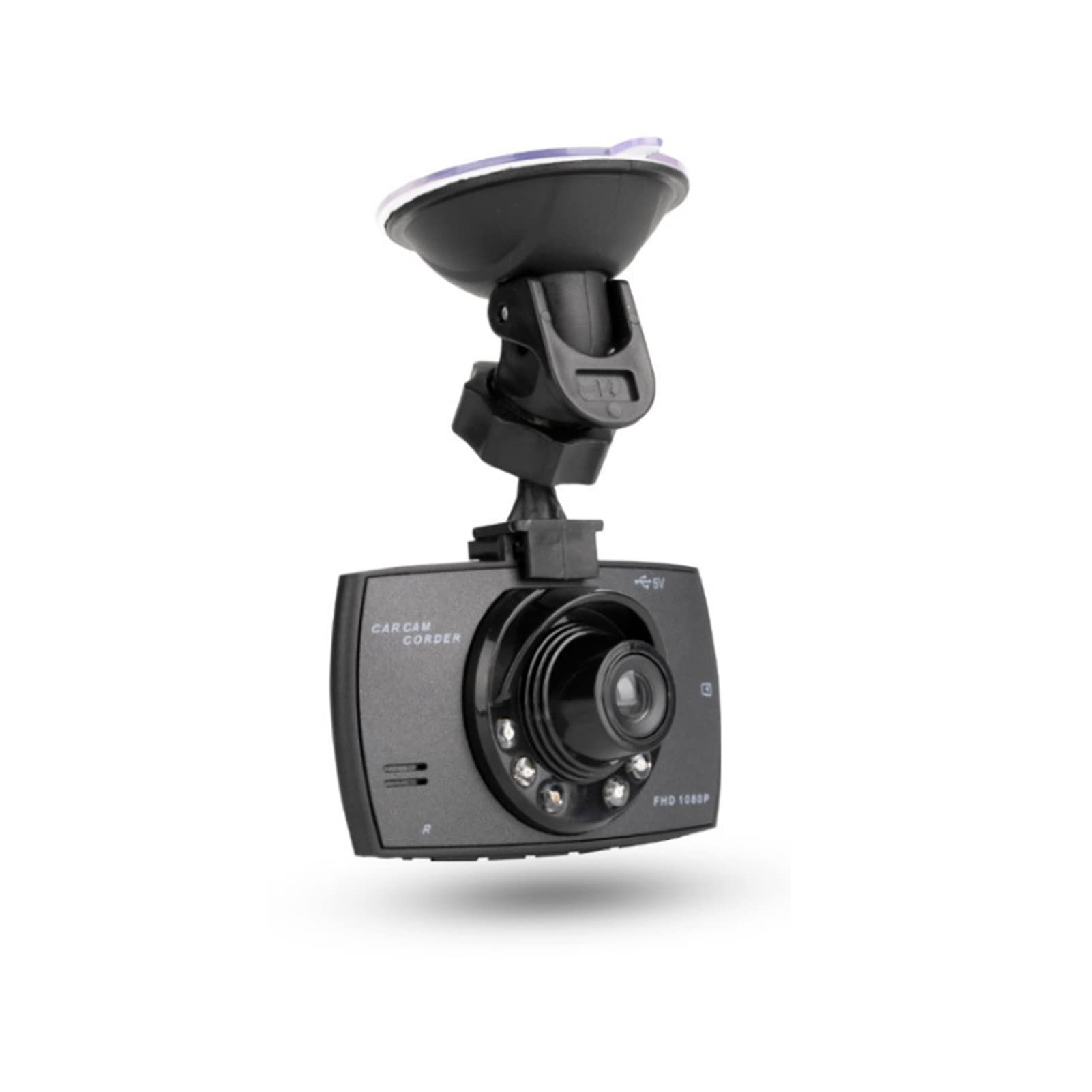
画像: 正面 view of the Goshyda 1080P FHD Dash Cam.
パッケージ内容
以下にリストされているすべてのアイテムがパッケージに含まれていることを確認してください。
- 1 x Driving Recorder (Dash Cam)
- カーチャージャー x 1
- 1 xサクションカップマウント
- ユーザーマニュアル x 1

Image: Contents of the Goshyda Dash Cam package, including the dash cam unit, car charger, and suction cup mount.
セットアップとインストール
- ドライブレコーダーの取り付け: Attach the suction cup mount to the dash cam. Securely affix the suction cup mount to your vehicle's windshield, ensuring it does not obstruct your view 道路の。
- 電源接続: Connect the car charger to the dash cam's USB port. Plug the other end of the car charger into your vehicle's cigarette lighter socket. Route the cable neatly to avoid interference with driving controls.
- メモリカードの挿入: Insert a compatible micro SD card (8-32 GB, not included) into the dash cam's memory card slot. Ensure the card is inserted correctly until it clicks into place.

Image: The dash cam mounted on a car windshield, showing the driver's view 道路の。
デバイスの充電
The dash cam can be charged using two methods:
- Via Car Charger: Connect the dash cam to the included car charger and plug it into your vehicle's 12V cigarette lighter socket. The device will automatically begin recording when the car starts.
- Via USB to Computer: Connect the dash cam to a computer's USB port using a compatible USB cable (not included). A green light will indicate charging. The green light will turn off automatically when the battery is fully charged.
重要: Only use a 5V output car power supply. When using the car charger, long-press the power button or disconnect the power to turn off the recorder.
操作手順
自動記録
When connected to the car's 12V power supply and the vehicle starts, the dash cam will automatically power on and begin recording. In case of power failure, the recorder will automatically shut down after 15 seconds and save the recorded files.
ループ録音
The dash cam features seamless loop recording. When the memory card is full, the camera will automatically overwrite the oldest unlocked video files. This ensures continuous recording without manual intervention.

Image: The dash cam screen showing a recording in progress, demonstrating the loop recording function.
G-Sensor (Gravity Detection)
In the event of a collision or sudden impact, the built-in G-sensor will detect the event and automatically lock the current video file。 ロック済み fileループ録画によって上書きされることが防止され、重要な証拠が保存されます。
マニュアル File ロック
During recording, you can manually press the lock button on the dash cam to protect the current video file from being deleted or overwritten.

Image: The dash cam's front, highlighting the night vision lights and indicating G-sensor functionality in a traffic scenario.
モーション検出
When enabled, the dash cam will automatically start recording if it detects motion in its field of view while parked. This feature helps monitor your vehicle when you are away.
主な特徴
- 1080PフルHD録画: 鮮明なビデオをキャプチャtage at 1920x1080P resolution.
- 170度広角レンズ: 幅広い view 道路の死角を最小限に抑えます。
- 2.4インチLCDスクリーン: リアルタイム view録音の録音と再生。
- 6 Infrared Fill Lights: Enhances night vision for clearer recordings in low-light conditions.
- Gセンサー: Automatically detects impacts and protects video files.
- ループ録音: Ensures continuous recording by overwriting old, unlocked files.
- モーション検出: Records automatically when motion is detected while parked.

Image: The dash cam mounted inside a car, illustrating its 1080P Full HD recording capability and 170-degree wide-angle view.

画像: クローズアップ view of the dash cam's lens, clearly showing the six infrared fill lights designed for improved night vision.
仕様
| 特徴 | 仕様 |
|---|---|
| ピクセル | 1000W (10 Megapixels) |
| View角度 | 170度 |
| ビデオフォーマット | 動画 |
| Video Encoding Mode | M-JPEG |
| ビデオ解像度 | 1920x1080P |
| ビデオ出力 | AVOUT, HD Multimedia Interface |
| ビデオ出力フォーマット | PAUNTSC |
| オペレーティングシステムの互換性 | Windows 2000, Windows XP, Windows 7, etc. |
| メモリカード容量 | 8-32 GB Micro SD card (not included) |
| バッテリー | 3.7V 120mAh Polymer Battery (built-in) |
| Power Consumption (Video) | 200mAh |
| 消費電力(スタンバイ) | 250-315mAh |
| 画面サイズ | 2.4インチ |
| 取り付けタイプ | サクションカップマウント |
| 制御方法 | リモート |
| フレームレート | 30FPS |
| アイテム重量 | 172グラム |
メンテナンス
- クリーニング: ドライブレコーダーのレンズと画面を拭く際は、柔らかく乾いた布をご使用ください。研磨剤入りの洗剤や溶剤の使用は避けてください。
- 温度: Do not expose the device to extreme temperatures, either hot or cold, as this can affect battery life and performance.
- メモリーカード: Regularly format your memory card (at least once a month) to ensure optimal performance and prevent data corruption. Back up important file■フォーマットする前。
トラブルシューティング
- デバイスの電源が入らない: Ensure the car charger is securely connected to both the dash cam and the vehicle's cigarette lighter socket. Check if the vehicle's 12V power outlet is functioning.
- 録音の問題: Verify that a compatible memory card is inserted and has sufficient free space. Format the memory card if necessary.
- ビデオ品質が悪い: Clean the lens of the dash cam. Ensure the windshield is clean where the camera is mounted.
- バッテリーの消耗が早い: The built-in battery is primarily for emergency power-off and saving files. For continuous operation, the dash cam should remain connected to the car charger.
保証とサポート
For warranty information or technical support, please refer to the contact details provided with your purchase or visit the official Goshyda webサイトでご確認ください。購入証明として購入レシートを保管してください。