
1. はじめに
Thank you for choosing the FEANS Q8 Wireless Earbuds. These earbuds are designed to provide a high-quality audio experience with advanced features for daily use, gaming, and calls. This manual will guide you through the setup, operation, and maintenance of your new earbuds.
The FEANS Q8 earbuds incorporate a Qualcomm QCC3040 chip for stable Bluetooth 5.2 connectivity, CVC8.0 noise cancellation for clear calls, and aptX audio support for enhanced sound quality. They are compatible with a wide range of devices including iPhone, Android, and Windows systems.
2. 箱の中身
- FEANS Q8 Wireless Earbuds
- 充電ケース
- USB充電ケーブル(タイプC)
- Multiple sizes of soft ear tips (Small, Medium, Large)
- ユーザーマニュアル
3.製品オーバーview 主な特徴
The FEANS Q8 earbuds are engineered with several key technologies to optimize your listening experience:
- Qualcomm QCC3040 チップ & Bluetooth 5.2: Ensures seamless, high-speed transmission and low-latency audio. Supports HSP/HFP/A2DP/AVRCP protocols.
- Qualcomm CVC8.0 & 4 Microphones: Advanced call noise reduction technology filters environmental sound to enhance voice clarity during calls.
- AptX High Quality Sound: Features 6mm dynamic drivers for deep bass, clear mids, and bright highs, delivering balanced premium sound.
- バッテリー寿命の延長: Up to 7 hours of playback on a single charge. The charging case provides approximately 4 additional charges.
- Hall Switch & IPX5 Water Resistance: Enables quicker pairing upon opening the case. IPX5 rating provides sweat-resistant and waterproof protection for daily use and light rain.
- TrueWireless Mirroring Technology: Ensures stable connection and automatic pairing with the last connected device.
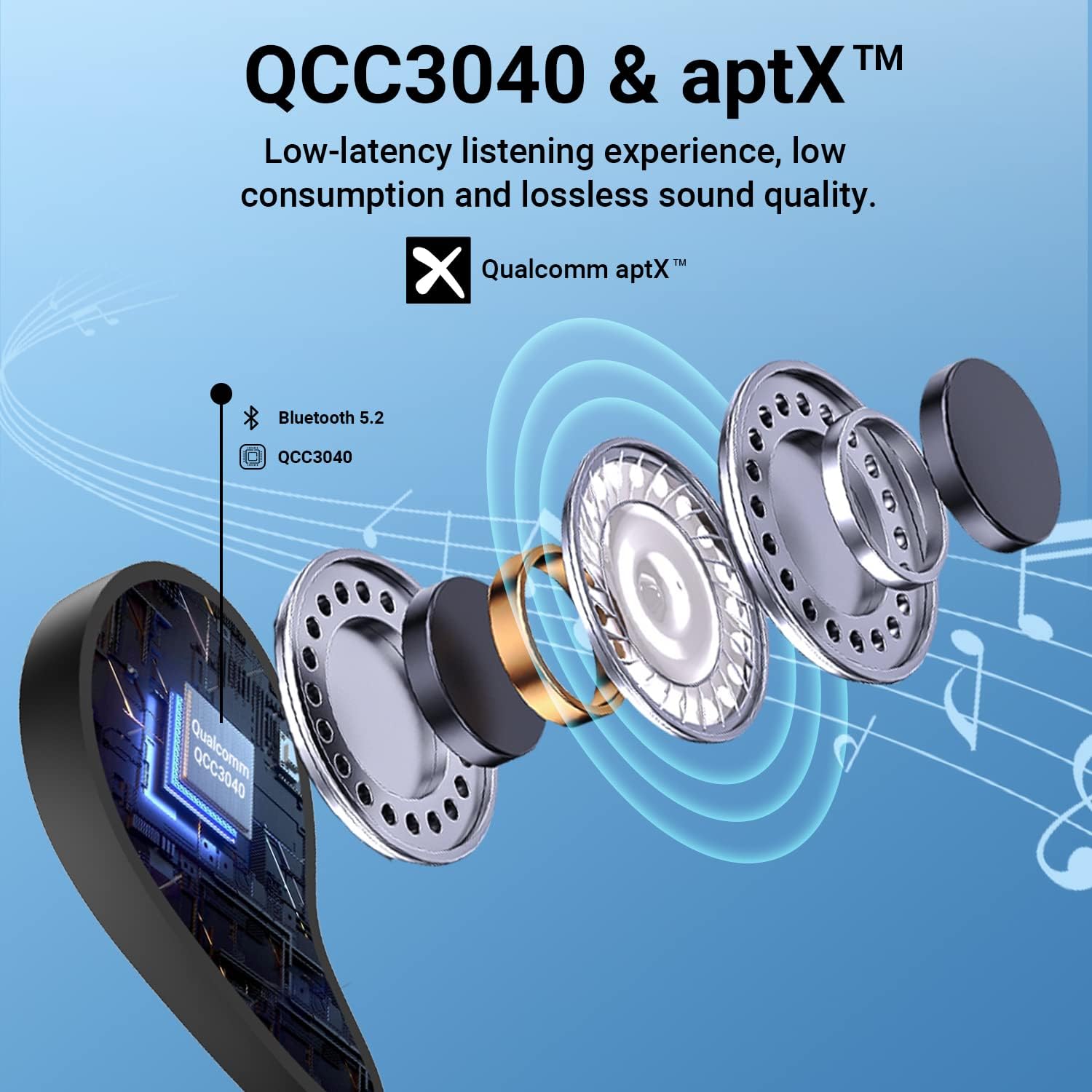
Figure 1: Internal structure highlighting the QCC3040 chip and Bluetooth 5.2.

Figure 2: CVC 8.0 technology for clear call quality.
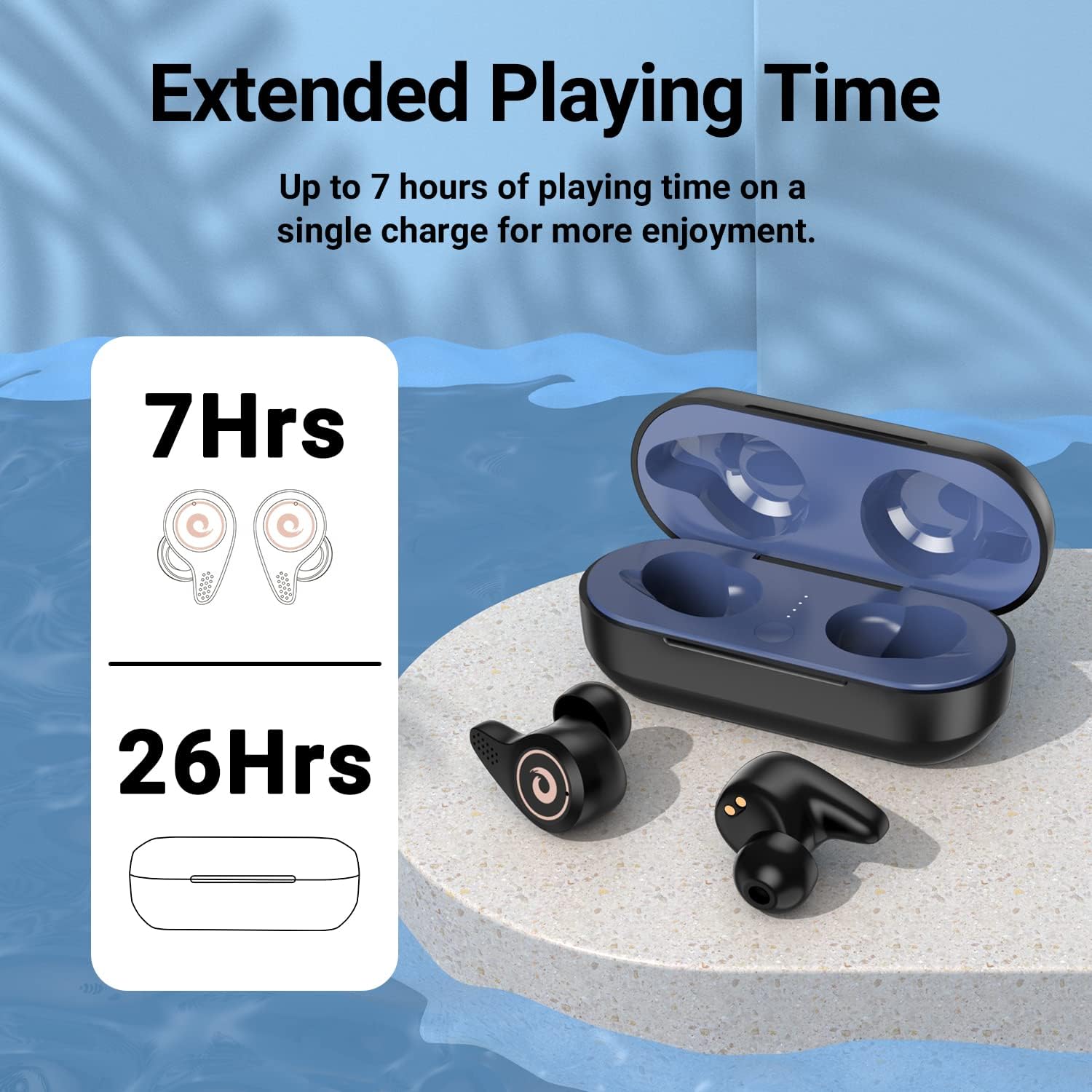
Figure 3: Battery life indication for earbuds and charging case.
4. セットアップ
- 初期充電:
- 初めて使用する前に、イヤホンと充電ケースが完全に充電されていることを確認してください。
- Open the charging case. Remove any protective plastic films from the charging contacts on the earbuds.
- Place the earbuds back into the charging case. Connect the USB Type-C cable to the charging port on the case and to a power source.
- The LED indicators on the charging case will show the charging status. A full charge is indicated by all four blue lights being solid.
- イヤーチップの選択:
- Select the ear tips that provide the most comfortable and secure fit for your ears. A good seal is crucial for optimal sound quality and noise isolation.
- デバイスとのペアリング:
- デバイスの Bluetooth がオンになっていることを確認してください。
- 充電ケースの蓋を開けると、イヤホンは自動的にペアリングモードになります。
- On your device, search for Bluetooth devices and select "Q8" from the list.
- 接続されると確認音が聞こえ、イヤホンが使用できるようになります。
- The Hall Switch feature allows for quick re-connection to the last paired device simply by opening the case.
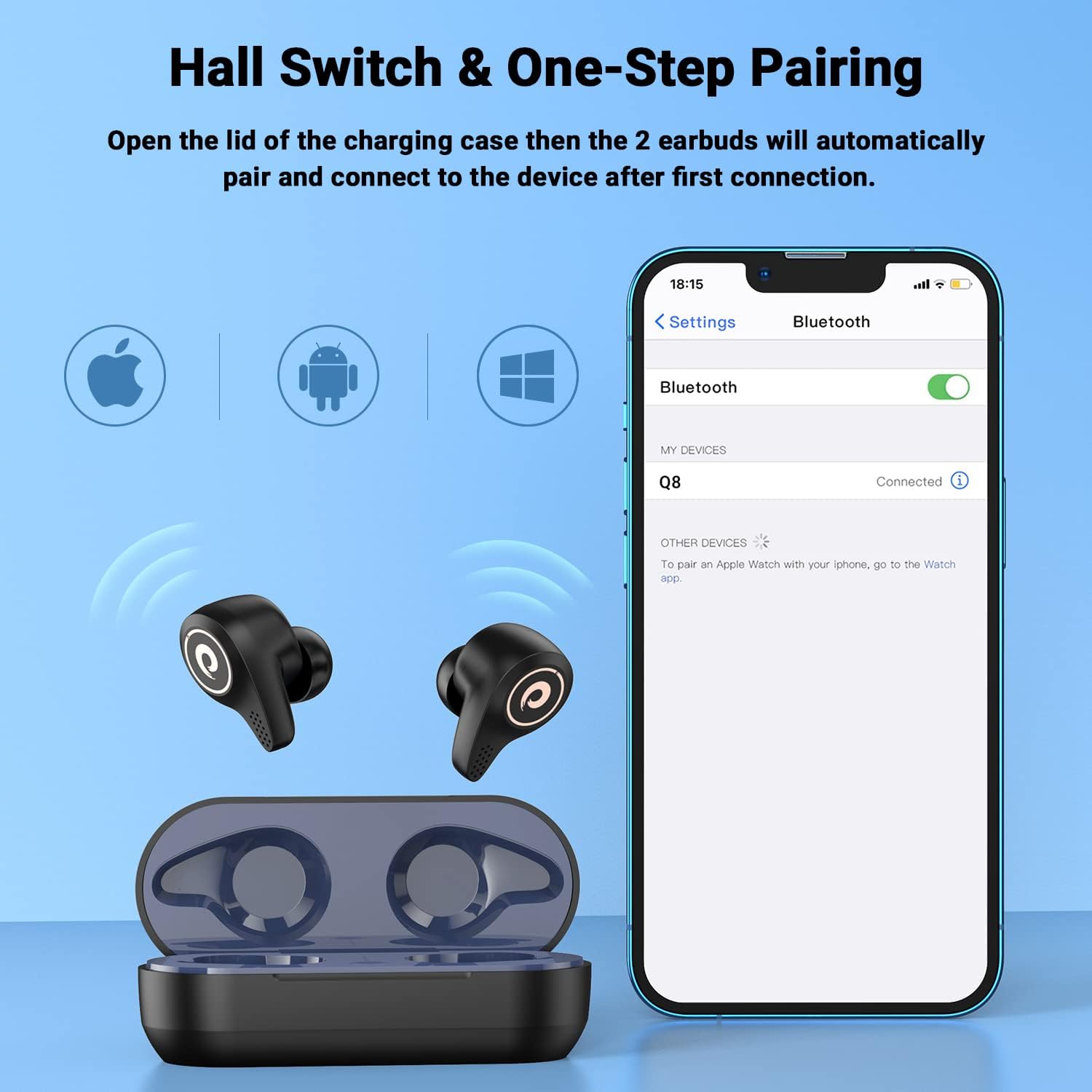
Figure 4: Hall Switch and one-step pairing process.
5. 操作手順
- 電源オン/オフ:
- To power on, open the charging case. The earbuds will automatically turn on.
- To power off, place the earbuds back into the charging case and close the lid. They will automatically disconnect and begin charging.
- タッチコントロール:
- The earbuds feature intuitive touch controls for media playback and call management. Refer to the quick start guide for specific tap functions (e.g., single tap for play/pause, double tap for next track, etc.).
- ゲームモード:
- For a lag-free gaming experience, triple tap the left earbud to enter gaming mode. This reduces latency for synchronized audio and visuals.
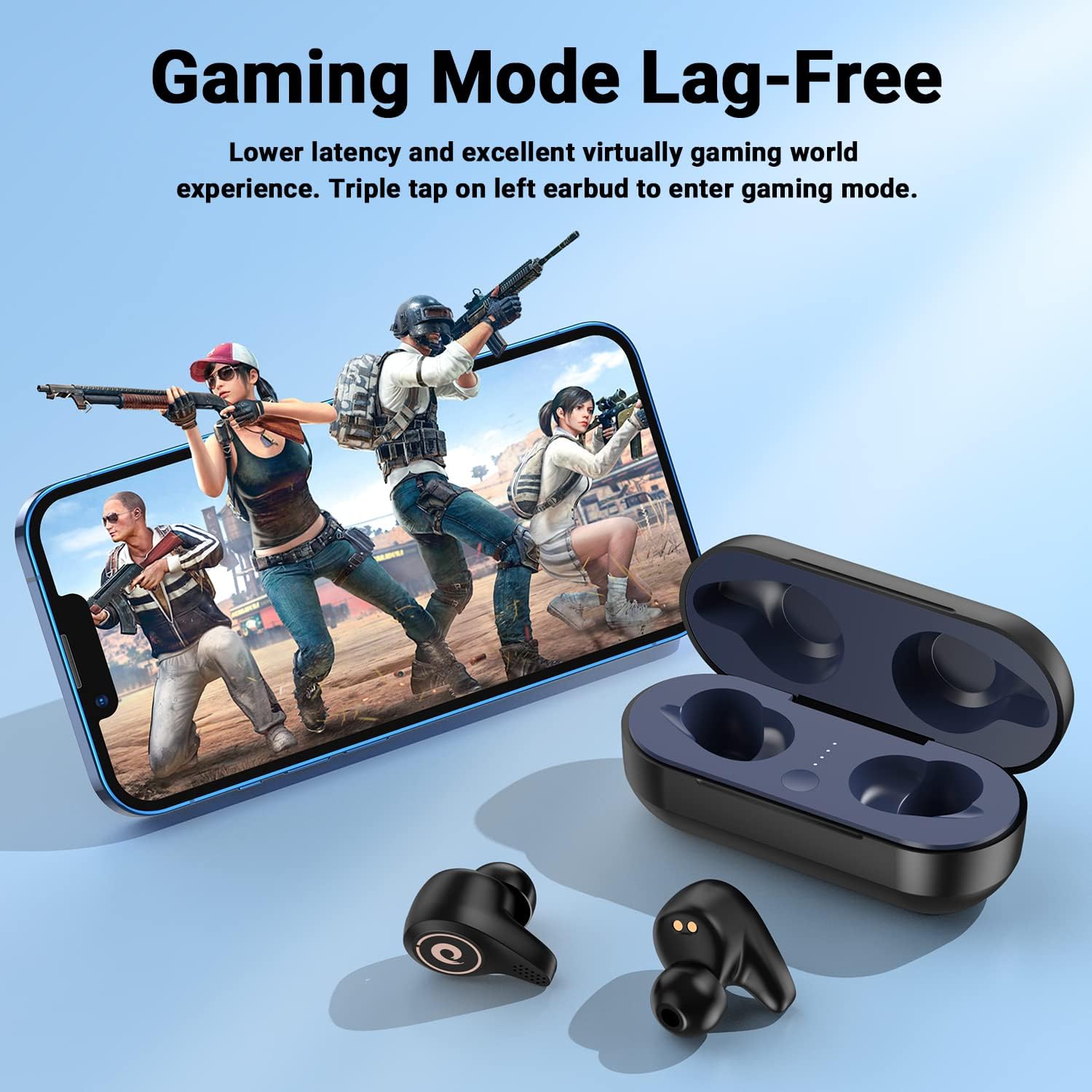
Figure 5: Activating Gaming Mode for reduced latency.
- 通話:
- Utilize the CVC8.0 noise cancelling technology and four microphones for clear conversations in various environments.
6. メンテナンス
- クリーニング:
- イヤホンと充電ケースは、定期的に柔らかく乾いた布で拭いてください。
- イヤーチップを取り外し、必要に応じて中性洗剤と水で洗浄し、再度取り付ける前に完全に乾いていることを確認してください。
- Keep charging contacts on both earbuds and case free from dust and debris.
- 耐水性(IPX5):
- The earbuds are IPX5 water-resistant, meaning they can withstand sweat and light rain. They are not designed for submersion in water.
- 充電ケースを水にさらさないでください。
- イヤホンが濡れた場合は、充電ケースに戻す前に完全に乾かしてください。

Figure 6: IPX5 water resistance for daily use.
7。 トラブルシューティング
- イヤホンがペアリングされない:
- Ensure the earbuds are charged and removed from the charging case.
- デバイスの Bluetooth をオフにしてからオンにして、もう一度検索してください。
- 以前にペアリングしたことがある場合は、携帯電話でデバイスを削除して再度ペアリングしてみてください。
- イヤホンが充電されない:
- Check that any protective plastic films have been removed from the earbud charging contacts.
- 充電ケーブルがケースと電源の両方にしっかりと接続されていることを確認してください。
- Verify that the charging case itself has power (check LED indicators).
- 音量が低い、または音質が悪い:
- デバイスとイヤホンの両方の音量を調整します。
- Ensure ear tips are properly seated and provide a good seal in your ear canal. Try different sized ear tips.
- イヤホンのスピーカーからゴミを取り除きます。
8. 仕様
| モデル名 | Q8 |
| ブランド | フィーンズ |
| 接続技術 | ワイヤレス(Bluetooth 5.2) |
| 無線通信技術 | ブルートゥース |
| Bluetoothバージョン | 5.2 |
| Bluetooth範囲 | 10メートル |
| オーディオドライバータイプ | Dynamic Driver (6mm diameter) |
| バッテリー寿命(イヤホン) | 最大7時間 |
| 充電ケース追加料金 | 約4回 |
| 耐水性レベル | IPX5 |
| 制御方法 | 触る |
| 特集 | Noise Cancellation (CVC8.0) |
| 対応デバイス | Cellphones, Laptops, Desktops, Tablets (iOS/Android/Windows) |
| アイテム重量 | 4.2オンス |
9. 公式製品ビデオ
ビデオ1: オーバーview of the FEANS Q8 Wireless Bluetooth Earbuds, showcasing their design, features, and functionality. This video provides a visual guide to the product's capabilities and highlights key selling points.
10. 保証とサポート
For warranty information, technical support, or any inquiries regarding your FEANS Q8 Wireless Earbuds, please refer to the contact details provided on the product packaging or visit the official FEANS webサイト。 保証請求に備えて購入時のレシートを保管しておいてください。