
導入
Thank you for choosing the ARROWMAX SDS MINI PLUS Mini Electric Drill with Benchtop Drill Press. This precision tool is designed for intricate drilling tasks in various materials, offering portability and ease of use. This manual provides essential information for the safe and efficient operation and maintenance of your new device.
主な特徴:
- Pocket Size & Precise Power: Compact design with a 350mAh LiPo battery and 550r/min rotate speed for powerful and efficient performance.
- Industrial-grade Benchtop Drill Press: Made of precisely machined aviation aluminum alloy for high accuracy and stability.
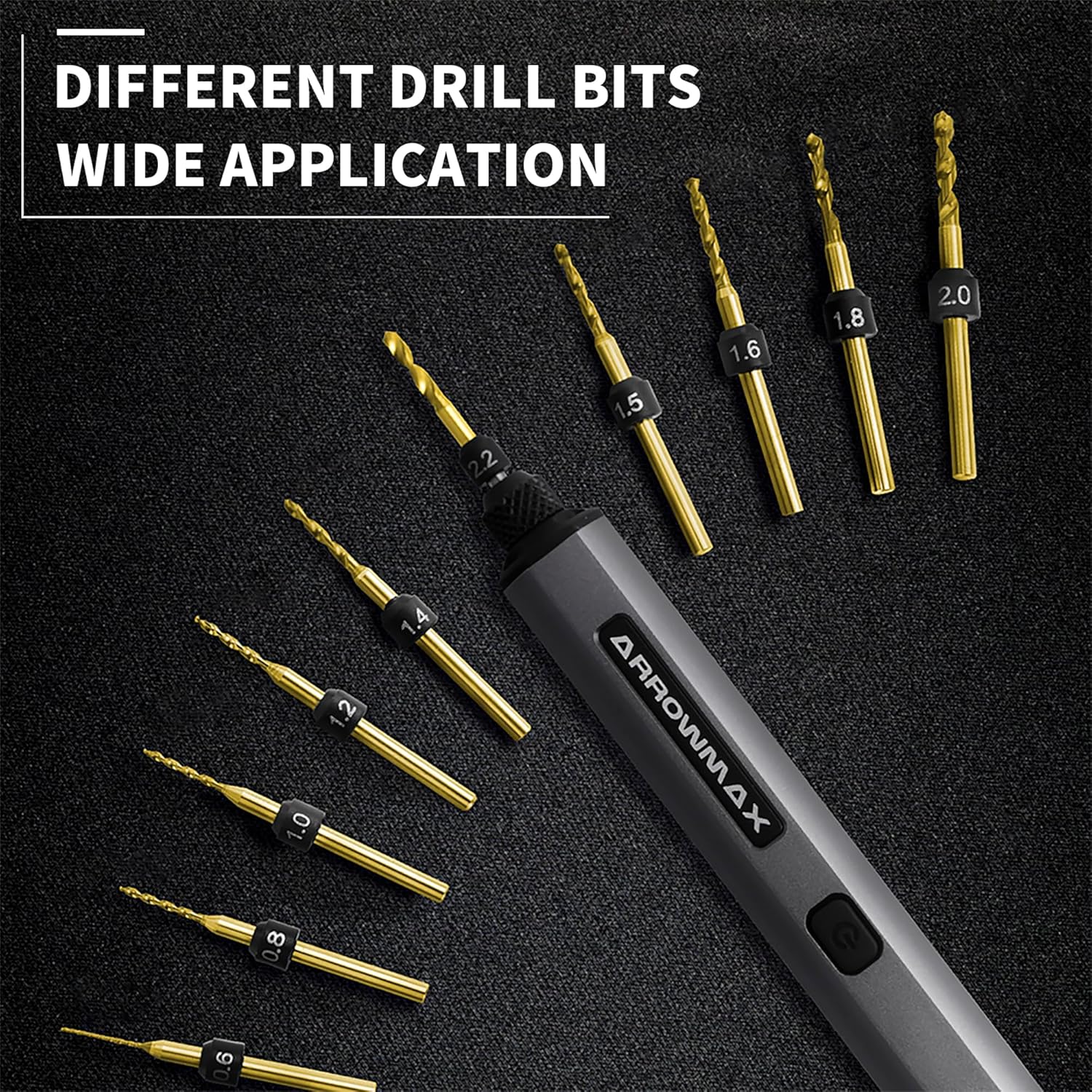
- 10 Size-Marked HSS Drill Bits: Includes 10 different bits (0.6mm to 2.2mm with 2.35mm diameter shaft) suitable for plastic, shell, wood, leather, and more. Easy to change with a keyless chuck.
- 4 Shadow-less LED Lights & Indicators: Illuminates the work area and provides battery status.
- ワンキー操作: Simple control for clockwise, counter-clockwise rotation, and power off.
安全情報
Always follow basic safety precautions when using this product to reduce the risk of fire, electric shock, or personal injury. Read all instructions carefully before use.
- Wear appropriate safety glasses to protect your eyes from debris.
- ワークピースがしっかりと固定されていることを確認しますclamp掘削中の動きを防ぐために固定または保持します。
- 回転部分に手やゆったりした衣服を近づけないでください。
- Do not force the drill; let the tool do the work.
- 作業エリアを清潔に保ち、明るく保ちます。
- Store the tool and accessories in a dry, secure place away from children.
パッケージ内容
パッケージを開封したら、すべてのアイテムが揃っていることを確認してください。
- ARROWMAX SDS MINI PLUS Mini Electric Drill
- 卓上ボール盤
- 10 HSS Drill Bits (0.6mm to 2.2mm)
- USB-C充電ケーブル
- 取扱説明書
- Allen Key and extra screws for assembly
製品終了view
Familiarize yourself with the components of your ARROWMAX SDS MINI PLUS.


設定
1. Charging the Electric Drill
Before first use, fully charge the electric drill. The drill supports USB-A to USB-C charging. The LED indicators will show the charging status.
- Connect the provided USB-C cable to the drill's charging port.
- Connect the other end to a compatible USB-A power source.
- The LED indicators will illuminate to show charging progress.
- Press the button while charging to check the current charging status.
2. ドリルビットの取り付け
The SDS MINI PLUS features a keyless chuck for easy bit changes.
- Twist the chuck counter-clockwise to loosen it.
- Insert the desired drill bit (0.6mm to 2.2mm, 2.35mm shaft diameter) into the chuck.
- Twist the chuck clockwise to tighten and secure the drill bit.
3. Assembling the Benchtop Drill Press
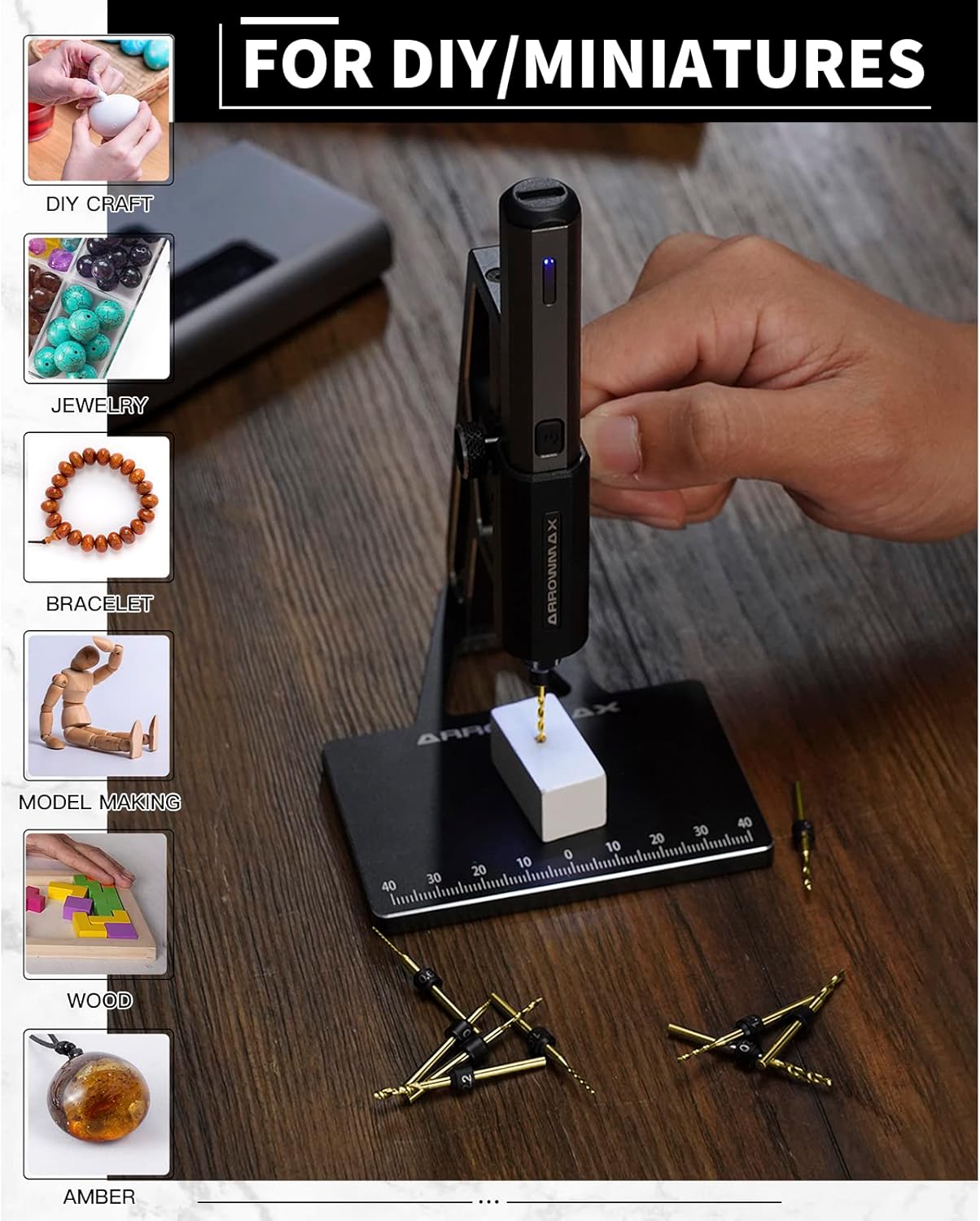
The benchtop drill press provides enhanced precision for your drilling tasks.
- Attach the main frame of the drill press to the base using the provided screws and Allen key.
- Slide the electric drill into the holder on the press. Secure it with the side screw.
- Ensure the drill is firmly seated and aligned.
操作手順
1. Power On/Off and Direction Control
The drill features a single button for all operations:
- 初回プレス: Activates clockwise rotation.
- セカンドプレス: Activates counter-clockwise rotation.
- XNUMX 回目のプレス: Turns the drill off.
You do not need to continuously press the button during operation.
2. Drilling with the Electric Drill
For handheld use:
- Hold the drill firmly and position the drill bit over the desired spot.
- Press the button to start drilling in the desired direction.
- The 4 shadow-less LED lights will illuminate the work area for better visibility.
For use with the Benchtop Drill Press:
- Place the workpiece on the base of the drill press. The base has measurements for precise positioning.
- Adjust the workpiece to align with the drill bit.
- Press the drill's button to start rotation.
- Use the lever on the side of the press to gently lower the drill bit into the material. The spring mechanism assists in smooth operation.

メンテナンス
1. 一般的な手入れと清掃
- Wipe the drill and drill press with a clean, dry cloth after each use to remove dust and debris.
- 過酷な化学薬品や研磨剤入りのクリーナーは使用しないでください。
- Keep the drill bits clean and sharp for optimal performance.
2.バッテリーのメンテナンス
- To ensure the best user experience, fully charge the drill before first use.
- Always ensure the electric drill is fully charged before storing it for extended periods.
- バッテリーの寿命を延ばすために、頻繁にバッテリーを完全に使い切らないようにしてください。
3. Drill Bit Storage
The included aluminum case features magnetic holders to keep the drill bits securely in place, preventing loss and damage.
トラブルシューティング
1. Drill Bit Not Lining Up with Benchtop Press Hole
If the drill bit does not align perfectly with the hole in the benchtop press base, check the assembly of the press. Ensure all screws are tightened correctly and the drill is seated properly in its holder. If the issue persists, it may indicate a manufacturing variation; contact customer support for assistance.
2. Drill Not Charging
Ensure you are using a USB-A to USB-C charging cable. The drill does not support USB-C PD chargers. Verify the cable and power source are functioning correctly.
3. Lack of Power or Precision
The ARROWMAX SDS MINI PLUS is designed for precision work on small materials. It is not intended for heavy-duty drilling tasks. Ensure the drill bit is sharp and appropriate for the material being drilled. For optimal precision, use the benchtop drill press.
仕様
| 特徴 | 仕様 |
|---|---|
| ブランド | アローマックス |
| モデル番号 | AM-199972 |
| 電源 | 電池駆動 |
| 電池のタイプ | リチウムポリマー 1 個 (付属) |
| バッテリー容量 | 350ミリamp 営業時間 |
| 巻tage | 4ボルト |
| Amp怒る | 2 Amps |
| 最高回転数 | 550 回転 |
| 最大チャックサイズ | 0.09インチ(2.35mm) |
| 掘削能力(木材) | 0.09インチ |
| 材料 | Metal (Aviation Aluminum Alloy for Press) |
| アイテム重量 | 4.6オンス(130グラム) |
| 製品寸法 | 長さ10.75インチ x 幅4.75インチ x 高さ2.03インチ |
| 特集 | Reverse Rotation, LED Lights |
保証とサポート
For warranty information, technical support, or any inquiries regarding your ARROWMAX SDS MINI PLUS, please refer to the contact details provided in your product packaging or visit the official ARROWMAX webサイトをご覧ください。問題やご質問がございましたら、カスタマーサービスチームがお手伝いいたします。