
Codnida BM101
Codnida Baby Monitor Instruction Manual
モデル: BM101
1.製品オーバーview
The Codnida Baby Monitor provides comprehensive monitoring of your baby with advanced features designed for peace of mind. This manual will guide you through the setup, operation, and maintenance of your new baby monitor.

Image 1: Codnida Baby Monitor components.
主な特徴:
- 5" 720P HD Display: 明確な view あなたの赤ちゃんの。
- 4倍デジタルズーム: Zoom in to see your little one up close.
- パン 340° & チルト 50°: Offers a wide coverage area with no blind spots.
- 双方向トーク: 赤ちゃんと遠隔でコミュニケーションをとります。
- 泣き声と動きの検知: Alerts you to your baby's needs.
- 温度と湿度の監視: Ensures a comfortable environment.
- 給餌リマインダー: Helps maintain a consistent feeding schedule.
- 自動ナイトビジョン: クリア view暗い場所や暗い場所での使用。
- 18 Gentle Lullabies: Soothe your baby to sleep.
- 1000フィートの伝送範囲: Reliable connection throughout your home.
- 長いバッテリー寿命: Up to 10 hours in live view, 6 days in sleep mode.
- モバイルアプリのサポート: Monitor from your smartphone (CloudEdge app).
ビデオ1: 紹介ビデオasing the Codnida Baby Monitor's features and benefits.
2. パッケージ内容
開梱したらパッケージの内容を確認し、すべてのアイテムが揃っていることを確認してください。
- ベビーカメラユニット x 1
- 1 x Display Screen (Parent Unit)
- 2 x Charging Cables with Adapters
- 1 x Set of Screws for Mounting
- 1 x取付金具
- 1 xリセットピン
- ユーザーマニュアル (本書) x 1

画像 2: 製品パッケージに含まれるすべてのアイテム。
3.セットアップガイド
3.1 ユニットの充電
Before first use, fully charge both the baby camera unit and the display screen using the provided charging cables and adapters. A full charge ensures optimal performance and battery life.
3.2 カメラの配置
Place the baby camera unit in a location that provides a clear and unobstructed view of your baby. Ensure it is out of reach of children and away from any potential hazards. The camera can be placed on a flat surface or mounted to a wall using the included bracket and screws.

Image 3: The camera unit offers 340° pan and 50° tilt for comprehensive room coverage.
3.3 Initial Connection (Monitor & Camera)
The baby camera unit and display screen are pre-paired at the factory. Simply power on both devices, and they should automatically connect. If they do not connect, or if you are adding a new camera, follow the pairing instructions in the Operating Instructions section.
3.4 モバイルアプリ接続(オプション)
For remote monitoring via your smartphone, download the "CloudEdge" app from your device's app store. Follow the in-app instructions to connect your baby camera unit to your home Wi-Fi network. This allows you to view your baby from anywhere with an internet connection.
Video 2: A step-by-step guide on how to connect your Codnida Baby Monitor to Wi-Fi for mobile app access.
4. 操作手順
4.1 Display and Zoom
The 5-inch 720P HD display provides a clear live feed. Use the zoom function on the parent unit to get a closer look at your baby. The monitor supports up to 4X digital zoom.
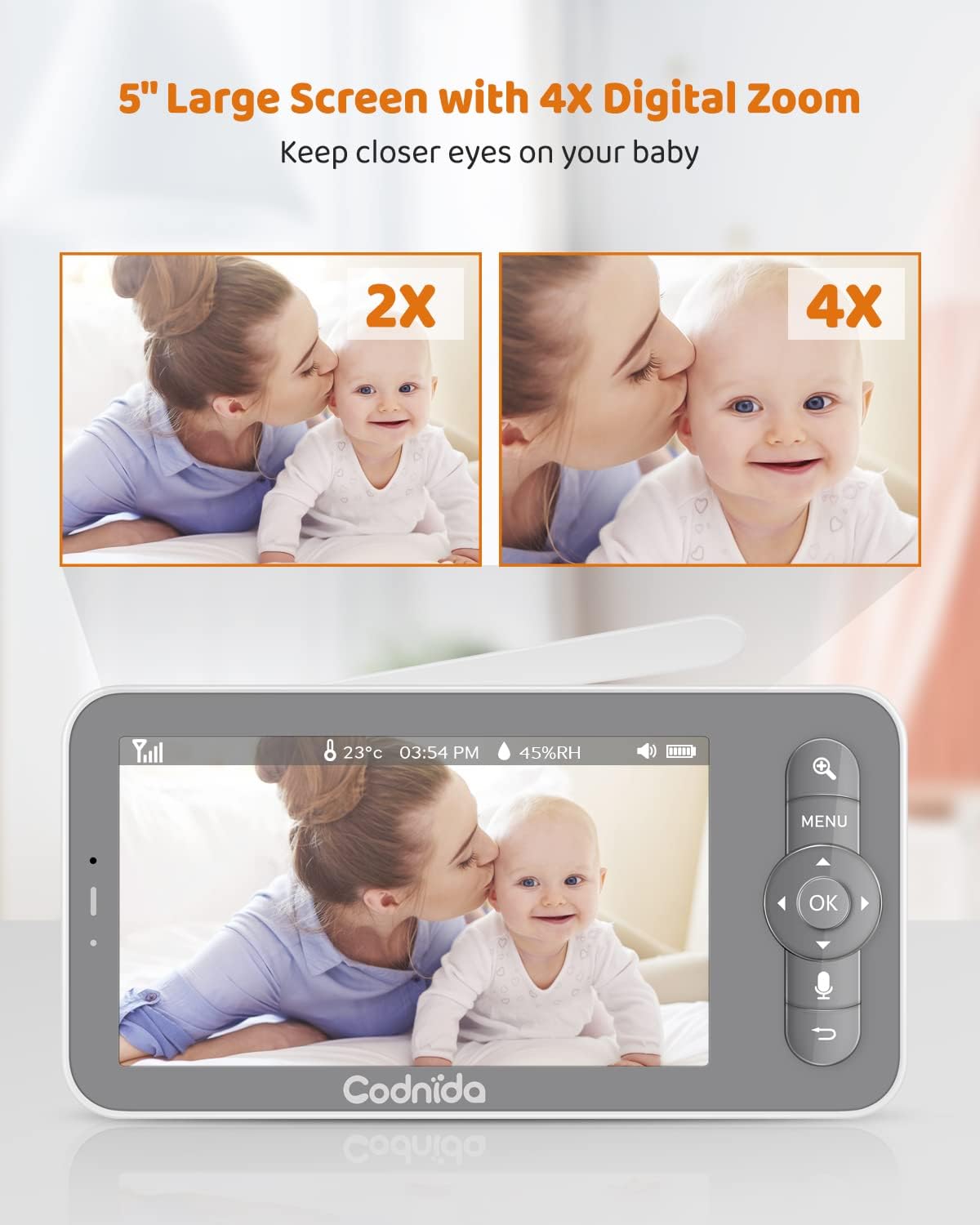
Image 4: The 5-inch display with 4X digital zoom capability.
4.2 Camera Control (Pan & Tilt)
カメラの viewing angle directly from the parent unit. The camera can pan 340 degrees horizontally and tilt 50 degrees vertically, ensuring you can see every corner of the room.

Image 5: Illustrates the camera's pan and tilt range.
4.3 双方向通話
Press and hold the microphone button on the parent unit to speak to your baby. Your voice will be transmitted through the camera unit's speaker, allowing you to soothe your baby from another room.

Image 6: Two-way talk feature in action, allowing parents to communicate with their baby.
4.4 監視機能
- 泣き声と動きの検知: The monitor will alert you when it detects crying or significant motion from your baby. This feature helps you respond promptly to your baby's needs.
- 温度と湿度: The camera unit includes sensors to monitor the room's temperature and humidity, displayed on the parent unit.
- 給餌リマインダー: Set customizable feeding reminders to ensure your baby is fed on schedule.
- アラームゾーン: Define a safe area for your baby. If your baby moves outside this pre-set zone, an alert will be triggered on the parent unit.

Image 7: Visual representation of various alert features including motion, cry, temperature, and feeding reminders.
4.5 自動ナイトビジョン
The camera automatically switches to infrared (IR) night vision in low-light conditions, providing a clear black-and-white image of your baby without disturbing their sleep.

Image 8: Clear night vision allows monitoring even in complete darkness.
4.6子守唄
The monitor comes with 18 gentle lullabies that can be played through the camera unit to help soothe your baby to sleep. Access this feature through the parent unit's menu.

Image 9: The baby monitor can play 18 gentle lullabies.
4.7 録音と再生
The camera unit supports an SD card (not included) for local recording of video and images. You can review 記録されたfootage directly from the parent unit or via the mobile app.

Image 10: Capture key moments with photo and video recording capabilities.
Video 3: Demonstrates various features of the Codnida Baby Monitor, including recording and playback.
5. Battery Life & Transmission Range
5.1 バッテリーの性能
The parent unit features low power consumption technology, offering extended battery life. It can last up to 10 hours in live view mode and up to 6 days in sleep mode (VOX mode), where the display activates only upon detecting motion, noise, or abnormal temperature.
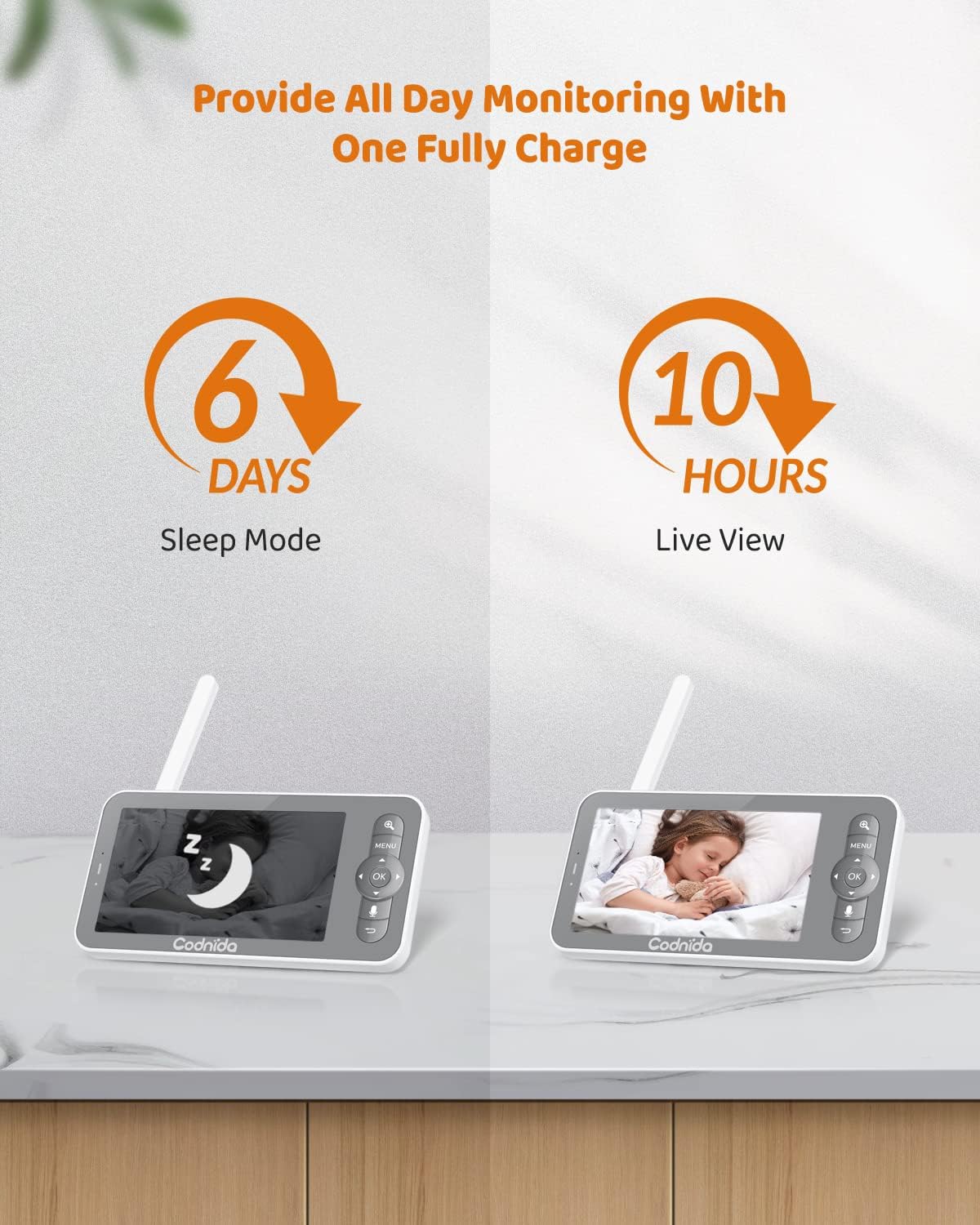
Image 11: Battery life indicators for sleep mode and live view.
5.2 伝送範囲
The video baby monitor covers a transmission range of up to 1000 feet in an open area, allowing you to monitor your baby from various locations within your home with a stable video feed.

Image 12: The monitor offers a transmission range of up to 1000ft.
6. メンテナンス
To ensure the longevity and optimal performance of your Codnida Baby Monitor, follow these maintenance guidelines:
- クリーニング: Use a soft, dry cloth to clean the camera lens and display screen. Do not use abrasive cleaners or solvents.
- ストレージ: 長期間使用しない場合は、モニターを直射日光や極端な温度を避け、涼しく乾燥した場所に保管してください。
- バッテリーのケア: Avoid fully discharging the battery frequently. Charge the unit regularly to maintain battery health.
7。 トラブルシューティング
If you encounter any issues with your Codnida Baby Monitor, please refer to the following common troubleshooting tips:
- 画像/音声なし: Ensure both the camera and parent unit are powered on and fully charged. Check that they are within range of each other.
- 信号が弱い: Move the parent unit closer to the camera unit. Reduce obstacles between the units (e.g., thick walls, large appliances).
- 干渉: Keep the monitor away from other electronic devices that may cause interference (e.g., Wi-Fi routers, microwaves).
- リセット: If issues persist, try resetting both units. Refer to the included manual for specific reset instructions using the reset pin.
- アプリ接続の問題: Ensure your Wi-Fi network is stable and the password is correct. Restart your router and try connecting again.
8. 仕様
| 特徴 | 仕様 |
|---|---|
| モデル名 | BM101-M |
| 表示サイズ | 5インチ |
| ビデオキャプチャ解像度 | 720p |
| デジタルズーム | 4X |
| パン角度 | 340度 |
| 傾斜角度 | 50度 |
| 伝送距離 | 最大1000フィート(オープンエリア) |
| Parent Unit Battery Life (Live View) | 10時間 |
| Parent Unit Battery Life (Sleep Mode) | 6日 |
| 接続技術 | Wireless (Wi-Fi for app) |
| 電源 | コード式電気 |
| アイテム重量 | 1.6オンス |
| 製品寸法 | 4 x 3 x 5インチ |
| 材料 | プラスチック |
| 特集 | Local Recording, HD Resolution, Night Vision, PTZ Technology, Motion Sensor |
9. サポート
For any product issues or technical assistance, please contact Codnida customer support. Our professional customer support team is committed to resolving any product issues within 24 hours.
訪問する Codnida Store on Amazon 詳細とサポートリソースについては、こちらをご覧ください。