導入
This manual provides instructions for the Hotsmtbang Replacement Remote Control, designed for various JVC Smart LCD LED HDTV TV models. This remote is pre-programmed and requires no additional setup beyond battery installation. It functions as a direct replacement for your original remote, offering seamless control over your television's features.
設定
1. バッテリーの取り付け
リモコンには単4電池2本(別売)が必要です。電池の取り付けは以下の手順に従ってください。
- リモコンの背面にある電池ボックスのカバーを見つけます。
- カバーを下方向にスライドさせるか、ラッチを押して持ち上げ、コンパートメントを開きます。
- 単 4 電池 2 本を挿入し、プラス (+) とマイナス (-) の端子がコンパートメント内のマークと正しく揃っていることを確認します。
- 電池ボックスのカバーを、カチッと音がするまで元の位置に戻してしっかりと閉めます。
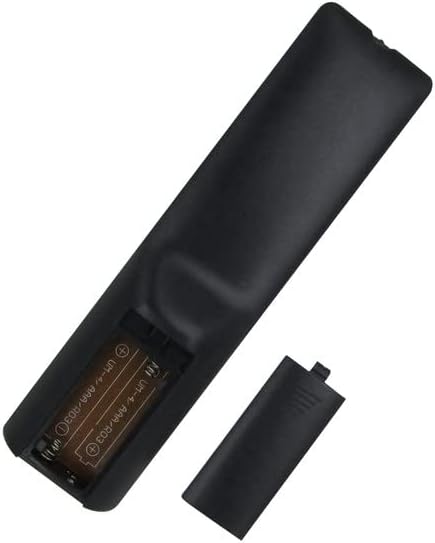
図1: Battery compartment with two AAA batteries installed. Ensure correct polarity.
2.初期使用
Once batteries are installed, the remote control is ready for immediate use. No programming or pairing is required. Point the remote directly at your JVC television and press the desired function button.
リモコンの操作
This replacement remote control provides access to all standard functions of your JVC television. Common buttons and their functions include:
- 電源ボタン: テレビの電源をオンまたはオフにします。
- 数字ボタン(0-9): 直接チャンネル選択。
- チャンネルアップ/ダウン: チャネルを順番に移動します。
- 音量を上げる/下げる: オーディオレベルを調整します。
- 消音ボタン: テレビの音声を消音します。
- 入力/ソースボタン: Selects different input sources (HDMI, AV, etc.).
- ナビゲーション ボタン (上、下、左、右、OK/Enter): メニューのナビゲーションと選択に使用されます。
- メニューボタン: テレビのメインメニューにアクセスします。
- Smart TV/App Buttons: (If present on the remote) Provides quick access to smart TV features or streaming applications.
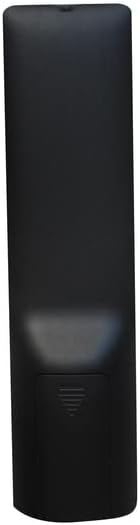
図2: フロント view of the remote control, displaying button layout.
メンテナンス
クリーニング
リモコンを清掃する際は、柔らかく乾いた布をご使用ください。液体クリーナー、スプレー、研磨剤は使用しないでください。リモコンの表面や内部部品を損傷する恐れがあります。
バッテリー交換
リモコンの反応が鈍くなったり、動作しなくなった場合は、電池を交換してください。必ず2本とも新しい単4電池に交換してください。古い電池と新しい電池、または異なる種類の電池を混ぜて使用しないでください。
ストレージ
リモコンは、直射日光や極端な温度を避け、涼しく乾燥した場所に保管してください。長期間使用しない場合は、液漏れを防ぐため、電池を取り外しておくことをお勧めします。
トラブルシューティング
| 問題 | 考えられる原因 | 解決 |
|---|---|---|
| リモートが応答しない | Dead or incorrectly installed batteries. Obstruction between remote and TV. Remote sensor on TV is blocked. | Replace batteries with new AAA batteries, ensuring correct polarity. Remove any objects blocking the line of sight between the remote and the TV. Ensure the TV's remote sensor is clear. |
| ボタンが反応しない、または固まる | ボタンの下に汚れやゴミがあります。 | Clean the remote control with a soft, dry cloth. Avoid using liquids. |
| リモートは断続的に動作します | Low battery power. Interference from other electronic devices. | Replace batteries. Move other electronic devices away from the TV and remote control. |
仕様
- モデルの互換性: JVC LT-32N646A, LT-39N370A, LT-32N386A, RM-C3216, RM-C2115, RM-C2120, LT-55N776A Smart LCD LED HDTV TVs
- 電源: 2 x AAA電池(別売)
- 特集: プログラミングは不要
- コントローラタイプ: ボタンコントロール
- メーカー: ジェネリック
保証とサポート
This product is a replacement remote control. For specific warranty information or technical support, please refer to the seller or the original purchase documentation. As a generic replacement, direct manufacturer support may not be available.


