
Acctim Digital Bedside Mini Alarm Clock
モデル: 16231 - 取扱説明書
導入
Thank you for choosing the Acctim Digital Bedside Mini Alarm Clock. This compact and functional alarm clock is designed for convenience and reliability. Please read this manual carefully to ensure proper setup and operation of your device.
主な特徴:
- Clear LCD Screen with White Backlight
- Crescendo Alarm
- 調節可能な音量調節
- コンパクトでポータブルなデザイン

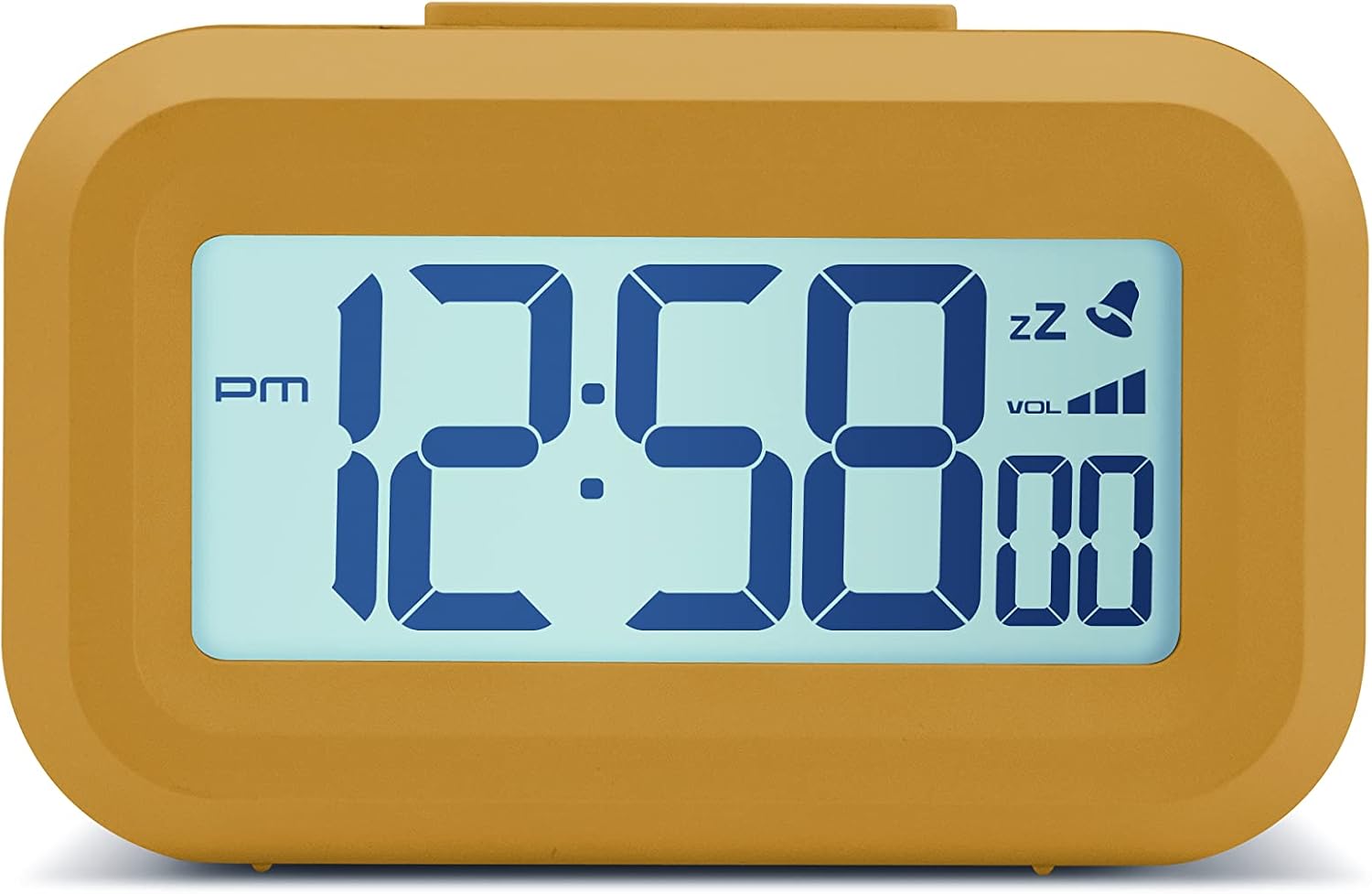
フロント view of the Acctim Digital Bedside Mini Alarm Clock, displaying the time.
設定
1. バッテリーの取り付け
The alarm clock requires 2 x AAA batteries (not included). To install the batteries:
- 時計の背面にある電池ケースのカバーを見つけます。
- カバーを下方向にスライドさせて開きます。
- 電池ボックス内の指示に従って、極性 (+ と -) が正しいことを確認して、単 4 電池 2 本を挿入します。
- 電池ボックスのカバーを、カチッと音がするまで上方にスライドさせて取り付けます。
戻る view 目覚まし時計の電池ボックスとコントロール ボタンが強調表示されます。
2. 初回電源投入
Once batteries are correctly installed, the LCD display should activate, showing a default time or flashing digits. The clock is now ready for time and alarm settings.
操作手順
ボタンの機能:
- セット: Used to enter time/alarm setting modes and confirm selections.
- 上(▲): 設定時に値を増やす場合に使用します。
- 下(▼): 設定時に値を減らすために使用します。
- VOL (■): Used to adjust alarm volume.
- トップボタン: Activates backlight and snooze function.
1.時間を設定する
- を押す セット ボタンを一度押します。時間の数字が点滅し始めます。
- 使用 UP or 下 ボタンを使って時間を調整します。AM/PMインジケーターにご注意ください。
- プレス セット もう一度押してください。分の数字が点滅します。
- 使用 UP or 下 分を調整するためのボタン。
- プレス セット a third time to confirm the time setting and exit the time setting mode.
2.アラームの設定
- を押す セット button twice. The alarm hour digits will begin to flash, and an alarm icon (bell) may appear on the display.
- 使用 UP or 下 ボタンでアラーム時間を調整します。
- プレス セット もう一度押してください。アラームの「分」の数字が点滅します。
- 使用 UP or 下 アラームの分数を調整するボタン。
- プレス セット a third time to confirm the alarm setting. The alarm icon will remain visible, indicating the alarm is active.
- アラームを解除するには、 セット アラームアイコンがディスプレイから消えるまでボタンを押します。
3. スヌーズ機能
アラームが鳴ったら、大きな トップボタン on the clock. The alarm will temporarily stop and sound again after approximately 5 minutes. The snooze icon (zz) will typically flash on the display.
4. バックライトの有効化
To illuminate the display temporarily, press the large トップボタン. The white backlight will activate for a few seconds, making the time visible in low-light conditions.

The alarm clock display with its white backlight activated for improved visibility.
5. アラーム音量の調整
The alarm features an adjustable volume control. While the alarm is sounding, or in alarm setting mode, press the 巻 button (square button on the back) to cycle through available volume levels. The display may show a volume indicator.
メンテナンス
クリーニング
To clean the clock, use a soft, dry cloth. Avoid using abrasive cleaners, solvents, or chemical sprays, as these can damage the casing またはディスプレイ。
バッテリー交換
Replace the AAA batteries when the display becomes dim, the backlight is weak, or the clock functions become erratic. Always replace both batteries at the same time with new ones.
トラブルシューティング
- ディスプレイが空白または暗い場合:
Check if the batteries are inserted correctly. Replace with fresh AAA batteries. - アラームが鳴らない:
Ensure the alarm time is set correctly and the alarm icon is visible on the display. Check the alarm volume level. - 表示される時刻が間違っています:
Re-enter the correct time following the 'Setting the Time' instructions. - ボタンが反応しない:
Remove and reinsert the batteries to perform a soft reset. If the issue persists, replace the batteries.
仕様
- ブランド: アクティム
- モデル番号: 16231
- 表示タイプ: デジタルLCD
- 特別な機能: Adjustable Volume, Alarm, Illuminated (Backlight), Snooze
- 製品寸法: 幅3.54インチ x 高さ2.17インチ(約幅8.8cm x 高さ5.5cm)
- 電源: 電池式(単4電池2本、別売)
- 部屋タイプ: 寝室
- 形: 長方形
- 材料: プラスチック
- 商品の重量: 0.06キログラム

Diagram showing the approximate dimensions of the alarm clock.
保証とサポート
This Acctim product is covered by a manufacturer's warranty. For specific warranty details, technical support, or service inquiries, please refer to the warranty card included with your purchase or visit the official Acctim webサイトで確認してください。ご自身でデバイスの修理を試みないでください。保証が無効になる可能性があります。