
1. はじめに
This manual provides essential information for the installation, operation, and maintenance of the Comelit PAC 1952N Audio-Video Porter Switchboard. This device is designed for use within an IP VIP System, offering advanced audio and video communication capabilities with a user-friendly touch screen and alphanumeric keypad.
2. セットアップ
2.1 開梱
Carefully unpack the Comelit PAC 1952N switchboard and verify that all components are present and undamaged. Retain the original packaging for future transport or storage.
2.2 電源
The Comelit PAC 1952N requires a 12 VDC power supply. This can be provided either by using Comelit Art. 43082 or directly from the ViP Ethernet network (Power over Ethernet - PoE), if supported by your network infrastructure.
- オプション1: Connect the 12 VDC power adapter (Art. 43082, sold separately) to the designated power input port on the rear of the unit.
- オプション2: If using a ViP Ethernet network with PoE capabilities, connect the Ethernet cable to the network port. The device will draw power directly from the network.
2.3 接続
Connect the Comelit PAC 1952N to your IP VIP System network using a standard Ethernet cable. Ensure the network connection is stable and properly configured for IP communication.
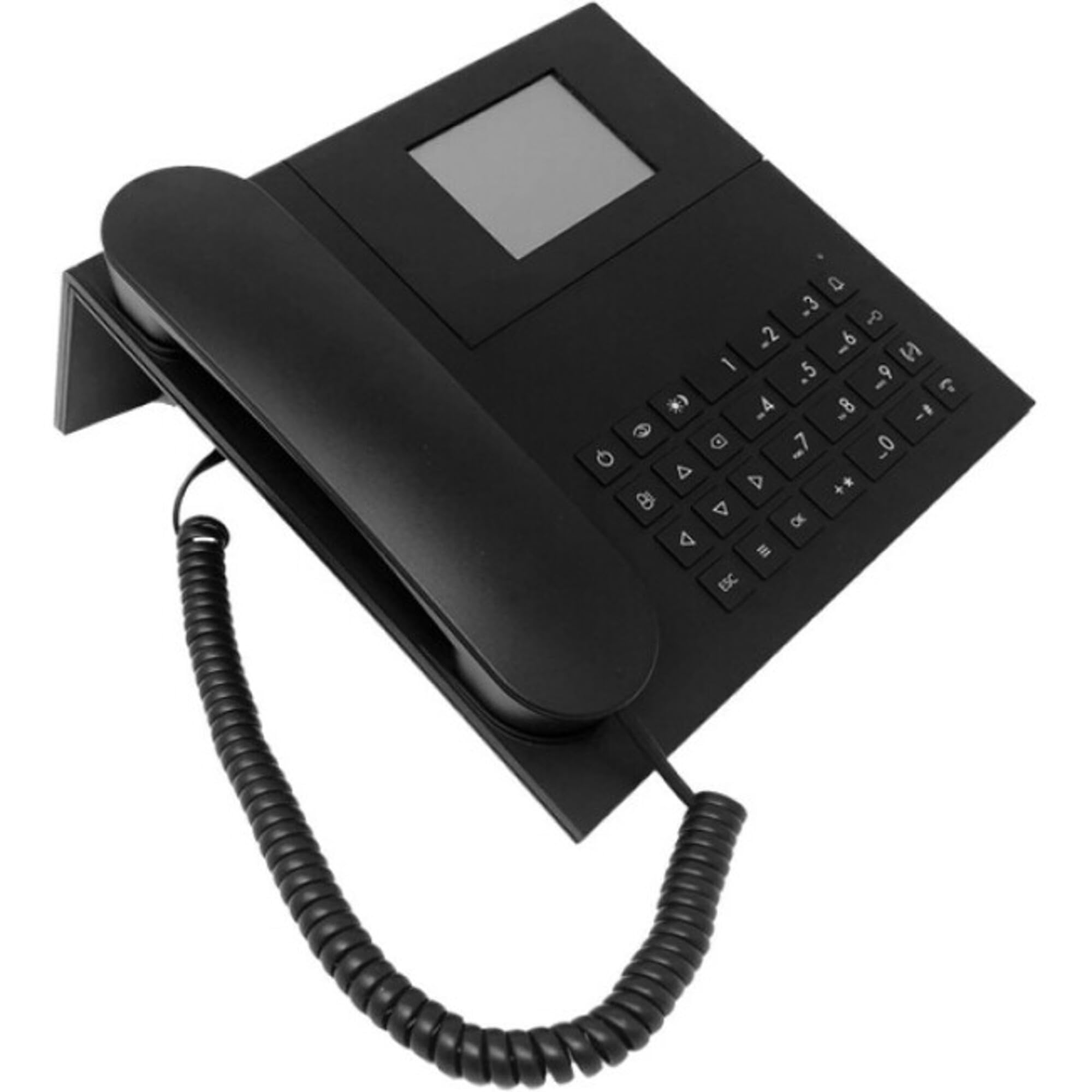
図1: フロント view of the Comelit PAC 1952N Audio-Video Porter Switchboard, showing the touch screen and alphanumeric keypad. This image illustrates the primary user interface for operation and interaction within the VIP system.
3. 操作手順
3.1 基本機能
The Comelit PAC 1952N features a touch screen and an alphanumeric keypad for intuitive control. Upon startup, the main interface will display options for managing calls and system functions.
- Visitor Images: When a visitor calls, their image will be displayed on the touch screen.
- ユーザー識別: The name of the user being called will be clearly displayed.
- 昼/夜モード: The system supports configurable day and night modes, which can alter call routing or display settings.
- User-to-User Intercom: Initiate direct audio and video calls between different users within the VIP system.
3.2 Intercom Service
To initiate an intercom call to another user within the system, use the alphanumeric keypad to enter the user's extension or select them from a directory displayed on the touch screen. Follow the on-screen prompts to establish the connection.
4. メンテナンス
4.1 クリーニング
To clean the touch screen and alphanumeric keypad, use a soft, lint-free cloth slightly dampened with water or a mild, non-abrasive cleaning solution. Avoid using harsh chemicals, solvents, or abrasive materials, as these can damage the surfaces.
4.2ソフトウェアアップデート
定期的にComelitの公式をチェックしてください website or consult your system administrator for available software updates. Keeping the device's firmware updated ensures optimal performance, security, and access to new features.
5。 トラブルシューティング
This section provides solutions to common issues you might encounter with your Comelit PAC 1952N switchboard.
| 問題 | 考えられる原因 | 解決 |
|---|---|---|
| デバイスの電源が入りません。 | Incorrect power connection or no power. | Verify that the 12 VDC power adapter is correctly connected or that the PoE Ethernet cable is providing power. Check power source. |
| No video feed from outdoor station. | Network connectivity issue or outdoor station malfunction. | Check Ethernet cable connection. Ensure the outdoor station is powered and functioning correctly. Consult network administrator. |
| Intercom calls fail. | Incorrect user extension or network configuration. | Verify the entered user extension. Ensure the IP VIP System network is properly configured for intercom services. |
| タッチスクリーンが反応しません。 | 一時的なソフトウェアの不具合または物理的な損傷。 | Restart the device by disconnecting and reconnecting power. If the issue persists, contact technical support. |
6. 仕様
- モデル番号: 1952N
- メーカー: コメリット
- 商品の重量: 2.2ポンド
- 電源: Corded Electric (12 VDC or PoE)
- 材料: プラスチック
- 発信者の識別: はい
- 電話の種類: Corded (for system integration)
- ASIN: B0B184LSBF
- 初回利用可能日: 6年2022月XNUMX日
7. 保証とサポート
保証情報およびテクニカルサポートについては、Comelitの公式ウェブサイトをご覧ください。 website or contact your authorized Comelit dealer. Keep your purchase receipt as proof of purchase for warranty claims.