
1. はじめに
This manual provides detailed instructions for the ZIOCOM BT4810E Bluetooth 5.0 2-in-1 Transmitter Receiver. This device allows you to add Bluetooth functionality to non-Bluetooth audio devices, enabling wireless audio transmission (TX mode) or reception (RX mode).

Image 1.1: ZIOCOM BT4810E Bluetooth 2-in-1 Transmitter Receiver. This image shows the compact black device with a 3.5mm audio jack cable connected, and a power button on top.
2. パッケージ内容
パッケージにすべてのアイテムが含まれていることを確認します。
- 1 x ZIOCOM BT4810E Bluetooth 2-in-1 Transmitter Receiver
- マイクロUSB充電ケーブル x 1
- 1mmオーディオケーブル x 3.5
- ユーザーマニュアル x 1

Image 2.1: Package Contents. This image displays the ZIOCOM BT4810E unit, a micro USB charging cable, a 3.5mm audio cable, and the user manual, all neatly arranged.
3.デバイスオーバーview
The ZIOCOM BT4810E features a compact design with essential ports and controls.

Image 3.1: Device and Connectivity Options. This image shows the ZIOCOM BT4810E device alongside various cables including RCA, 3.5mm audio, and USB charging cables, illustrating its versatile connectivity.
主な特徴:
- 2-in-1 機能: Bluetooth 送信機 (TX) と受信機 (RX) の両方として動作します。
- Bluetooth 5.0: Ensures stable connection and high-quality audio transmission.
- Dual-Link Support: Connects to two Bluetooth headphones in TX mode or two smartphones in RX mode simultaneously.
- 長いバッテリー寿命: Built-in 250mAh rechargeable battery provides approximately 10 hours of continuous use. Can operate while charging.
- コンパクトで持ち運びに便利: 小型で軽量なので持ち運びも簡単。
- 多彩な接続性: Supports 3.5mm AUX and RCA audio connections.
Note: This device does not have a built-in microphone and cannot be used for phone calls. It also does not support fiber optic interfaces.
4. セットアップと操作
4.1デバイスの充電
Before first use, fully charge the ZIOCOM BT4810E. Connect the Micro USB charging cable to the device's charging port and the other end to a USB power source (e.g., computer USB port, USB wall adapter).
- フル充電には約1時間かかります。
- 充電しながら使用できます。

Image 4.1: Battery Life and Charging. This image illustrates the ZIOCOM BT4810E being charged via a Micro USB cable, highlighting its 250mAh battery and approximately 10 hours of working time.
4.2 スイッチングモード(TX/RX)
The device has a switch to select between Transmitter (TX) and Receiver (RX) modes. Ensure the correct mode is selected for your intended use.
- TX(送信)モード: For sending audio from a non-Bluetooth device (e.g., TV, PC) to Bluetooth headphones/speakers.
- RX(受信)モード: For receiving audio from a Bluetooth device (e.g., smartphone) to non-Bluetooth speakers/car stereo.
4.3 送信(TX)モードの動作
Use TX mode to wirelessly stream audio from your non-Bluetooth devices to Bluetooth headphones or speakers.
- デバイスを TX mode using the switch.
- Connect the ZIOCOM BT4810E to your audio source (e.g., TV, PC, MP3 player) using the 3.5mm audio cable. If your source uses RCA, you will need an RCA to 3.5mm adapter (not included).
- Turn on the ZIOCOM BT4810E. It will automatically enter pairing mode (indicator light will flash).
- Bluetooth ヘッドフォンまたはスピーカーをペアリング モードにします。
- The ZIOCOM BT4810E will automatically search for and connect to your Bluetooth audio device. Once connected, the indicator light will remain solid.
- Dual-Link (TX Mode): To connect a second pair of Bluetooth headphones, put the second headphones into pairing mode after the first pair is connected. The BT4810E will attempt to connect to the second device.

Image 4.2: TX Mode Example (TV). This image shows the ZIOCOM BT4810E connected to a television, transmitting audio wirelessly to a user wearing Bluetooth headphones, allowing private listening.

Image 4.3: Dual-Link TX Mode. A couple is shown watching TV, both wearing Bluetooth headphones connected simultaneously to the ZIOCOM BT4810E, demonstrating its dual-link capability.
4.4 受信(RX)モードの動作
Use RX mode to stream audio wirelessly from your Bluetooth-enabled smartphone, tablet, or laptop to non-Bluetooth speakers or car stereos.
- デバイスを RX mode using the switch.
- Connect the ZIOCOM BT4810E to your non-Bluetooth audio device (e.g., wired speakers, car stereo) using the 3.5mm audio cable.
- Turn on the ZIOCOM BT4810E. It will automatically enter pairing mode (indicator light will flash).
- On your smartphone or other Bluetooth device, search for "BT4810E" in the Bluetooth settings and select it to pair.
- Once connected, the indicator light will remain solid. You can now play audio from your Bluetooth device through your connected speakers.
- Dual-Link (RX Mode): To connect a second smartphone, disconnect the first phone, then pair the second phone. The device can remember multiple paired devices, but only one can play audio at a time in RX mode.
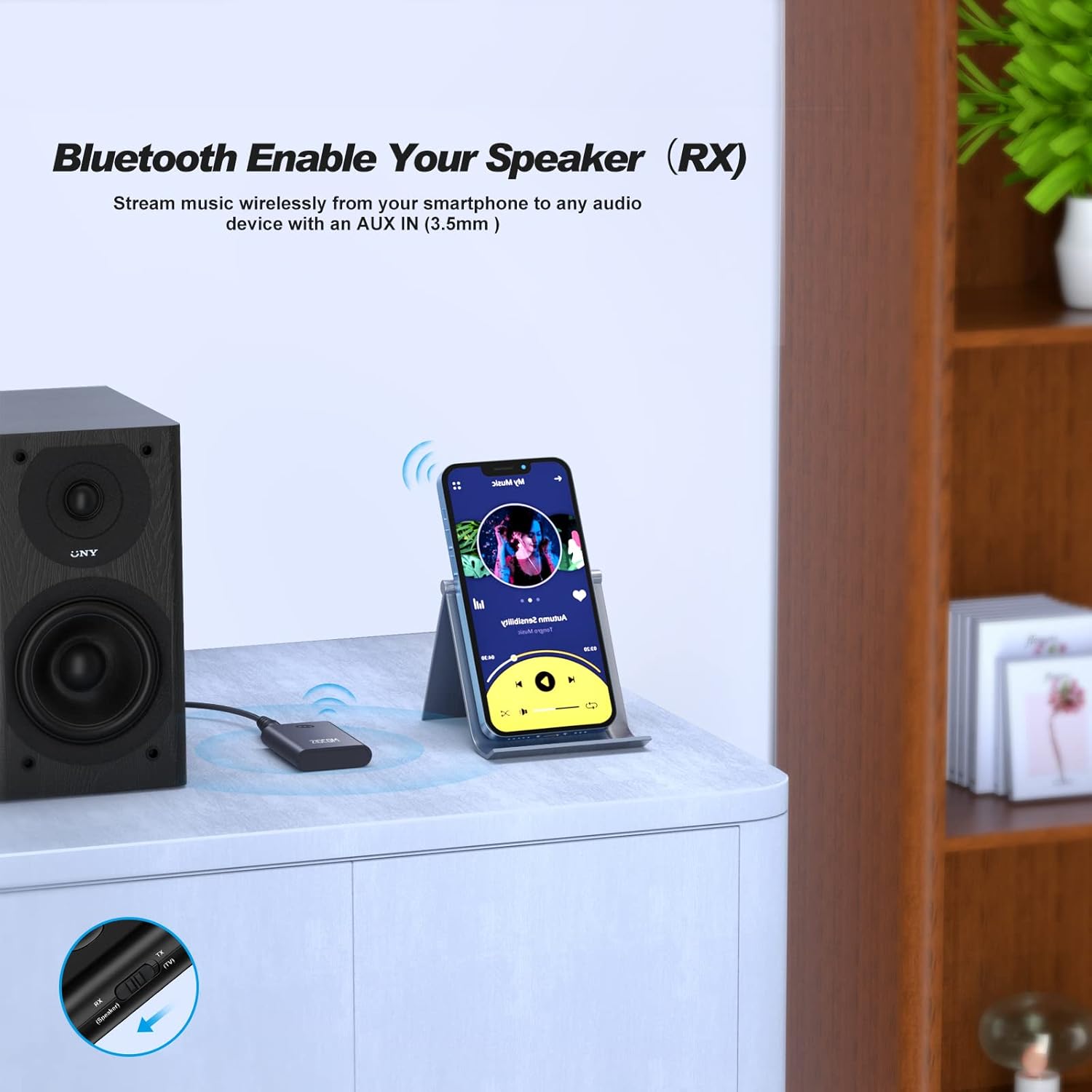
Image 4.4: RX Mode Example (Wired Speaker). This image shows the ZIOCOM BT4810E connected to a wired speaker, receiving audio wirelessly from a smartphone.

Image 4.5: RX Mode Applications. This image illustrates the ZIOCOM BT4810E being used in RX mode to connect a smartphone to both a wired speaker and a car stereo, enabling wireless audio streaming in different environments.
5. メンテナンス
- デバイスを乾燥した状態に保ってください。湿気は内部回路に損傷を与える可能性があります。
- デバイスを極端な温度にさらさないでください。
- 柔らかく乾いた布でデバイスを拭いてください。刺激の強い化学薬品や研磨剤入りの洗剤の使用は避けてください。
- 長期間使用しない場合は、デバイスを涼しく乾燥した場所に保管してください。
- Turn off the device after each use to conserve battery life.
6。 トラブルシューティング
| 問題 | 考えられる原因 | 解決 |
|---|---|---|
| デバイスの電源が入りません。 | バッテリー残量が少なくなりました。 | Micro USB ケーブルを使用してデバイスを充電します。 |
| Bluetooth デバイスとペアリングできません。 | デバイスがペアリング モードになっていません。Bluetooth デバイスが遠すぎます。干渉があります。 | Ensure the BT4810E is in the correct TX/RX mode and flashing. Move devices closer. Turn off other Bluetooth devices. |
| オーディオ出力/入力がありません。 | ケーブルの接続が正しくありません。間違ったモードが選択されています。音量が低すぎます。 | Check 3.5mm cable connection. Verify TX/RX mode. Adjust volume on both devices. |
| オーディオの遅延/レイテンシー。 | Bluetooth codec limitations. | For optimal low latency, ensure both the BT4810E and your connected audio device support aptX Low Latency. |
| Cannot connect two headphones in TX mode. | Second headphone not in pairing mode or already connected to another device. | Ensure the first headphone is connected, then put the second headphone into pairing mode. |
7. 仕様
- モデル: BT4810E
- Bluetoothバージョン: 5.0
- 接続技術: Auxiliary, Bluetooth, RCA
- 電源: Battery Powered (Built-in 250mAh Lithium Polymer battery)
- 勤務時間: 約10時間
- 充電時間: 約1時間
- 製品寸法: 0.21 x 1.36 x 0.34インチ
- 商品の重量: 2.89オンス
- 特別な機能: 2-in-1 Transmitter/Receiver, Dual-Link
8. 保証とサポート
Warranty and support information for the ZIOCOM BT4810E is not provided in the available product data. Please refer to the official ZIOCOM website or contact your retailer for specific warranty terms and customer support details.
さらに詳しいサポートが必要な場合は、 ZIOCOM Store on Amazon.