
Nasuque B09XQL2NJY
Nasuque Bluetooth Keyboard User Manual
Model: B09XQL2NJY
Brand: Nasuque
導入
Thank you for choosing the Nasuque Bluetooth Keyboard. This wireless, rechargeable, and ultra-slim keyboard is designed for seamless compatibility with Mac OS and iOS devices, including MacBook Pro/Air, iMac, iPhone, and iPad Pro/Air/Mini. Featuring a full-size layout with a numeric keypad and a stable scissor mechanism beneath each key, it offers a comfortable and precise typing experience. Its multi-device capability allows you to connect and switch between up to three devices effortlessly.

Image: The Nasuque Bluetooth Keyboard in silver, showcasinフルレイアウトとスリムなプロfile.
パッケージ内容
パッケージにすべてのアイテムが含まれていることを確認してください:
- Nasuque Bluetooth Keyboard
- USB充電ケーブル
- Dust Cover (Silicone protector)
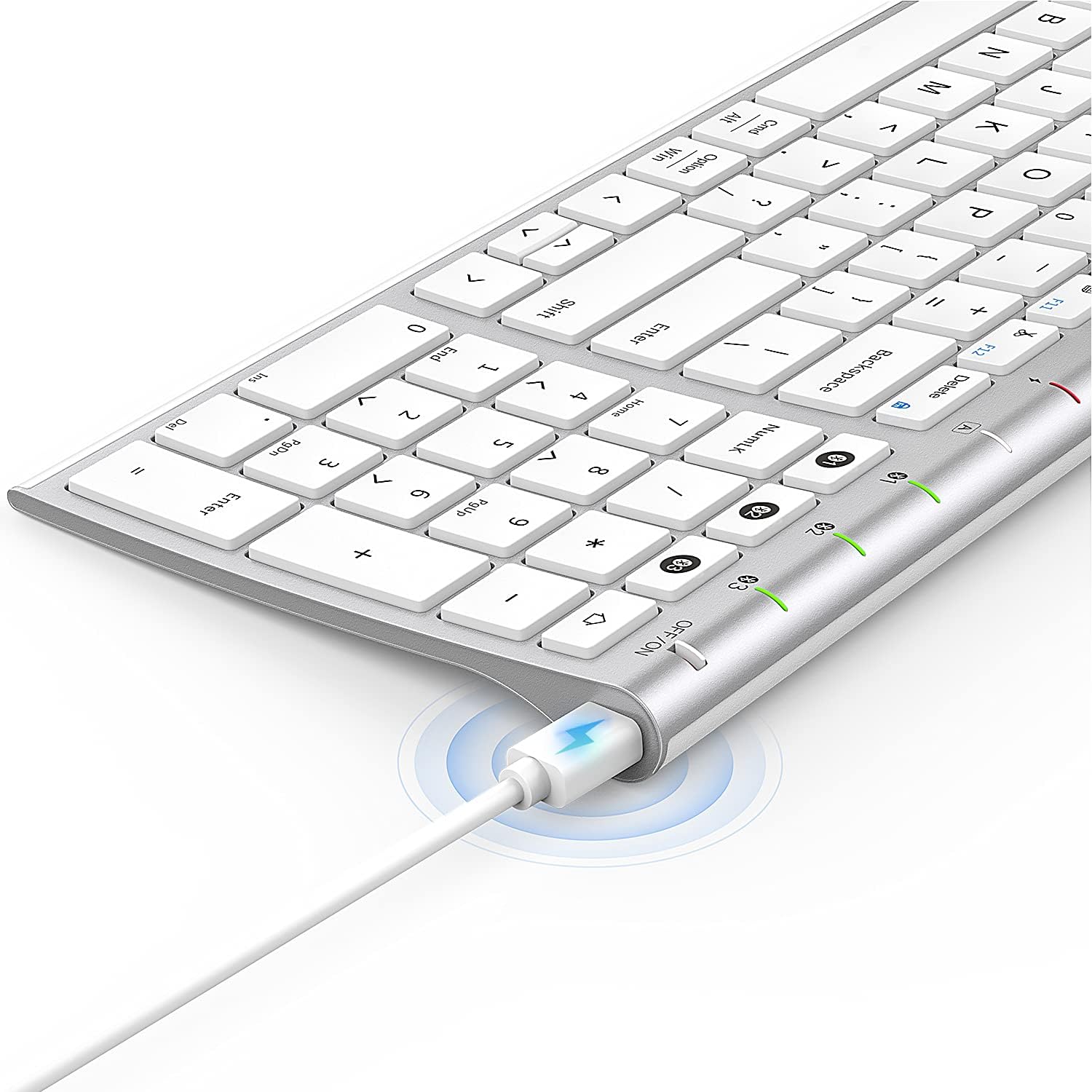
Image: The included USB charging cable, used to recharge the keyboard's built-in battery.
セットアップとペアリング
電源のオン/オフ
Locate the ON/OFF switch on the top right side of the keyboard. Slide the switch to the "ON" position to power on the keyboard. Slide it to "OFF" when not in use to conserve battery.
キーボードの充電
The keyboard features a built-in rechargeable lithium battery. Connect the included USB charging cable to the charging port on the keyboard and the other end to a USB power source (e.g., computer USB port, USB wall adapter). The charging indicator light will illuminate during charging and turn off when fully charged.
複数デバイスのBluetoothペアリング
This keyboard supports connection with up to three devices simultaneously. Follow these steps to pair your devices:
- キーボードの電源がオンになっていることを確認してください。
- を押す Fn キーとBluetoothチャンネルキーの1つ(1, 2、 または 3) simultaneously to select a channel. For first-time pairing, choose an unused channel.
- 長押し Fn キーと選択したBluetoothチャンネルキー(1, 2、 または 3) for 3-5 seconds until the corresponding channel indicator light (01, 02、 または 03) starts blinking rapidly. This indicates the keyboard is in pairing mode.
- On your device (MacBook, iMac, iPhone, iPad, etc.), go to Bluetooth settings and enable Bluetooth.
- 検索する available devices. The keyboard will appear as "Nasuque Keyboard" or similar. Select it to connect.
- Once connected, the indicator light will stop blinking and remain solid for a few seconds before turning off.
- Repeat these steps for up to two additional devices using the other Bluetooth channels.
To switch between paired devices, simply short press the Fn キーと対応するBluetoothチャンネルキー(1, 2、 または 3).
システム要件: Compatible with Mac OS X 10.12 or higher and Bluetooth 4.0 or higher.

Image: The keyboard's top right corner showing the three Bluetooth channel indicators (01, 02, 03) for multi-device pairing.

Image: An illustration demonstrating the keyboard's ability to easily switch between a laptop, tablet, and smartphone.
Video: A demonstration of the Nasuque Bluetooth Keyboard's multi-device connectivity and ease of use with various Apple devices.
操作手順
ファンクションキー
The keyboard features a row of function keys (F1-F12) that perform various system functions when pressed in combination with the Fn key. These include media controls (play/pause, volume), brightness adjustment, and other shortcuts common to Mac OS.
テンキー
The integrated numeric keypad provides convenient data entry for numbers and calculations. Ensure the Num Lock key is active if needed for specific applications.

画像: クローズアップ view of the keyboard's compact full-size layout, highlighting the numeric keypad.
タイピング経験
The keyboard utilizes a stable scissor mechanism beneath each key, providing a responsive and comfortable typing experience with a low profile.
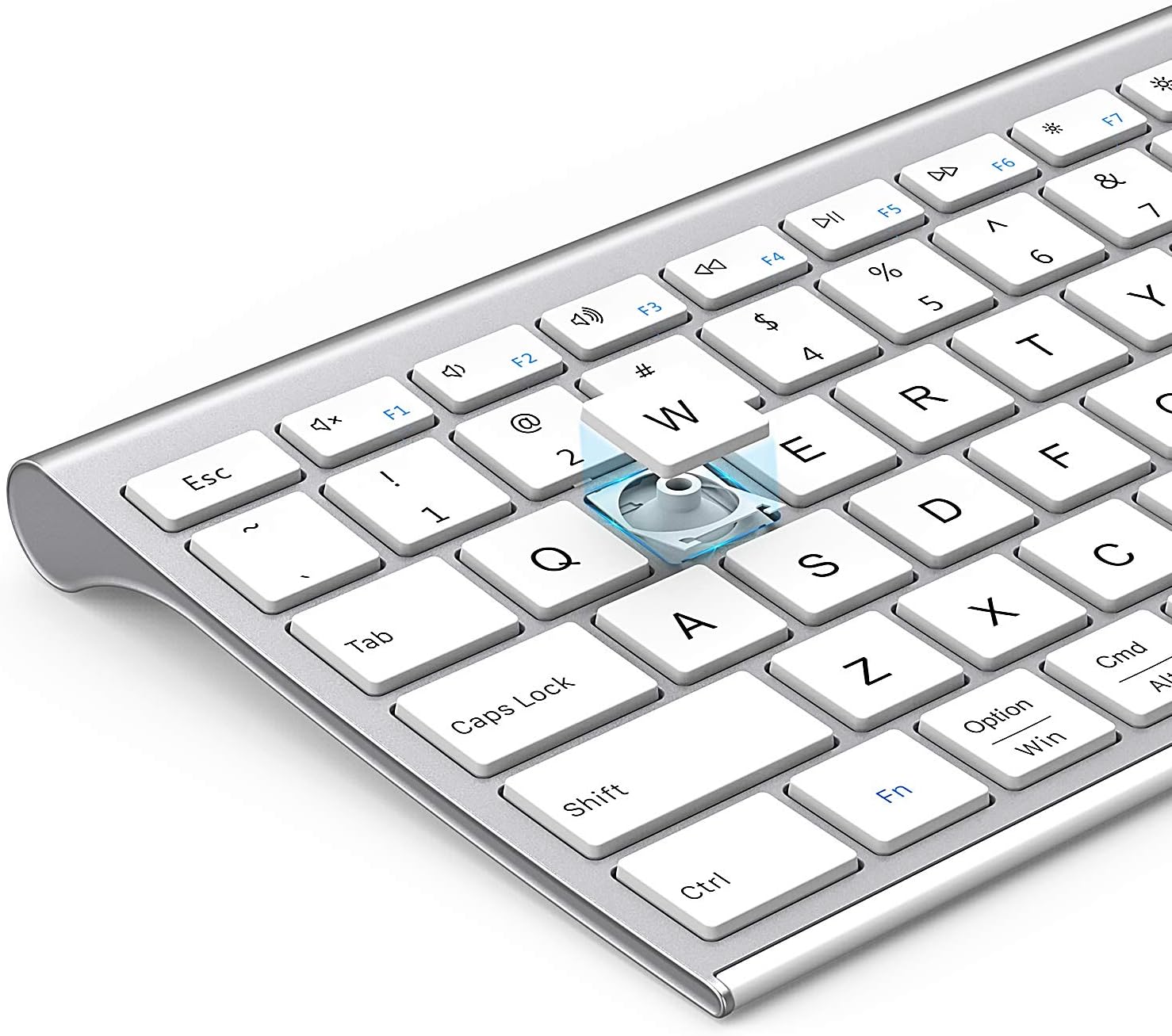
画像: 爆発した view of a keycap, illustrating the underlying scissor mechanism for stable and precise typing.
メンテナンス
キーボードの寿命を延ばし、最適なパフォーマンスを確保するには、次のメンテナンス ガイドラインに従ってください。
- クリーニング: キーボードの表面を拭くときは、柔らかく乾いた糸くずの出ない布を使用してください。頑固な汚れには、軽くamp布を水または中性洗剤で湿らせてください。過度の湿気を避けてください。
- ダストカバー: Utilize the included silicone dust cover when the keyboard is not in use to protect it from dust, spills, and debris.
- ストレージ: キーボードは、直射日光や極端な温度を避け、涼しく乾燥した場所に保管してください。
- 液体を避ける: キーボードを液体にさらさないでください。誤って液体をこぼした場合は、すぐにキーボードの電源を切り、完全に乾いてから使用してください。
トラブルシューティング
If you encounter issues with your Nasuque Bluetooth Keyboard, please refer to the following common solutions:
| 問題 | 考えられる原因 | 解決 |
|---|---|---|
| キーボードが接続されないか、検出されません。 | Keyboard is off, low battery, not in pairing mode, or device Bluetooth is off. |
|
| キーが反応しないか、間違って入力されます。 | Low battery, connection interference, or software issue. |
|
| Difficulty switching between devices. | Incorrect key press or device not properly paired to selected channel. |
|
仕様
| 特徴 | 詳細 |
|---|---|
| モデル | B09XQL2NJY |
| 接続性 | Bluetooth (Multi-device support for up to 3 devices) |
| 互換性 | Mac OS X 10.12 or higher, Bluetooth 4.0 or higher (MacBook Pro/Air, iMac, iPhone, iPad Pro/Air/Mini) |
| 寸法(長さ×幅×高さ) | 14.41 x 4.92 x 0.64インチ |
| 重さ | 1.12ポンド |
| バッテリー | 充電式リチウム電池 |
| 動作距離 | 最大8メートル(26フィート) |
| 主要なメカニズム | シザースイッチ |

Image: Diagram illustrating the precise dimensions of the Nasuque Bluetooth Keyboard.
保証とサポート
For warranty information, technical support, or any inquiries regarding your Nasuque Bluetooth Keyboard, please contact the manufacturer directly through the retailer's platform or the contact information provided with your purchase. Please retain your proof of purchase for warranty claims.
Ask a question about this manual
Ask about setup, troubleshooting, compatibility, parts, safety, or missing instructions. Manuals+ will review the question and use this page’s manual context to help answer it.