
1. はじめに
This manual provides detailed instructions for the operation and maintenance of your Coby CVR42BK Portable Cassette Player and Recorder. Please read this manual thoroughly before using the device to ensure proper function and longevity.
2. パッケージ内容
以下にリストされているすべてのアイテムがパッケージに含まれていることを確認してください。
- Coby CVR42BK Portable Cassette Player and Recorder
- 外部ブームマイク
- 120VACアダプター
- ユーザーマニュアル(このドキュメント)

Figure 2.1: Included items in the Coby CVR42BK package.
3.製品オーバーview
The Coby CVR42BK is a portable cassette player and recorder designed for both playback and one-touch recording. It features a built-in handle for portability and includes an external boom microphone for enhanced recording quality.

Figure 3.1: Coby CVR42BK Portable Cassette Player and Recorder.
3.1コントロールとインジケーター
Familiarize yourself with the controls and ports on your device:
- 再生ボタン: カセットの再生を開始します。
- 録音ボタン: Activates recording function (requires a blank cassette).
- 早送りボタン: テープを早く送ります。
- 巻き戻しボタン: テープを早く巻き戻します。
- 停止/取り出しボタン: 再生/録音を停止し、カセットコンパートメントを開きます。
- 音量コントロール: 再生音量を調整します。
- ヘッドホンジャック(3.5mm): プライベートリスニング用。
- 外部マイク入力: Connects the included boom microphone.
- ACアダプタポート: For connecting the 120V AC adapter.
- バッテリーコンパートメント: Holds 4 C batteries for portable power.
4. セットアップ
4.1 デバイスへの電源供給
The CVR42BK can be powered by either the included AC adapter or 4 C batteries (not included).
- AC電源: Connect the 120V AC adapter to the AC adapter port on the device and then plug it into a standard wall outlet.
- バッテリー電源: Open the battery compartment on the underside of the unit. Insert 4 C batteries, ensuring correct polarity (+/-). Close the compartment securely.

Figure 4.1: Power options for the CVR42BK.
4.2 カセットテープの挿入
- を押す 停止/排出 カセットコンパートメントのドアを開くボタン。
- Insert a cassette tape with the open edge facing upwards and the tape side facing you.
- カセットコンパートメントのドアをカチッと音がするまでゆっくり閉じます。

Figure 4.2: Loading a cassette tape.
5. 操作手順
5.1 カセットテープの再生
- Ensure a cassette tape is loaded (refer to Section 4.2).
- を押す 遊ぶ ボタンを押します。テープの再生が始まります。
- 調整する ボリュームコントロール 希望するリスニングレベルに調整します。
- 早送りするには、を押します 早送り ボタンを押します。巻き戻すには 巻き戻す ボタン。
- 再生を停止するには、を押します 停止/排出 ボタン。
- プライベートで聴く場合は、3.5mm ヘッドフォン ジャックにヘッドフォンを接続します。
5.2 Recording Audio (One-Touch Recording)
The CVR42BK features one-touch recording and Automatic Level Control (ALC) to optimize recording levels.
- Load a blank or recordable cassette tape into the device. Note: Re-using older cassettes may affect sound quality. New cassettes are recommended for optimal results.
- を押す 記録 ボタン。 遊ぶ button will also engage simultaneously. The device will begin recording audio from its built-in microphone or the connected external microphone.
- 録音を停止するには、を押します 停止/排出 ボタン。
- The device includes an auto-stop feature that will automatically stop recording when the tape reaches its end.
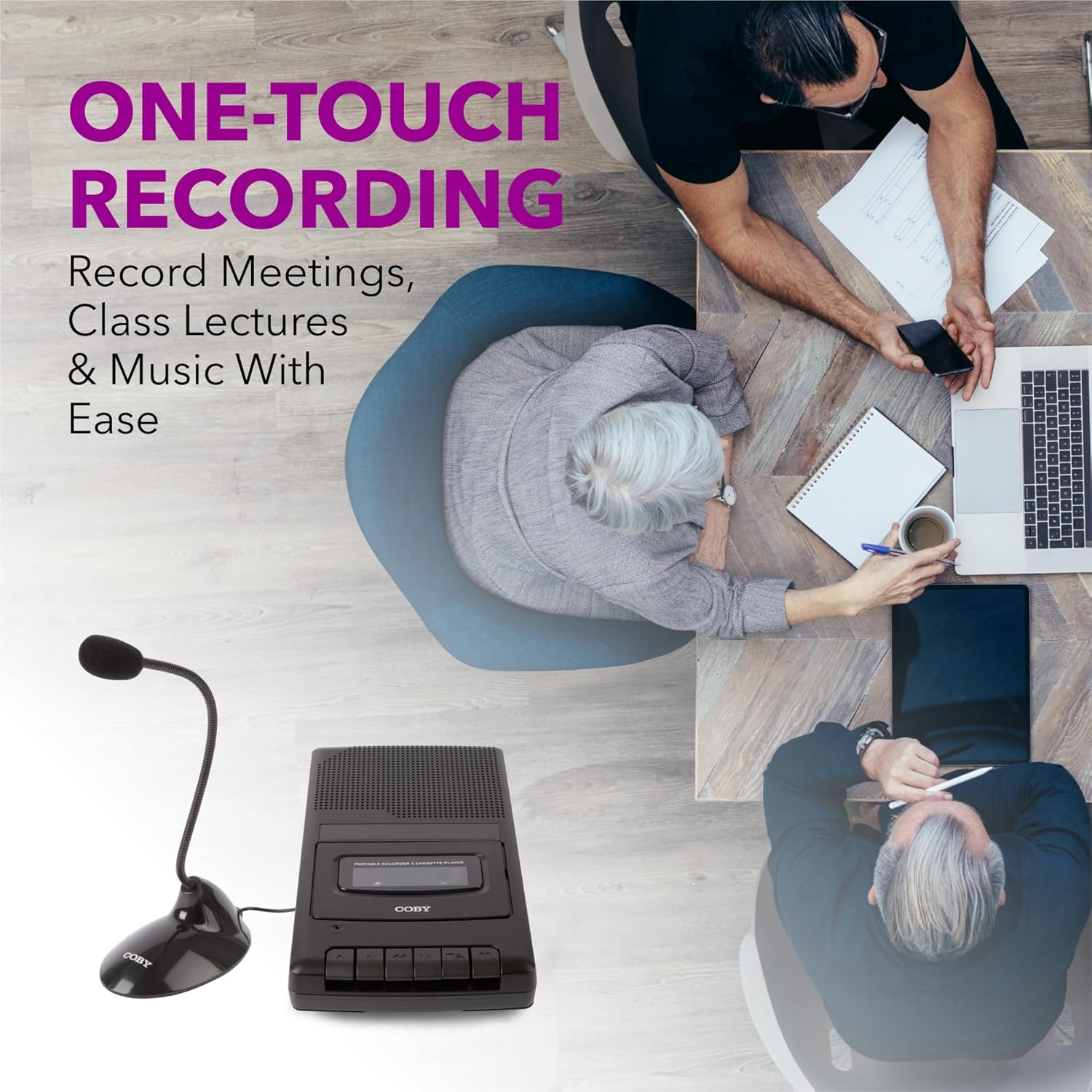
Figure 5.1: Using the CVR42BK for recording.
5.3 Using the External Boom Microphone
For higher quality recordings, especially for lectures or meetings, connect the included external boom microphone.
- Locate the external microphone input port on the CVR42BK.
- Plug the external boom microphone into this port.
- Position the microphone appropriately for the sound source you wish to record.
- Proceed with recording as described in Section 5.2. The device will automatically prioritize the external microphone when connected.

Figure 5.2: External boom microphone in use.
6. メンテナンス
- クリーニング: 本体の外装を清掃する際は、柔らかく乾いた布をご使用ください。液体クリーナーや溶剤は使用しないでください。
- テープヘッドのクリーニング: Periodically clean the tape heads with a specialized cassette head cleaning kit to ensure optimal sound quality and prevent tape damage.
- ストレージ: When not in use for extended periods, remove batteries to prevent leakage. Store the device in a cool, dry place away from direct sunlight and extreme temperatures.
- カセットのお手入れ: Store cassette tapes in their cases to protect them from dust and physical damage. Avoid exposing tapes to strong magnetic fields.
7。 トラブルシューティング
| 問題 | 考えられる原因 | 解決 |
|---|---|---|
| 電源なし | AC アダプターが接続されていないか故障しています。または、電池が消耗しているか、正しく挿入されていません。 | Check AC adapter connection and power outlet. Replace batteries or ensure correct polarity. |
| 再生中に音が出ない | Volume too low; headphones connected; tape head dirty; tape damaged. | Increase volume. Disconnect headphones. Clean tape heads. Try a different tape. |
| 録画が機能しない | Tape is write-protected; tape is full; microphone not connected or faulty. | Ensure the write-protect tab on the cassette is intact. Use a blank tape. Check microphone connection. |
| 音質が悪い | Dirty tape heads; old or damaged cassette tape; external interference. | Clean tape heads. Use a new or known-good cassette tape. Move away from electronic devices. |
| テープが動かない | Tape jammed; mechanism fault. | Gently open compartment and check for tape jams. If problem persists, contact support. |
8. 仕様
| モデル番号 | CVR42BK |
| 電源 | 120V AC Adapter (included) or 4 x 'C' Batteries (not included) |
| 特徴 | Automatic Level Control (ALC), One-Touch Recording, Fast Forward, Rewind, Volume Control, Auto-Stop |
| マイクロフォン | Built-in microphone, External Boom Microphone (included) |
| ヘッドホンジャック | 3.5mmステレオ |
| 製品寸法(長さ x 幅 x 高さ) | 10.2 x 5.83 x 1.97 インチ (25.9 x 14.8 x 5 cm) |
| アイテム重量 | 1.75ポンド(0.79kg) |
| 欧州連合 | 810071491450 |
9. 保証とサポート
For warranty information or technical support, please refer to the warranty card included with your product or visit the official Coby webサイトでご確認ください。保証請求の際は購入証明として領収書を保管してください。
メーカー: サミット・エレクトロニクスLLC