
1. はじめに
The PETKIT Smart Spray Odor Remover K3 is designed to effectively neutralize odors in areas such as cat litter boxes. This device features smart app control via Bluetooth, allowing for scheduled odor removal and a smart lighting system. It is compatible with PETKIT PuraMax and PuraMax 2 automatic self-cleaning cat litter boxes, and can also be used in various other scenarios.
2. 安全に関する注意事項
- デバイスを使用する前に、すべての指示をお読みください。
- デバイスを水や過度の湿気から遠ざけてください。
- ご自身でデバイスを分解したり修理したりしないでください。サポートが必要な場合はカスタマー サポートにお問い合わせください。
- Use only PETKIT-approved refills for optimal performance and to prevent damage.
- 誤って摂取したり誤用したりしないように、子供やペットの手の届かないところに保管してください。
- 密閉された空間でデバイスを使用する場合は、適切な換気を確保してください。
3. パッケージ内容
パッケージをチェックして、すべてのアイテムが揃っていることを確認してください。
- PETKIT Smart Spray Odor Remover K3 Unit
- Odor Remover Refill Cartridge (pre-installed or separate)
- Mark-free Glues for installation
- ユーザーマニュアル(このドキュメント)
4.製品オーバーview
The PETKIT Smart Spray Odor Remover K3 is a compact device designed to enhance air quality by neutralizing pet odors. Its key features include:
- スマートアプリコントロール: Connects via Bluetooth to the PETKIT app for remote control and scheduling.
- Smart Lighting System: An integrated light can be controlled via the app, useful for checking the litter box in low-light conditions.
- 取り外し可能なデザイン: Allows for easy installation and maintenance.
- Wide Area Deodorization: Designed to distribute odor-neutralizing spray effectively over a large area.

Figure 1: PETKIT Smart Spray Odor Remover K3. This image shows the front view of the white, rectangular device with the PETKIT logo and spray nozzle visible at the top.

Figure 2: Illustration of the device's wide spray coverage. Blue lines emanate from the device, indicating the deodorizing spray reaching a broad area.
5. セットアップ手順
5.1 インストール
- 場所を選択: The device can be installed inside compatible PETKIT litter boxes (PuraMax, PuraMax 2) or mounted on a wall near a pet area using the provided mark-free glues. Ensure the spray nozzle is unobstructed.
- 表面の準備: If mounting on a wall, clean and dry the surface thoroughly.
- Attach Glues: Apply the mark-free glues to the back of the Smart Spray Odor Remover.
- マウントデバイス: Press the device firmly onto the chosen surface for several seconds.

Figure 3: Multiple installation scenarios. The image displays the device mounted on a wall above a litter box, a pet bed, and a pet tent, demonstrating its versatility.
5.2 アプリ接続(Bluetooth)
- PETKITアプリをダウンロード: Download and install the official PETKIT app from your smartphone's app store.
- アカウントを作成する: PETKIT アカウントを登録またはログインします。
- デバイスを追加: In the app, select "Add Device" and follow the on-screen instructions to connect to your Smart Spray Odor Remover K3 via Bluetooth. Ensure your phone's Bluetooth is enabled and the device is within range.

Figure 4: Smartphone screen displaying the PETKIT app interface for controlling the Smart Spray. Options for scheduling and device status are visible.
6. 操作手順
6.1 臭気除去
- 自動モード: If integrated with a compatible PETKIT litter box, the odor remover can be set to spray automatically after the litter box completes a self-cleaning cycle.
- スケジュール モード: Use the PETKIT app to set specific times for the device to spray. This allows for customized odor control throughout the day.
- 手動スプレー: The app may offer an option for an on-demand spray.
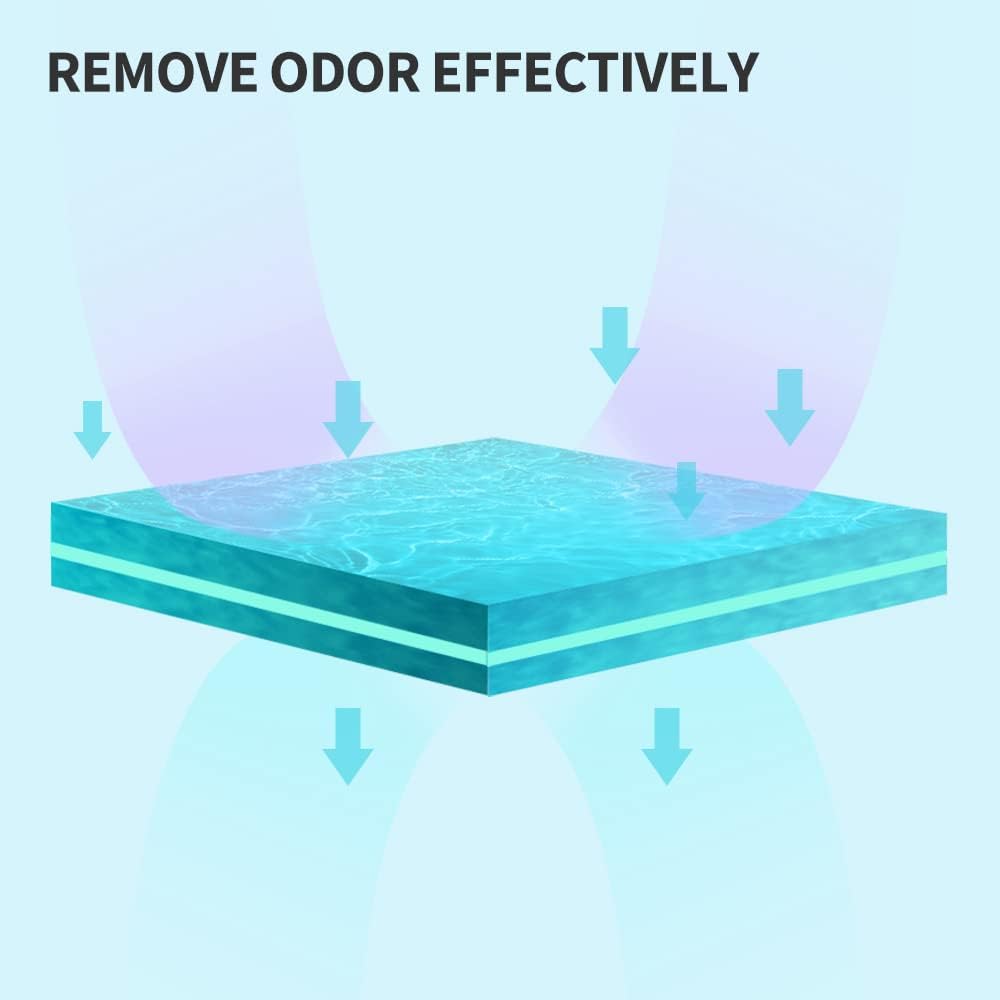
Figure 5: Graphic illustrating the process of odor removal. Arrows indicate the deodorizing agent neutralizing odors from a surface.
6.2 スマート照明システム
- The integrated light can be turned on or off directly through the PETKIT app. This feature is useful for checking the litter box or pet area in dark environments without disturbing pets with bright room lights.

Figure 6: The Smart Spray device with its bottom-mounted light illuminated, casting a glow on the surface below.
7. メンテナンス
7.1 Refilling the Odor Remover
- When the odor remover liquid is low, the PETKIT app will typically notify you.
- To replace, gently detach the main unit from its mounting.
- Locate the refill compartment, remove the empty cartridge, and insert a new PETKIT Air Purifying Refill.
- Ensure the new cartridge is securely in place before reattaching the unit.

Figure 7: Image showing several PETKIT Air Purifying Refill bottles, indicating the product's consumable nature.
7.2 クリーニング
- 定期的にデバイスの外側を柔らかくて乾いた布で拭いてください。amp 布。
- Ensure no liquid enters the electronic components. If the device is exposed to liquids, especially pet urine, it can cause corrosion and malfunction.
- Periodically check the spray nozzle for any blockages and gently clean if necessary.
8。 トラブルシューティング
| 問題 | 考えられる原因 | 解決 |
|---|---|---|
| Device not spraying. |
|
|
| Cannot connect to app / Device disconnects frequently. |
|
|
| Device fell off mounting / Adhesive failed. |
|
|
| Odor not effectively removed. |
|
|
9. 仕様
| 特徴 | 詳細 |
|---|---|
| ブランド | ペットキット |
| モデル番号 | K3 |
| 製品寸法 | 奥行き1.5インチ x 幅2.3インチ x 高さ5.5インチ (奥行き3.8 cm x 幅5.8 cm x 高さ14 cm) |
| アイテム重量 | 1ポンド(約0.45kg) |
| コントローラータイプ | App Control, Bluetooth Control |
| 特集 | アプリコントロール |
| スタイル | 取り外し可能 |
| 対象読者 | 飼い猫 |
| 初回利用可能日 | 24年2022月XNUMX日 |

Figure 8: Compatibility chart showing which PETKIT accessories, including the Smart Spray, are compatible with various PETKIT litter box models.
10. 保証とサポート
10.1 保証情報
Specific warranty details for the PETKIT Smart Spray Odor Remover K3 may vary by region and retailer. Please refer to the warranty card included with your product or visit the official PETKIT web最新の保証情報については、サイトをご覧ください。
10.2 カスタマーサポート
For technical assistance, troubleshooting, or general inquiries, please contact PETKIT customer support:
- メールアドレス: support@petkit.com
- Phone (US Local After-Sales): (888) 851-2770 (9:00 am-12:00 pm & 1:00 pm-6:00 pm CST Mon.-Fri.)


