
1. 安全情報
本製品をご使用になる前に、すべての安全に関する指示をよくお読みになり、理解してください。指示に従わない場合、感電、火災、または重傷を負う可能性があります。
- 屋内使用のみ: This surge protector is designed for indoor use in dry locations. Do not use it outdoors or in wet environments.
- 過負荷を避ける: Do not exceed the electrical ratings of 15A, 125V, or 1875W. Overloading can cause overheating and fire.
- 接地コンセント: Only plug the surge protector into a properly grounded 3-prong wall outlet.
- 子供とペット: お子様やペットの手の届かない場所に保管してください。
- 検査: Regularly inspect the surge protector for any damage. Do not use if damaged.

2.製品オーバーview
The BN-LINK BNC-60/U168 is a versatile wall outlet extender designed to expand your power options while providing surge protection for your electronic devices. It features a compact design that plugs directly into a standard wall outlet, converting it into multiple power sources.

主な特徴:
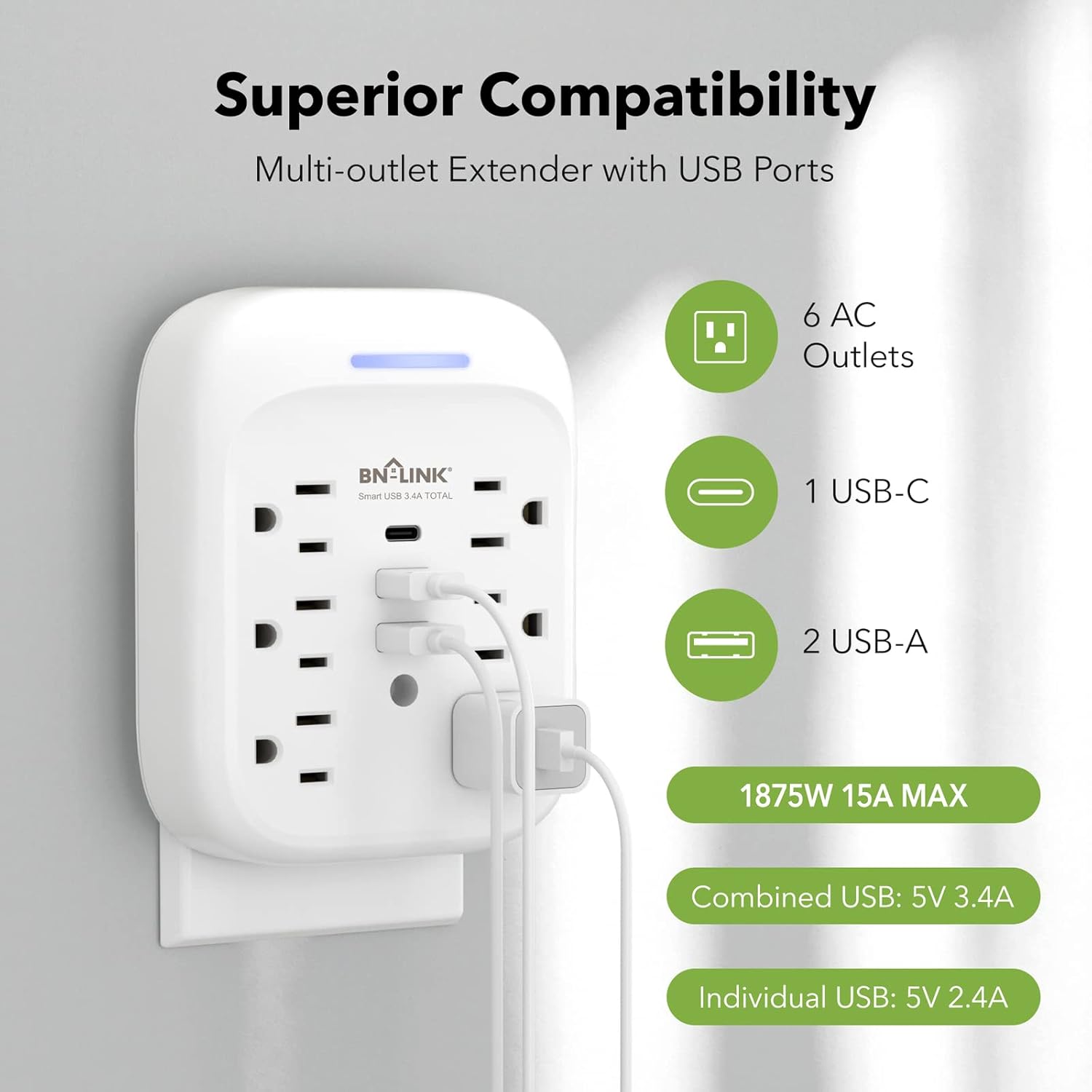
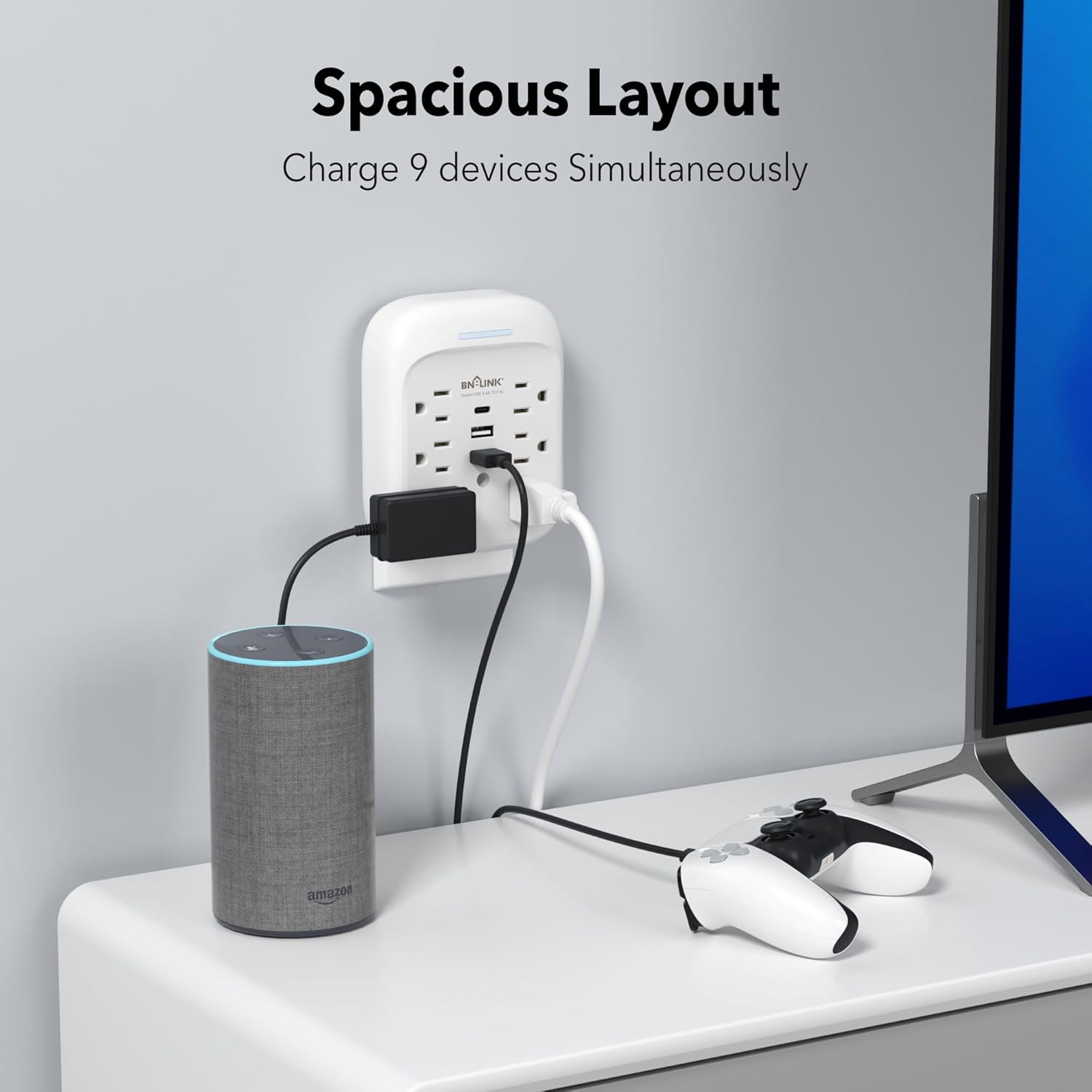
- 9-in-1 電源ソリューション: Provides 6 AC outlets (15A/125V/1875W) and 3 USB ports (1 USB-C, 2 USB-A) for a total of 9 charging options.
- 高度なサージ保護: Equipped with an 1800 Joule surge protection rating to safeguard your electronics from voltage spikes. Built-in safeguards protect against over-current, over-charging, and over-heating.
- USB充電: Includes one USB-C port (up to 5V/3.4A total) and two USB-A ports (up to 5V/2.4A per port), with a combined total USB output of 5V/3.4A.
- Stable Wall-Mounted Design: Features a stable design with a mounting screw to securely fasten it to the wall outlet, preventing accidental dislodgement. A cuttable stabilizing post is also included for compatibility with various outlet types.
- Grounded Indicator: A blue indicator light confirms that your devices are grounded and protected.

3. インストール
Follow these steps to properly install your BN-LINK Surge Protector:
- コンセントを準備する: Ensure the wall outlet is a standard 3-prong grounded outlet. If your existing wall plate has a screw in the center, remove it using a screwdriver.
- プラグイン: Carefully align the prongs of the surge protector with the wall outlet and push firmly until it is fully seated.
- ネジで固定する: Insert the provided mounting screw into the center hole of the surge protector and tighten it to secure the unit to the wall plate. This enhances stability and prevents the unit from pulling out.
- チェックインジケーター: Once plugged in and powered, the blue indicator light on the top of the unit will illuminate, confirming that the product is on and your devices are protected.

4. 操作
Once installed, the surge protector is ready for use. Simply plug your devices into the available AC outlets and USB ports.
- ACコンセント: Use the 6 AC outlets for standard electronic devices such as laptops, lamps, and small appliances. Ensure the total wattageは1875Wを超えません。
- USB ポート: Utilize the 1 USB-C and 2 USB-A ports for charging smartphones, tablets, smartwatches, and other USB-powered devices. The USB-C port provides up to 5V/3.4A, and each USB-A port provides up to 5V/2.4A, with a total combined USB output of 5V/3.4A.
- 充電効率: The smart USB ports automatically detect your device to deliver optimal charging speed.

5. メンテナンス
To ensure the longevity and safe operation of your surge protector, follow these maintenance guidelines:
- クリーニング: 清掃する前に、本製品を壁のコンセントから抜いてください。表面は乾いた柔らかい布で拭いてください。液体洗剤や研磨剤は使用しないでください。
- ストレージ: When not in use for extended periods, store the surge protector in a cool, dry place away from direct sunlight and moisture.
- ダメージを避ける: Do not drop, disassemble, or attempt to repair the unit yourself. This can void the warranty and pose safety risks.
6。 トラブルシューティング
If you encounter issues with your BN-LINK Surge Protector, refer to the following common problems and solutions:
- No Power/Blue Indicator Off:
- Ensure the surge protector is firmly plugged into a working, grounded wall outlet.
- 別のデバイスを接続して、壁のコンセント自体が機能しているかどうかを確認します。
- If the blue indicator light remains off, the surge protection may have been compromised due to a significant power surge. The unit may still function as an outlet extender but without surge protection. Replace the unit if surge protection is desired. - デバイスが充電されない:
- Verify that the device's charging cable is properly connected to both the device and the surge protector's USB port or AC outlet.
- Try a different USB port or AC outlet on the unit.
- Test the device and cable with a different power source to rule out issues with the device or cable. - 過熱:
- Disconnect all devices immediately. The unit may be overloaded. Reduce the number of connected devices or their combined power draw.
- Ensure adequate ventilation around the unit.
問題が解決しない場合は、カスタマー サポートにお問い合わせください。
7. 仕様
| 特徴 | 仕様 |
|---|---|
| ブランド | BNリンク |
| モデル | BNC-60/U168 |
| 電気定格 | 125VAC/60Hz, 15A, 1875W |
| サージエネルギー定格 | 1800ジュール |
| ACコンセント合計 | 6 |
| USB-C出力 | 5V/3.4A(合計) |
| USB-A出力 | 5V/2.4A (Max Per Port) |
| 総USB出力 | 5V/3.4A |
| 材料 | ポリカーボネート(PC) |
| 電源プラグタイプ | タイプB - 3ピン(北米) |
| アイテム重量 | 0.55 ポンド |
| 色 | 白 |

8. 保証とサポート
BN-LINK stands behind the quality of its products. This surge protector comes with a 15ヶ月保証 購入日より。
For technical assistance, troubleshooting, or any questions regarding your product, please contact BN-LINK customer support. Our team is available 24/7 to provide friendly and helpful service.
連絡先: Please refer to the product packaging or the official BN-LINK web最新の連絡先情報については、サイトをご覧ください。