
Cuifati Cuifatip0izksa79g3281
Cuifati Wireless Smart Remote Control User Manual
Model: Cuifatip0izksa79g3281
導入
This manual provides comprehensive instructions for the Cuifati Wireless Smart Remote Control. It covers setup, operation, maintenance, and troubleshooting to ensure optimal performance and longevity of your device. This remote control features 2.4G and Bluetooth 5.0 connectivity, voice control, and IR learning capabilities, making it compatible with a wide range of devices such as Nvidia Shield, PCs, Projectors, Smart TVs, and Android TV Boxes.
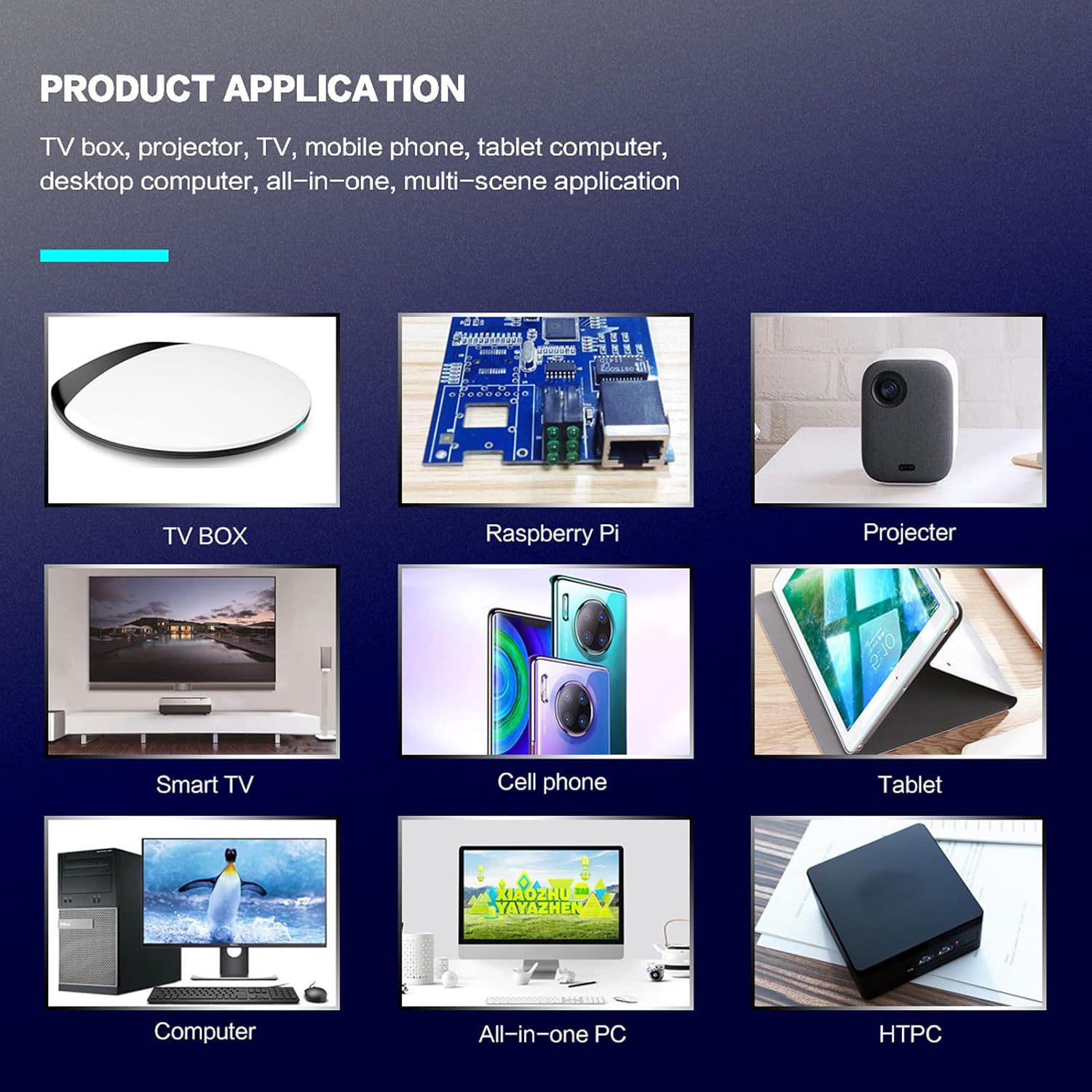
図1: 製品アプリケーション例ampレ。
パッケージ内容
パッケージにすべてのアイテムが含まれていることを確認してください。
- 1 x Cuifati Wireless Smart Remote Control
- 1 x 2.4G USBレシーバー
- ユーザーマニュアル x 1
仕様
| 特徴 | 詳細 |
|---|---|
| ブランド | クイファティ |
| モデル番号 | Cuifatip0izksa79g3281 |
| 材料 | アブソリュート |
| 巻tage | 3.0ボルト |
| 接続モード | 2.4G、Bluetooth 5.0 |
| 動作電流 | <15mA |
| スタンバイ電流 | <20 uA |
| 動作距離 | 10メートル(32.8フィート)以上 |
| 電池のタイプ | 単2電池XNUMX本(別売) |
| ボタンの数 | 5 (Control buttons, total buttons are more) |
| 対応デバイス | Streaming devices, Televisions, PCs, Projectors, Smart TVs, Android TV Boxes |
| 特集 | Universal, Voice Control, IR Learning, Backlit |
セットアップガイド
1. バッテリーの取り付け
リモコンにはXNUMXつのAAAバッテリーが必要です(含まれていません)。
- リモコンの背面にある電池コンパートメントカバーを開きます。
- 正しい極性 (+ と -) を確認して、単 4 電池 2 本を挿入します。
- 電池カバーをしっかりと閉じてください。

図2: Battery compartment with AAA batteries.
2. リモコンの接続
The remote control supports both 2.4G wireless and Bluetooth 5.0 connectivity.
2.1. 2.4G Wireless Connection (via USB Receiver)
- Insert the 2.4G USB receiver into an available USB port on your device (e.g., Smart TV, Android TV Box, PC).
- デバイスは必要なドライバーを自動的に検出してインストールします。
- リモコンは使用できるようになりました。
2.2. Bluetooth 5.0接続
For Bluetooth connection, ensure your device supports Bluetooth 5.0 or higher.
- リモコンで、 OK ボタンと 戻る button simultaneously for 3 seconds. The indicator light on the remote will flash rapidly, indicating it is in pairing mode.
- デバイスで Bluetooth 設定に移動し、利用可能なデバイスを検索します。
- Select "G20s Pro" (or similar device name) from the list of found devices to pair.
- ペアリングされると、リモコンのインジケーター ライトの点滅が停止します。

図3: Bluetooth のペアリング手順。
操作手順
1. ボタンの機能view
Familiarize yourself with the layout and functions of the remote control buttons.

図4: リモコンのボタンのレイアウトと機能。
- Power (IR Learning Key): Turns the device on/off. Can be programmed via IR learning.
- マイク: Activates voice input.
- インジケーターライト: Shows status (pairing, IR learning).
- Mute (IR Learning Key): Mutes/unmutes audio. Can be programmed via IR learning.
- Pg+ / Pg-: Page Up / Page Down.
- Navigation Keys (Up/Down/Left/Right): For menu navigation.
- OK / Enter / Mouse Left: Confirms selection or acts as left mouse click.
- Return / Mouse Right: Goes back or acts as right mouse click.
- 家: ホーム画面に戻ります。
- Open Google Voice Assistant: Dedicated button for voice assistant.
- Volume - / Volume +: 音量を調整します。
- 再生/一時停止: メディアの再生を制御します。
- 前へ/次へ: Skips to previous or next media track.
- バックスペース: Deletes characters.
- メニュー: Press and hold to turn on/off the backlight.
2. 音声コントロール
The remote control supports voice commands for compatible devices. Press the マイク button and speak clearly into the remote to issue commands or search content.
3. IR学習機能
The Power and Mute buttons can learn infrared signals from your existing TV remote control, allowing you to control basic TV functions with this remote.

図5: IR Learning process for the Power button.
- を押し続けます 力 ボタン(または ミュート button) on the Cuifati remote for 3 seconds. The red indicator light will flash slowly, entering IR learning mode.
- Point the infrared emitter of your original TV remote control directly at the infrared receiver of the Cuifati remote (approximately 2-3 cm apart).
- Press the desired button on your original TV remote (e.g., Power button). The Cuifati remote's red indicator light will flash rapidly and then turn off, indicating successful learning.
- Repeat the process for other buttons if desired.
4. Motion Sensing (Air Mouse)
The remote control features a gyroscope core compensation algorithm for motion sensing, allowing it to function as an air mouse. Move the remote in the air to control the cursor on your screen.

図6: Motion sensing in action.
メンテナンス
- リモコンは乾燥した状態に保ってください。湿気や液体にさらさないでください。
- リモコンは柔らかく乾いた布で拭いてください。研磨剤入りの洗剤や溶剤は使用しないでください。
- リモコンを長期間使用しない場合は、液漏れを防ぐために電池を取り外してください。
- リモコンを落としたり、強い衝撃を与えたりしないでください。
トラブルシューティング
- リモコンが応答しません:
- 電池が正しく取り付けられており、消耗していないことを確認してください。必要に応じて交換してください。
- Check if the 2.4G USB receiver is properly inserted into the device's USB port.
- For Bluetooth connection, ensure the remote is paired correctly. Re-pair if connection is lost.
- Ensure there are no obstructions between the remote and the device (for 2.4G) or within Bluetooth range.
- 音声制御が機能しません:
- Ensure the remote is properly connected via 2.4G or Bluetooth.
- Verify that your device supports voice input and that the microphone is enabled.
- Speak clearly and close to the remote's microphone.
- IR学習に失敗しました:
- Ensure the original remote's IR emitter is pointed directly at the Cuifati remote's IR receiver, within 2-3 cm.
- 元のリモコンに十分な電池残量があることを確認してください。
- 学習手順を慎重に繰り返します。
保証とサポート
Specific warranty information is not provided in this manual. For warranty details, technical support, or service inquiries, please refer to the product packaging or contact the manufacturer directly through their official webサイトまたはカスタマー サービス チャネル。
Ask a question about this manual
Ask about setup, troubleshooting, compatibility, parts, safety, or missing instructions. Manuals+ will review the question and use this page’s manual context to help answer it.