
製品終了view
The YIZEELFAR Starry UFO Floating Pool Speaker is designed to enhance your aquatic and outdoor experiences with high-quality sound and vibrant LED lighting. This speaker is IPX7 waterproof, allowing it to float safely on water surfaces in pools, hot tubs, and showers. It features a 10W speaker for loud, 360-degree surround sound and offers 6 different colorful LED lighting modes to create an engaging atmosphere. Equipped with Bluetooth 5.3 for stable wireless connections and a built-in microphone for hands-free calling, it is a versatile audio solution for various indoor and outdoor settings.

Image: The YIZEELFAR Floating Pool Speaker, partially submerged in water, displaying its vibrant LED light show.
箱の中身
- One (1) YIZEELFAR Floating Pool Speaker
- 充電ケーブル1本
設定
スピーカーの充電
Before first use, fully charge the speaker. Connect the provided charging cable to the USB port on the speaker and the other end to a compatible USB power adapter (not included). The charging indicator light will illuminate. A full charge takes approximately 5 hours. Once fully charged, the indicator light will change or turn off.
初期Bluetoothペアリング
To pair your speaker with a Bluetooth-enabled device:
- スピーカーが完全に充電され、電源がオフになっていることを確認します。
- 電源ボタン (ⓘ) on the speaker until you hear an audible prompt and the Bluetooth indicator light begins to flash, indicating it is in pairing mode.
- デバイス(スマートフォン、タブレット、ラップトップ)で Bluetooth 設定に移動し、Bluetooth を有効にします。
- 検索する available devices and select "YIZEELFAR Starry UFO" from the list.
- Once connected, you will hear a confirmation sound, and the Bluetooth indicator light on the speaker will become solid.
スピーカーは、電源を入れると、そのデバイスが範囲内にあり Bluetooth が有効になっている場合、最後にペアリングしたデバイスに自動的に再接続しようとします。

Image: The control panel of the speaker, featuring buttons for light modes, volume, power, and the USB charging port.
操作手順
電源オン/オフ
- 電源を入れるには: 電源ボタン (ⓘ)を約 3 秒間押し続けます。
- 電源を切るには: 電源ボタン (ⓘ)を約 3 秒間押し続けます。
オーディオ再生
- Play/Pause: Press the Power button (ⓘ) once to play or pause music.
- Volume Up: Press the + 音量を上げるボタン。
- Volume Down: Press the - 音量を下げるボタン。
- Next Track: Press and hold the + 次のトラックにスキップするボタン。
- Previous Track: Press and hold the - ボタンをクリックして前のトラックに移動します。

Image: Multiple YIZEELFAR Floating Pool Speakers creating a colorful light display in a swimming pool at night, enhancing the ambiance for swimmers.
LEDライトモード
The speaker features 6 different lighting modes. Press the Light button (🔆) to cycle through the available modes. Press and hold the Light button to turn the lights off.

Image: A close-up of the speaker's diamond-faceted base, showcasing the intricate light patterns it projects.
電話に出る
With the built-in microphone, you can answer or reject incoming calls directly from the speaker:
- Answer Call: Press the Power button (ⓘ) を 1 回押します。
- End Call: Press the Power button (ⓘ) once during a call to hang up.
- Reject Call: Press and hold the Power button (ⓘ)を 2 秒間長押しすると、着信を拒否できます。
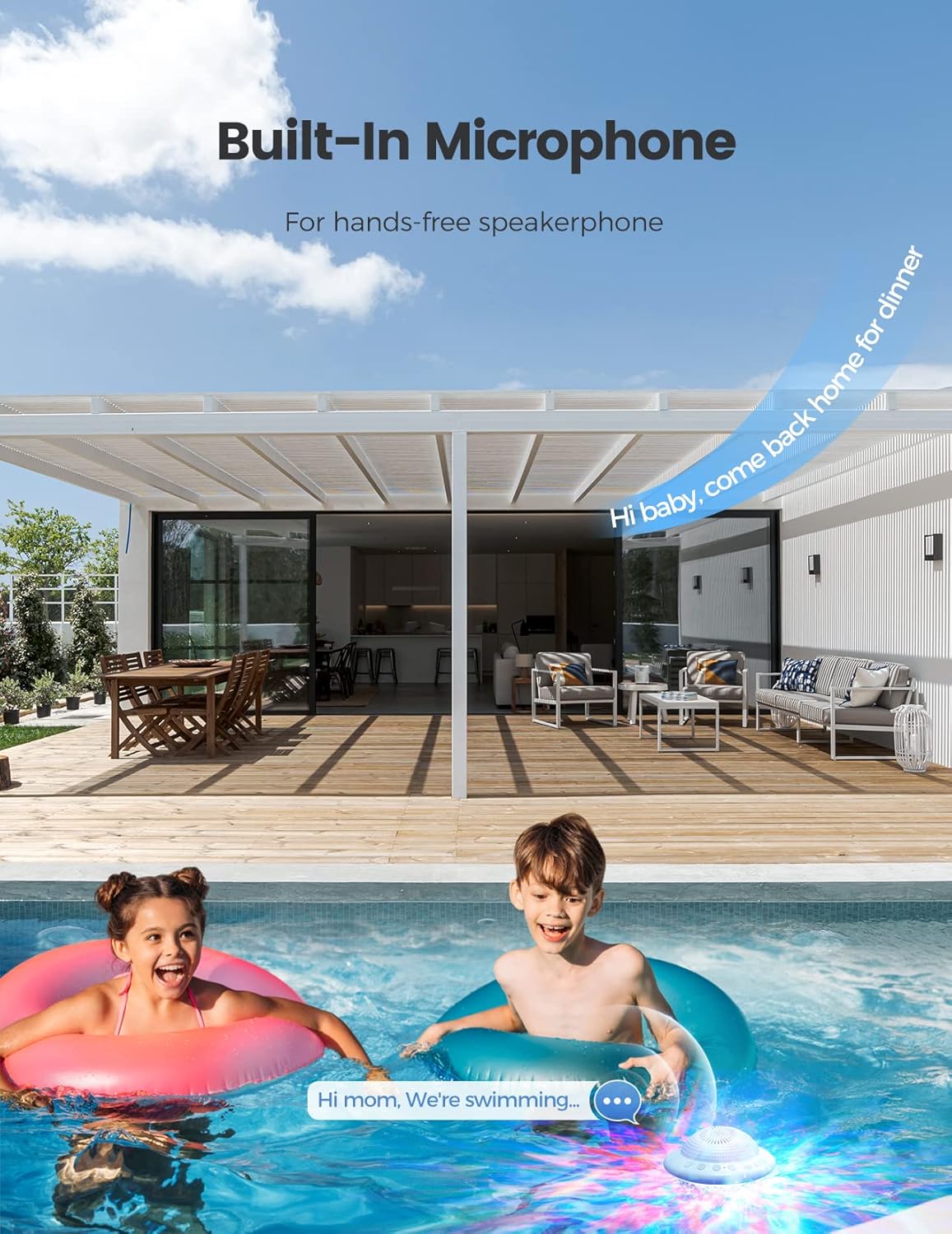
Image: Two children in a pool, with the floating speaker nearby, depicting the hands-free calling feature.
メンテナンス
クリーニング
スピーカーを掃除するには、柔らかくて乾いた布で拭いてください。amp cloth. Do not use abrasive cleaners or solvents, as these may damage the surface or internal components. Ensure the charging port cover is securely closed before exposing the speaker to water.
ストレージ
When not in use for extended periods, store the speaker in a cool, dry place away from direct sunlight and extreme temperatures. Ensure the speaker is clean and dry before storage.
バッテリーケア
To prolong battery life, avoid fully discharging the speaker frequently. Recharge the battery when the low battery indicator is active. If storing for a long time, charge the battery to about 50% every few months.
トラブルシューティング
| 問題 | 解決 |
|---|---|
| スピーカーがオンにならない | スピーカーが完全に充電されていることを確認してください。電源に接続し、少なくとも30分間充電してから、再度電源を入れてください。 |
| Bluetoothでペアリングできない |
|
| 音の歪みや音量が低い |
|
| Lights not working or stuck |
|
仕様
| 特徴 | 詳細 |
|---|---|
| モデル名 | 星空のUFO |
| ブランド | イーゼルファー |
| 防水等級 | IPX7 |
| 接続性 | ブルートゥース5.3 |
| スピーカー出力 | 10ワット |
| バッテリー寿命 | 最大12時間 |
| 充電時間 | 5時間 |
| 製品寸法 | 奥行き4インチ x 幅3インチ x 高さ4インチ |
| アイテム重量 | 0.45キログラム(15.8オンス) |
| LEDライトモード | 6 |
| 内蔵マイク | はい |
保証とサポート
The YIZEELFAR Floating Pool Speaker comes with a limited warranty. For detailed warranty terms and conditions, please refer to the product packaging or contact YIZEELFAR customer support.
For technical support, troubleshooting assistance, or any inquiries regarding your product, please contact YIZEELFAR customer service through the retailer's platform or visit the official YIZEELFAR web連絡先情報のサイト。
注意: 保証請求のために購入証明書を保管してください。