
1. はじめに
Thank you for choosing the VOYEE WE-07 Wired Game Controller. This manual provides detailed instructions for setting up, operating, and maintaining your controller. The WE-07 is designed for a responsive and immersive gaming experience on both PC and PlayStation 3 platforms.

Image: The VOYEE WE-07 wired game controller, featuring a black and red design with prominent VOYEE branding and illuminated rumble effects, indicating its dual shock capabilities.
2 製品の特徴
- 有線接続: Equipped with a 1.8-meter (5.9ft) USB cable for a stable connection and comfortable gaming distance.
- デュアルショックバイブレーション: Built-in dual motion motors provide varied intensity feedback for an authentic gaming experience.
- 人間工学に基づいたデザイン: Features a special matte layer for a comfortable grip during extended gaming sessions.
- 幅広い互換性: Supports Windows 7/8/8.1/10/11 PC games (DInput and XInput modes) and is fully compatible with Sony PlayStation 3 consoles.

Image: An illustration highlighting the internal dual shock rumble motor within the VOYEE WE-07 controller, emphasizing its vibration feedback capability.
3. コントローラーのレイアウト
Familiarize yourself with the buttons and controls of your VOYEE WE-07 controller:

Image: A detailed diagram of the VOYEE WE-07 controller, labeling all buttons and joysticks, including R1/R2/L1/L2 buttons, LED indicators, SELECT, START, HOME, D-Pad, Left/Right Joysticks, and A/B/X/Y buttons.
- 左ジョイスティック: 方向性のある動きをします。
- 右ジョイスティック: カメラの制御や照準に使用します。
- 十字キー: 正確な入力を可能にする方向パッド。
- アクションボタン(A、B、X、Y): ゲーム内のアクション用。
- ショルダーボタン(L1、R1): 上部に取り付けられたボタン。
- トリガーボタン(L2、R2): Bottom-mounted analog triggers.
- 選択ボタン: Typically for menu navigation or specific game functions.
- スタートボタン: Typically for pausing or starting games.
- HOME/P3 Button: For accessing system menus or PlayStation 3 home screen.
- LEDインジケーター(1~4): Show player number or connection status.
4. セットアップ手順
Connecting your VOYEE WE-07 controller is a straightforward process:
4.1. Connecting to a PC (Windows 7/8/8.1/10/11)
- コンピューターで使用可能なUSBポートを見つけます。
- Plug the USB connector of the VOYEE WE-07 controller into the USB port.
- Your computer will automatically detect and install the necessary drivers. This may take a few moments.
- Once installed, the controller will be ready for use. You may need to configure the controller settings within your game or platform (e.g., Steam) for optimal performance.
The controller supports both DInput (DirectInput) and XInput modes. Most modern PC games use XInput, which is automatically recognized. For older games, DInput might be used.
4.2. PlayStation 3 (PS3) への接続
- PS3 本体の電源がオンになっていることを確認してください。
- Plug the USB connector of the VOYEE WE-07 controller into an available USB port on your PS3.
- The PS3 will recognize the controller. The LED indicators on the controller will light up to show the assigned player number.
- The controller is now ready for use with your PlayStation 3 games.

Image: A close-up of the VOYEE WE-07 controller's USB cable connecting to a device, illustrating the wired connection process.
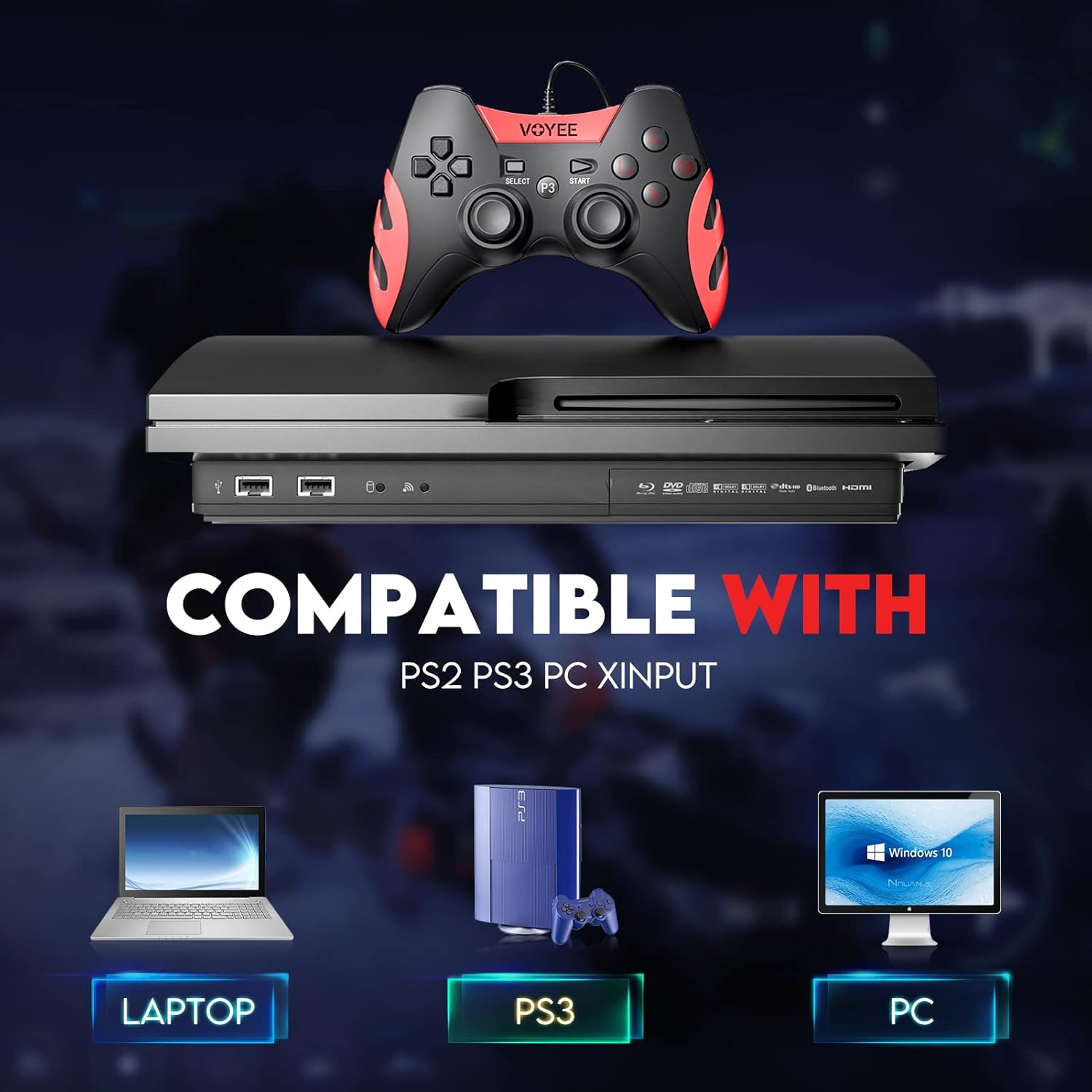
Image: A graphic demonstrating the VOYEE WE-07 controller's compatibility with various platforms, including laptops, PlayStation 3 consoles, and desktop PCs, highlighting its versatility.
5. 操作手順
Once connected, the VOYEE WE-07 controller functions similarly to standard gamepads. Here are some general operating tips:
- ゲームコントロール: Use the joysticks and D-Pad for movement and navigation. The action buttons (A, B, X, Y) and shoulder/trigger buttons (L1, R1, L2, R2) perform in-game actions as defined by the specific game.
- 振動フィードバック: The dual shock motors will provide tactile feedback during gameplay, enhancing immersion. This feature is automatically enabled when supported by the game.
- HOME/P3 Button: Press this button to access the system menu on PS3 or to bring up the game overlay on PC (depending on the game or platform).
- 人間工学: The controller's matte finish and ergonomic design are intended for comfortable use during long gaming sessions.
6。 トラブルシューティング
If you encounter issues with your VOYEE WE-07 controller, please refer to the following common solutions:
| 問題 | 解決 |
|---|---|
| コントローラーがPC/PS3で認識されません。 |
|
| 振動フィードバックが機能していません。 |
|
| ボタンやジョイスティックが反応しません。 |
|
7. メンテナンス
To ensure the longevity and optimal performance of your VOYEE WE-07 controller, follow these maintenance guidelines:
- クリーニング: コントローラーの表面は、柔らかく乾いた布で拭いてください。頑固な汚れには、軽く拭いてください。amp布を水で拭いてください。刺激の強い化学薬品や研磨剤入りの洗剤の使用は避けてください。
- ストレージ: コントローラーは、直射日光や極端な温度を避け、涼しく乾燥した場所に保管してください。コントローラーの上に重いものを置かないでください。
- ケーブルのお手入れ: Do not sharply bend or pull the USB cable. Always grasp the plug when disconnecting, not the cable itself.
- ドロップを避ける: 内部コンポーネントを損傷する可能性のある落下や衝撃からコントローラーを保護します。
8. 仕様
| モデル | WE-07 |
| ブランド | VOYEE |
| 接続性 | 有線USB |
| ケーブル長さ | 1.8メートル(5.9フィート) |
| 対応デバイス | PC (Windows 7/8/8.1/10/11), PlayStation 3 |
| コントローラータイプ | Gamepad, Joystick (DInput & XInput) |
| 追加機能 | Dual Shock Vibration, Ergonomic Design, Matte Finish |
| ボタンの数量 | 17 |
9. 保証とサポート
VOYEE provides a 365日間の保証 for the WE-07 wired gamepad controller from the date of purchase. This warranty covers manufacturing defects under normal use.
If you encounter any problems or have questions regarding your VOYEE WE-07 controller, please do not hesitate to contact our customer service team via e-mail. Our friendly customer service is available to assist you.
For support, please visit the official VOYEE web連絡先情報については、サイトをご覧いただくか、購入書類を参照してください。