
tectake Zola
tectake Zola Electric Height-Adjustable Desk
モデル: 404316
1.製品オーバーview
The tectake Zola Electric Height-Adjustable Desk is designed to provide a dynamic and ergonomic workspace. Featuring continuous electric height adjustment, a robust particle board tabletop, and a solid steel frame, this desk offers stability and comfort. Its powerful motor ensures smooth transitions between sitting and standing positions, while the flexible frame design maximizes legroom. The integrated touchpad allows for easy height adjustments and memory function for preferred settings. An anti-collision system enhances safety during operation.

Image 1.1: The tectake Zola Electric Height-Adjustable Desk, showcasing its sleek black design and sturdy construction.
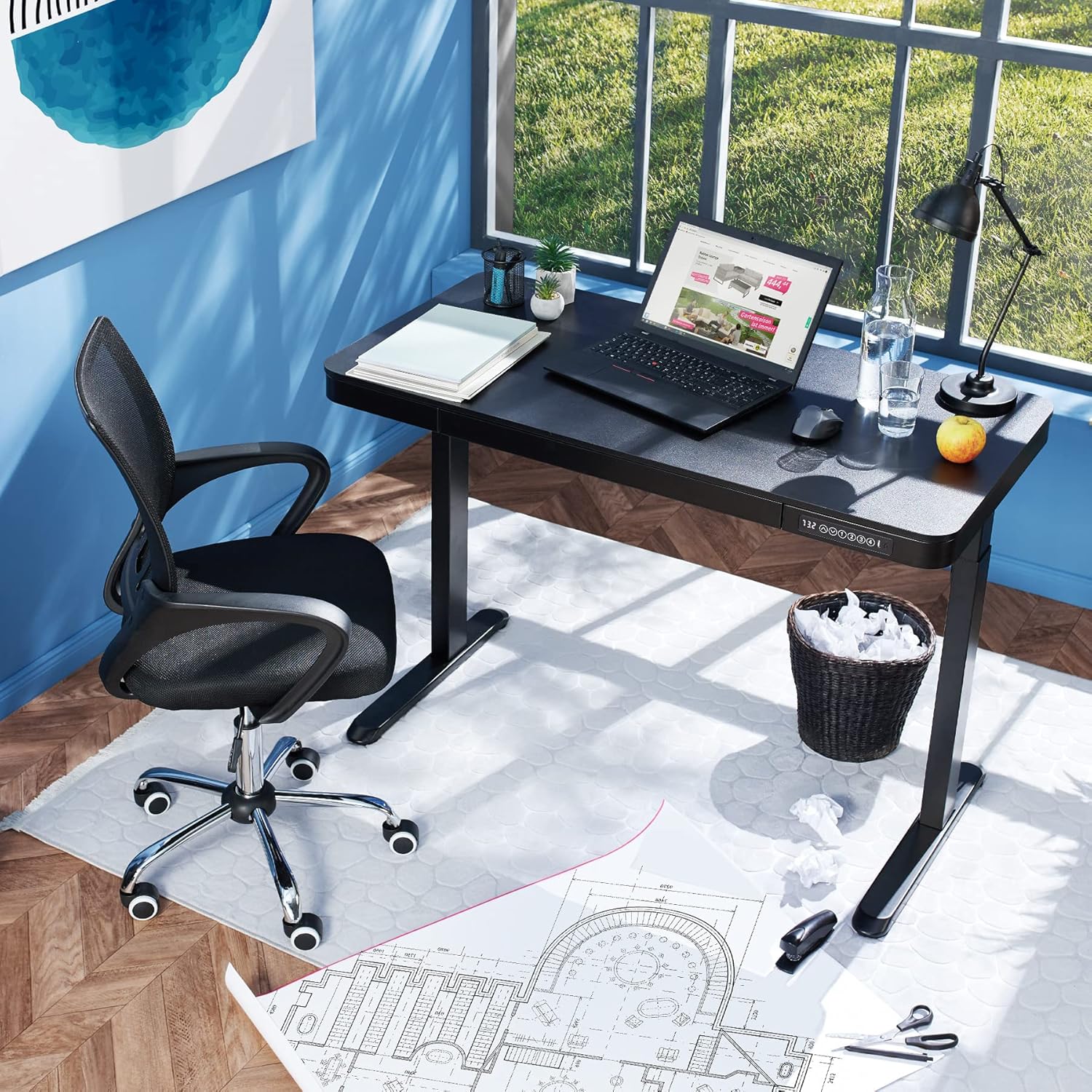
Image 1.2: The desk integrated into a modern office environment, demonstrating its practical use.
2. 安全に関する注意事項
- 組み立てて使用する前に、すべての説明書をよくお読みください。
- 操作中は子供やペットをデスクから遠ざけてください。
- ご使用前に、すべてのネジとボルトがしっかりと締められていることを確認してください。定期的に点検し、必要に応じて締め直してください。
- 机に過度の荷重をかけないでください。最大荷重は45kgです。
- Keep hands and fingers clear of moving parts during height adjustment. The desk is equipped with an anti-collision system, but caution is still advised.
- 付属の電源アダプターのみを使用してください。
- Do not disassemble or modify the motor or control unit. Contact qualified personnel for repairs.
- Place the desk on a level surface. Adjustable feet can compensate for minor unevenness.
3. パッケージ内容
組み立てを始める前に、すべての部品が揃っていて損傷がないことを確認してください。部品が不足または損傷している場合は、カスタマーサポートにお問い合わせください。
- Tabletop with integrated drawer and control panel
- 左脚アセンブリ
- 右脚アセンブリ
- 足(2倍)
- 電源アダプターとケーブル
- Assembly Hardware (screws, Allen key, etc.)
- 取扱説明書(本書)
4. 組み立てガイド
Assembly is required for this product. It is recommended to have two people for easier and safer assembly. Clear a spacious area for assembly and lay out all components.
段階的な組み立て:
- Attach Leg Assemblies to Tabletop: Carefully place the tabletop upside down on a soft, clean surface to prevent scratches. Align the left and right leg assemblies with the pre-drilled holes on the underside of the tabletop. Secure them using the provided screws and Allen key. Ensure the motor cables are not pinched.
- Attach Feet to Leg Assemblies: Slide the feet onto the bottom of each leg assembly. Secure them with the appropriate screws.
- 電源ケーブルを接続します: Locate the power input port on the control unit (usually on the underside of the tabletop near the control panel). Connect the power cable firmly.
- 机の位置: With assistance, carefully flip the desk upright and move it to its desired location. Adjust the plastic feet at the bottom of the legs to ensure the desk is stable and level on uneven floors.
- 初期パワーアップ: Plug the power adapter into a wall outlet. The control panel display should light up.

Image 4.1: Dimensional drawing of the desk, useful for planning space and assembly.

画像4.2: 側面 view illustrating the robust leg structure and height adjustment mechanism.
5.操作ガイド
The tectake Zola desk features an intuitive control panel for easy height adjustment and memory functions.
コントロールパネルの機能:

Image 5.1: The control panel, showing the digital height display and control buttons.
- デジタルディスプレイ: デスクの現在の高さをセンチメートル単位で表示します。
- 上/下矢印(↑/↓): Press and hold to continuously adjust the desk height upwards or downwards. Release the button to stop at the desired height.
- メモリボタン(1、2、3、4): これらのボタンを使用すると、最大 4 つの好みの高さ設定を保存して呼び出すことができます。
- 高さを保存するには: Adjust the desk to your desired height using the up/down arrows. Press and hold one of the memory buttons (1-4) until the display flashes or beeps, indicating the height has been saved.
- 高さを思い出すには: Simply press the corresponding memory button (1-4). The desk will automatically move to the saved height.
- 衝突防止システム: The desk is equipped with a sensitive anti-collision system. If the desk encounters an obstruction during height adjustment, it will stop and slightly reverse direction to prevent damage.
- USB-A および USB-C ポート: Located on the control panel, these ports can be used to charge small electronic devices.

Image 5.2: Detail of the USB-A and USB-C charging ports for convenient device charging.

Image 5.3: Visual representation of the desk's adjustable height range.
Integrated Drawer:
The desk includes a convenient integrated drawer for storing small office supplies, helping to keep your workspace tidy.

Image 5.4: The desk's integrated drawer, providing discreet storage.

Image 5.5: Detail of the drawer's smooth-gliding mechanism.
6. メンテナンスとケア
- クリーニング: 机の表面と脚を柔らかくて乾いた布で拭いてください。amp 布で拭いてください。仕上げを傷める可能性があるため、刺激の強い化学薬品や研磨剤入りの洗剤の使用は避けてください。
- 定期点検: すべてのネジと接続部がしっかりと締まっているか定期的に点検してください。必要に応じて締め直してください。
- ケーブル管理 Ensure power cables are not tangled or pinched, which could lead to damage or malfunction.
7。 トラブルシューティング
| 問題 | 考えられる原因 | 解決 |
|---|---|---|
| 机は動きません。 | No power; cable disconnected; motor error. | Check power connection to wall outlet and desk. Ensure all cables are securely connected. Unplug and replug the power cable to reset the system. |
| 机の動きが不均一であったり、異常な音がしたりします。 | Loose connections; obstruction; uneven load. | Check all assembly screws for tightness. Ensure there are no obstructions under or around the desk. Distribute weight evenly on the tabletop. |
| 衝突防止システムが頻繁に作動します。 | Obstruction; sensitive setting. | Ensure the path of movement is clear. If the issue persists without clear obstruction, consult customer support. |
| メモリ機能が動作しません。 | 保存手順が正しくありません。 | Refer to 'Operation Guide' section 5 for correct saving procedure (press and hold memory button until confirmation). |
8. 技術仕様
| 特徴 | 仕様 |
|---|---|
| モデル番号 | 404316 |
| 全体寸法(長さ x 幅 x 高さ) | Approx. 1204 x 604 x 720 - 1220 mm |
| Tabletop Dimensions (L x W x H) | 約1204 x 604 x 64.5 mm |
| 引き出し内寸(長さ×幅×高さ) | 約60 x 29 x 5 cm |
| Lifting Columns per Side | 2 main columns (approx. 4.5 x 7.5 cm) |
| 調整可能な脚の範囲 | 約1.2cm |
| モーター騒音レベル | <50dB |
| 持ち上げ速度 | 25mm/秒 |
| モーター出力 | 52.2ワット |
| 入力ボリュームtage | 100-240V |
| ケーブル長さ | 約310cm |
| 耐荷重 | 45キロ |
| 製品重量 | 約32kg |
| 材料 | Powder-coated steel, particle board, polychloride, ABS plastic |
9. 保証とサポート
For information regarding warranty terms and conditions, please refer to the purchase documentation or contact your retailer. For technical support or inquiries about replacement parts, please visit the official tectake web購入サイトをご覧いただくか、カスタマーサービス部門にお問い合わせください。購入証明書としてレシートを保管してください。
メーカー: テクタケ
ブランド: TecTake
Ask a question about this manual
Ask about setup, troubleshooting, compatibility, parts, safety, or missing instructions. Manuals+ will review the question and use this page’s manual context to help answer it.