
1. はじめに
This manual provides essential instructions for the proper use and maintenance of your LOTUS Smartwatch Model 50003/A. Please read this guide thoroughly before using your smartwatch to ensure optimal performance and longevity.
The LOTUS Smartwatch 50003/A features an intuitive interface and elegant design, offering a variety of smart functions. It is equipped with Bluetooth connectivity, allowing seamless synchronization with your mobile devices. This synchronization enables features such as call and message notifications, music control, and other practical functions for daily life.
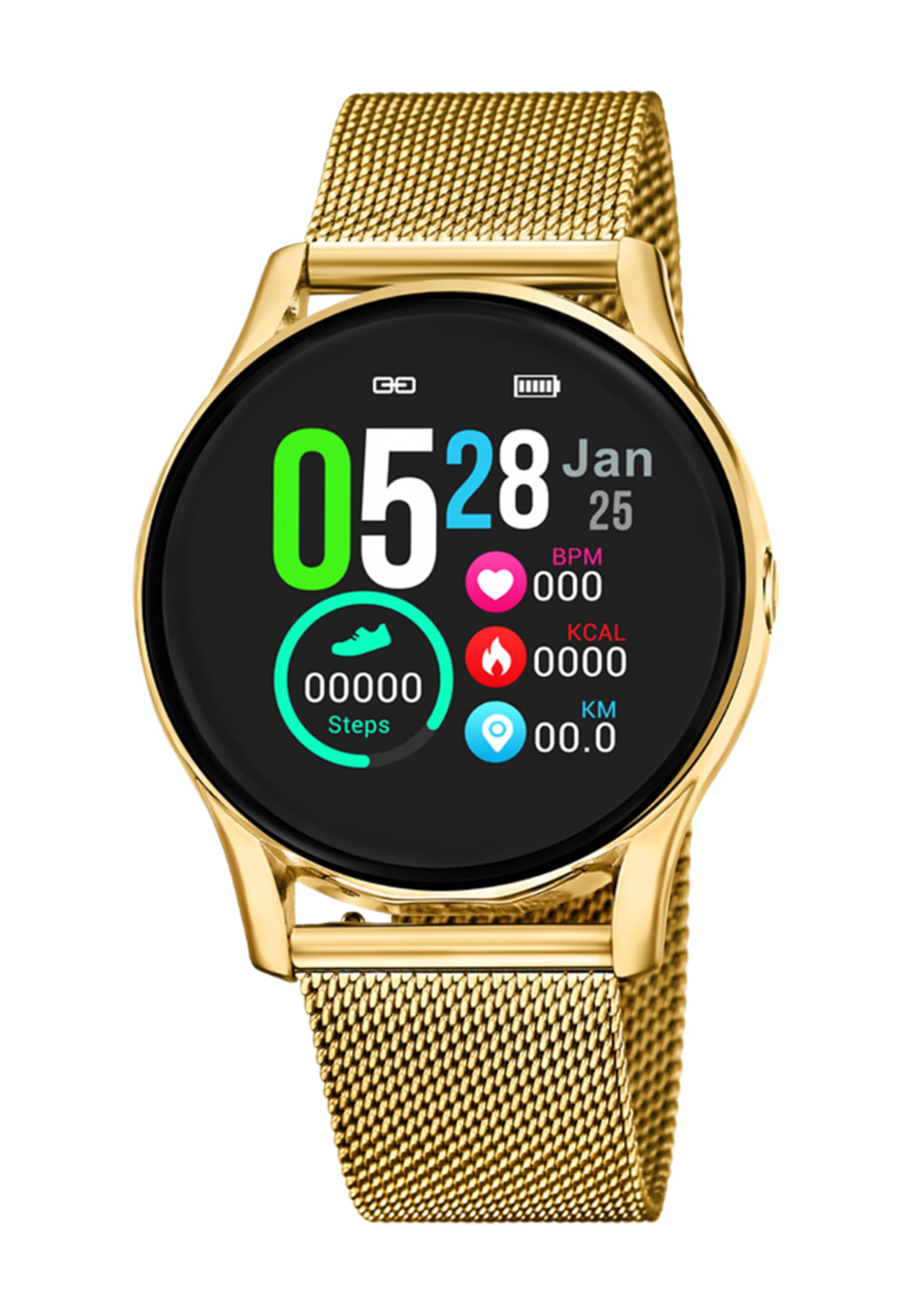
画像1.1:正面 view of the LOTUS Smartwatch 50003/A.
2. パッケージ内容
Please check the package contents upon unboxing. The standard package for the LOTUS Smartwatch 50003/A should include:
- LOTUS Smartwatch 50003/A
- 充電ケーブル
- ユーザーマニュアル(このドキュメント)
3.セットアップガイド
3.1. スマートウォッチの充電
初めて使用する前に、スマートウォッチを完全に充電してください。
- 充電ケーブルをスマートウォッチの背面にある充電ポートに接続します。
- 充電ケーブルのもう一方の端を USB 電源アダプター (別売) またはコンピューターの USB ポートに差し込みます。
- 時計のディスプレイに充電状況が表示されます。フル充電には約2~3時間かかります。
3.2. コンパニオンアプリのインストール
To unlock all features and synchronize your smartwatch with your smartphone, you need to install the official LOTUS Connected app.
- Scan the QR code provided in the watch packaging or search for "LOTUS Connected" in your smartphone's app store (Google Play Store for Android, Apple App Store for iOS).
- アプリをダウンロードしてインストールします。
- 画面上の指示に従ってアカウントを作成するか、ログインします。

Image 3.2: Synchronizing the smartwatch with the companion app on a smartphone.
3.3. スマートフォンとのペアリング
Ensure Bluetooth is enabled on your smartphone and the smartwatch is charged.
- Open the LOTUS Connected app on your smartphone.
- Follow the app's instructions to add a new device.
- The app will search for available smartwatches. Select "LOTUS 50003/A" from the list.
- プロンプトが表示されたら、スマートフォンとスマートウォッチの両方でペアリング要求を確認します。
- ペアリングすると、時計は時間とデータを携帯電話と同期します。
4. 操作手順
4.1. 基本的なナビゲーション
- タッチスクリーン: 左右または上下にスワイプしてメニューや機能を操作します。タップして選択します。
- サイドボタン: The smartwatch may have one or more physical buttons. Typically, one button serves as a power on/off, back, or home button. Refer to the on-screen prompts for specific button functions.

図4.1: 例ample of a smartwatch display showing activity data.
4.2. 主な特徴
- 通知: Receive alerts for incoming calls, messages, and app notifications directly on your wrist. Manage notification settings via the LOTUS Connected app.
- 音楽コントロール: 接続したスマートフォンで音楽の再生を制御します (再生、一時停止、トラックのスキップ、音量の調整)。
- アクティビティ追跡: Monitor steps, distance, calories burned, and sleep patterns. View detailed statistics in the companion app.
- 耐水性: The smartwatch is water resistant. Avoid prolonged submersion or use in hot water/steam. Refer to specifications for exact water resistance rating.
5. メンテナンス
5.1. スマートウォッチのクリーニング
- 時計の画面と本体を柔らかく糸くずの出ない布で拭いてください。
- 頑固な汚れには、軽くamp布を水で濡らしてください。刺激の強い化学薬品や研磨剤は使用しないでください。
- 充電する前に、充電接点が清潔で乾燥していることを確認してください。
5.2. バッテリーのお手入れ
- Charge the smartwatch regularly. Avoid letting the battery completely drain for extended periods.
- Do not expose the smartwatch to extreme temperatures, as this can affect battery life and performance.
- 時計を長期間使用しない場合は、保管する前に約 50% まで充電してください。
6。 トラブルシューティング
6.1. よくある問題と解決策
- 時計がオンにならない: 時計が完全に充電されていることを確認してください。充電器に接続し、数分間待ってから電源を入れてください。
- スマートフォンとペアリングできない:
- スマートフォンでBluetoothが有効になっていることを確認します。
- スマートウォッチが携帯電話の範囲内にあることを確認してください。
- スマートフォンとスマートウォッチの両方を再起動します。
- アプリからデバイスのペアリングを解除し、再度ペアリングしてみてください。
- 通知を受信できませんでした:
- Check notification settings in the LOTUS Connected app.
- スマートフォン上でアプリに必要な権限があることを確認してください。
- Verify that the smartwatch is properly connected via Bluetooth.
- 短いバッテリー寿命:
- 画面の明るさを下げます。
- 不要な通知や機能を無効にします。
- 使用する前に時計が完全に充電されていることを確認してください。
6.2. 工場出荷時設定にリセット
If issues persist, a factory reset may resolve them. This will erase all data on the smartwatch and restore it to its original settings.
- Navigate to the "Settings" menu on your smartwatch.
- Look for an option like "System," "Reset," or "Factory Reset."
- プロンプトが表示されたら、リセットを確認します。
- After resetting, you will need to re-pair the smartwatch with your phone and set it up again.
7. 仕様
| 特徴 | 詳細 |
|---|---|
| ブランド | 蓮 |
| モデル番号 | 50003/A |
| 色 | 黒 |
| オペレーティングシステムの互換性 | アンドロイド、iOS |
| 画面サイズ | 39.65ミリメートル |
| 特集 | 耐水性 |
| 対応デバイス | スマートフォン |
| バッテリー構成 | リチウム金属 |
| スペアパーツの入手可能性 | 5年 |
8. 保証とサポート
Your LOTUS Smartwatch 50003/A comes with a manufacturer's warranty. Please refer to the warranty card included in your product packaging for specific terms and conditions.
このモデルのスペアパーツは購入日から最大 5 年間入手可能です。
For technical support, service, or warranty claims, please contact LOTUS customer service through their official webサイトまたは保証書に記載されている連絡先情報を参照してください。