
1. はじめに
Welcome to the Desktronic HOME-ONE Height-Adjustable Desk user manual. This guide provides essential information for the safe assembly, operation, and maintenance of your new electric standing desk. Please read these instructions carefully before use and retain them for future reference.

2. 重要な安全情報
安全な操作を確保し、損傷を防ぐために、次の安全ガイドラインを守ってください。
- デスクを操作する前に、すべてのコンポーネントがしっかりと固定されていることを確認してください。
- 最大重量を超えないでください 120キログラム(264ポンド).
- 高さ調整中は、子供やペットをデスクから遠ざけてください。
- Ensure there are no obstructions in the desk's path during movement to prevent damage or injury.
- Only use the provided power adapter and connect to a grounded outlet.
- Do not open or attempt to repair the motor or control unit. Contact customer support for assistance.
- コントロール パネルや電気部品に液体をこぼさないようにしてください。
3. パッケージ内容
Verify that all parts are present before beginning assembly. If any parts are missing or damaged, please contact Desktronic customer support.
- デスクトップ面(160 x 80 cm)
- デスクフレーム(脚とクロスバー)
- Control Panel with USB/USB-C Ports
- 電源アダプターとケーブル
- Assembly Hardware (Screws, Washers, Allen Keys)
- ケーブル管理アクセサリ
- ユーザーマニュアル

4. 組み立て手順
The Desktronic HOME-ONE desk is designed for straightforward assembly. A step-by-step guide and all necessary tools are included. Assembly typically takes approximately 25 minutes.
- コンポーネントを解凍します: すべての部品をパッケージから慎重に取り出し、傷がつかないように清潔で柔らかい表面の上に広げます。
- クロスバーに脚を取り付ける: Secure the desk legs to the central crossbar using the provided screws and Allen key. Ensure all connections are firm.
- デスクトップをマウント: Carefully place the desktop upside down on a soft surface. Align the assembled frame with the pre-drilled holes on the desktop. Secure the frame to the desktop using the appropriate screws.
- コントロール パネルをインストールします。 コントロール パネルをデスクトップの下側の指定された場所に取り付けます。
- ケーブルを接続する: Connect the motor cables to the control panel and the power adapter to the control panel. Route cables neatly using the included cable management accessories.
- ポジションデスク: With assistance, carefully flip the desk upright and place it in its desired location. Ensure the power cable is accessible.


5. 操作手順
5.1コントロールパネルオーバーview
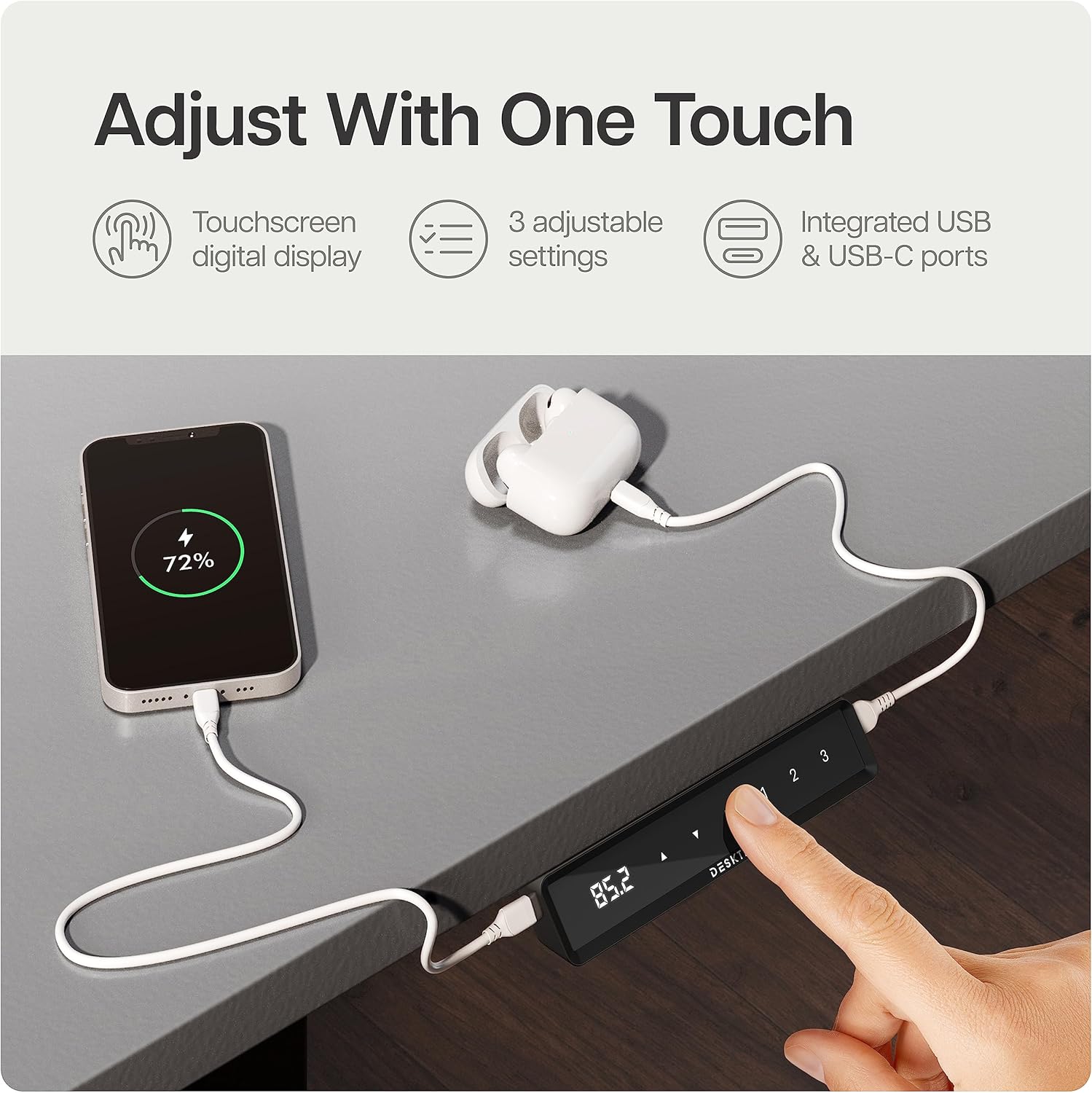
Your Desktronic desk features an intuitive touchscreen control panel with a digital display, height adjustment buttons, and memory presets. It also includes integrated USB-C and USB-A ports for convenient device charging.
5.2 机の高さ調整
- Connect the desk to a power outlet. The digital display will illuminate.
- を押す Up or 下 arrow buttons on the control panel to adjust the desk to your desired height. The display will show the current height in centimeters.
- Release the button once the desired height is reached. The desk will stop automatically.
5.3 メモリプリセット
The control panel allows you to save up to three preferred height settings for quick adjustment.
- 上/下ボタンを使用して、デスクを希望の高さに調整します。
- を押す M button (Memory). The display will flash 'S-'.
- 3秒以内に、プリセットボタンの1つ(1, 2、 または 3) to save the current height to that position. The display will show 'S-1', 'S-2', or 'S-3' to confirm.
- To use a saved preset, simply press the corresponding preset button (1, 2、 または 3)。デスクは保存された高さまで自動的に移動します。
5.4チャイルドロック機能
To prevent accidental adjustments, the desk features a child lock.
- 活性化: を押し続けます M button for approximately 5 seconds until 'LOC' appears on the display. All buttons will now be locked.
- 無効化: を押し続けます M button again for approximately 5 seconds until 'LOC' disappears from the display. The desk is now unlocked.
5.5 衝突防止システム
The desk is equipped with an anti-collision system that detects objects in its path during height adjustment. If an obstruction is detected, the desk will automatically stop and reverse slightly to prevent damage.
6. 主な製品の特徴
The Desktronic HOME-ONE desk incorporates several design and functional elements for enhanced user experience:
- TÜV SÜD Certified Motor: Ensures reliable and smooth height adjustments.
- 頑丈なスチールフレーム: Features extra-wide 70 x 70 mm height-adjustable table legs made of reinforced steel for superior stability.
- Integrated USB-C / USB Ports: Conveniently located on the control panel for charging devices.
- 衝突防止システム: Automatically stops and reverses if an obstruction is detected during movement.
- チャイルドロック: Prevents unintended height adjustments.
- 丸い角: Designed for safety and comfort.
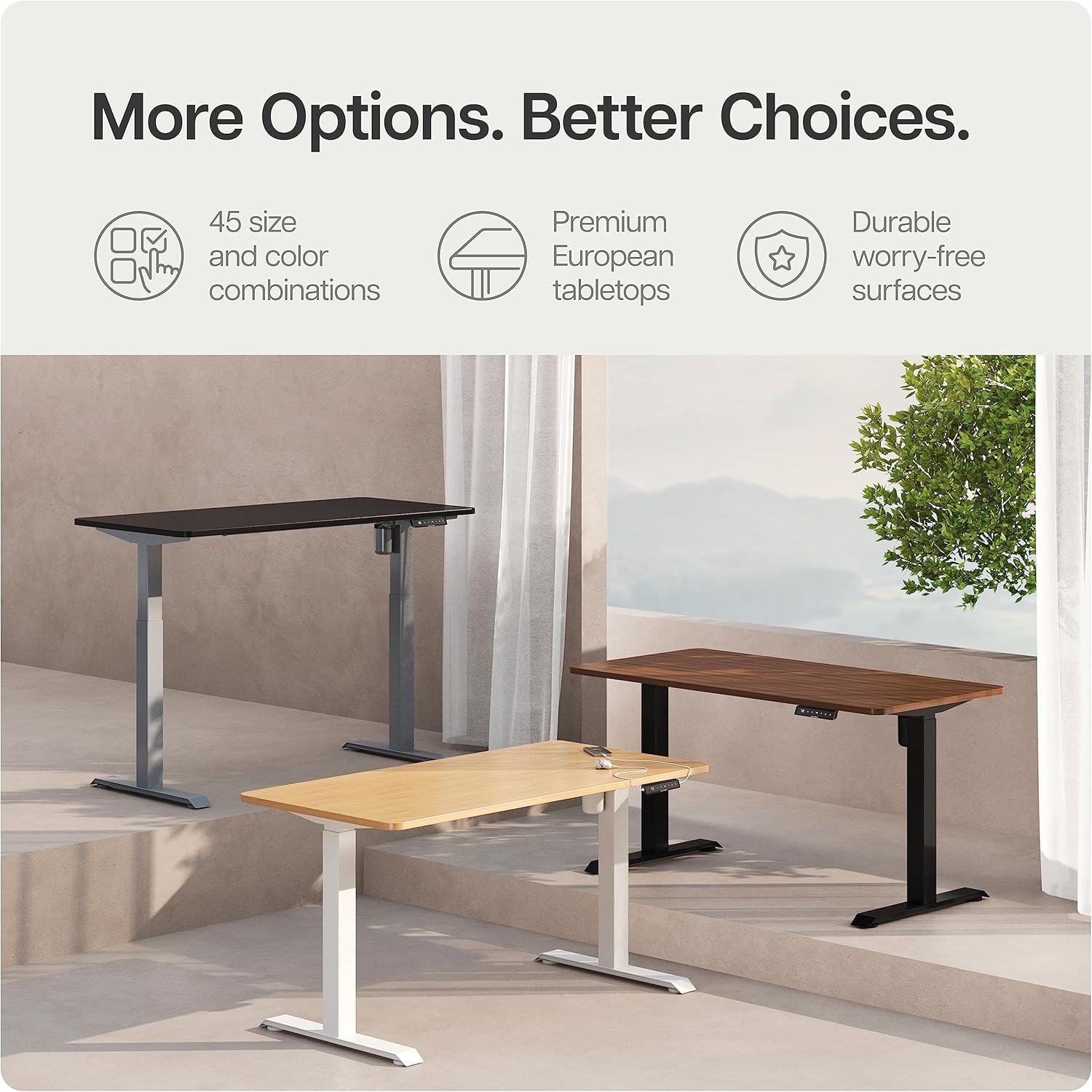
- 耐久性のあるデスクトップ: Made from 25 mm FSC melamine resin-coated chipboard and laminate.

7. お手入れとメンテナンス
Proper care will ensure the longevity and optimal performance of your Desktronic desk.
- クリーニング: 机の表面とフレームを広告で拭きますamp 布で拭いてください。仕上げを傷める可能性のある研磨剤入りの洗剤や刺激の強い化学薬品は使用しないでください。
- 検査: すべてのネジと接続部がしっかりと締まっているか定期的に点検してください。必要に応じて締め直してください。
- ケーブル管理 ケーブルが挟まれたり絡まったりしていないことを確認してください。ケーブルが挟まれたり絡まったりすると、デスクの操作に影響したり、損傷の原因となる可能性があります。
- 環境条件: Avoid exposing the desk to extreme temperatures or high humidity.
8. トラブルシューティングガイド
If you encounter issues with your desk, refer to the table below for common problems and solutions. If the problem persists, contact customer support.
| 問題 | 考えられる原因 | 解決 |
|---|---|---|
| 机は動きません。 | No power, child lock active, or motor error. | Check power connection. Deactivate child lock. Unplug and replug power to reset. |
| 机の動きが不均一であったり、異常な音がしたりします。 | Uneven load, loose connections, or obstruction. | Distribute weight evenly. Check all screws. Ensure no obstructions. |
| エラーコードが表示されました。 | システム障害。 | Unplug the desk for 10 minutes, then reconnect. If the error persists, contact support. |
| 衝突防止システムが頻繁に作動します。 | Sensitivity too high or actual obstruction. | Ensure no objects are in the desk's path. Consult manual for sensitivity adjustment (if applicable). |
9. 製品仕様
| 特徴 | 仕様 |
|---|---|
| モデル番号 | HOME-ONE |
| デスクトップサイズ | 160 x 80 cm |
| 最小高さ | 72センチ |
| 最大高さ | 120センチ |
| アイテム重量 | 40キログラム |
| 最大重量の推奨 | 120キログラム |
| ベース素材 | 金属(合金鋼) |
| 上部の材質の種類 | FSC Melamine Resin-Coated Chipboard |
| 昇降機構 | 電気 |
| 特集 | Electric Height Adjustment, Built-in USB Port, Anti-collision System, Child Lock |
| メーカー | デスクトロニック |
10. 保証と顧客サポート
Desktronic stands behind the quality of its products. The HOME-ONE Height-Adjustable Desk comes with a 5年間の完全保証 covering both the frame and electronics.
For warranty claims, technical assistance, or any questions regarding your Desktronic desk, please contact our customer support team. Refer to your purchase documentation or the Desktronic official web連絡先の詳細についてはサイト。
