
1. はじめに
This manual provides essential instructions for the safe installation, operation, and maintenance of your kleankin Lighted Medicine Cabinet. Please read this manual thoroughly before assembly and use, and retain it for future reference.
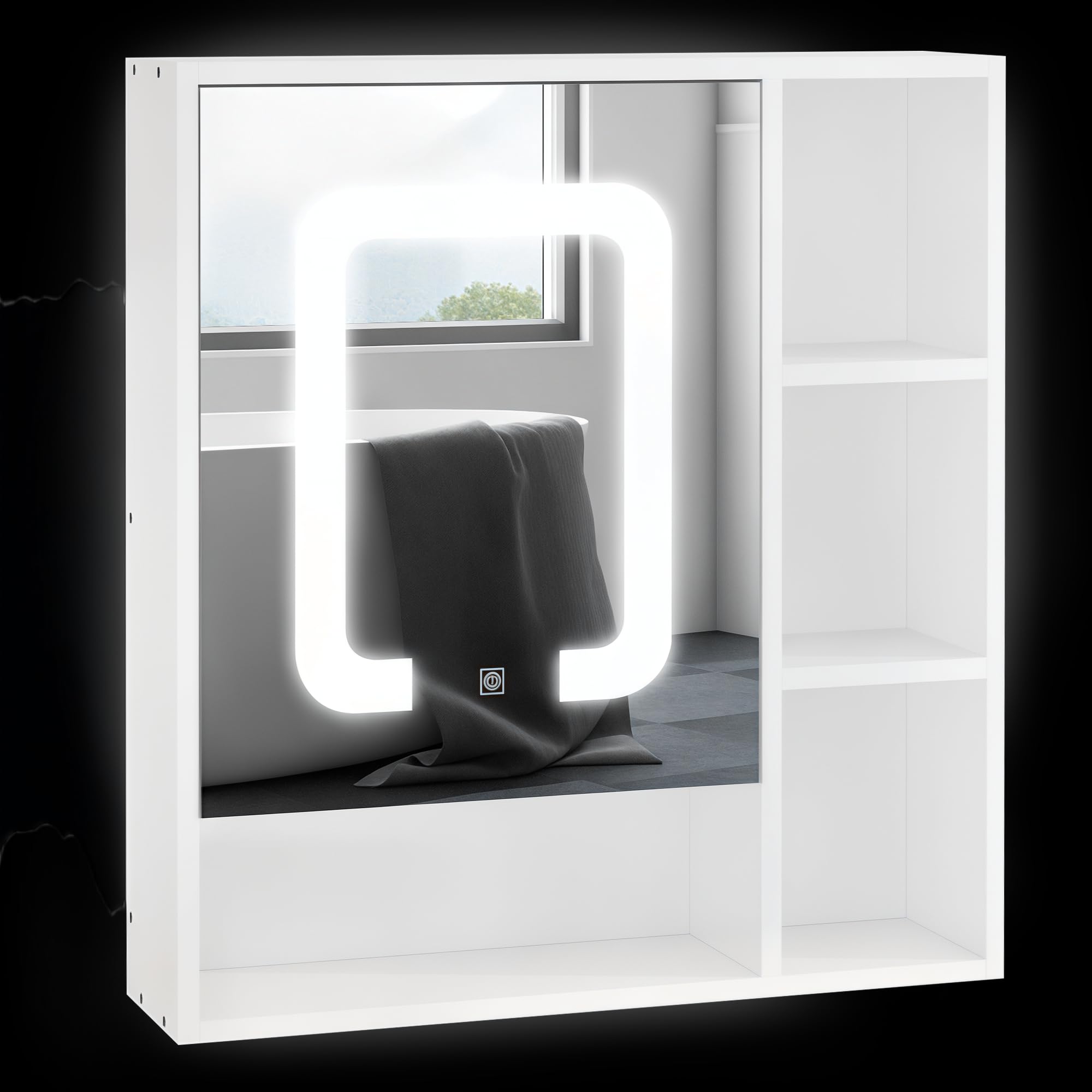
Image 1.1: The kleankin Lighted Medicine Cabinet installed in a modern bathroom setting, showcasing its integrated mirror and open shelving.
2. 安全情報
怪我や製品の損傷を防ぐために、次の安全上の注意事項を守ってください。
- 組み立ておよび設置の前に、すべての指示をお読みください。
- 組み立てを始める前に、すべてのコンポーネントが揃っていて損傷がないことを確認してください。
- Always use appropriate tools and follow recommended installation procedures.
- Mount the cabinet securely to a sturdy wall structure to prevent falling.
- Do not overload shelves; adhere to specified weight capacities.
- Keep electrical components (LED lights, USB port) away from direct water exposure.
- Disconnect power before performing any maintenance or cleaning on electrical parts.
- この製品は屋内使用のみを目的としています。
3. パッケージ内容
Verify that all parts are included in your package. If any parts are missing or damaged, contact customer support immediately.
- Medicine Cabinet Unit with Integrated Mirror and LED Lights
- Adjustable Shelves (Quantity: 4)
- 取り付け金具(ネジ、アンカーなど)
- 取扱説明書

Image 3.1: The product is shipped in a single package. Ensure the package is intact upon delivery.
4. 仕様
| 特徴 | 詳細 |
|---|---|
| モデル番号 | 834-418V80 |
| 全体寸法(D x W x H) | 6インチ x 23.5インチ x 25.5インチ (15.24 cm x 59.69 cm x 64.77 cm) |
| 材料 | エンジニアリングウッド、ガラス |
| 色 | 白 |
| 重量容量(合計) | 33ポンド(15kg) |
| 耐荷重(棚) | 11ポンド(5kg) |
| 棚の数 | 4 (3 adjustable levels inside cabinet) |
| LEDライトの色温度 | 6500K ホワイト |
| 電源 | USB(アダプターは付属していません) |
| 取り付けタイプ | 壁掛け |
| 特集 | Dimmable LED, Touch Sensor, Memory Function, USB Charge Port, Soft-Close Door |

Image 4.1: Key dimensions of the medicine cabinet: 25.5" H x 6" D x 23.5" W.
5. セットアップとインストール
Assembly is required for this product. Follow the detailed instructions provided in the separate assembly guide included with your package. Ensure you have all necessary tools before starting.
5.1 壁面への取り付け
- Choose a suitable location on a sturdy wall, ensuring there are no hidden electrical wires or plumbing.
- Mark the desired mounting height and positions for the wall anchors/screws using a level.
- Drill pilot holes and insert wall anchors if necessary, according to your wall type.
- Securely attach the cabinet to the wall using the provided mounting hardware.
5.2 棚の調整
The internal shelves are adjustable to three different levels. To adjust a shelf:
- 棚からアイテムをすべて取り除きます。
- 棚を慎重に持ち上げて、サポートピンから外します。
- Relocate the support pins to the desired height.
- 棚をサポートピンの上に戻し、水平かつしっかりと固定されていることを確認します。

Image 5.1: The adjustable shelf can be moved up or down in 1.25-inch increments to accommodate various item sizes.
6. 操作
6.1つのLED照明
The cabinet features integrated 6500K white LED lighting with smart touch control.
- 電源オン/オフ: ミラー表面の電源アイコンをタッチして、LED ライトのオン/オフを切り替えます。
- Dimmer Brightness: Press and hold the power icon to adjust the brightness level. Release when the desired brightness is reached.
- メモリ機能: The light system will remember your last brightness setting for convenience.

Image 6.1: The mirror features smart touch controls for dimmable 6500K white LED lighting and a memory function. The unit is USB powered; an adapter is not included.
6.2USB充電
A USB port is integrated into the cabinet for convenient charging of small electronic devices. Connect your device's USB cable to the port. Note that a USB power adapter is required and not included with the cabinet.

Image 6.2: The USB power input for the LED lights and charging port is located on the side of the cabinet.
6.3 Soft-Close Door
The cabinet door is equipped with soft-closing hinges to prevent slamming and ensure quiet operation. This mechanism also helps protect the cabinet and its contents from impact.

Image 6.3: The cabinet door features smooth closing hinges for quiet and gentle operation.
7. メンテナンス
To ensure the longevity and appearance of your medicine cabinet, follow these maintenance guidelines:
- クリーニング: 柔らかい布でからぶきしてください。amp cloth. Avoid abrasive cleaners or harsh chemicals that may damage the finish or mirror surface.
- ミラーケア: Use a glass cleaner specifically designed for mirrors. Spray cleaner onto a cloth, not directly onto the mirror, to prevent liquid from seeping into edges.
- 電気部品: Ensure the unit is unplugged from its USB power source before cleaning around the LED lights or USB port.
- ヒンジ: Periodically check hinges for tightness and smooth operation. Tighten screws if necessary.
8。 トラブルシューティング
If you encounter issues with your kleankin Lighted Medicine Cabinet, refer to the following common problems and solutions:
| 問題 | 考えられる原因 | 解決 |
|---|---|---|
| LEDライトが点灯しない。 | No power, loose connection, faulty USB adapter. | Ensure USB cable is securely connected. Try a different USB power adapter. Verify power outlet is functional. |
| LED lights are too dim or too bright. | 明るさ設定を調整する必要があります。 | ミラー上のタッチセンサーを長押しして明るさを調整します。 |
| Door does not close smoothly. | ヒンジが緩んでいるか、ずれています。 | Check and tighten hinge screws. Ensure cabinet is level. |
| USB充電ポートが機能しません。 | No power, faulty USB cable, device incompatibility. | Ensure cabinet is powered. Try a different USB cable or device. |
If the problem persists after attempting these solutions, please contact kleankin customer support.
9.保証とサポート
For warranty information, product support, or to order replacement parts, please contact the retailer or manufacturer directly. Keep your purchase receipt as proof of purchase.
メーカー: Aosom LLC
さらにサポートが必要な場合は、次のサイトを参照してください。 AmazonのKleankinストア.