
typecase KB206129
typecase iPad Pro 12.9インチ用キーボードケース ユーザーマニュアル
モデル: KB206129
1.製品オーバーview
The typecase Keyboard Case is designed to enhance your iPad Pro 12.9-inch experience by transforming it into a versatile laptop-like device. It features a full-size keyboard with multi-touch trackpad, backlit keys, and a protective case with a magnetic attachment system.
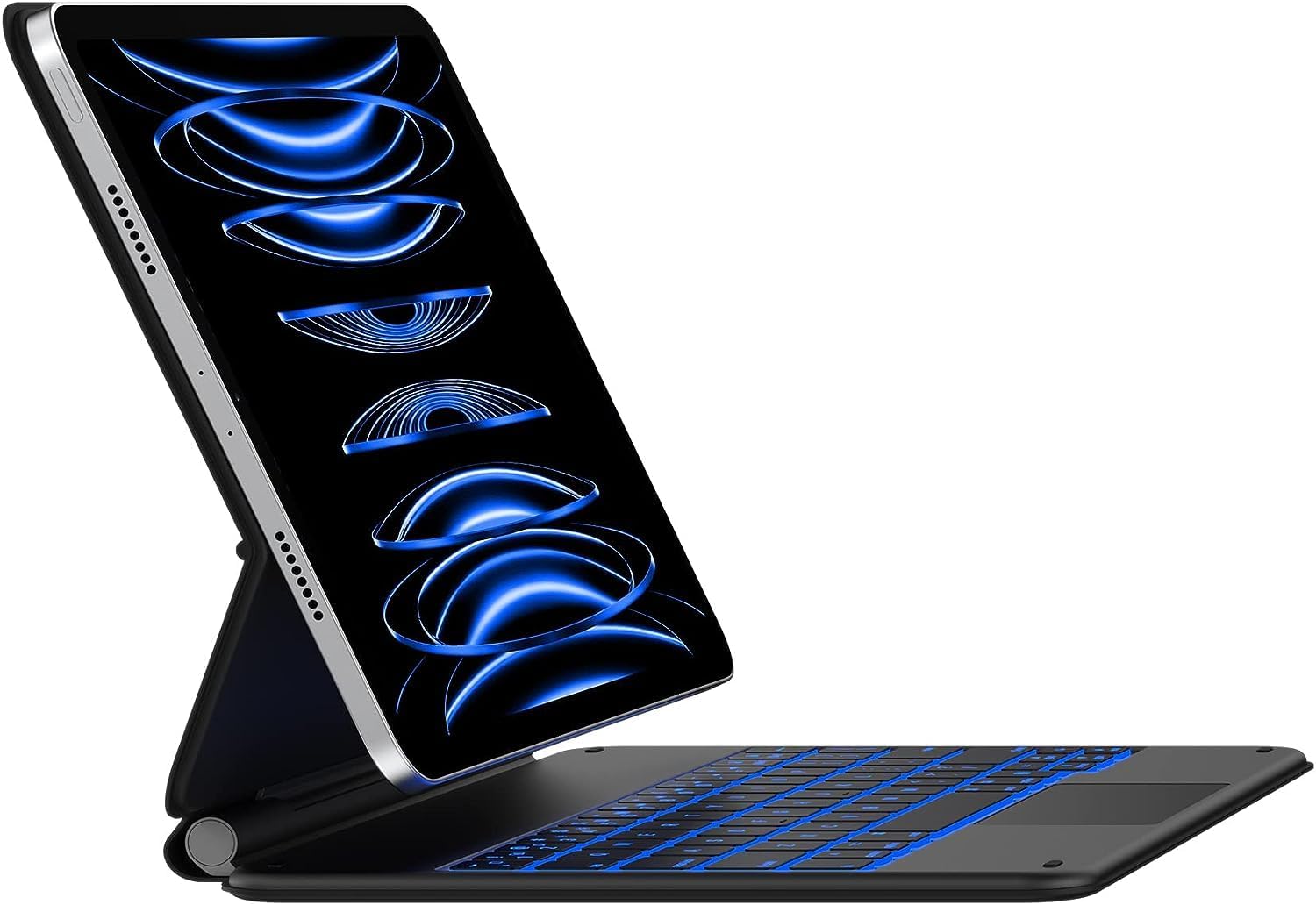
Image: The typecase Keyboard Case with an iPad Pro 12.9-inch attached, showcasing its backlit keyboard and floating cantilever design.
2. セットアップ
2.1 互換性
このキーボードケースは、以下の iPad Pro 12.9 インチ モデルと互換性があります。
- iPad Pro 12.9インチ(第6世代、2022年)
- iPad Pro 12.9-inch (5th Generation, 2021) - Models: A2378, A2379, A2461, A2462
- iPad Pro 12.9-inch (4th Generation, 2020) - Models: A2229, A2069, A2232, A2233
- iPad Pro 12.9-inch (3rd Generation, 2018) - Models: A1876, A2014, A1895, A1983

Image: Visual guide to compatible iPad Pro 12.9-inch models, including 6th, 5th, 4th, and 3rd generations.
2.2 パッケージ内容
パッケージにすべてのアイテムが揃っていることを確認します。
- 1 x typecase Keyboard for iPad Pro 12.9 inch with Trackpad
- 1 x USB-C充電ケーブル
- 1 x Full-Color Product Manual (this document)
2.3 初期充電
Before first use, fully charge the keyboard case using the provided USB-C charging cable. Connect the USB-C cable to the charging port on the keyboard and the other end to a USB power adapter (not included) or a computer's USB port.

Image: Detail of the USB-C charging port located on the side of the keyboard case.
2.4Bluetoothペアリング
- キーボードが充電されていることを確認してください。
- Turn on the keyboard by sliding the power switch. The indicator light will flash, indicating it's in pairing mode.
- iPadで、 設定 > ブルートゥース.
- Bluetoothをオンにします。
- Select "typecase Keyboard" from the list of available devices.
- 画面の指示に従ってペアリングを完了してください。ペアリングが成功すると、キーボードのインジケーターライトが点灯します。
Once paired, the keyboard will automatically connect to your iPad when both devices are turned on and within range.
3. 操作手順
3.1 iPadの取り付け
The keyboard case features a strong magnetic attachment system. Simply align your iPad Pro 12.9-inch with the magnetic back cover of the case. The magnets will securely hold your iPad in place, allowing for a floating cantilever design.

Image: Demonstrates the magnetic attachment of the iPad to the keyboard case, highlighting the floating design.
3.2 調整 View角度
The floating cantilever design allows for smooth and precise adjustment of the viewing angle. Gently tilt your iPad to achieve the desired angle for typing, viewing、または描画します。

Image: Illustrates the smooth angle adjustment feature of the keyboard case, allowing for various viewing のポジション。
3.3 キーボードの機能
The keyboard provides a comfortable and efficient typing experience with its ergonomic, laser-etched, and illuminated keys.
- バックライト: The keyboard features 10-color backlighting with three adjustable brightness levels. Use the dedicated backlight keys (usually Fn + Light icon) to cycle through colors and adjust brightness.
- iPadOS ショートカット: A full row of dedicated iPadOS shortcut keys allows quick access to functions like screen brightness, media control, volume, search, and more.

Image: The keyboard displaying its 10-color backlight feature.

Image: A close-up of the keyboard highlighting the dedicated iPadOS shortcut keys.
3.4 マルチタッチトラックパッド
The integrated multi-touch trackpad allows for precise navigation and gesture control on your iPad. You can scroll, swipe, pinch, and perform other multi-touch gestures as you would on a laptop.
- パームリジェクション: The trackpad features palm rejection technology, which automatically disables the trackpad when you are actively typing to prevent accidental cursor movements.
- Disabling Trackpad: If desired, the trackpad can be temporarily disabled using a dedicated function key (refer to the keyboard shortcut map in the included manual for specific key).

Image: The multi-touch trackpad with visual cues for various gestures like scrolling and app switching.
3.5 スマート機能
- Auto-Sleep/Wake: The keyboard case supports the iPad's auto-sleep/wake function. Closing the case will put your iPad to sleep, and opening it will wake it up.
- 保護カバー: When folded, the case provides front and back protection for your iPad, ensuring its safety during travel or storage.
4. メンテナンス
4.1 クリーニング
キーボードケースを清掃するには、柔らかくて乾いた布で表面を優しく拭いてください。amp 布で拭いてください。表面の仕上げを傷める恐れがあるため、刺激の強い化学薬品や研磨剤入りの洗剤の使用は避けてください。
4.2バッテリーケア
The keyboard is powered by a rechargeable Lithium Polymer battery. For optimal battery life, it is recommended to fully charge the keyboard before extended periods of non-use. The keyboard can last up to 90 days on a single charge with backlighting turned off.
5。 トラブルシューティング
5.1 接続の問題
- キーボードが接続されない: Ensure Bluetooth is enabled on your iPad and the keyboard is turned on and charged. Try unpairing and re-pairing the keyboard in your iPad's Bluetooth settings.
- 断続的な接続: Ensure the keyboard and iPad are within close proximity (within 10 meters or 33 feet). Other wireless devices might cause interference.
5.2 Trackpad Performance
- Trackpad unresponsive or erratic: Ensure your fingers are clean and dry. If the issue persists, try turning the keyboard off and on again. Verify that the trackpad is not accidentally disabled via its function key.
- Accidental touches while typing: The palm rejection feature is designed to minimize this. If it occurs frequently, ensure your typing posture is not causing your palm to rest directly on the trackpad. You may also temporarily disable the trackpad using its dedicated function key while typing long passages.
5.3 Keyboard Sleep Mode
The keyboard enters a sleep mode after a period of inactivity to conserve battery. To wake it up, simply press any key. There might be a brief delay as it reconnects to your iPad.
6. 仕様
| モデル番号 | KB206129 |
| 製品寸法 | 11.81 x 9.84 x 0.79インチ |
| アイテム重量 | 2.16ポンド |
| 接続技術 | ブルートゥース |
| キーボードの説明 | 多機能 |
| 特集 | Backlit, Hotkeys and Media Keys, Integrated Stand, Rechargeable, Trackpad |
| 色 | マットブラック |
| バックライトの色 | RGB(10色) |
| 電池のタイプ | リチウムポリマー(付属) |
7. 保証とサポート
Your typecase Keyboard Case comes with a 12ヶ月のメーカー保証 購入日から材料および製造上の欠陥をカバーします。
typecase also provides 無料の生涯テクニカルサポート. If you encounter any issues or have questions regarding your product, please contact our support team for assistance.
For support, please visit the official typecase webサイトをご覧いただくか、製品パッケージに記載されている連絡先情報を参照してください。
オンラインリソース: typecase Official Store on Amazon