
導入
Thank you for choosing the Seago SG-551 Sonic Electric Toothbrush. This manual provides essential information for the safe and effective use of your new toothbrush. Please read it thoroughly before first use and keep it for future reference.
パッケージ内容
The Seago SG-551 Sonic Electric Toothbrush package includes:
- 1 x Seago SG-551 Sonic Electric Toothbrush Handle
- 交換用ブラシヘッド2個
- USB充電ケーブル x 1
- ユーザーマニュアル x 1
安全情報
次の安全上の注意事項を守ってください。
- Do not use the toothbrush when the battery is critically low.
- Keep the toothbrush away from water when not in use, especially during charging.
- この機器は、安全に責任を負う人物による機器の使用に関する監督または指示がない限り、身体的、感覚的、または精神的能力が低下している人、あるいは経験と知識が不足している人(子供を含む)による使用を想定していません。
- 子供が機器で遊ばないように監督する必要があります。
- 製品をご自身で改造または修理しようとしないでください。サポートが必要な場合は、カスタマーサポートにお問い合わせください。
- USB ケーブルを接続する前に、充電ポートが乾いていることを確認してください。
設定
1. 歯ブラシの充電
Before first use, fully charge the toothbrush. A full charge provides approximately 30 days of use (based on twice-daily 2-minute brushing).
- Ensure the toothbrush handle is dry.
- Connect the USB charging cable to the charging port at the bottom of the toothbrush.
- Plug the other end of the USB cable into a compatible USB power source (e.g., power bank, car charger, PC, or a USB wall adapter - not included).
- 充電中はインジケーターライトが赤く点灯します。
- The indicator light will turn green when the toothbrush is fully charged.

2. ブラシヘッドの取り付け
ブラシヘッドを歯ブラシのハンドルの金属シャフトに合わせて、カチッと音がするまでしっかりと押し下げます。
操作手順
1. 電源のオン/オフ
Press the power button once to turn the toothbrush on. Press it again to cycle through the brushing modes. Press and hold the power button for 3 seconds to turn the toothbrush off from any mode.
2. ブラッシングモード
The Seago SG-551 offers 4 distinct brushing modes to suit various oral care needs:
- 美白モード: High-frequency sonic vibrations for removing stubborn plaque and surface stains. (Blue light on)
- クリーンモード: Standard high-frequency sonic vibrations for daily comprehensive cleaning. (Green light on)
- ポーランド語モード: Low-frequency vibrations designed for gentle polishing and sensitive teeth. (Blue light flash)
- マッサージモード: Low-frequency vibrations for stimulating gums and improving circulation. (Green light flash)

3. ブラッシングテクニック
最適な結果を得るには、次の手順に従ってください。
- ブラシヘッドを濡らし、少量の歯磨き粉を塗ります。
- ブラシヘッドを歯肉線に向かってわずかに角度を付けて歯に当てます。
- 電源ボタンを押して希望のモードを選択します。
- Gently move the brush head slowly across each tooth, allowing the sonic vibrations to do the work. Do not scrub aggressively.
- Divide your mouth into four sections (upper right, upper left, lower right, lower left). The smart timer will pause briefly every 30 seconds to indicate when to move to the next section.
- 2 分後、歯ブラシは自動的にオフになり、推奨されるブラッシング時間が完了したことを知らせます。


メンテナンス
1. 歯ブラシの洗浄
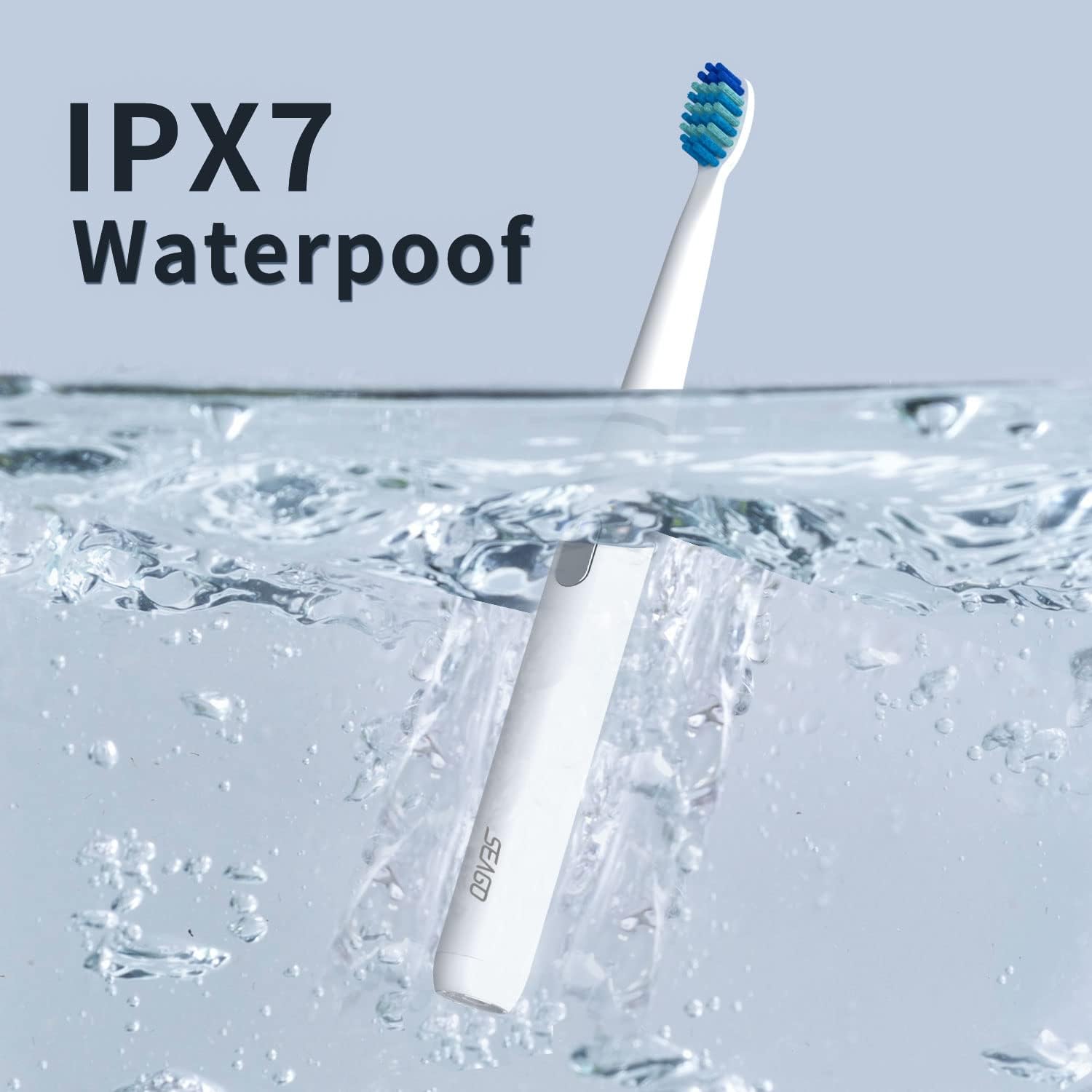
The Seago SG-551 is IPX7 waterproof, allowing for easy cleaning.
- 使用後は毎回、ブラシヘッドとハンドルを流水でよくすすいでください。
- Wipe the handle with a soft cloth to dry it.
- 研磨剤入りの洗剤や強力な化学薬品は使用しないでください。
2. ブラシヘッドの交換
Dentists recommend replacing brush heads every 3 months, or sooner if the bristles become frayed. To replace:
- 古いブラシヘッドをハンドルからまっすぐに引き抜きます。
- 新しいブラシヘッドを金属シャフトに合わせて、カチッと音がするまでしっかりと押し下げます。
トラブルシューティング
| 問題 | 考えられる原因 | 解決 |
|---|---|---|
| 歯ブラシの電源が入りません。 | 電池が消耗しています。 | 歯ブラシを完全に充電します。 |
| Indicator light flashes red 10 times after use. | バッテリー残量低下の警告。 | Charge the toothbrush soon. |
| ブラシヘッドが緩んでいるように感じます。 | ブラシヘッドが正しく取り付けられていないか、摩耗しています。 | Ensure brush head is pushed down firmly. Replace if worn. |
| Reduced vibration intensity. | 電池残量が少ない、またはブラシヘッドを交換する必要があります。 | Charge the toothbrush or replace the brush head. |
仕様
- モデル: SG-551
- ブランド: シーゴ
- 材料: ABS, TPE, POM
- 毛の材質: DuPont Soft Nylon
- 入力ボリュームtage: 3.7V
- 入力電力: 2W
- 振動周波数: Up to 40,000 vibrations/minute
- 防水等級: IPX7
- バッテリー寿命: 最大30日間(1日2回、2分間使用した場合)
- 充電時間: 約4時間
- 製品寸法: 1.5 x 21.2 x 1.5 cm
- 製品重量: 140グラム
- 特集: 2-minute Smart Timer with 30-second interval reminder
- 年齢範囲: 大人と子供
- 色: 白
保証とサポート
This Seago SG-551 Sonic Electric Toothbrush comes with a 1年間保証 購入日より。
If you have any questions, concerns, or require technical support, please do not hesitate to contact our customer service team. Refer to your purchase documentation for contact details.