
1. はじめに
ご購入ありがとうございますasing the Paladone Xbox Controller Digital Alarm Clock. This officially licensed product combines the iconic design of an Xbox controller with the functionality of a digital alarm clock, displaying time, date, and alarm settings. This manual provides essential information to ensure proper use and enjoyment of your device.

画像1.1:正面 view of the Paladone Xbox Controller Digital Alarm Clock.
2.製品オーバーview
The Xbox Controller Digital Alarm Clock features a digital display for time, date, and alarm, along with intuitive controls integrated into the controller design. It is powered via USB.
主な特徴:
- Digital display for time, month, day, and alarm settings.
- Integrated control buttons for easy setup.
- USB powered (cable included).
- Compact design, suitable for bedside tables or desks.

Image 2.1: Display showing current time, date, and alarm time, with control buttons highlighted.
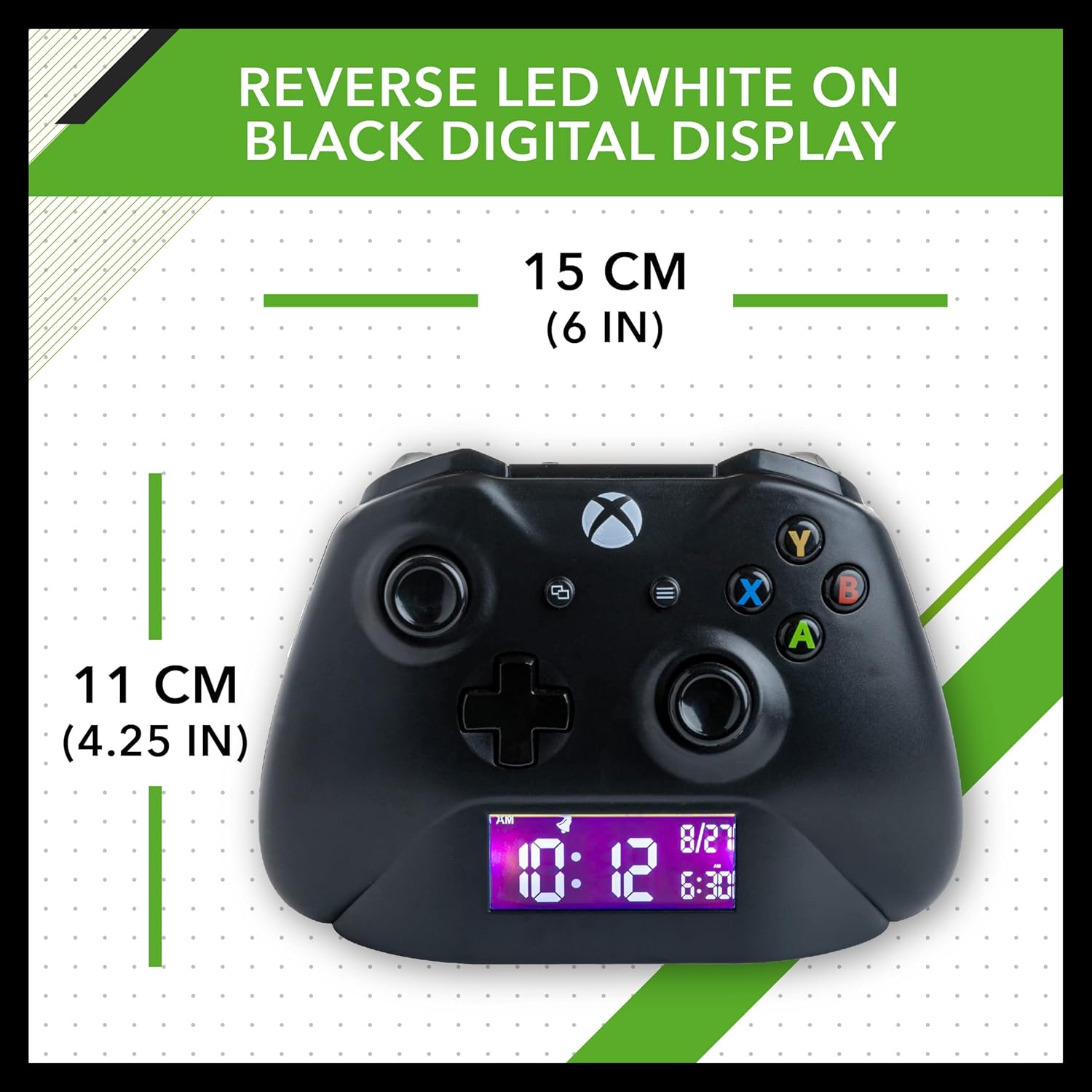
Image 2.2: Product dimensions: approximately 15 cm (6 in) wide and 11 cm (4.25 in) high.
3. セットアップ
3.1電源接続
- Locate the Micro USB port on the back of the alarm clock.
- Connect the provided Micro USB to USB cable to the port.
- Plug the USB end of the cable into a compatible USB power adapter (not included) or a powered USB port.
- デジタルディスプレイが点灯し、デバイスの電源がオンになっていることを示します。

Image 3.1: The alarm clock connected to power via the included Micro USB cable.
3.2 バッテリーバックアップ (オプション)
While primarily USB powered, the device may support battery backup for retaining settings during power outages. Please refer to the packaging or additional documentation for specific battery requirements and installation instructions. Batteries are not included.
4. 操作手順
The alarm clock features several control buttons on the top surface, designed to resemble an Xbox controller. These buttons are used for setting the time, date, and alarm.
4.1 時刻と日付の設定
- を押し続けます セット button (usually located near the display) until the time digits begin to flash.
- 使用 UP そして 下 buttons (often represented by the D-pad or similar directional buttons) to adjust the hour.
- プレス セット again to move to the minute setting, then adjust using UP そして 下.
- 押し続ける セット to cycle through and adjust the month and day.
- プレス セット one last time to confirm all settings and exit the setup mode.
4.2アラームの設定
- を押す アラーム button (look for an alarm icon or similar) to enter alarm setting mode. The alarm time digits will flash.
- 使用 UP そして 下 ボタンでアラーム時間を調整します。
- プレス アラーム again to move to the minute setting, then adjust using UP そして 下.
- プレス アラーム one last time to confirm the alarm setting.
- アラームをオンまたはオフにするには、 アラームのオン/オフ button (this might be the same as the ALARM button with a short press, or a dedicated switch). An alarm icon will appear on the display when active.
4.3スヌーズ機能
アラームが鳴ったら、大きな スヌーズ button (often a prominent button on the top, like the Xbox logo button) to temporarily silence the alarm. The alarm will sound again after a short interval (typically 5-9 minutes).
4.4 ディスプレイの明るさ
The digital display features adjustable brightness. Look for a dedicated 輝度 button or a combination of buttons (e.g., holding an UP/DOWN button) to cycle through brightness levels or dim the display.
5. メンテナンス
5.1 クリーニング
- Wipe the surface of the alarm clock with a soft, dry cloth.
- 研磨剤入りの洗剤、溶剤、または強力な化学薬品は仕上げを傷める可能性があるため、使用しないでください。
5.2 ストレージ
When not in use for extended periods, disconnect the power cable and store the alarm clock in a cool, dry place away from direct sunlight and extreme temperatures.
6。 トラブルシューティング
6.1 ディスプレイが点灯しない
- Ensure the USB cable is securely connected to both the alarm clock and a powered USB port or adapter.
- Verify that the power source is active. Try plugging the USB adapter into a different outlet or using a different USB port.
- If using battery backup, check if the batteries are correctly inserted and have sufficient charge.
6.2 アラームが鳴らない
- Confirm that the alarm is activated (an alarm icon should be visible on the display).
- Check the alarm volume settings, if applicable.
- Ensure the alarm time is correctly set for AM/PM.
6.3 Difficulty Setting Time/Alarm
- Refer to sections 4.1 and 4.2 for detailed instructions.
- Ensure you are pressing and holding buttons for the correct duration to enter setting modes.
7. 仕様
| ブランド | パラドン |
| モデル番号 | PP8972XB |
| 表示タイプ | デジタル |
| 電源 | コード付き電気 (USB) |
| 特集 | アラーム |
| 製品寸法 | Approx. 15 cm (6 in) wide x 11 cm (4.25 in) high |
| 材料 | プラスチック、アクリロニトリル ブタジエン スチレン |
| 電池付属 | いいえ |
8. 公式製品ビデオ
Watch the official product video for a visual guide on the Paladone Xbox Controller Digital Alarm Clock.
ビデオ8.1: 公式製品ビデオショーasing the Xbox Controller Digital Alarm Clock.
9. 保証とサポート
For warranty information and customer support, please refer to the documentation included with your product or visit the official Paladone webサイトでご確認ください。保証請求に備えて購入証明書を保管してください。