
1. はじめに
The SONOFF S-MATE Switch Mate is designed to transform your existing ordinary wall switch into a smart scene switch. It enables wireless control of smart devices without requiring a neutral wire in the mounting box. The S-MATE works in conjunction with SONOFF MINI R3 or other smart switches that feature the eWeLink-Remote gateway function, providing flexible control options for your smart home system.
2.製品オーバーview
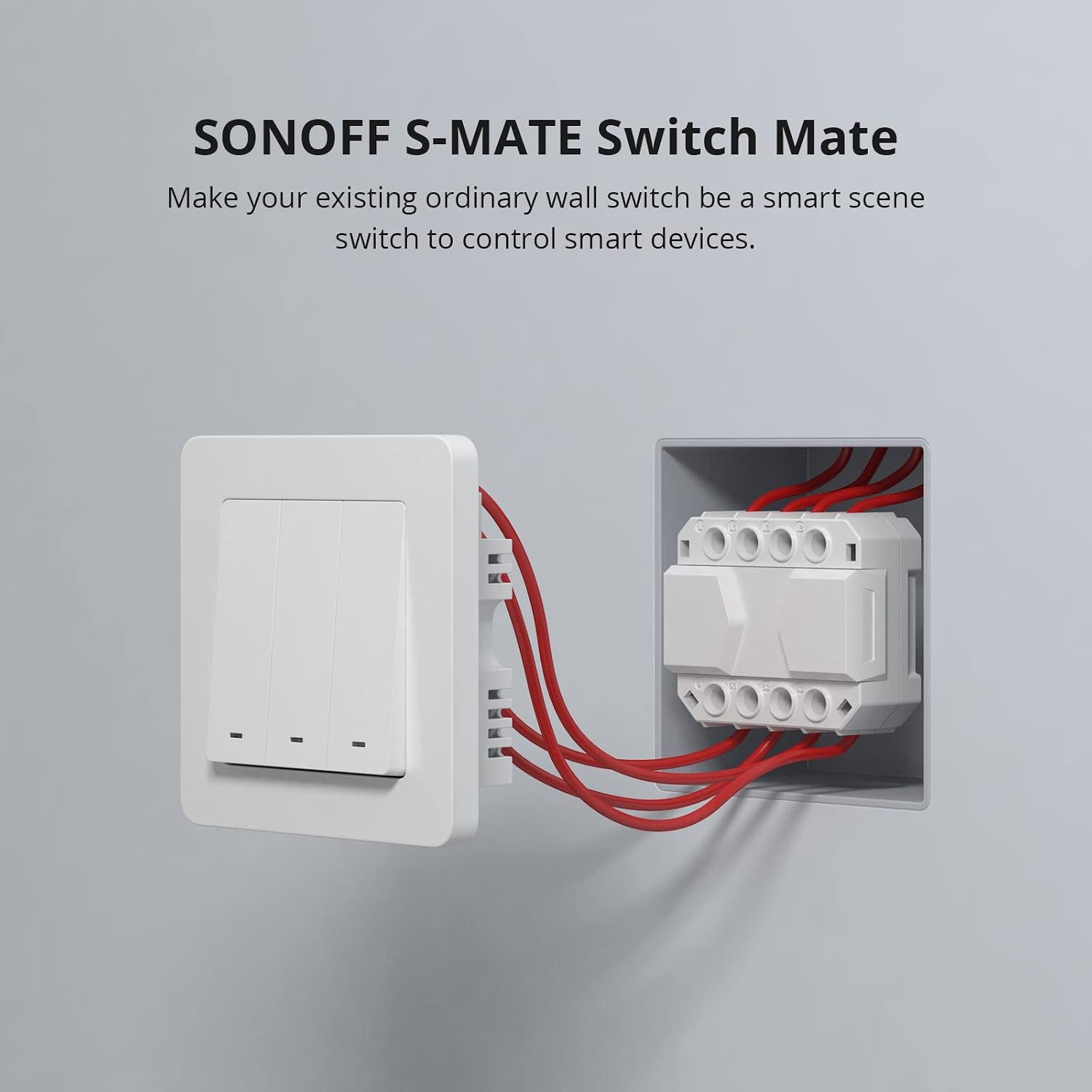
Image: The SONOFF S-MATE Switch Mate module, designed to fit into a standard wall switch box.
The S-MATE is a compact module that connects to traditional wall switches (pulse switch, rocker switch) to enable smart control. It is battery-powered, eliminating the need for a neutral wire, which simplifies installation in various electrical setups.
3. セットアップとインストール
3.1 箱の中身
- SONOFFS-MATEスイッチメイト
- ユーザーマニュアル(このドキュメント)
- 取り付けアクセサリ(付属している場合)
3.2 配線図

Image: Detailed wiring diagram showing the connection of SONOFF S-MATE to a traditional switch and its communication with a SONOFF MINI R3. Note that L/L1/L2/L3 on S-MATE are used as terminal blocks for easier installation; leave them out if not needed.
The S-MATE connects to your existing wall switch. It communicates wirelessly with a SONOFF MINI R3 or other eWeLink-Remote gateway devices. Ensure all power is off before performing any wiring.
クイックスタートガイド3.3冊

Image: Visual quick start guide showing the steps from app download to smart scene setup.
- eWeLink アプリをダウンロード: 検索する "eWeLink" in your mobile app store and download the application.
- Connect S-MATE: Physically connect the S-MATE module to your ordinary wall switch according to the wiring diagram.
- Add S-MATE to eWeLink-Remote Gateway: In the eWeLink app, navigate to the settings page of your MINI R3 or other eWeLink-Remote gateway device. Add the S-MATE as a remote control.
- Set Smart Scene: Configure smart scenes within the eWeLink app to define what actions the S-MATE will trigger on other smart devices.
Important Note: Update the eWeLink firmware to the latest version before use to ensure full compatibility and functionality.
4. 操作手順

Image: Diagram illustrating the wireless communication between SONOFF MINI R3 and S-MATE for eWeLink-Remote control.
After successfully pairing the S-MATE with an eWeLink-Remote gateway device like the MINI R3, you can utilize two primary control methods:
- Local Control (No Internet): The S-MATE can directly control devices built into the eWeLink-Remote gateway even when there is no internet connection. This ensures basic functionality remains available.
- Smart Scene Control (With Internet): When a network connection is available, the S-MATE can activate other smart devices through predefined smart scenes in the eWeLink app. This allows for complex automation and integration with your broader smart home ecosystem.

Image: Diagram showing the two control methods of S-MATE: direct control via eWeLink-Remote gateway (up to 50m through a common wall) and cloud-based control for smart scenes.
5. メンテナンス
To ensure the longevity and optimal performance of your SONOFF S-MATE, please follow these maintenance guidelines:
- 乾燥を保つ: Avoid exposing the device to moisture or humidity.
- 優しく洗浄する: デバイスの清掃には、柔らかく乾いた布をご使用ください。刺激の強い化学薬品や研磨剤入りの洗剤は使用しないでください。
- 極端な温度を避ける: Do not operate or store the device in environments with extremely high or low temperatures.
- バッテリー交換: The S-MATE is battery-powered. If the device becomes unresponsive, consider replacing the internal battery. Refer to the product packaging or SONOFF support for battery specifications.
6。 トラブルシューティング
If you encounter issues with your SONOFF S-MATE, please refer to the following common troubleshooting steps:
- デバイスが応答しない:
- Check the physical wiring of the S-MATE to your wall switch. Ensure all connections are secure.
- Verify the battery in the S-MATE. Replace if necessary.
- Ensure the SONOFF MINI R3 or eWeLink-Remote gateway device is powered on and functioning correctly.
- ペアリングの問題:
- Make sure the eWeLink app and the firmware of your eWeLink-Remote gateway device (e.g., MINI R3) are updated to the latest version.
- Bring the S-MATE closer to the eWeLink-Remote gateway device during the pairing process.
- Follow the pairing instructions in the eWeLink app carefully.
- Smart Scene Not Triggering:
- Check your internet connection if the smart scene relies on cloud services.
- Review the smart scene configuration in the eWeLink app to ensure it is set up correctly.
- Verify that the target smart devices are online and responsive.
If problems persist, please contact SONOFF customer support for further assistance.
7. 仕様
| 動作モード | オン-オフ-オン |
| 定格電流 | 16 Ampここで |
| 営業巻tage | 230ボルト |
| 連絡先の種類 | 通常オープン |
| ブランド | ソノフ |
| スイッチタイプ | プッシュボタン |
| ターミナル | スクリュー |
| 材料 | 銅 |
| アイテムの寸法(LxWxH) | 5.3 x 4.4 x 2.4 cm |
| 回路タイプ | 3ウェイ |
8. 保証とサポート
8.1 保証情報
For detailed warranty information regarding your SONOFF S-MATE Switch Mate, please refer to the warranty card included with your product packaging or visit the official SONOFF webサイトをご覧ください。保証条件は地域や購入場所によって異なる場合があります。
8.2 カスタマーサポート
If you require technical assistance, have questions about installation, or need further support, please contact SONOFF customer service through their official webサイトまたは製品ドキュメントに記載されている連絡先情報をご覧ください。 AmazonのSONOFFストア 追加の製品情報とリソースについては、こちらをご覧ください。


