
1. はじめにview
The Alienware X17 R2 is a high-performance VR Ready Gaming Laptop designed for demanding tasks such as gaming, video editing, and graphic design. It features a 17.3-inch Full HD display with a 360Hz refresh rate and 1ms response time, powered by a 12th Gen Intel Core i7-12700H processor and NVIDIA GeForce RTX 3070 Ti graphics with 8GB GDDR6 memory. This manual provides essential information for setting up, operating, maintaining, and troubleshooting your device.
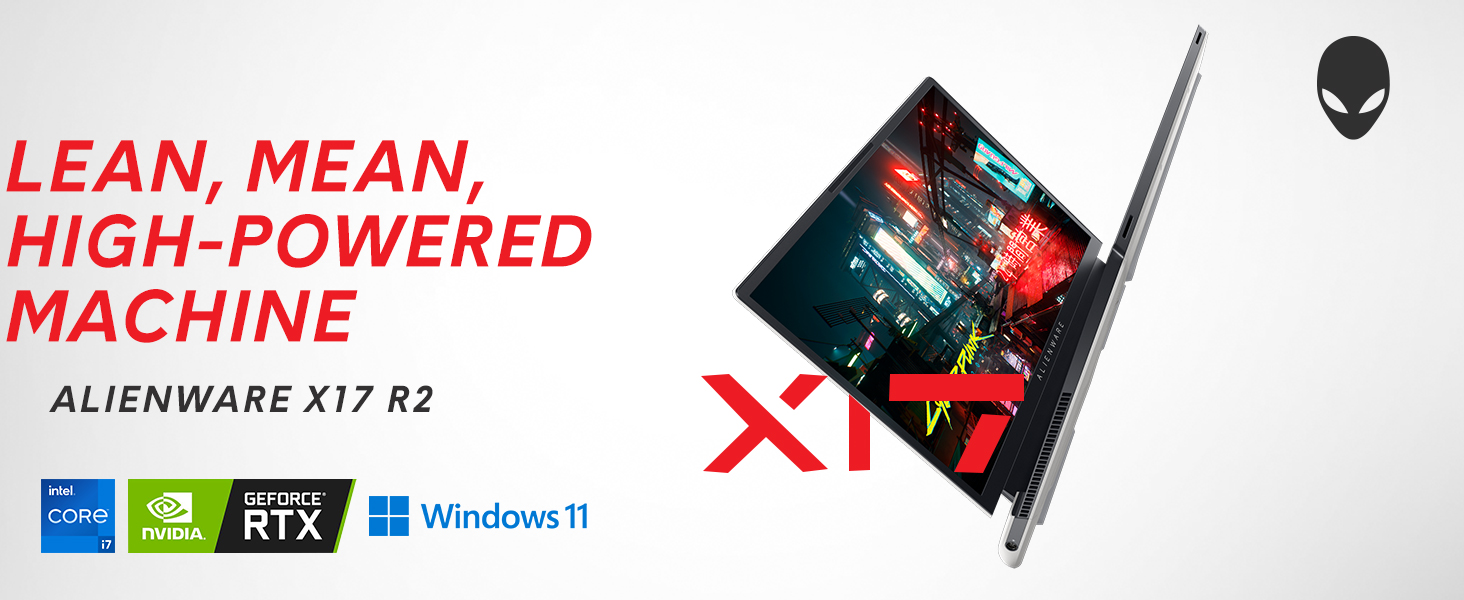
Image: Alienware X17 R2 showcasing its powerful components and sleek design.
2. 箱の中身
Upon unboxing your Alienware X17 R2, ensure all the following components are present:
- Alienware X17 R2 Notebook
- 電源アダプター(240W 小型フォームファクター)
- 電源コード
- ドキュメント(このマニュアルを含む)
3. セットアップ
3.1 初回電源投入
- 電源アダプターをノートパソコンの電源/DC 入力ポートに接続し、電源コンセントに接続します。
- ノートパソコンの蓋を開けます。
- Press the Alienware head power button located on the keyboard deck to turn on the laptop.
- 画面の指示に従って、Windows 11 Home のセットアップを完了します。
3.2 周辺機器の接続
Utilize the various ports available for connecting external devices:
- USB 3.2 Gen 1 タイプA: 標準 USB デバイス用。
- USB 3.2 Gen 2 Type-C with Power Delivery: 高速データ転送と対応機器の充電に。
- Thunderbolt 4 / USB 3.2 Gen 2 Type-C with Power Delivery: For ultra-fast data transfer, display output, and power delivery.
- HDMI 2.1: 外部ディスプレイまたはテレビに接続します。
- Mini Display Port 1.4: 外部ディスプレイに接続します。
- Killer E3100 RJ-45 2.5G Ethernet: 有線ネットワーク接続用。
- グローバルヘッドセットジャック: オーディオ入出力用。
- マイクロSDカードスロット: ストレージの拡張や転送用 files.
画像: 詳細 view of the Alienware X17 R2's rear and side ports.
4. ノートパソコンの操作
4.1 表示機能
The 17.3-inch Full HD display offers a 360Hz refresh rate and 1ms response time for smooth visuals. It also features ComfortView Plus technology to reduce blue light emissions, enhancing viewing comfort during extended use. Dolby Vision support provides an authentic visual experience with enhanced color profiles.
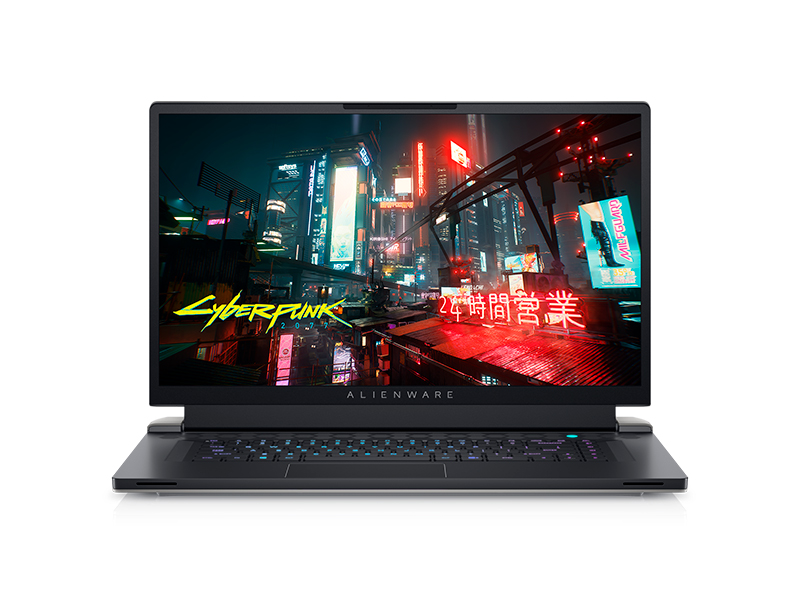
Image: Laptop screen showing vibrant game graphics with Dolby Vision and Atmos branding.
4.2 キーボードと照明
The Alienware X17 R2 features an AlienFX keyboard with customizable backlighting, supporting 16.8 million colors. You can personalize the lighting effects, including wave patterns or solid colors, through the Alienware Command Center software. The power button, shaped like the Alienware head, also illuminates and can be customized.
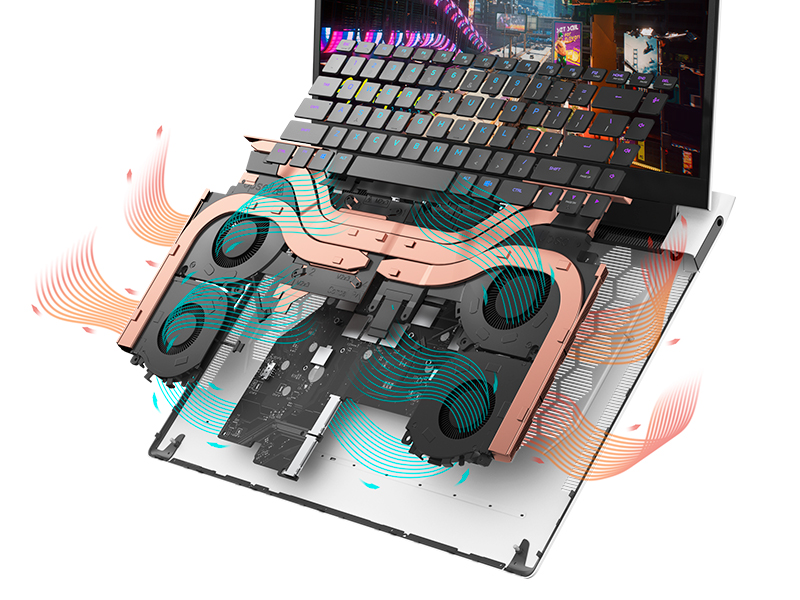
Image: The Alienware X17 R2 keyboard with customizable RGB lighting.
4.3 オーディオシステム
The laptop is equipped with stereo speakers, including two 2W tweeters and two 2W woofers, totaling 8W for rich audio output. Dolby Atmos support further enhances the immersive sound experience.
4.4 接続性
Enjoy high-speed wireless connectivity with Wi-Fi 6 (802.11ax) and Bluetooth. The USB 3.2 Gen 2 Type-C ports offer data transfer speeds up to 40Gbps, ensuring rapid file transfers and peripheral performance.

画像: 背面 view of the Alienware X17 R2 showing connectivity options and lighting.
5. メンテナンス
5.1 熱管理
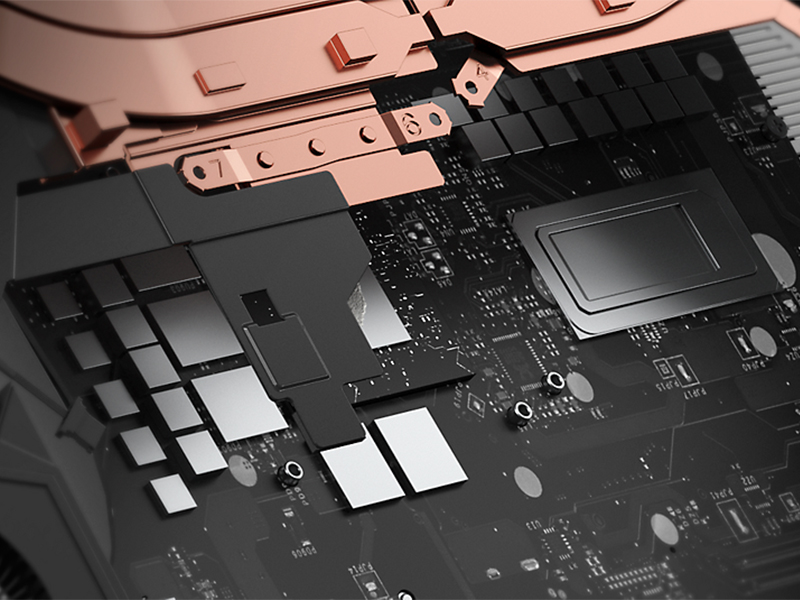
The Alienware X17 R2 features an advanced thermal design utilizing Element 31, an encapsulated gallium-silicone thermal interface material. This system maximizes airflow by expelling warm air through side vents and drawing in cooler air from the top of the keyboard, helping to keep the laptop cool during intensive use.
画像: 内部 view of the Alienware X17 R2's cooling technology.
5.2クリーニングとお手入れ
- 柔らかく糸くずの出ない布と画面に安全な洗浄液を使用して、定期的に画面を清掃してください。
- Use compressed air to clear dust from the keyboard and ventilation ports.
- Avoid placing heavy objects on the laptop or exposing it to extreme temperatures.
6。 トラブルシューティング
If you encounter issues with your Alienware X17 R2, consider the following general troubleshooting steps:
- 電源なし: Ensure the power adapter is securely connected to both the laptop and the power outlet. Try a different outlet if necessary.
- 表示の問題: If the screen is black, try connecting an external monitor to determine if the issue is with the laptop's display or graphics card. Restart the laptop.
- パフォーマンスの低下: Close unnecessary applications, check for background processes, and ensure your system drivers are up to date. Overheating can also cause slowdowns; ensure vents are clear.
- 接続の問題: Wi-Fiの問題の場合は、ルーターとノートパソコンを再起動してください。Bluetoothの問題の場合は、デバイスが検出可能で、範囲内にあることを確認してください。
- ソフトウェアの不具合: Restart the laptop. If problems persist, check for Windows updates or consider reinstalling problematic software.
For more detailed troubleshooting or persistent issues, refer to the official Alienware support webサイトをご覧いただくか、カスタマーサービスにお問い合わせください。
7. 仕様
| 特徴 | 仕様 |
|---|---|
| 立ち画面表示サイズ | 17.3インチ |
| 画面解像度 | 1920 x 1080 ピクセル |
| 最大画面解像度 | 1920x1080ピクセル |
| プロセッサ | 4.7 GHz core_i7_family (Intel Core i7-12700H) |
| ラム | 16 GB DDR5 (4800 MHz) |
| ハードドライブ | 1 TB SSD (M.2 PCIe NVMe) |
| グラフィックスコプロセッサ | NVIDIA GeForce RTX 3070 Ti |
| グラフィックカードのRAMサイズ | 8GB GDDR6 |
| ワイヤレスタイプ | 802.11ax(Wi-Fi 6)、Bluetooth |
| USB 3.0 ポートの数 | 3 |
| オペレーティング·システム | Windows 11 ホーム |
| アイテム重量 | 6.82ポンド |
| 製品寸法 | 11.79 x 15.72 x 0.82インチ |
| 色 | 月の光 |
| 電源 | 電池駆動 |
| バッテリー | 1 リチウムイオン電池が必要 (付属) |
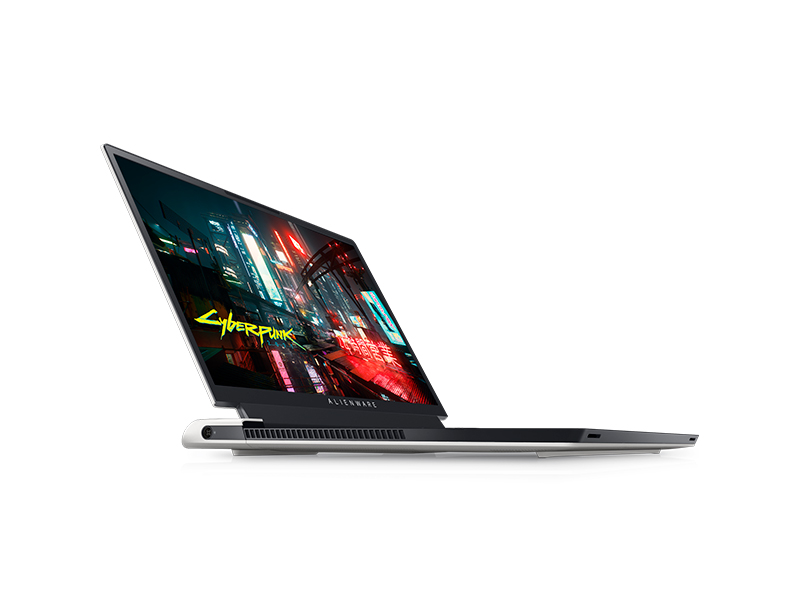
Image: Key specifications of the Alienware X17 R2.
8. 保証とサポート
Your Alienware X17 R2 laptop comes with a manufacturer's warranty. Please refer to the included warranty documentation for details on coverage, terms, and conditions. For technical support, driver downloads, or service requests, visit the official Alienware support webサイトまたは顧客サービス部門に連絡してください。