
導入
Thank you for choosing the Amazon Basics 4V Cordless Stick Screwdriver. This versatile tool is designed for various household tasks, offering convenience and efficiency. It comes with a comprehensive 34-piece bit set and a durable carrying case for easy storage and transport. This manual provides essential information for safe operation, maintenance, and troubleshooting.

Image: The Amazon Basics 4V Cordless Stick Screwdriver shown alongside its included carrying case, highlighting the complete package.
安全情報
Always read and understand all safety warnings and instructions before operating this tool. Failure to follow the warnings and instructions may result in electric shock, fire, and/or serious injury. Keep this manual for future reference.
詳しい安全ガイドラインについては、公式ウェブサイトをご覧ください。 安全情報PDF メーカーより提供。
コンポーネントオーバーview

Image: An illustrative diagram pointing out key features of the screwdriver, including torque settings, LED light, USB-C charging port, and 1/4-inch quick change collet.
- コードレスドライバー: The main unit, powered by a built-in 2000mAh Lithium-ion battery.
- 34ピースビットセット: A variety of screwdriver bits for different screw types.
- キャリングケース: Durable case for organized storage of the screwdriver and bits.
- USB-C 充電ケーブル: For recharging the screwdriver's internal battery.
- LED作業灯: 作業面を照らします。
- トルク設定: Three adjustable settings for precise control.
設定
1. 初期充電
Before first use, fully charge the screwdriver. Connect the included USB-A to USB-C charging cable to the screwdriver's USB-C port and a compatible USB power source (not included). The battery indicator lights will show charging progress. A full charge typically takes approximately 2-3 hours.
2. Inserting and Removing Bits
The screwdriver features a 1/4-inch quick-change collet. To insert a bit, simply push it firmly into the collet until it clicks into place. To remove, pull the bit straight out. Ensure the bit is securely seated before operation.

画像: 詳細な view of the screwdriver's front, showing the bit collet and control buttons.
操作手順
1. 電源のオン/オフと方向制御
The screwdriver is activated by pressing the forward or reverse button. The central button controls the direction of rotation:
- を押す 進む矢印ボタン to drive screws (clockwise rotation).
- を押す reverse arrow button to remove screws (counter-clockwise rotation).
- ボタンを放すとドライバーが停止します。
2. トルク設定の調整
This screwdriver offers 3 torque settings, allowing you to adjust the power output for different applications. The torque setting button is located near the end of the handle. Press the button to cycle through the settings. Higher torque is suitable for larger screws or tougher materials, while lower torque prevents overtightening or damaging delicate surfaces.
3. LED作業灯の使用
The integrated LED work light automatically illuminates the work surface when the screwdriver is in operation, providing better visibility in dimly lit areas.
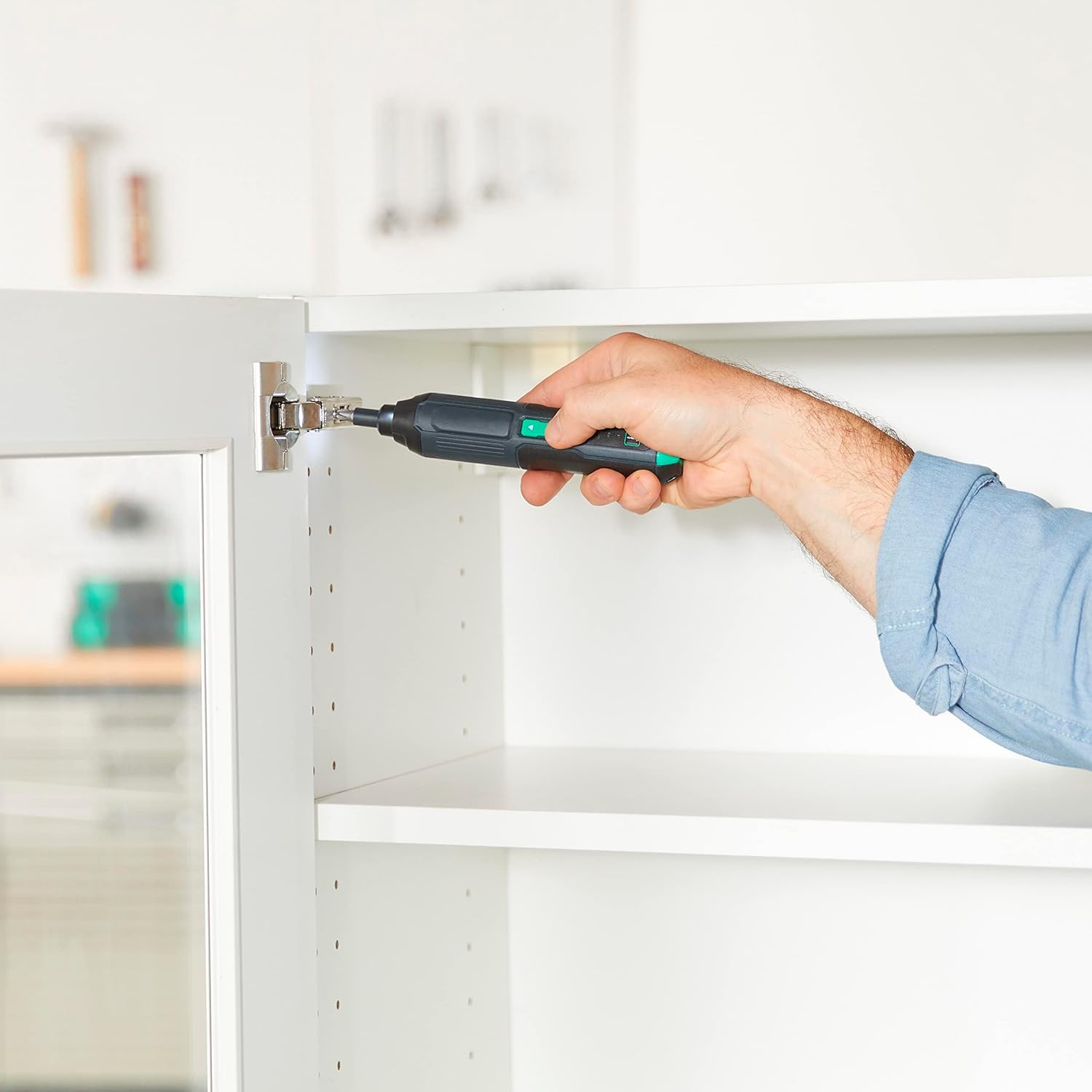
Image: A person using the Amazon Basics Cordless Stick Screwdriver to install a cabinet hinge, demonstrating its practical application in tight spaces.
メンテナンス
- クリーニング: ツールを柔らかくて乾いた布で拭いてくださいamp 布で拭いてください。強力な化学薬品や研磨剤入りの洗剤は使用しないでください。
- ストレージ: Store the screwdriver and bit set in the provided carrying case in a dry, cool place, away from direct sunlight and moisture.
- バッテリーのケア: For optimal battery life, avoid fully discharging the battery frequently. Recharge the battery regularly, even if the tool is not in use for extended periods.
トラブルシューティング
| 問題 | 考えられる原因 | 解決 |
|---|---|---|
| ドライバーがオンになりません。 | 電池が消耗しています。 | 付属のUSB-Cケーブルを使用してバッテリーを完全に充電します。 |
| ビットが滑ったり、ネジに噛み合わない。 | ビットのサイズが正しくないか、ビットが摩耗しています。 | Ensure the correct bit size is used for the screw head. Replace worn bits. |
| Screwdriver stops during operation. | 過負荷保護が作動しました。 | Reduce pressure or switch to a higher torque setting if appropriate. Allow the tool to cool down. |
仕様
| 特徴 | 詳細 |
|---|---|
| モデル番号 | ASD2401-02 |
| 巻tage | 4V |
| 電池のタイプ | 2000mAhリチウムイオン内蔵 |
| 最大回転数 | 300回転 |
| 最大トルク | Up to 22 inch-pounds |
| トルク設定 | 3 |
| チャックサイズ | 1/4インチ六角 |
| 充電ポート | USB-C (USB-A to USB-C cable included) |
| アイテム重量 | 10.6オンス |
| 製品寸法 | 1.38 x 1.42 x 6.97インチ |
| 材料 | Plastic, Iron, Copper, Others |

Image: The back of the screwdriver showing the product label with model number and electrical specifications.
保証とサポート
This product is covered by the Power Tool 5-Year Tool Warranty. For full details regarding warranty coverage, terms, and conditions, please refer to the official 保証PDF.
For customer support or service inquiries, please visit the Amazon Basics Store or contact Amazon customer service.


