
1. はじめに
The Afloia Kiloplus Smart WiFi Air Purifier is designed to enhance indoor air quality by effectively filtering various airborne particles and odors. This manual provides essential information for the safe and efficient operation, maintenance, and troubleshooting of your new air purifier. Please read it thoroughly before use.

Image 1.1: Afloia Kiloplus Smart WiFi Air Purifier overview, highlighting key features like 3-stage filtration, timer, 7-color light, and compatibility with smart assistants.
2 製品の特徴
- 音声コントロール: Compatible with Alexa, allowing control via voice commands for power, fan speed, and timer settings.
- Faster Air Cleaning: With a CADR of 140 m³/h, it filters air 4 times per hour in rooms up to 269 sq ft, and can purify a 1076 sq ft room in approximately one hour.
- 3-Stage ろ過システム: Improves overall air quality and helps alleviate symptoms related to allergies, coughing, and sneezing.
- APPリモートコントロール: Control the air purifier remotely using the Afloia Home APP (requires 2.4Ghz WiFi).
- Multiple Filter Choices: Offers original and pet allergy replacement filters, recommended for replacement every 4-6 months.
- 静かな動作: Features a sleep mode with a low noise level of 22dB.
- タイマー機能: Includes 2, 4, and 8-hour timer settings.
- 雰囲気照明: Optional 7-color ambient light.
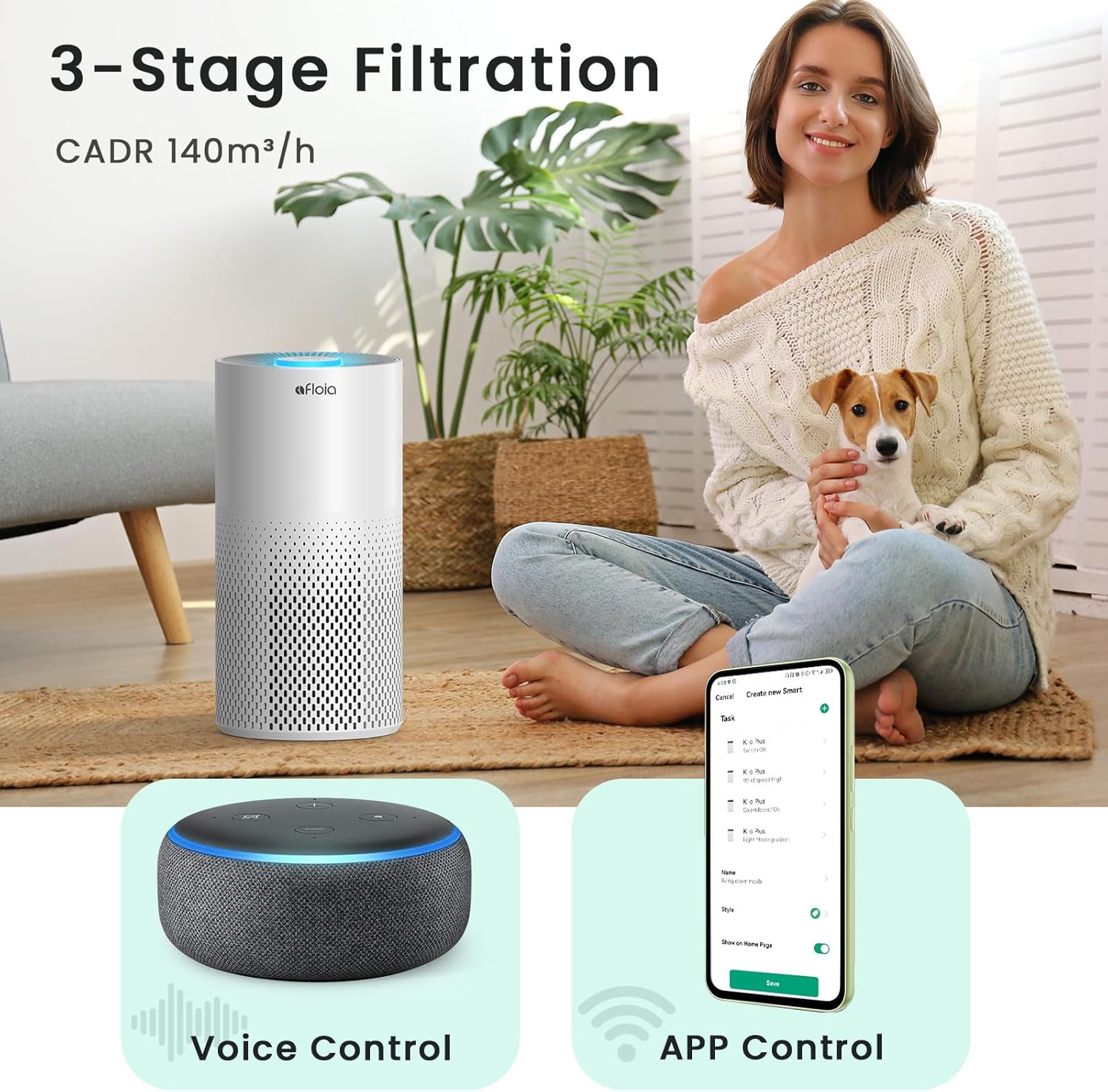
Image 2.1: The Afloia Kiloplus Air Purifier in a home setting, illustrating its 3-stage filtration, voice control, and app control capabilities.
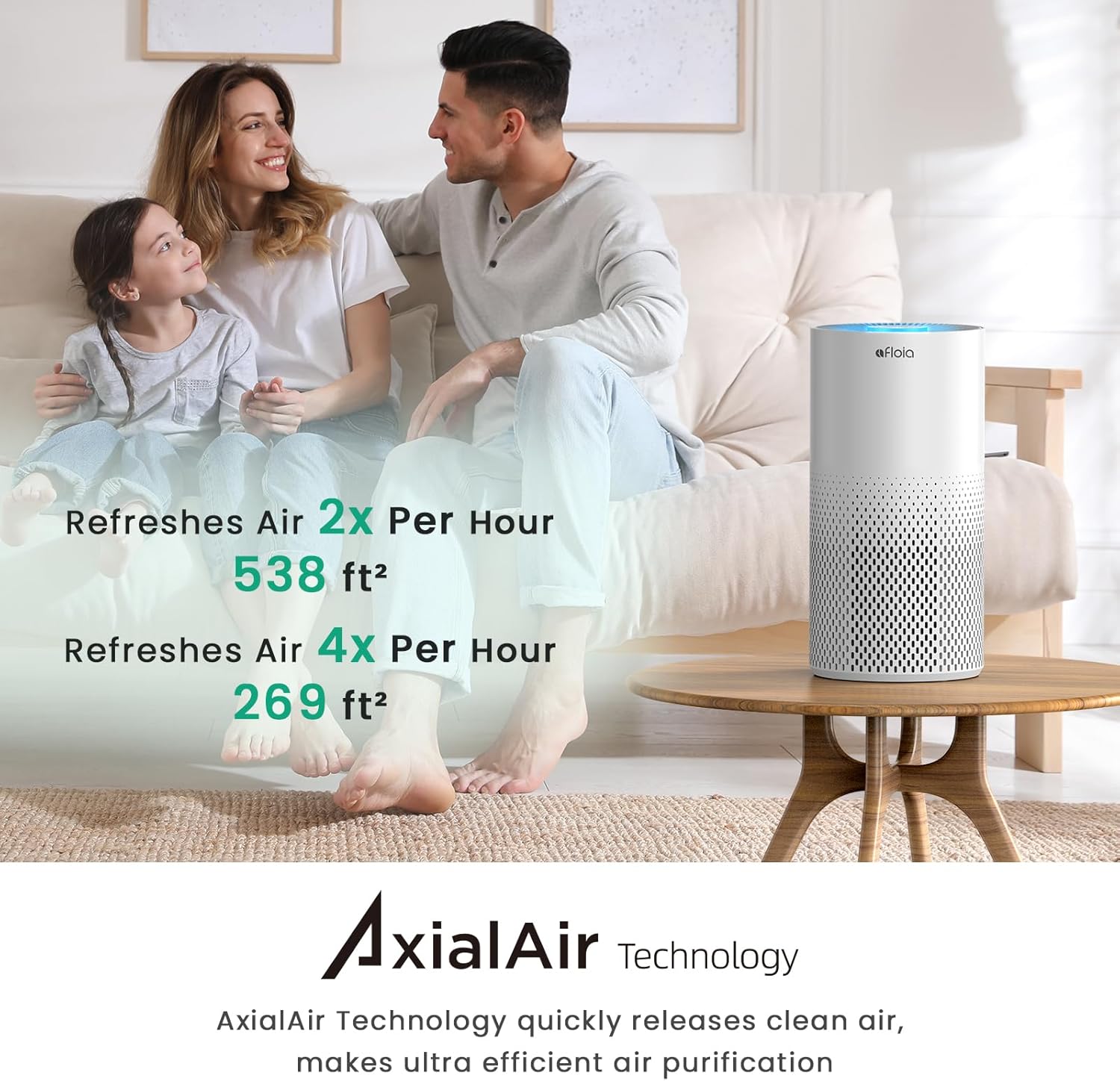
Image 2.2: Visual representation of the air purifier's efficiency, demonstrating air refresh rates for different room sizes using AxialAir Technology.
3. パッケージ内容
パッケージに以下の項目が含まれているか確認してください。
- Afloia Kiloplus Air Purifier Unit
- 3-Stage Filter (Pre-installed or separate, check packaging)
- 電源アダプター
- ユーザーマニュアル
4. 安全に関する注意事項
To reduce the risk of fire, electric shock, or injury, please read and follow all instructions and warnings in this manual.
- 空気清浄機を移動したり、グリルを開けたり、フィルターを交換したり、メンテナンスを行う前には、必ず電源プラグを抜いてください。
- Do not use the air purifier in wet environments or near water.
- 電源コードを加熱された表面から遠ざけてください。
- 電源コードやプラグが破損している場合は、空気清浄機を操作しないでください。
- Ensure proper ventilation; do not block air openings.
- この機器は、安全に責任を負う人物による機器の使用に関する監督または指示がない限り、身体的、感覚的、または精神的能力が低下している人、あるいは経験と知識が不足している人(子供を含む)による使用を想定していません。
5. セットアップ
5.1フィルターの取り付け
- Unpack the air purifier and place it on a flat, stable surface.
- ユニットを裏返し、ベースを反時計回りに回してロックを解除し、取り外します。
- フィルターからプラスチックパッケージを取り出します。
- フィルターをユニットに戻し、正しく装着されていることを確認します。
- ベースを元に戻し、時計回りに回してしっかりとロックします。
5.2電源接続
Connect the power adapter to the port at the back of the air purifier, then plug the adapter into a standard electrical outlet.
6. 操作手順
6.1 コントロールパネルの操作
The control panel is located on the top of the unit. It features touch-sensitive buttons for various functions:
- 電源ボタン: を押して、ユニットのオン/オフを切り替えます。
- ファン速度ボタン: Cycle through High, Mid, and Sleep modes.
- タイマーボタン: 動作時間を2、4、または8時間に設定します。
- ライトボタン: Adjust or turn off the ambient light.

Image 6.1: The air purifier's control panel indicating sleep mode and timer options, emphasizing quiet operation for nighttime use.
6.2 APPリモートコントロール
Download the Afloia Home APP from your smartphone's app store. Follow the in-app instructions to connect your air purifier to your 2.4Ghz WiFi network. The app allows you to:
- Turn the unit ON/OFF remotely.
- Adjust fan speed and timer settings.
- 操作のカスタムスケジュールを設定します。
- フィルターの寿命を監視します。
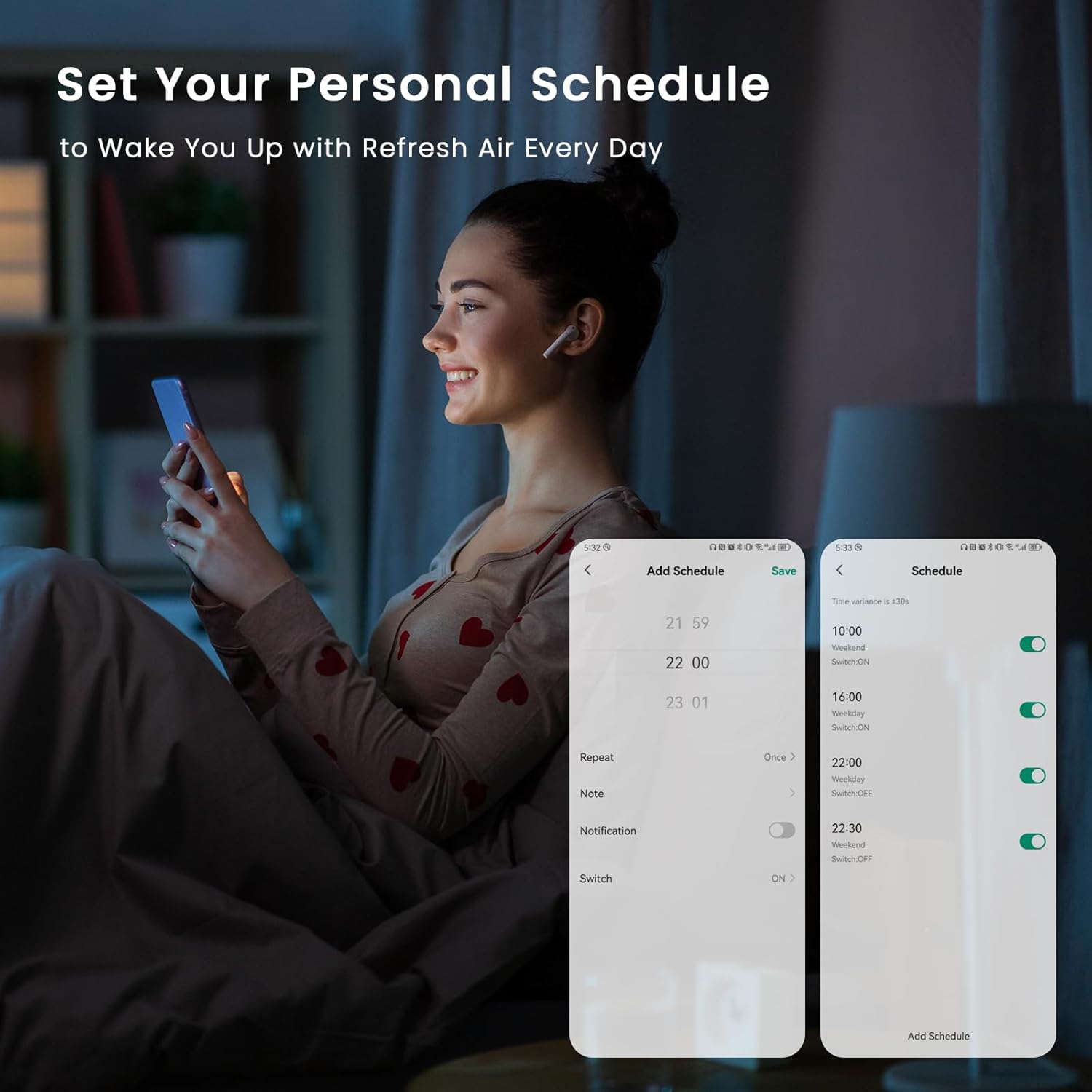
Image 6.2: A user setting a personalized schedule for the air purifier via the Afloia Home app on their smartphone.

Image 6.3: The Afloia Home app interface demonstrating remote control capabilities for different rooms within a home.
6.3 Alexaによる音声コントロール
Once connected to the Afloia Home APP, you can link your air purifier to Amazon Alexa. Use simple voice commands to control the unit, such as:
- "Alexa, turn on Afloia Air Purifier."
- "Alexa, set Afloia Air Purifier to high speed."
- "Alexa, set a 4-hour timer on Afloia Air Purifier."

Image 6.4: Demonstrating hands-free voice control of the Afloia Air Purifier using an Alexa-enabled device.
7. メンテナンス
7.1フィルターの交換
3-stage filter should be replaced every 4-6 months, depending on air quality and usage. The Afloia Home APP will also indicate filter life remaining.
- 空気清浄機のプラグをコンセントから抜きます。
- ユニットを裏返し、ベースを反時計回りに回してロックを解除し、取り外します。
- 古いフィルターを取り外して適切に廃棄してください。
- Insert a new Afloia replacement filter (Original Filter or Pet Allergy Filter) into the unit.
- ベースを元に戻し、時計回りに回してしっかりとロックします。
- Plug the air purifier back in. If using the app, reset the filter life indicator.

Image 7.1: Diagram illustrating the steps for removing and replacing the air purifier filter.
7.2 ユニットのクリーニング
空気清浄機の外側は、柔らかく乾いた布で拭いてください。研磨剤入りの洗剤や溶剤は使用しないでください。また、本体内に水が入らないようにしてください。
8。 トラブルシューティング
- ユニットの電源が入らない: Ensure the power adapter is securely plugged into both the unit and the wall outlet. Check if the outlet is functional.
- 空気浄化不良: Check if the filter is installed correctly and if the plastic packaging has been removed. Consider replacing the filter if it's old.
- WiFi接続の問題: Ensure your router is broadcasting a 2.4Ghz signal. Restart your router and the air purifier, then attempt to reconnect via the Afloia Home APP.
- 異常なノイズ: Check for any obstructions in the air intake or outlet. Ensure the filter is properly seated.
9. 仕様
| 製品寸法 | 奥行き7.68インチ x 幅15.28インチ x 高さ7.68インチ |
| アイテム重量 | 4.8 ポンド |
| 電源 | AC |
| 色 | 白 |
| CADRA の | 140 m³/時 |
| カバーエリア | Up to 1076 sq ft (purifies in 1 hour) |
| 騒音レベル | 22dB(スリープモード) |
| フィルタータイプ | 3-Stage (Nylon Pre-filter, True HEPA, Activated Carbon) |
| 接続性 | Smart WiFi (2.4Ghz only), Alexa Compatible |
10. 保証とサポート
10.1 保証情報
This product may be eligible for protection plans. Please refer to your purchase documentation for details on available 3-Year or 4-Year Protection Plans, or the Complete Protect plan.
10.2免責事項
栄養補助食品に関する記述は FDA によって評価されておらず、いかなる病気や健康状態の診断、治療、治癒、予防を目的としたものではありません。
10.3 カスタマーサポート
For further assistance, please contact Afloia customer support. Refer to the contact information provided in your product packaging or visit the official Afloia webサイト。