
1. はじめに
This manual provides detailed instructions for the safe and efficient operation, maintenance, and troubleshooting of your FRIZCOL Portable Clip-on Fan. Please read this manual thoroughly before using the product and retain it for future reference.
2 製品の特徴

Figure 2.1: FRIZCOL Portable Clip-on Fan with remote control and phone charging capability.
- 大容量バッテリー: Equipped with a 12000mAh rechargeable battery, providing 12 to 65 hours of operation depending on speed settings.
- リモートコントロール: Includes an RF wireless remote controller with a maximum range of 12ft (3.7m) for convenient operation.
- 統合された LED ライト: Features 9 LED lights with 2 adjustable brightness levels for illumination.
- タイマー機能: Offers 1-hour, 3-hour, and 5-hour timer settings for automated shutdown.
- パワーバンク機能: Two charging ports (in/out) allow the fan to serve as a power bank for mobile devices.
- 多彩な取り付け: Strong grip clamp can attach to surfaces up to 3 inches thick. Humanized hook design allows for hanging.
- 調整可能なエアフロー: 360-degree angle rotation for directing airflow vertically or horizontally.
- 静かな動作: Designed for ultra-quiet performance, less than 23 dB.
- 効率的なモーター: High-performance brushless DC motor, smooth and efficient at 2500 RPM.
- Optimized Blades: Enhanced wing-shaped 3-blade design for powerful and efficient airflow.
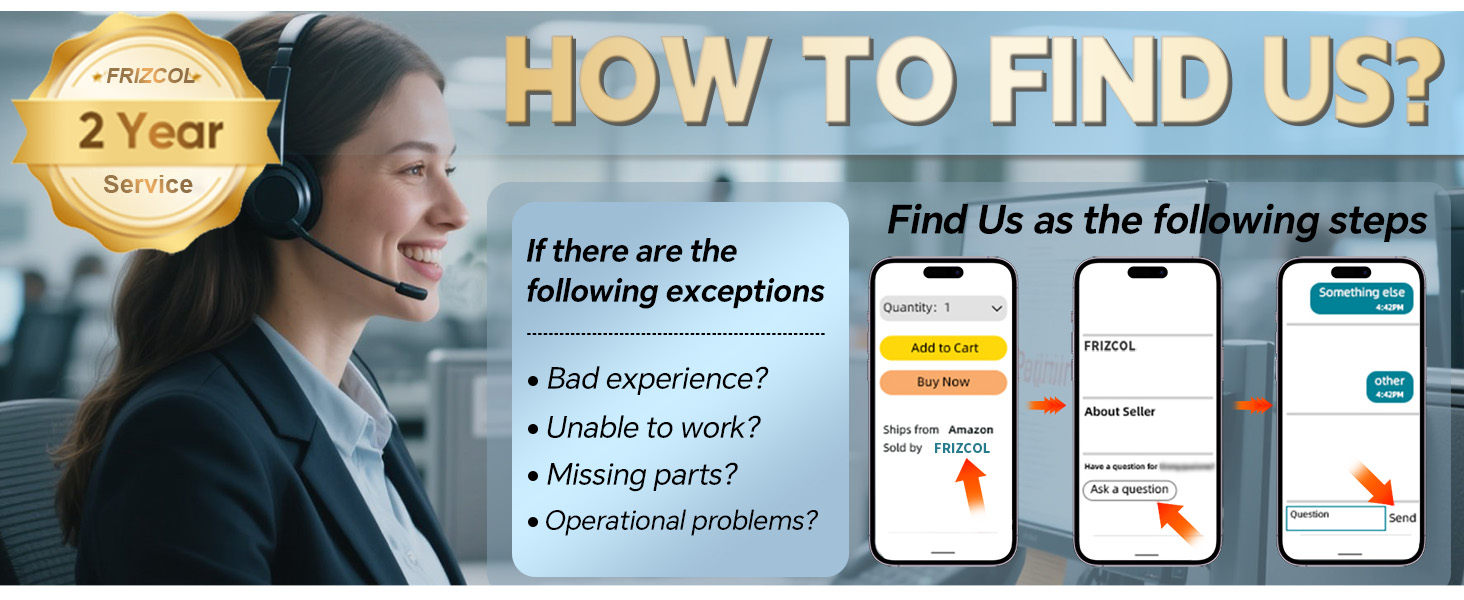
Figure 2.2: Key features of the FRIZCOL Portable Clip-on Fan.
3. パッケージ内容
パッケージを開封したら、すべてのアイテムが揃っていて良好な状態であることを確認してください。
- FRIZCOL Portable Clip-on Fan (Model: XF-TENTFAN-BLACK-01)
- RF Wireless Remote Controller
- USB-C充電ケーブル
- ユーザーマニュアル(このドキュメント)

Figure 3.1: Outer packaging and included components.
4. セットアップ
4.1ファンの充電
Before first use, fully charge the fan. The fan requires approximately 4.5 hours for a full charge.
- Connect the provided USB-C charging cable to the fan's charging port.
- ケーブルのもう一方の端を互換性のある USB 電源 (例: 壁のアダプター、コンピューターの USB ポート、パワーバンク) に接続します。
- The indicator lights on the fan will show charging progress. All lights will be solid when fully charged.

Figure 4.1: Charging the fan and its large battery capacity.
4.2 ファンの取り付け
The fan offers multiple mounting options:
- クリップオン: Use the strong grip clamp to attach the fan to surfaces up to 3 inches thick, such as desks, tent poles, strollers, or golf carts.
- ぶら下がっている: Utilize the integrated hook design to hang the fan from tent ceilings, branches, or other suitable fixtures.
- 自立型: Place the fan on any flat surface for stable operation.

Figure 4.2: Fan hanging in a tent, demonstrating the hook design.
5. 操作手順
5.1 電源のオン/オフとファン速度の調整
The fan can be operated using the buttons on the unit or the wireless remote control.
- 電源オン/オフ: Press the power button on the fan or the remote control to turn the fan on or off.
- ファン速度: Press the fan speed button repeatedly to cycle through 3 speed settings (Low, Medium, High).

Figure 5.1: Fan speed settings and 360-degree adjustability.
5.2 LEDライトの操作
The fan features integrated LED lights with adjustable brightness.
- オン/オフ: Press the light button on the fan or the remote control to activate or deactivate the LED lights.
- 明るさを調整: Press the light button repeatedly to cycle through 2 brightness levels.

Figure 5.2: Ambiance-boosting light feature.
5.3つのタイマー設定
Set a timer for automatic fan shutdown.
- タイマーを有効にする: Press the timer button on the remote control to select 1-hour, 3-hour, or 5-hour shutdown.
- The fan will automatically turn off after the selected duration.
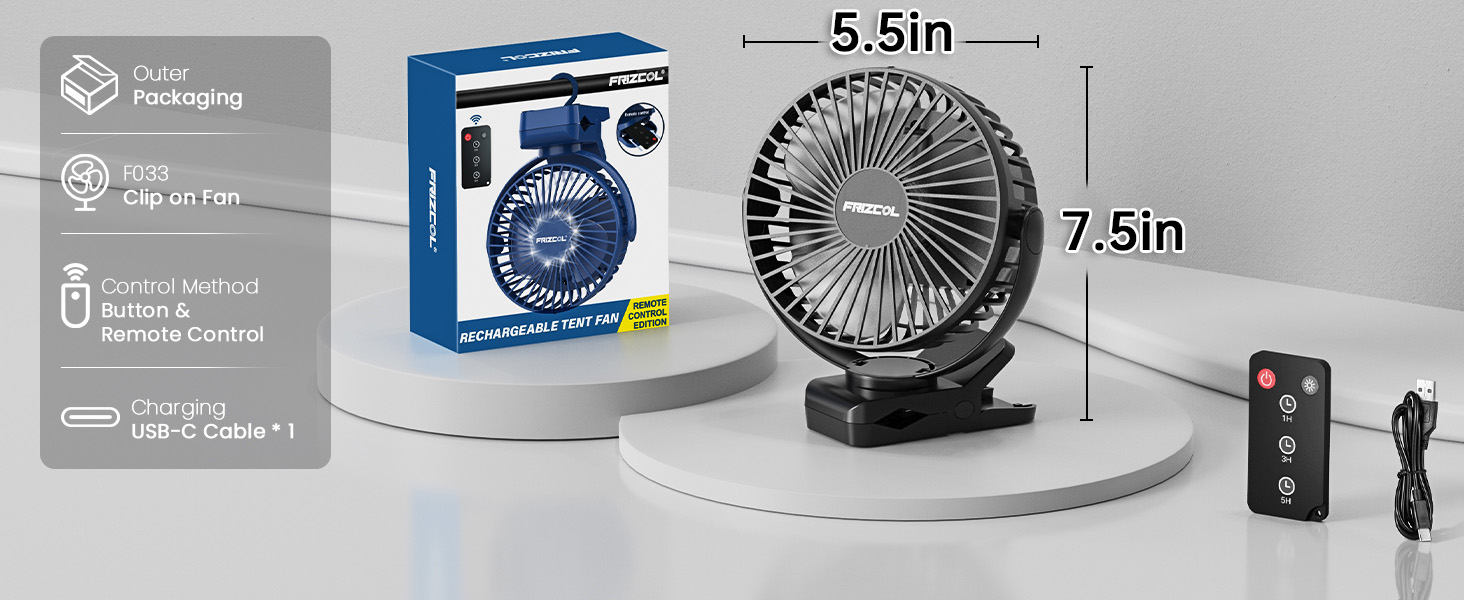
Figure 5.3: Timer functionality for scheduled operation.
5.4 パワーバンクとして使用する
The fan can provide emergency power to your mobile devices.
- Connect your mobile device's charging cable to the fan's USB output port.
- ファンがデバイスの充電を開始します。

Figure 5.4: Fan providing power to a smartphone.
6. メンテナンス
定期的なメンテナンスにより、ファンの最適なパフォーマンスと寿命が確保されます。
- クリーニング: Ensure the fan is turned off and unplugged before cleaning. The front grill can be removed without tools for easy cleaning of the blades. Use a soft, dry cloth to wipe down the exterior and blades. Do not use abrasive cleaners or immerse the fan in water.
- ストレージ: When not in use for extended periods, store the fan in a cool, dry place away from direct sunlight and extreme temperatures. Ensure the battery is partially charged (around 50%) before storage to prolong battery life.
7。 トラブルシューティング
ファンに問題が発生した場合は、次の一般的な問題と解決策を参照してください。
| 問題 | 考えられる原因 | 解決 |
|---|---|---|
| ファンが作動しません。 | バッテリー残量が少ない。電源ボタンが正しく押されていません。 | ファンを完全に充電してください。電源ボタンがしっかりと押されていることを確認してください。 |
| 空気の流れが弱い。 | Low speed setting; Obstruction in front/back of fan; Dirty blades. | Increase fan speed. Clear any obstructions. Clean the fan blades. |
| LEDライトが動作しません。 | Light button not pressed; Low battery. | Press the light button. Charge the fan. |
| リモコンが機能しない。 | Out of range; Battery in remote is dead. | Ensure remote is within 12ft (3.7m) of the fan. Replace remote battery if applicable (check remote specifications for battery type). |
| ファンが異常な音を立てます。 | Obstruction hitting blades; Loose components. | Turn off and unplug the fan. Check for and remove any obstructions. If noise persists, contact customer support. |
If the problem persists after attempting these solutions, please contact FRIZCOL customer support.
8. 仕様
| 特徴 | 詳細 |
|---|---|
| ブランド | フリッズコル |
| モデル名 | XF-TENTFAN-BLACK-01 |
| 色 | 黒 |
| 電源 | 電池駆動 |
| バッテリー容量 | 12000mAh(リチウムポリマー) |
| 勤務時間 | 12~65時間(速度によって異なります) |
| 充電時間 | 約4.5時間 |
| 製品寸法 | 奥行き8インチ x 幅3.43インチ x 高さ6.73インチ |
| アイテム重量 | 15.2オンス |
| ファン速度の数 | 3 |
| LEDライト | 9 LEDs, 2 brightness levels |
| タイマー設定 | 1時間/3時間/5時間 |
| 制御方法 | Remote Control, Buttons on unit |
| 最大Clamp 厚さ | 3インチ |
| モーター速度 | 最大5000 RPM |
| 騒音レベル | <23dB |
| 屋内/屋外での使用 | 屋内、屋外 |
9. 保証とサポート
FRIZCOL offers a 2-year service warranty for this product. For any inquiries, operational problems, missing parts, or to report a bad experience, please contact our customer support team.
お問い合わせ方法:
You can typically find our contact information through your purchase platform or by visiting the official FRIZCOL store page.

Figure 9.1: Steps to contact FRIZCOL customer support.