
1. はじめに
Thank you for choosing the JOMISE D530 4K Dual Dash Cam. This manual provides essential information for setting up, operating, and maintaining your device. Please read it thoroughly before use to ensure proper functionality and safety.
2.製品オーバーview
主な特徴
- フロントカメラ: 4K (3840x2160P) video recording.
- リアカメラ: 1080Pビデオ録画。
- 内蔵GPS: Records driving route, speed, and other location data.
- ビルトインのWiFi: ライブ用のモバイルアプリに接続 viewing, settings adjustment, and video download.
- 3インチIPSスクリーン: Clear display for real-time monitoring and playback.
- 170°広角レンズ: Comprehensive coverage of the road.
- JOMISE Starvis Sensor: Enhanced low-light performance.
- スーパーキャパシタ: Provides reliable power in extreme temperatures and extends lifespan.
- 32GB SDカード付属: すぐにご使用いただけます。
パッケージ内容
The JOMISE D530 package includes the following items:
- JOMISE D530 Front Dash Cam
- Rear Camera with connection cable
- カーチャージャー(シガーライターアダプター)
- GPS Module (integrated into mount)
- 32GB マイクロ SD カード
- ユーザーマニュアル
- Mounting accessories (adhesive pads, cable clips)

Image: Contents of the JOMISE D530 Dash Cam package.
3. セットアップ
3.1 インストール
- フロントガラスの清掃: ダッシュ カメラを取り付けるフロントガラスの領域が清潔で乾燥していることを確認します。
- フロントカメラを取り付ける: Secure the front dash cam to the windshield using the provided adhesive mount. Position it to ensure a clear view 運転中の視界を妨げずに道路を監視できます。
- リアカメラの取り付け: Mount the rear camera on the rear windshield. Connect the rear camera cable to the main unit. For reverse assist functionality, connect the red wire from the rear camera cable to your vehicle's reverse light power supply.
- 接続電源: Plug the car charger into your vehicle's cigarette lighter socket and connect the other end to the main dash cam unit. Route the cable neatly along the windshield and dashboard using the provided cable clips.
- SDカードを挿入します: Insert the 32GB Micro SD card (or a larger compatible card, up to 256GB) into the designated slot on the dash cam.

Image: Front dash cam mounted on the windshield.
3.2初期構成
Upon first power-on, the dash cam may prompt you to set the date and time. Follow the on-screen instructions. It is recommended to format the SD card through the dash cam's menu before first use.
Video: This video demonstrates the installation process and key features of the JOMISE D530 Dash Cam.
4. 操作手順
4.1 基本操作
- 電源オン/オフ: The dash cam will automatically power on and start recording when your vehicle starts, and power off when the engine is turned off.
- ループ録音: The device records video in continuous loops. When the SD card is full, the oldest unlocked files が上書きされます。
- Gセンサーと緊急録画: 突然の衝撃や衝突が発生した場合、内蔵のGセンサーが自動的に現在のビデオをロックします。 file 上書きされないようにするためです。
- パーキングモニター: With a hardwire kit (sold separately), the dash cam can monitor your vehicle while parked, recording incidents or using time-lapse recording to save storage space.

Image: Illustration of the G-Sensor and Emergency Recording feature.

画像: 長時間の駐車監視のためのタイムラプス録画。
4.2 GPS機能
The built-in GPS module records your vehicle's location, speed, and driving route. This data can be viewed using the dedicated PC player software (DVPlayer), which can be downloaded from the official JOMISE website. The software allows you to synchronize video playback with your route on a map.

Image: Dash cam screen displaying GPS information and speed.
4.3 WiFiとアプリの接続
Download the "OK CAM Plus" app from your smartphone's app store. Enable Wi-Fi on your dash cam via the settings menu. Connect your smartphone to the dash cam's Wi-Fi network (SSID and password displayed on the dash cam screen). Through the app, you can:
- View ライブfootag両方のカメラからの映像です。
- ダッシュ カメラの設定を調整します。
- 録画したビデオや写真を携帯電話に直接ダウンロードします。
- Share content to social media.
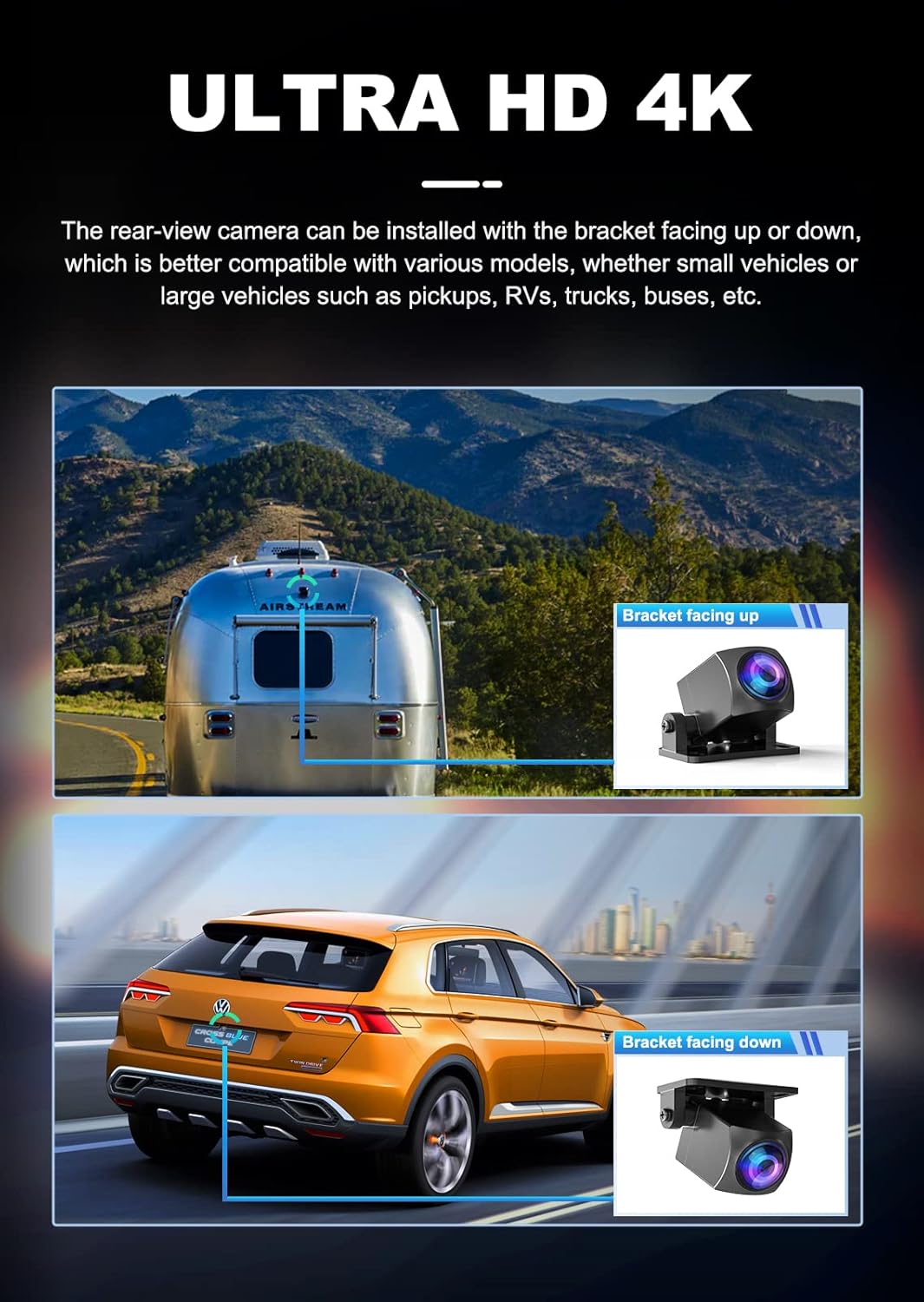
Image: Smartphone displaying live view from the dash cam via the mobile app.
4.4 強化された夜間視力
The JOMISE D530 utilizes a SONY Starvis sensor and Wide Dynamic Range (WDR) technology to provide clear video quality in low-light conditions. This helps to balance exposure and suppress glare from headlights, improving visibility during night driving.

Image: Visual representation of WDR technology improving image clarity in varying light conditions.
5. メンテナンス
5.1 SD カードの管理
- 書式設定: Regularly format the SD card (at least once a month) to ensure optimal performance and prevent data corruption. This can be done through the dash cam's settings menu.
- 交換: Replace the SD card every 6-12 months, depending on usage, as continuous overwriting can degrade its performance.
5.2 クリーニング
- レンズ: Use a soft, lint-free cloth to gently clean the camera lenses. Avoid abrasive materials or chemical cleaners.
- 画面: 画面は乾いた柔らかい布で拭いてください。
6。 トラブルシューティング
- ダッシュカムの電源が入らない: Check the car charger connection and ensure the vehicle's cigarette lighter socket is functioning.
- 録音の問題: Ensure the SD card is inserted correctly and has sufficient free space. Format the SD card. If issues persist, try a new SD card.
- ビデオ品質が悪い: Clean the camera lenses. Ensure the protective film is removed from the lenses. Adjust exposure settings if necessary.
- GPSが機能しない: Ensure the GPS module is properly connected and the vehicle is in an open area with clear sky view.
- Wi-Fi 接続の問題: Restart both the dash cam and your smartphone. Ensure you are within range of the dash cam's Wi-Fi signal.
7. 仕様
| 特徴 | 仕様 |
|---|---|
| モデル名 | JOMISE D530 |
| フロントビデオ解像度 | 4K(3840x2160) |
| リアビデオ解像度 | 1080P |
| 画面サイズ | 3インチIPS |
| 分野 View | 170度(正面) |
| 接続性 | Wi-Fi、GPS |
| ストレージ | 最大256GBのMicro SDカードをサポート(32GBを含む) |
| 電源 | スーパーキャパシタ |
| 取り付けタイプ | フロントガラスマウント |
| 制御方法 | アプリ |
| アイテム重量 | 1.41ポンド |
| パッケージ寸法 | 8.23 x 6.14 x 2.64インチ |
8. 保証とサポート
JOMISE products come with a standard manufacturer's warranty. For detailed warranty information, technical support, or any inquiries regarding your D530 Dash Cam, please refer to the official JOMISE website or contact JOMISE customer service directly. Contact information can typically be found in the packaging or on the product's support page online.