
1. はじめに
This manual provides detailed instructions for the proper use, maintenance, and calibration of your Mxmoonfree Digital Leeb Metal Hardness Tester Kit. Please read this manual thoroughly before operating the device to ensure accurate measurements and safe operation.
2. パッケージ内容
Your Mxmoonfree Digital Leeb Metal Hardness Tester Kit includes the following components:
- Digital Hardness Tester Host Unit
- Type D Sensor (Impact Device)
- Standard Hardness Block for Calibration
- USBケーブル
- 小さなサポートリング
- ユーザーマニュアル
- 頑丈なキャリングケース
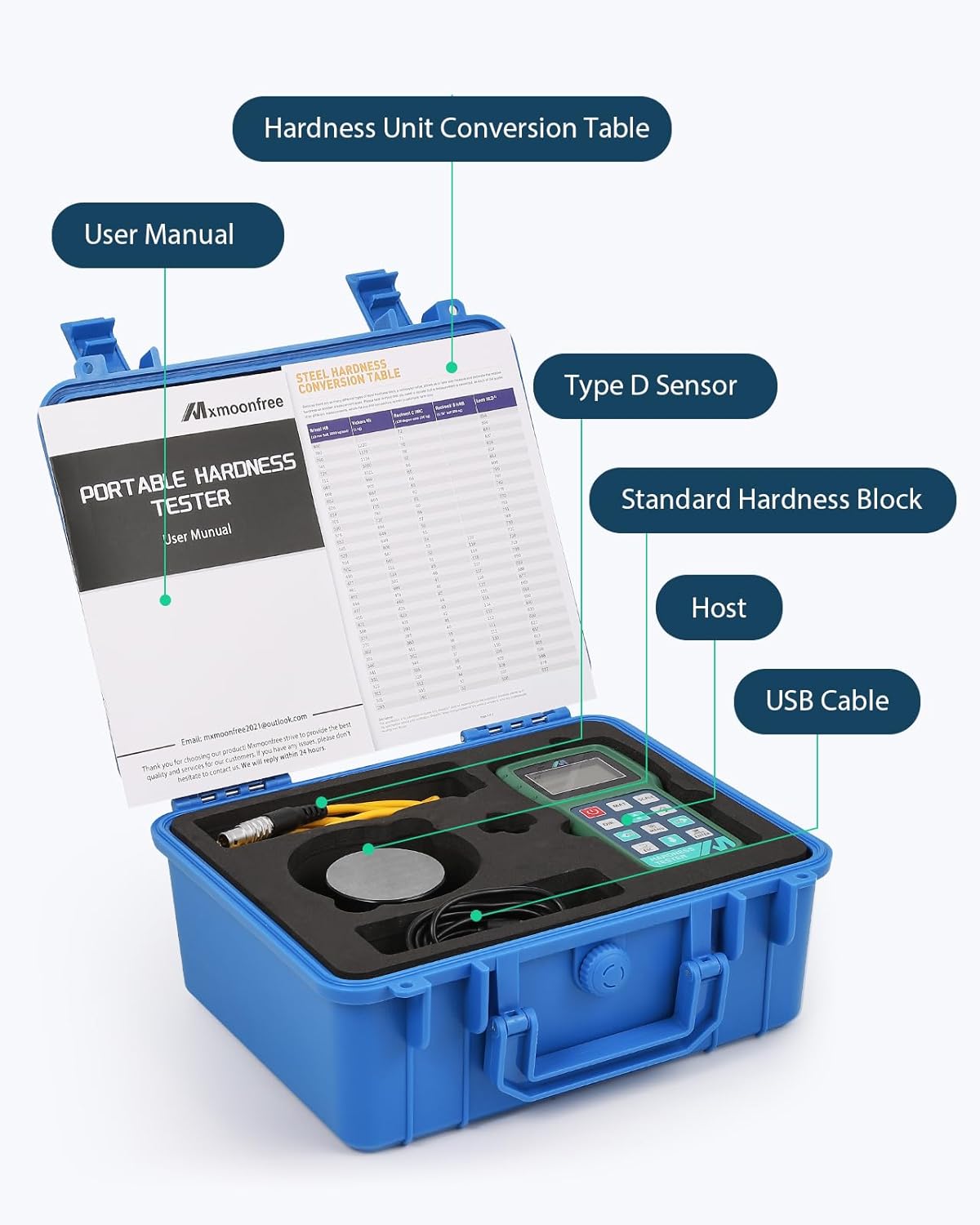
Image 2.1: The complete Mxmoonfree Digital Leeb Metal Hardness Tester Kit, including the main unit, sensor, calibration block, USB cable, and carrying case.
3. セットアップ
Follow these steps to set up your hardness tester for initial use:
- キットを開梱します。 Carefully remove all components from the rugged carrying case.
- センサーを接続します: Insert the sensor cable into the designated 3-pin interface on the top of the main tester unit. Ensure a secure connection.
- 電源オン: を押す 力 button to turn on the device. The LCD display will illuminate.

Image 3.1: The Mxmoonfree Digital Leeb Metal Hardness Tester with the sensor (impact device) connected to the main unit.
4. 操作手順
4.1 Basic Hardness Measurement
The Mxmoonfree hardness tester utilizes the Leeb rebound principle for non-destructive testing. A small impact body is propelled onto the test surface, and the rebound velocity is measured to determine hardness.

Image 4.1: Diagram illustrating the Leeb rebound hardness testing principle, showing the impact body and rebound.
測定を実行するには:
- Sを準備するamp上: Ensure the test surface is clean, smooth, and free from scale, oil, or other contaminants. The sample should be stable and have sufficient mass to prevent movement during impact. For small objects, use the included support ring to stabilize the tester.
- Select Material and Scale: 使用 マット button to select the material type (e.g., Steel and Cast Steel). Use the 規模 button to choose the desired hardness scale (e.g., HL, HB, HRC, HV, HS, HRB, HRA).
- センサーの位置: Place the sensor firmly and perpendicularly on the test surface.
- 測定開始: Press the button on the sensor to release the impact body. The hardness value will be displayed on the screen. Repeat measurements as needed for accuracy.
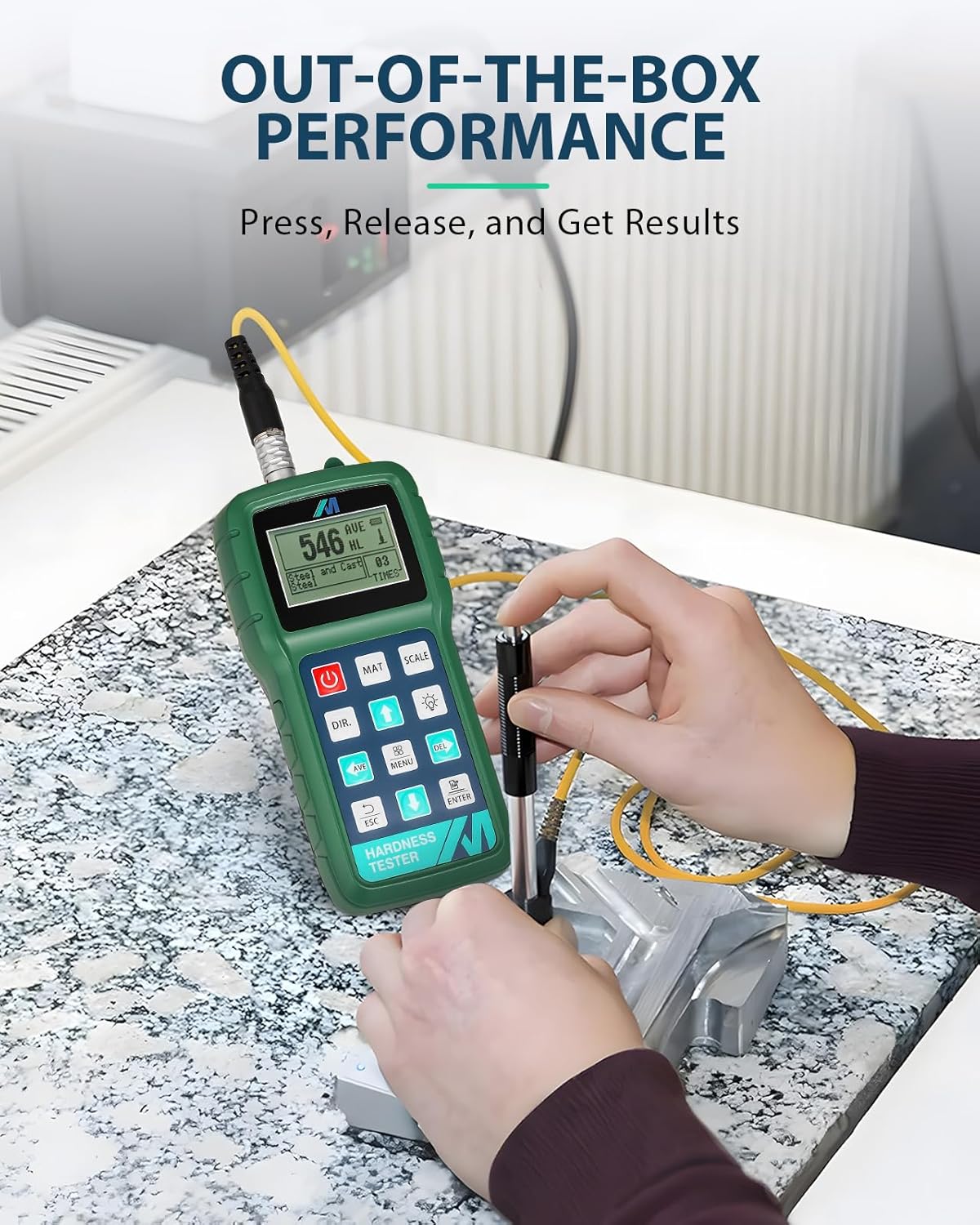
Image 4.2: A user demonstrating the ease of use by performing a hardness test on a metal workpiece.
4.2 Multi-Hardness Unit Conversion
The device supports instant conversion between up to 7 different hardness scales. After a measurement, press the 規模 button to cycle through the available units (HL, HB, HRC, HV, HS, HRB, HRA).

Image 4.3: The tester's display showing the ability to convert between multiple hardness units.
4.3 Data Output to PC Software
The Mxmoonfree hardness tester can connect to a PC for data analysis using the provided free software. Connect the device to your computer using the USB cable. The software allows for detailed analysis, storage, and reporting of your measurement data.
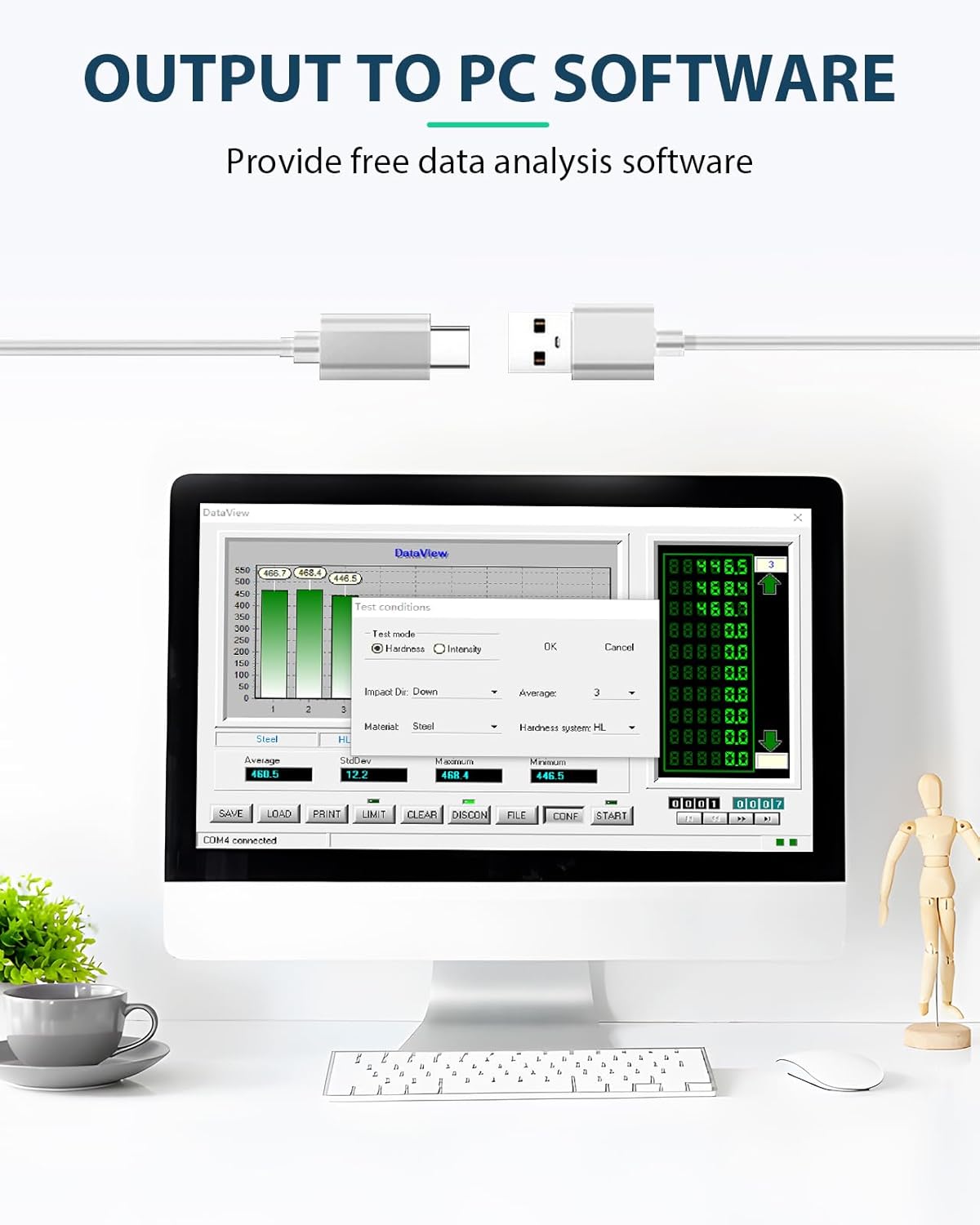
Image 4.4: The Mxmoonfree Hardness Tester connected via USB to a computer running the data analysis software.
5. キャリブレーション
Regular calibration ensures the accuracy of your hardness tester. The kit includes a standard hardness block for this purpose. The device features a built-in software calibration function.
- キャリブレーションモードに入る: To access calibration mode, press and hold both the 力 ボタンと 入力 ボタンを同時に押します。
- Perform Measurements: Follow the on-screen prompts to perform a series of measurements (typically five) on the standard hardness block.
- キャリブレーションの確認: The device will display the average and nominal values. Confirm the calibration to save the settings.

Image 5.1: The standard hardness block used for calibrating the Mxmoonfree Digital Leeb Metal Hardness Tester.
Video 5.1: This video demonstrates the process of performing measurements and calibrating the Mxmoonfree Digital Leeb Metal Hardness Tester using the standard hardness block.
6. メンテナンス
適切なメンテナンスを行うことで、デバイスの寿命と精度が確保されます。
- クリーニング: Regularly wipe the device and sensor with a soft, dry cloth. Avoid using abrasive cleaners or solvents.
- ストレージ: Store the hardness tester and its accessories in the provided rugged carrying case when not in use. Keep it in a dry environment, away from extreme temperatures and direct sunlight.
- Impact Device Care: Ensure the impact device is clean and free of debris. Do not lubricate the impact device unless specifically instructed by Mxmoonfree support.
7。 トラブルシューティング
If you encounter issues with your Mxmoonfree Digital Leeb Metal Hardness Tester, consider the following:
- 不正確な読み取り: If you suspect inaccurate readings, perform a calibration using the standard hardness block as described in Section 5. Ensure the test surface is properly prepared and the sensor is positioned correctly.
- デバイスの電源が入っていない: Check the battery level. If the device uses replaceable batteries, ensure they are inserted correctly and are not depleted.
- Connectivity Issues (PC Software): Ensure the USB cable is securely connected to both the tester and the PC. Verify that the PC software is installed correctly. If you experience issues with USB connectivity, contact customer support, as some units may have had manufacturing variations.
- センサーの誤動作: If the sensor does not impact or rebound correctly, ensure it is clean and properly connected. Avoid dropping or subjecting the sensor to harsh impacts.
For persistent issues or technical support, please refer to Section 9: Warranty and Support.
8. 仕様
Key specifications for the Mxmoonfree Digital Leeb Metal Hardness Tester Kit:
- パッケージ寸法: 11.73 x 10.12 x 6.26インチ
- 重さ: 5.95 ポンド
- 硬度スケール: HL, HB, HRC, HV, HS, HRB, HRA
- Impact Device Type: D-type (standard)
- 接続性: 3-pin interface for sensor, USB for PC data output
8.1 測定範囲
The device supports hardness measurements across various materials as detailed in the table below:

Image 8.1: Table detailing the measurement ranges for different materials and hardness scales.
| 材料 | 人権擁護団体 | HRBS | HRA | HB | HV | HS |
|---|---|---|---|---|---|---|
| Steel and Cast Steel | 17.9-68.5 | 59.6-99.6 | 59.1-85.8 | 80-651 | 83-976 | 33.1-110.1 |
| ステンレス鋼 | 46.5-101.7 | 85-655 | 85-802 | |||
| 冷間工具鋼 | 20.4-67.1 | 80-898 | ||||
| Hammered Steel | 143-650 | |||||
| Cast Aluminum Alloys | 23.8-84.6 | 19-164 | ||||
| ねずみ鋳鉄 | 93-334 | |||||
| ノジュラー鋳鉄 | 131-387 | |||||
| 真鍮 | 13.5-95.3 | 40-173 | ||||
| ブロンズ | 60-290 | |||||
| Wrought Copper Alloys | 45-315 |
9. 保証とサポート
Mxmoonfree is committed to providing high-quality products and excellent customer service.
- 保証: Your Mxmoonfree Digital Leeb Metal Hardness Tester Kit comes with a two-year warranty, covering free parts and ongoing maintenance.
- テクニカルサポート: Our dedicated support team is available to assist you with any questions, concerns, or issues you may encounter. We also provide free PC analysis software and guides to support your testing process.
- 接触: For assistance, please refer to the contact information provided in your product packaging or visit the official Mxmoonfree webサイト。