
導入
This manual provides detailed instructions for the safe and effective use of your pxton PX-8S-01 two-way radio. Please read this manual thoroughly before operating the device to ensure optimal performance and longevity.
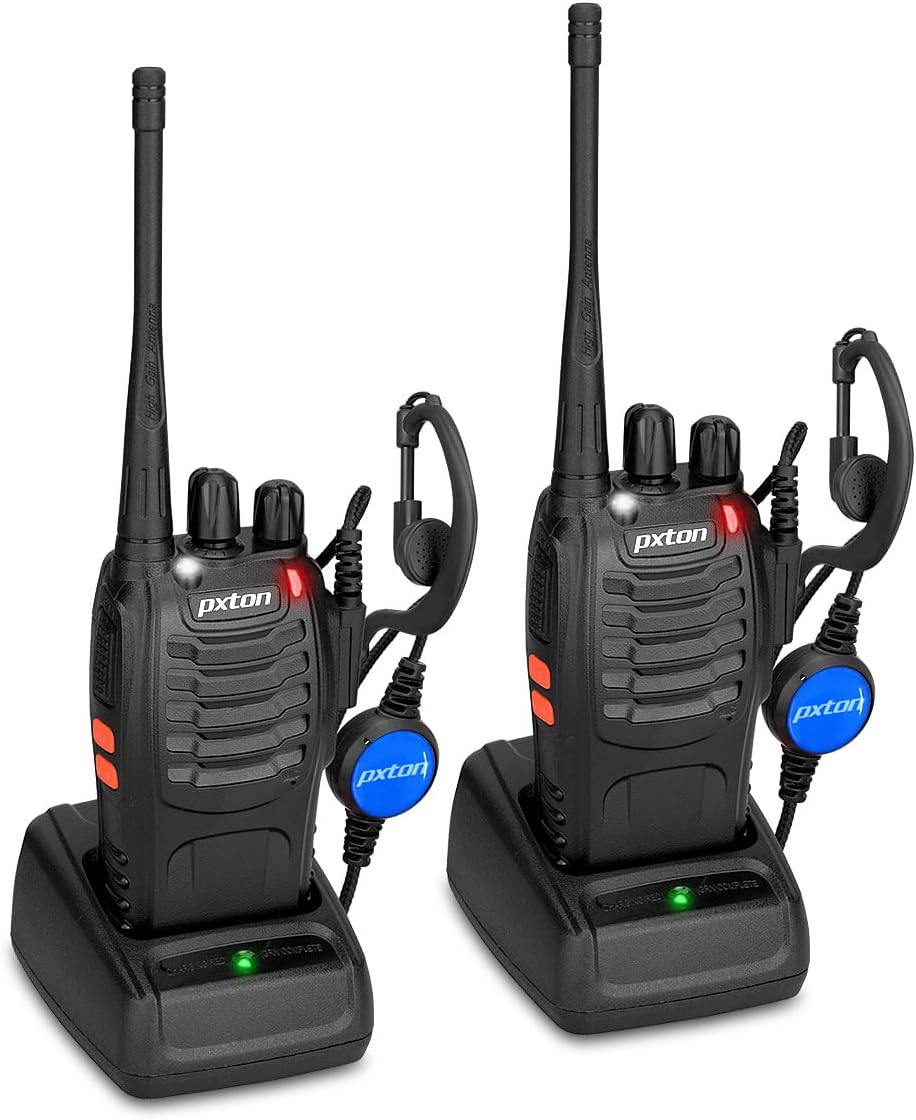
Image: Two pxton PX-8S-01 two-way radios with charging bases and earpieces.
パッケージ内容
パッケージにすべてのアイテムが含まれていることを確認します。
- pxton PX-8S-01 Two-Way Radio (2 units)
- Lithium-Ion Battery (2 units)
- USB Charger (2 units)
- Upgraded Earpiece (2 units)
- ベルトクリップ(2個)
- Wrist Strap (2 units)
- アンテナ(2台)
- ユーザーマニュアル(1冊)

Image: Contents of the pxton PX-8S-01 package.
製品終了view
Familiarize yourself with the components of your pxton PX-8S-01 two-way radio:

Image: Labeled diagram of the pxton PX-8S-01 two-way radio components.
- 統合型高感度アンテナ: 信号の送受信に使用します。
- チャンネルスイッチ: ロータリーノブを使用して、使用可能な 16 個のチャネルのうち 1 つを選択します。
- 電源スイッチ/ボリュームコントロール: ラジオのオン/オフや音量の調整を行う回転ノブ。
- 懐中電灯: 照明用のLEDライトを内蔵。
- LEDインジケーター: 無線ステータス(送信、受信、充電など)を表示します。
- PTT ボタン (プッシュ ツー トーク): 押し続けると送信、離すと受信します。
- MONI Button (Monitor): 押すと一時的にスケルチが無効になり、弱い信号が聞こえます。
- 懐中電灯ボタン: 内蔵の懐中電灯を点灯します。
- SP/MICジャック: Ports for connecting external audio accessories like earpieces or speaker microphones.
- クリアなスピーカー: 受信した音声を出力します。
- 内蔵マイク: あなたの音声をキャプチャして送信します。
設定
1. バッテリーの取り付け
- ラジオの電源がオフになっていることを確認してください。
- バッテリー パックをラジオの背面にある溝に合わせます。
- バッテリー パックをカチッと音がするまで上方にスライドさせます。
- 取り外すには、リリース ラッチ (ある場合) を押して、バッテリーを下にスライドします。
2. バッテリーの充電
- USB 充電器を電源に接続します。
- バッテリーを取り付けたラジオを充電クレードルに置きます。
- 充電器の LED インジケーターは充電状態を示します (例: 充電中は赤、完全に充電されている場合は緑)。
- A full charge from 0 capacity typically takes 3-4 hours.
3. アクセサリの取り付け
- アンテナ: アンテナをラジオ上部のコネクタに時計回りに回し、指でしっかりと締め付けます。締めすぎにご注意ください。
- ベルトクリップ: 付属のネジを使用して、ベルト クリップを無線機の背面にある指定されたスロットに取り付けます。
- イヤピース: Insert the earpiece plug into the SP/MIC jacks on the side of the radio. Ensure it is fully inserted for proper connection.
操作手順
1. 電源のオン/オフと音量調整
- To power on the radio, rotate the Power Switch/Volume Control knob clockwise. You will hear a "click" and a voice prompt indicating the current channel.
- 音量を上げるにはノブを時計回りに回し、音量を下げるには反時計回りに回し続けます。
- To power off, rotate the knob counter-clockwise until you hear a "click."
2. チャンネルの選択
- Rotate the Channel Switch knob to select one of the 16 available channels.
- The radio will announce the selected channel number.
- グループ内のすべての無線が通信用に同じチャネルに設定されていることを確認します。
3. 送信と受信
- 送信するには、 PTT (プッシュ・トゥ・トーク) button. Speak clearly into the microphone. The LED indicator will illuminate red.
- PTTボタンを放すと送信が停止し、受信モードに戻ります。信号を受信するとLEDインジケーターが緑色に点灯します。
4. VOX(音声交換機)機能
VOX機能によりハンズフリー操作が可能になります。VOX機能を有効にすると、PTTボタンを押さなくても、音声を検知すると自動的に送信を開始します。
- VOX settings are typically programmed via software. Refer to advanced programming instructions if available.
- When using VOX, ensure the microphone is positioned correctly to pick up your voice effectively.
Image: VOX/Handfree function icon.
5. 懐中電灯機能
- 専用の 懐中電灯ボタン to turn the built-in LED flashlight on or off.
Image: Flashlight function icon.
6.スキャン機能
The scan function allows the radio to automatically scan through channels to find active transmissions.
- To activate the scan function, typically this is done via a programmed side key or by selecting a specific channel. Refer to your radio's programming guide for details.
- When scanning, the radio will stop on an active channel until the transmission ends, then resume scanning.
7.緊急警報
The radio features an emergency alarm function for critical situations.
- To activate the emergency alarm, press the designated Emergency Alarm button (if programmed) or a specific key combination. This will typically emit a loud siren sound and/or transmit an alert signal.

Image: Emergency Alarm function icon.
8. スケルチ調整
Squelch suppresses background noise when no signal is being received. The PX-8S-01 has an adjustable squelch feature.
- Squelch levels are typically set via programming software. A higher squelch level requires a stronger signal to open the receiver, reducing static but potentially missing weak signals.
- The MONI button can be used to temporarily override the squelch and listen to all signals, including weak ones or background noise.
Image: Squelch adjustment icon.
9. プライバシーコード(CTCSS/DCS)
The radio supports 165 privacy codes (50 CTCSS / 210 DCS) per programmable channel to help filter out unwanted conversations.
- When a CTCSS/DCS code is set, you will only hear transmissions from other radios using the same channel and the same CTCSS/DCS code.
- Similarly, other radios will only hear your transmissions if they are on the same channel and using the same code.
- These codes are typically programmed using specialized software.
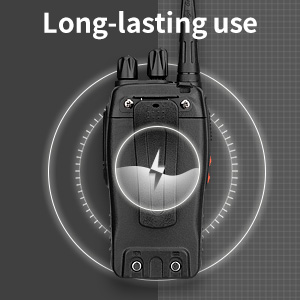
Image: CTCSS/DCS privacy codes icon.
メンテナンス
- クリーニング: 柔らかくてamp ラジオの外装を拭く際は布を使用してください。刺激の強い化学薬品や溶剤は使用しないでください。
- バッテリーのケア:
- バッテリーの過充電や完全放電を避けてください。
- バッテリーを使用しないときは、涼しく乾燥した場所に保管してください。
- ラジオを長期間使用しない場合は、電池を取り外してください。
- ストレージ: ラジオは、極端な温度を避け、乾燥したほこりのない環境に保管してください。
- アンテナ: パフォーマンスに影響する可能性があるため、アンテナを曲げたり変更したりしないでください。
トラブルシューティング
| 問題 | 考えられる原因 | 解決 |
|---|---|---|
| ラジオの電源が入りません。 | バッテリーが消耗しているか、正しく取り付けられていません。 | バッテリーを充電してください。バッテリーがしっかりと取り付けられていることを確認してください。 |
| 送信も受信もできません。 | Incorrect channel selected. Battery low. Radio out of range. | Verify both radios are on the same channel. Charge battery. Move closer to the other radio. |
| 音質が悪い、または雑音がある。 | Weak signal. Squelch level too low/high. Interference. | Move to an area with fewer obstructions. Adjust squelch level (if programmable). Check for sources of interference. |
| 通信範囲が短い。 | 障害物(建物、地形)。バッテリー残量が少なくなっています。 | 開けた場所に移動してください。バッテリーが完全に充電されていることを確認してください。 |
| Earpiece not working. | Earpiece not fully inserted. Faulty earpiece. | Ensure earpiece plug is fully inserted into the SP/MIC jack. Try a different earpiece if available. |
仕様
- モデル: PX-8S-01
- FCC ID: 2AX68PX-888S
- チャンネル数: 16
- 周波数範囲: 超短波
- 通話範囲最大: Up to 5 miles (unobstructed)
- プライバシーコード: 165 (50 CTCSS / 210 DCS)
- 電池のタイプ: リチウムイオン(付属)
- バッテリー巻tage: 3.7 ボルト (DC)
- バッテリー寿命: 8-96 hours standby, 8-12 hours continuous use (actual time varies with usage)
- 充電時間: 3-4 hours (from 0 capacity)
- 耐水性レベル: 耐水性
- 製品寸法: 奥行き1.1インチ x 幅1.89インチ x 高さ8.34インチ
- 商品の重量: 1.34ポンド(ペア)
- 特別な機能: Rechargeable, VOX, TOT, Emergency Alarm, Battery Low Alert, Flashlight, Scan Function

Image: Size comparison of the pxton PX-8S-01 radio.
安全情報
Your pxton PX-8S-01 walkie-talkie has been granted FCC transmission and reception certification and authorization (FCC ID: 2AX68PX-888S). This device is intended for use only within the frequency points authorized by the FCC certification range.
次の安全ガイドラインを遵守してください。
- 爆発性雰囲気(可燃性ガス、粉塵粒子、金属粉末など)内で無線機を操作しないでください。
- Do not modify the radio or its accessories. Unauthorized modifications can void your warranty and violate FCC regulations.
- ラジオとその付属品は子供の手の届かないところに保管してください。
- Use only pxton-approved batteries and chargers. Using unapproved accessories can cause damage or injury.
- Avoid exposing the radio to extreme temperatures, direct sunlight, or moisture for prolonged periods.
- ラジオから煙が出たり、異臭がしたりした場合は、直ちに電源を切り、電池を取り外してください。カスタマーサポートにご連絡ください。
保証とサポート
pxton provides lifetime customer service for its walkie-talkies. If you encounter any questions or issues with your PX-8S-01 radio, please contact pxton customer support through the platform where you purchased the product. Our professional team is available to assist you with troubleshooting and support.
For further assistance, please refer to the official pxton webサイトをご覧いただくか、カスタマー サービスに直接お問い合わせください。