
1. 重要な安全情報
Please read all safety and operating instructions carefully before using this television. Keep this manual for future reference. Always follow basic safety precautions to reduce the risk of fire, electric shock, and injury.
- このアプライアンスを雨や湿気にさらさないでください。
- 通気口を塞がないでください。メーカーの指示に従って設置してください。
- ラジエーター、暖房レジスター、ストーブ、その他の機器(以下を含む)などの熱源の近くに設置しないでください。 amp熱を発生する装置。
- 特にプラグ、便利なコンセント、およびアプライアンスから出る場所で、電源コードが歩いたり挟まれたりしないように保護してください。
- メーカー指定のアタッチメント/アクセサリのみを使用してください。
- すべてのサービスを資格のあるサービス担当者に依頼してください。 装置が何らかの形で損傷した場合は、修理が必要です。
2. 箱の中身
Carefully unpack your new Sansui TV and ensure all items listed below are present.
- 1 x Sansui 4K Ultra HD Android LED TV (JSW50ASUHD)
- テーブルスタンドベース x 2
- 1 x Wall Mounting Set
- 4 x Screws for stand/mount
- ユーザーマニュアル x 1
- 保証カード x 1
- リモコン x 1
- 単4電池2本(リモコン用)
- 1 x電源コード
- 1xミニAVケーブル
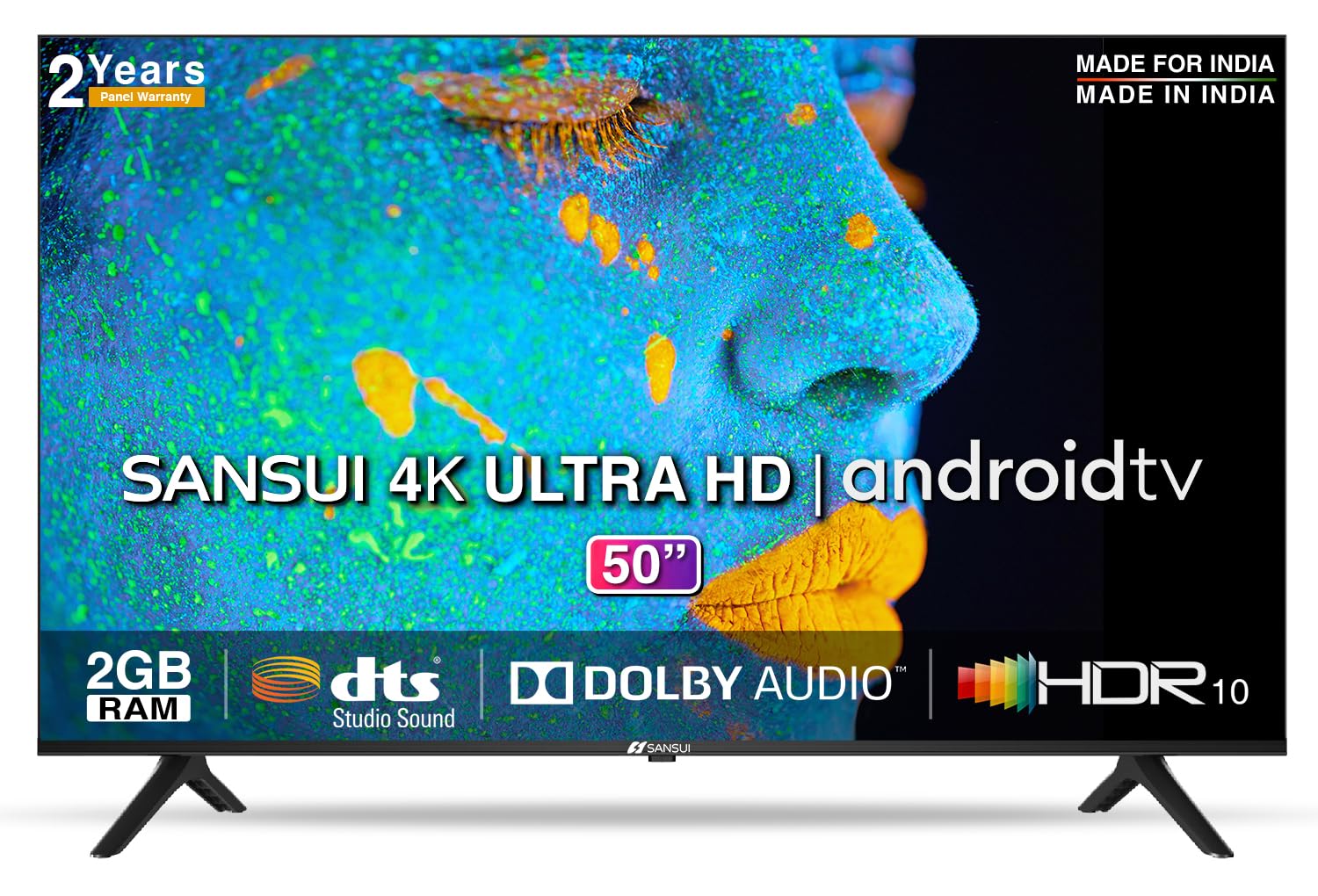
Image: Sansui 50-inch 4K Ultra HD Android LED TV with its table stand.
3.製品オーバーview
3.1. 主な特徴
- 画面: 4K Ultra HD (3840x2160) resolution, 60Hz refresh rate, Wide Viewing Angle, A+ Grade Panel, Wide Colour Gamut, HDR 10, Crystal Clear Display, High Brightness, Bezel-less Design.
- オーディオ: Dolby Audio, DTS Studio Sound, 20 Watts Audio Output.
- スマートテレビの機能: Android 10.0 (Certified by Google), Google Assistant, Alexa Enabled Support, Built-in Chromecast, CA53 Quad Core Processor, 2GB RAM, 8GB ROM.
- サポートされているアプリ: Prime Video, Netflix, Disney + Hotstar, YouTube, Google Play.
- 接続性: 3 HDMI ports, 2 USB ports, 3.5mm audio jack, Bluetooth, Wi-Fi, RJ45 (Ethernet), Antenna.

Image: Visual representation of the TV's main features and capabilities.
3.2。 外形寸法
The TV features a 50-inch screen (127 cm diagonal) with a bezel-less design for an immersive viewing の経験。

Image: Detailed dimensions of the Sansui 50-inch TV, including width, height, and depth with and without the stand.
4. セットアップ
4.1. テーブルスタンドの取り付け
- 損傷を防ぐため、テレビ画面を下にして柔らかく平らな面に置いてください。
- テーブルスタンドのベースをテレビの下部にある対応するスロットに合わせます。
- Secure the bases using the provided screws. Ensure they are tightened firmly.
4.2. 壁掛け(オプション)
If you choose to wall mount your TV, please use the provided wall mounting set and screws. The VESA mount standard is 800 x 400 mm. It is recommended to seek professional assistance for wall mounting to ensure proper and safe installation.
4.3.デバイスの接続
The TV offers various connectivity options for your external devices.
- 力: 電源コードをテレビの電源入力に接続し、次に壁のコンセントに接続します。
- HDMI: Use HDMI cables to connect devices like set-top boxes, gaming consoles, or Blu-ray players to the 3 HDMI ports.
- USB: Connect USB drives or other USB devices to the 2 USB ports for media playback.
- オーディオ出力: Use the 3.5mm jack to connect headphones or external audio systems.
- イーサネット(RJ45): 安定したインターネット接続を確保するには、ルータから RJ45 ポートにイーサネット ケーブルを接続します。
- アンテナ: Connect your antenna cable to the RF input for terrestrial broadcasting.
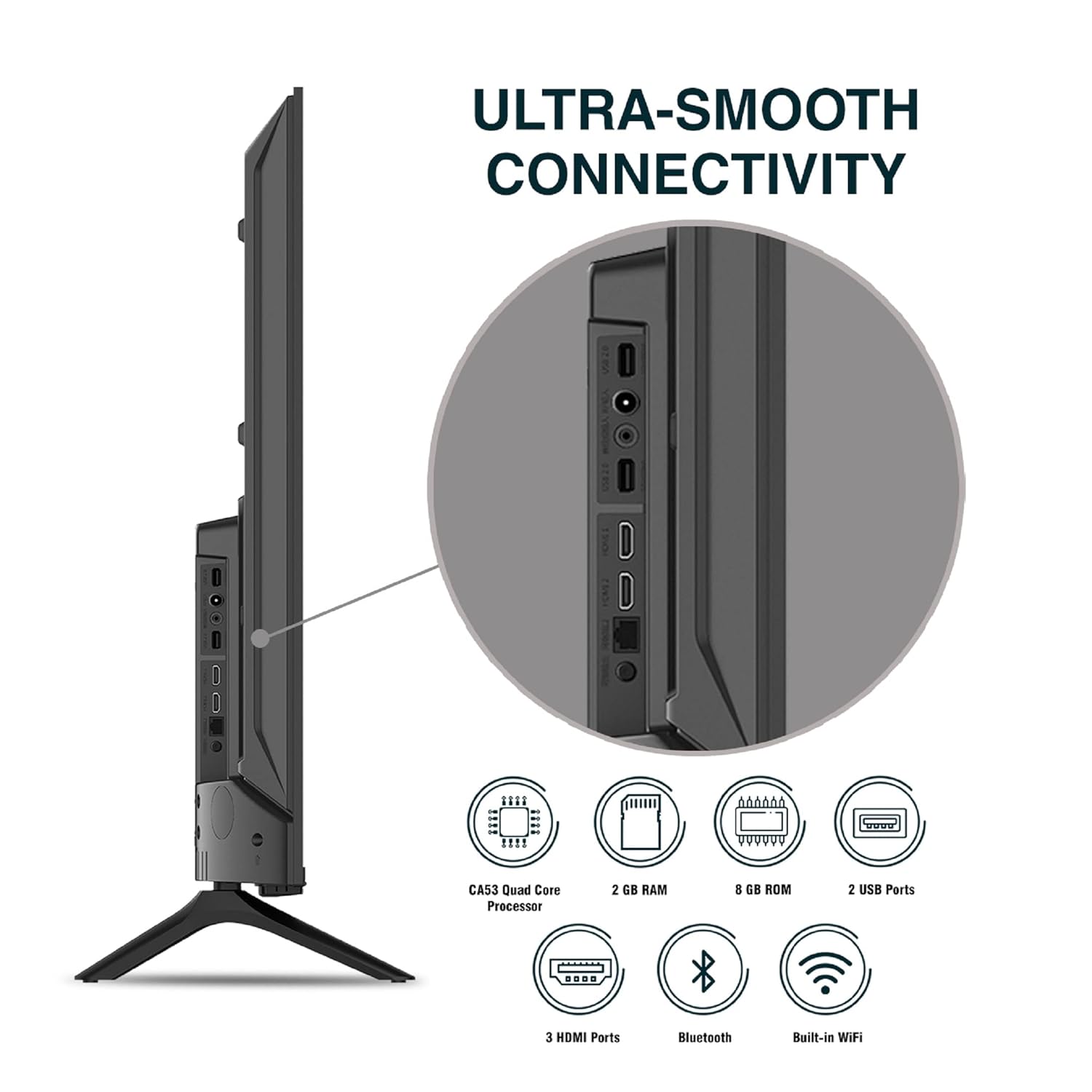
画像: 詳細 view テレビの接続ポート。
5. 操作手順
5.1. 基本操作
- 電源オン/オフ: リモコンまたはテレビの電源ボタンを押して、電源をオンまたはオフにします。
- 初期設定: Upon first power-on, follow the on-screen instructions to set up language, network connection, and Google account.
- 入力ソース: Press the 'Input' button on the remote to select between HDMI, AV, TV, or other connected sources.
- 音量コントロール: リモコンの音量アップ/ダウンボタンを使用します。
5.2. スマートリモコンの使用
The included remote control features voice control and dedicated hotkeys for quick access to popular streaming services.
- 音声コントロール: Press the Google Assistant button (microphone icon) and speak your commands to search for content, control smart home devices, or ask questions.
- ホットキー: Directly launch Netflix, Prime Video, YouTube, and Google Play with a single press.
- ナビゲーション: Use the directional pad and 'OK' button to navigate the Android TV interface.

Image: Sansui Smart Remote Control with voice control and app hotkeys.
5.3. Android TV Interface and Smart Features
Your Sansui TV runs on Android 10.0, providing access to a wide range of apps and smart functionalities.
- ホーム画面: The home screen displays your favorite apps, recommended content, and input sources.
- Google Play ストア: Download and install additional apps, games, and content from the Google Play Store.
- Chromecast 内蔵: Cast content (videos, photos, music) from your smartphone, tablet, or computer directly to the TV.
- Google Assistant/Alexa: Use voice commands via the remote or a compatible Alexa device to control your TV and other smart home devices.

Image: Android TV home screen showing available applications.
6. メンテナンス
適切な手入れとメンテナンスを行うと、テレビの寿命が延びます。
- 画面の掃除: 柔らかく糸くずの出ない布で画面を優しく拭いてください。頑固な汚れには、テレビ専用のクリーナーを布に含ませて使用してください。画面に直接拭き取るのではなく、布に含ませてください。
- キャビネットのクリーニング: テレビキャビネットの汚れを拭く際は、柔らかく乾いた布をご使用ください。研磨剤入りの洗剤や溶剤は使用しないでください。
- 換気: 過熱を防ぐために、通気口にほこりやごみが詰まっていないことを確認してください。
- 電源コード: Regularly check the power cord for any damage. If damaged, replace it with an authorized part.
7。 トラブルシューティング
問題が発生した場合は、次の一般的な問題と解決策を参照してください。
| 問題 | 考えられる原因 | 解決 |
|---|---|---|
| 電源なし | 電源コードが外れている;電源コンセントに問題がある | 電源コードの接続を確認し、別のデバイスでコンセントをテストします。 |
| 映像なし、音のみ | 入力ソースが正しくありません。外部デバイスの問題です。 | Select correct input source; Check external device connection and power. |
| 音なし、画像のみ | Volume muted/low; External audio system issue | Unmute or increase volume; Check external audio system connections. |
| リモコンが動作しない | 電池切れ;リモコンとテレビの間に障害物がある | 電池を交換してください。障害物を取り除いてください。 |
| Wi-Fi接続の問題 | パスワードが間違っている、ルーターの問題、信号の干渉 | Re-enter password; Restart router; Move TV closer to router or use Ethernet. |
これらの解決策を試しても問題が解決しない場合は、カスタマー サポートにお問い合わせください。
8. 仕様
Detailed technical specifications for the Sansui JSW50ASUHD TV.
| 特徴 | 説明 |
|---|---|
| モデル名 | SANSUI LED - JSW50ASUHD |
| 画面サイズ | 50インチ(127 cm) |
| ディスプレイ技術 | 導かれた |
| 解決 | 4KウルトラHD(3840x2160) |
| リフレッシュレート | 60Hz |
| オペレーティング·システム | Android 10.0(Google認定) |
| プロセッサ | CA53クアッドコア |
| ラム | 2ギガバイト |
| ROM(ストレージ) | 8ギガバイト |
| オーディオ出力 | 20ワット |
| サウンドテクノロジー | ドルビーオーディオ、DTSスタジオサウンド |
| HDMIポート | 3 |
| USBポート | 2 |
| ワイヤレス接続 | Wi-Fi、ブルートゥース |
| その他の接続 | Ethernet (RJ45), 3.5mm Audio Jack, Antenna |
| HDR サポート | 高画質 |
| 取り付けタイプ | 壁掛けと卓上設置 |
| VESAマウント規格 | 800×400ミリ |
| 消費電力 | 120ワット |
| アイテム重量 | 9650グラム |
| 色 | Mystique Black |
9. 保証とサポート
Your Sansui TV comes with a comprehensive warranty and dedicated customer support.
- 保証: 1 year comprehensive warranty and 1 year additional on panel from the date of purchase.
- 保証サポート: For warranty-related queries, please contact Sansui Toll Free No.: 1800-419-3777.
- 輸入業者連絡先: Jaina India Pvt Ltd., D170, Okhla Industrial Area, Phase-1, New Delhi-110020 INDIA | Email: sansuicare@jainaindia.com.
保証請求のために購入領収書を保管してください。