
導入
ご購入ありがとうございますasing the SZELAM Digital Alarm Clock. This manual provides detailed instructions for setting up and operating your new alarm clock. Please read it thoroughly to ensure proper use and to maximize the features of your device.
製品終了view
主な特徴:
- Large 14cm LED Display: High-resolution display clearly shows time, date, and temperature. HD white LED digits ensure visibility from a distance.
- 調整可能な明るさ: 6 levels of brightness (5% to 100%) to suit various lighting conditions.
- 8 Alarm Ringtones: Choose from 8 distinct alarm tones.
- 調整可能なアラーム音量: 6 volume levels, ranging from 30 to 90 dB.
- スヌーズ機能: Provides an additional 9 minutes of sleep after the alarm sounds.
- 12/24時間形式: Switch between 12-hour (AM/PM) and 24-hour time displays.
- Date and Temperature Display: Shows current date and indoor temperature.
- USB Powered with Battery Backup: Operates via USB cable; 3 AAA batteries (not included) provide memory function for settings during power outages。
パッケージ内容:
- 1 x SZELAM Digital Alarm Clock
- USB充電ケーブル x 1
- ユーザーマニュアル x 1
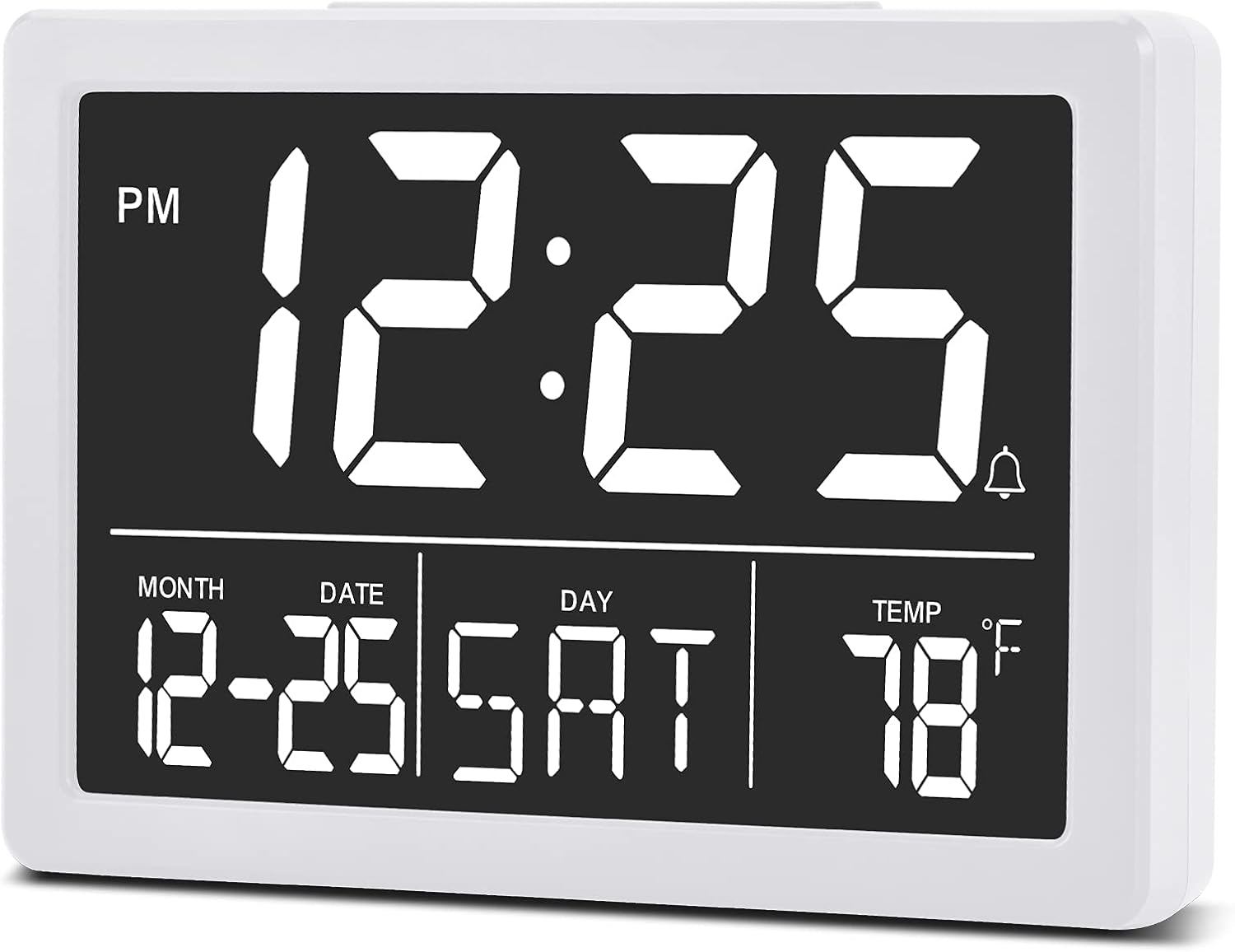
画像: フロント view of the SZELAM Digital Alarm Clock displaying time, date, and temperature.
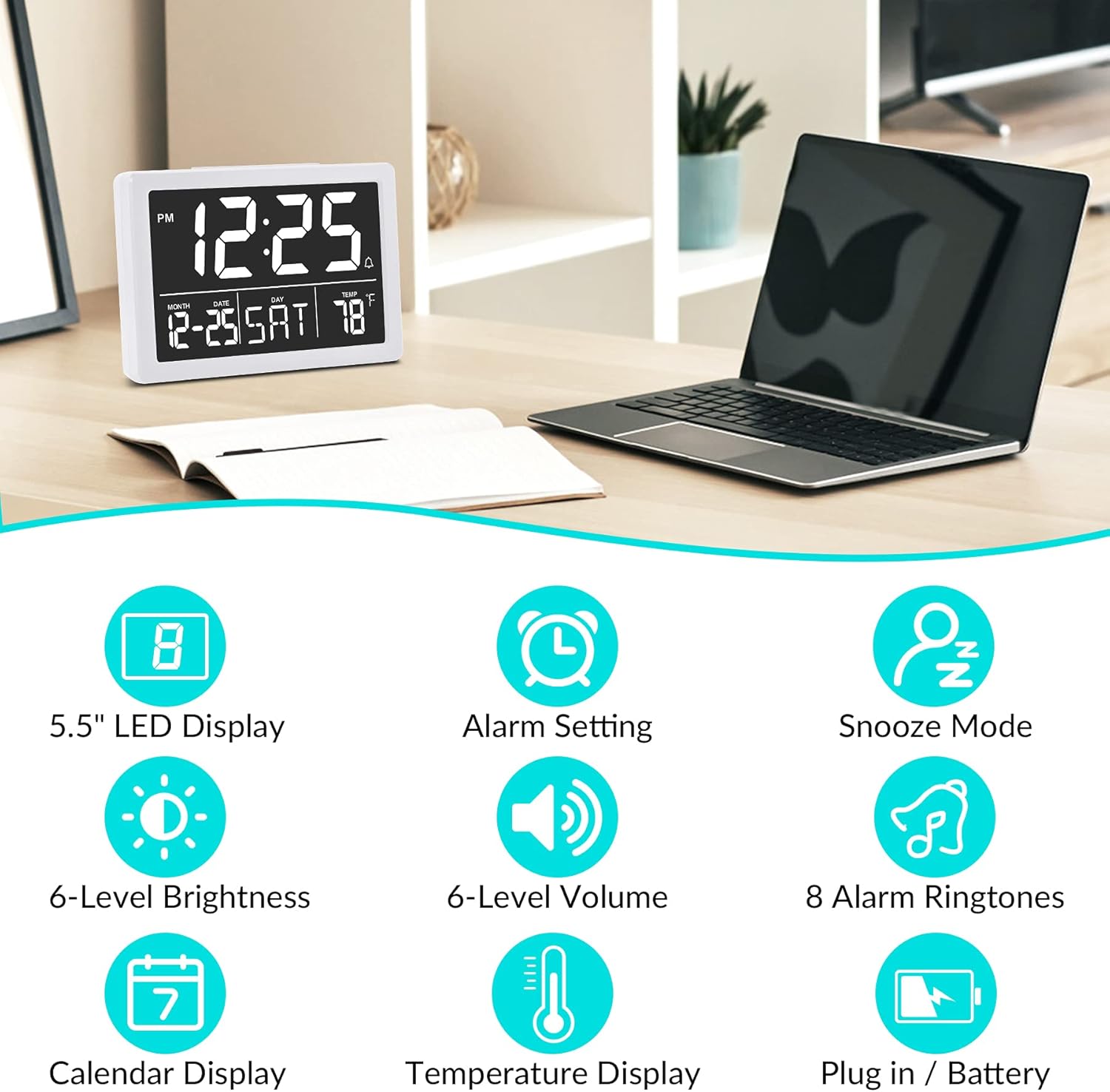
画像: Graphic illustrating key features: 5.5" LED Display, Alarm Setting, Snooze Mode, 6-Level Brightness, 6-Level Volume, 8 Alarm Ringtones, Calendar Display, Temperature Display, Plug in / Battery operation.
設定
時計の電源供給:
- USB電源を接続: Insert the provided USB cable into the clock's USB port and connect the other end to a USB power adapter (not included) or a powered USB port. The clock will power on and the display will illuminate.
- バックアップ バッテリーをインストールします (オプションですが推奨されます)。 Open the battery compartment on the back of the clock. Insert 3 new AAA batteries (not included), ensuring correct polarity (+/-). These batteries will preserve your time and alarm settings in case of a power outage. 注記: The clock display will not remain continuously lit when operating solely on battery power. The display will turn off after 10 seconds to conserve energy; press any button to temporarily illuminate it. For continuous display, USB power is required.

画像: Illustration showing the alarm clock powered by a USB cable for continuous display and a note about battery backup for memory function only.
操作手順
Refer to the back panel diagram for button locations.

画像: 後方 view of the alarm clock, highlighting the USB port, 6 Levels Volume switch, Alarm/Time Setting buttons, Alarm Sounds Switch, °C/°F switch, and 12/24H switch, and 6 Levels Brightness switch.
1. 時刻と日付の設定:
- を押し続けます "セット" ボタン(背面にあります)を押して、時間の数字が点滅するまで押し続けます。
- 使用 "上" or "下" 時間を調整するボタン。
- プレス "セット" again to move to minute setting, then use "上" or "下" 分を調整します。
- 押し続ける "セット" 年、月、日の設定を切り替え、それぞれを調整します "上" or "下".
- プレス "セット" one last time or wait a few seconds for the settings to save automatically.
2. Switching 12/24 Hour Format:
- 見つける 「12/24時間」 switch on the back of the clock.
- Slide the switch to select either 12-hour (with AM/PM indicator) or 24-hour format.
3. アラームの設定:
- を押す "アラーム" button (located on the back) once. The alarm time will appear, and the hour digits will flash.
- 使用 "上" or "下" ボタンでアラーム時間を調整します。
- プレス "アラーム" again to move to minute setting, then use "上" or "下" to adjust alarm minutes.
- プレス "アラーム" 最後にもう一度押すか、数秒待ってからアラーム設定を保存します。
- アラームをオン/オフにするには、 "アラーム" button briefly. An alarm icon (bell symbol) will appear on the display when the alarm is active.
4. Adjusting Alarm Volume:
- 見つける "6 Levels Volume" switch on the back of the clock.
- Slide the switch to your desired volume level (L1 to L6).

画像: A family enjoying the alarm clock, illustrating the 8 pleasant alarm bells feature and volume adjustment levels.
5. Selecting Alarm Ringtones:
- 見つける "Alarm Sounds Switch" 時計の裏側にあります。
- Slide the switch to cycle through the 8 available alarm tones. Select your preferred tone.
6. Using the Snooze Function:
- アラームが鳴ったら、大きな 「スヌーズ」 時計の上部にあるボタン。
- アラームは 9 分間一時停止し、その後再び鳴ります。
- アラームを完全にオフにするには、時計の背面にある他のボタンを押します。
7. ディスプレイの明るさを調整する:
- 見つける "6 Levels Brightness" switch on the back of the clock.
- Slide the switch to cycle through the 6 brightness levels (from 5% to 100%).
- The clock also features an automatic dimming function between 6 PM and 7 AM. You can adjust the brightness during these hours, and the setting will be saved for the night mode.

画像: A series of six alarm clock displays showing the different brightness levels from dimmest to brightest.
8. 温度表示:
- The clock displays the indoor temperature by default.
- 摂氏(°C)と華氏(°F)を切り替えるには、 "°C/°F" switch on the back of the clock and slide it to your desired unit.
メンテナンス
- クリーニング: 時計は柔らかく乾いた布で拭いてください。研磨剤入りの洗剤や溶剤は使用しないでください。
- バッテリー交換: If using backup batteries, replace them annually or when the clock fails to retain settings during a power interruption. Ensure correct polarity when inserting new batteries.
- ストレージ: 時計を長期間保管する場合は、液漏れを防ぐために単4電池を取り外してください。
トラブルシューティング
| 問題 | 考えられる原因 | 解決 |
|---|---|---|
| Display is off or flickering. | No USB power; loose USB connection; batteries depleted (if running on battery only). | Ensure USB cable is securely connected to a working power source. If using batteries, replace them. Remember, continuous display requires USB power. |
| Clock does not keep correct time. | Incorrect time setting; backup batteries depleted or not installed. | Re-set the time following the "Setting Time and Date" instructions. Ensure fresh AAA batteries are installed for backup. |
| アラームは鳴りません。 | アラームが作動していない、アラームの音量が低すぎる、アラーム時刻の設定が間違っている。 | Verify the alarm icon is visible on the display. Adjust alarm volume using the switch. Check and re-set the alarm time. |
| スヌーズ機能が動作しません。 | Snooze button not pressed correctly. | Ensure you press the large "SNOOZE" button on top when the alarm sounds. Pressing other buttons will turn off the alarm. |
| ディスプレイが明るすぎるか暗すぎます。 | 明るさのレベルを調整する必要があります。 | Adjust the "6 Levels Brightness" switch on the back of the clock to your preferred level. |
仕様
| ブランド: | シェラム |
| モデル: | デジタル目覚まし時計 |
| 色: | 白 |
| 表示タイプ: | デジタルLED |
| 製品寸法(長さ x 幅 x 高さ): | 13.31 x 3.81 x 9.3 cm(5.24 x 1.5 x 3.66インチ) |
| 商品の重量: | 200グラム |
| 電源: | USB Powered (for continuous display), 3x AAA Batteries (for memory backup only, not included) |
| 特別な機能: | Temperature Display, Alarm, Snooze, Adjustable Brightness, Adjustable Volume, 12/24H Format |

画像: Diagram showing the approximate visual dimensions of the SZELAM Digital Alarm Clock, including display size and overall width.
保証とサポート
Your SZELAM Digital Alarm Clock comes with a 1年間保証 ご購入日からの保証もございます。 30-day unconditional refund/exchange policy.
If you encounter any issues or have questions regarding your product, please contact our customer support team via email. We aim to provide solutions within 24 hours.
For further assistance, please refer to the contact information provided on the product packaging or the seller's page.