
導入
This manual provides instructions for the proper installation, use, and maintenance of your Guess Liquid Glitter Case for iPhone 13 Mini 5.4 inch. Please read this manual carefully to ensure optimal performance and longevity of your product.
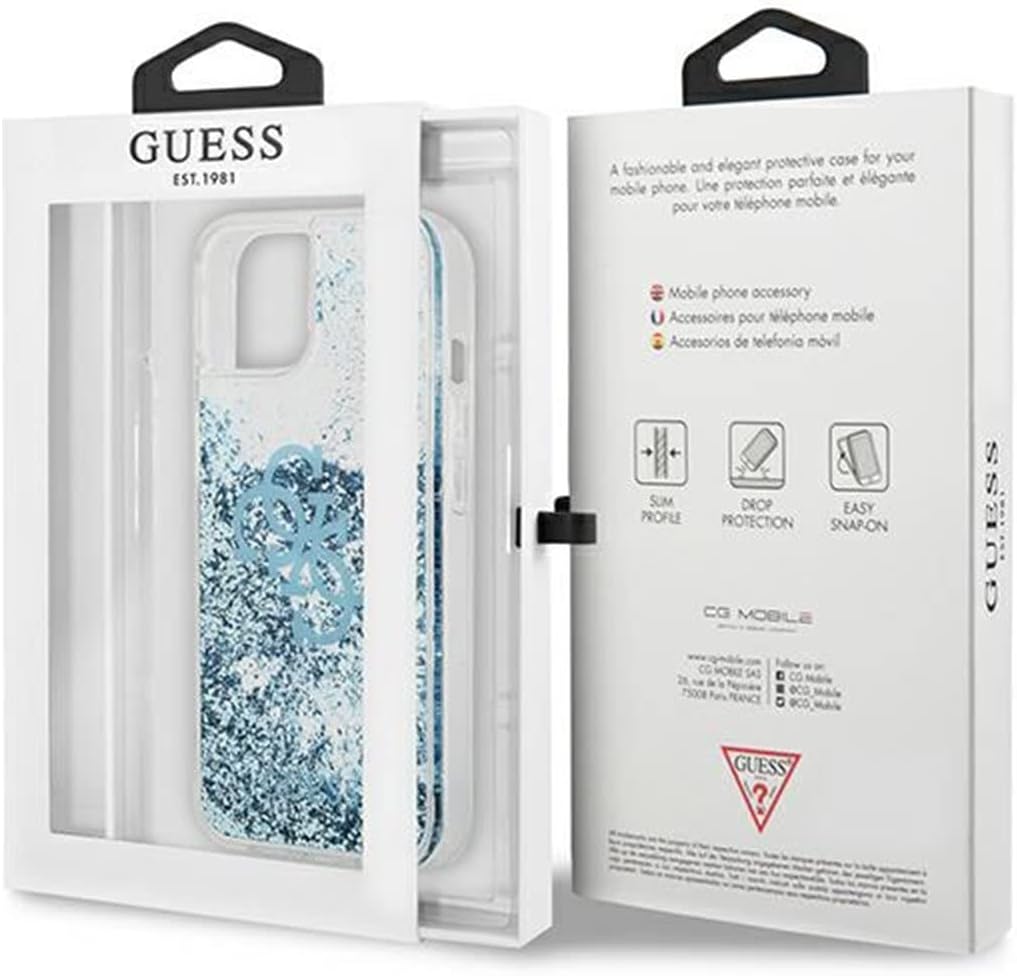
The Guess Liquid Glitter case displayed in its retail packaging, illustrating the product's presentation.
セットアップとインストール
Follow these steps to correctly install the case on your iPhone 13 Mini.
- 準備: Ensure your iPhone 13 Mini is clean and free of dust or debris.
- ポジショニング: Hold the case with the back facing up. Align the camera cutout of the case with the camera module of your iPhone.
- 挿入: Gently insert the top edge of your iPhone into the top edge of the case.
- 保護: Press the remaining edges of your iPhone into the case, ensuring all corners and sides are securely fitted. Apply gentle pressure until the phone is fully seated within the case.
- 検証: Check that all buttons (power, volume) and ports (charging, speakers) are accessible and functional.

戻る view of the Guess Liquid Glitter case, showing the camera cutout and the blue glitter design, ready for phone insertion.

フロント view of the iPhone 13 Mini with the Guess Liquid Glitter case installed, highlighting the precise fit and screen protection.
ケースを装着した状態でデバイスを操作する
The Guess Liquid Glitter Case is designed to provide protection while maintaining full functionality of your iPhone 13 Mini.
- ボタンアクセス: The case features precise cutouts and covers for the power and volume buttons, ensuring they remain responsive and easy to press.
- ポートアクセス: The charging port, speakers, and silent switch are fully accessible through dedicated cutouts.
- カメラ機能: The camera cutout is designed to prevent obstruction of the lenses or flash, allowing for unhindered photo and video capture.
- ワイヤレス充電: The case is compatible with wireless charging.

側 view of the iPhone 13 Mini with the Guess Liquid Glitter case, showing accessible side buttons and the phone's display.
メンテナンスとケア
To keep your Guess Liquid Glitter Case in optimal condition, follow these cleaning guidelines:
- クリーニング: ケースを柔らかくて乾いた布で優しく拭いてください。amp 布で拭いてください。頑固な汚れには、中性洗剤を薄めた溶液を使用してください。
- 乾燥: Allow the case to air dry completely before reattaching it to your phone.
- 刺激の強い化学物質を避ける: Do not use abrasive cleaners, solvents, or harsh chemicals, as these can damage the case material or the liquid glitter effect.
- ストレージ: 使用しないときは、ケースを直射日光を避けて涼しく乾燥した場所に保管してください。
トラブルシューティング
ケースで問題が発生した場合は、次の点を考慮してください。
- ケースが適切にフィットしない: Ensure you have the correct case model for your iPhone 13 Mini. Remove the phone from the case and re-install, making sure all corners snap into place.
- ボタンが反応しない: Verify that the case is correctly aligned with your phone's buttons. If misaligned, remove and re-install the case.
- Glitter Movement: The liquid glitter is designed to move freely. If the glitter appears stuck, gently tap or shake the case to redistribute it.
- 変色: Prolonged exposure to direct sunlight or certain chemicals can cause discoloration. Follow maintenance guidelines to prevent this.
仕様
- ブランド: ゲス
- モデル番号: 83650 (GUHCP13SLG4GBL)
- 互換性のある電話モデル: iPhone 13ミニ
- 画面サイズの互換性: 5.4インチ
- 色: 青
- 材料: シリコーン
- パターン: 固体
- 装飾: グリッター
- 製品寸法: 10 x 3 x 2 cm
- 商品の重量: 123グラム
保証とサポート
For information regarding warranty coverage and customer support, please refer to the documentation provided with your purchase or contact the retailer where the product was acquired. You may also visit the official GUESS webさらにサポートが必要な場合は、サイトをご覧ください。