
1.製品オーバーview
The Xtrem Bots Mazzy is an interactive and programmable robotics kit designed to introduce users to the fundamentals of robotics and programming. This kit allows for the construction of two distinct forms: a robot and a vehicle, offering versatile play and learning experiences. Mazzy features two programming modes, an obstacle detector, and a dance mode, encouraging creativity and logical thinking.

主な特徴
- 2-in-1構造: Assemble Mazzy as either a humanoid robot or a tracked vehicle.
- Dual Programming Modes: Program directly from the control panel or via the dedicated mobile application.
- インタラクティブ機能: Performs up to 200 actions and displays 20 unique facial expressions.
- 障害物の検出: Equipped with sensors to detect and react to obstacles in its path.
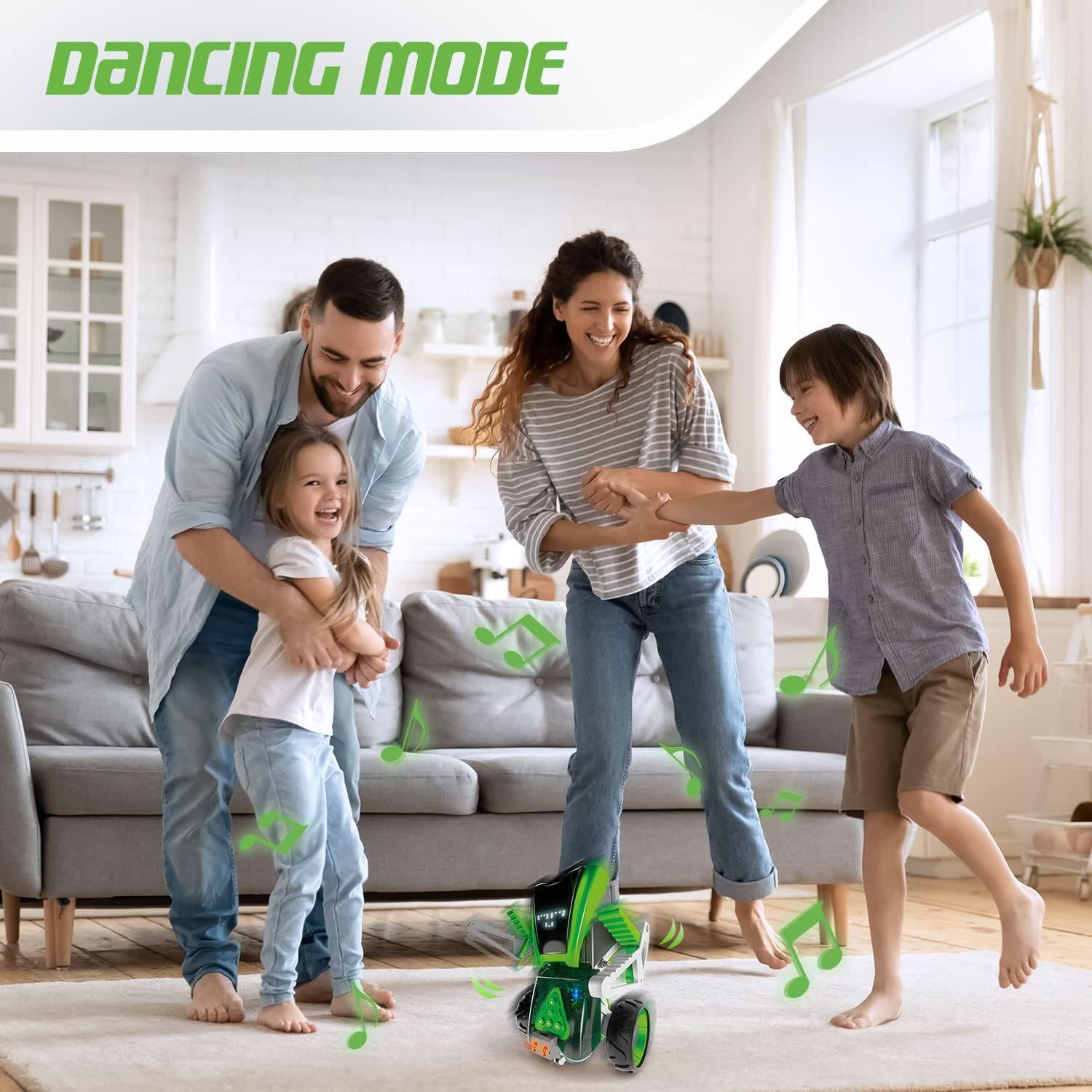
- ダンスモード: Features a pre-programmed dance mode with accompanying sounds.
- Bluetooth接続: Connects wirelessly to compatible devices for app control.
- LEDライト: Integrated LED lights enhance visual interaction.

教育上のメリット
Mazzy is designed to foster critical STEM skills through hands-on engagement:
- Robotics Fundamentals: Introduces basic concepts of robotic construction and function.
- Digital Literacy: Enhances understanding of the digital world through app-based interaction.
- Programming Skills: Develops foundational programming logic and planning abilities.
- 問題解決: Encourages analytical thinking and problem-solving during assembly and programming.
- 創造性: Supports imaginative play and customization through different build options and programming sequences.

2. 組み立て手順
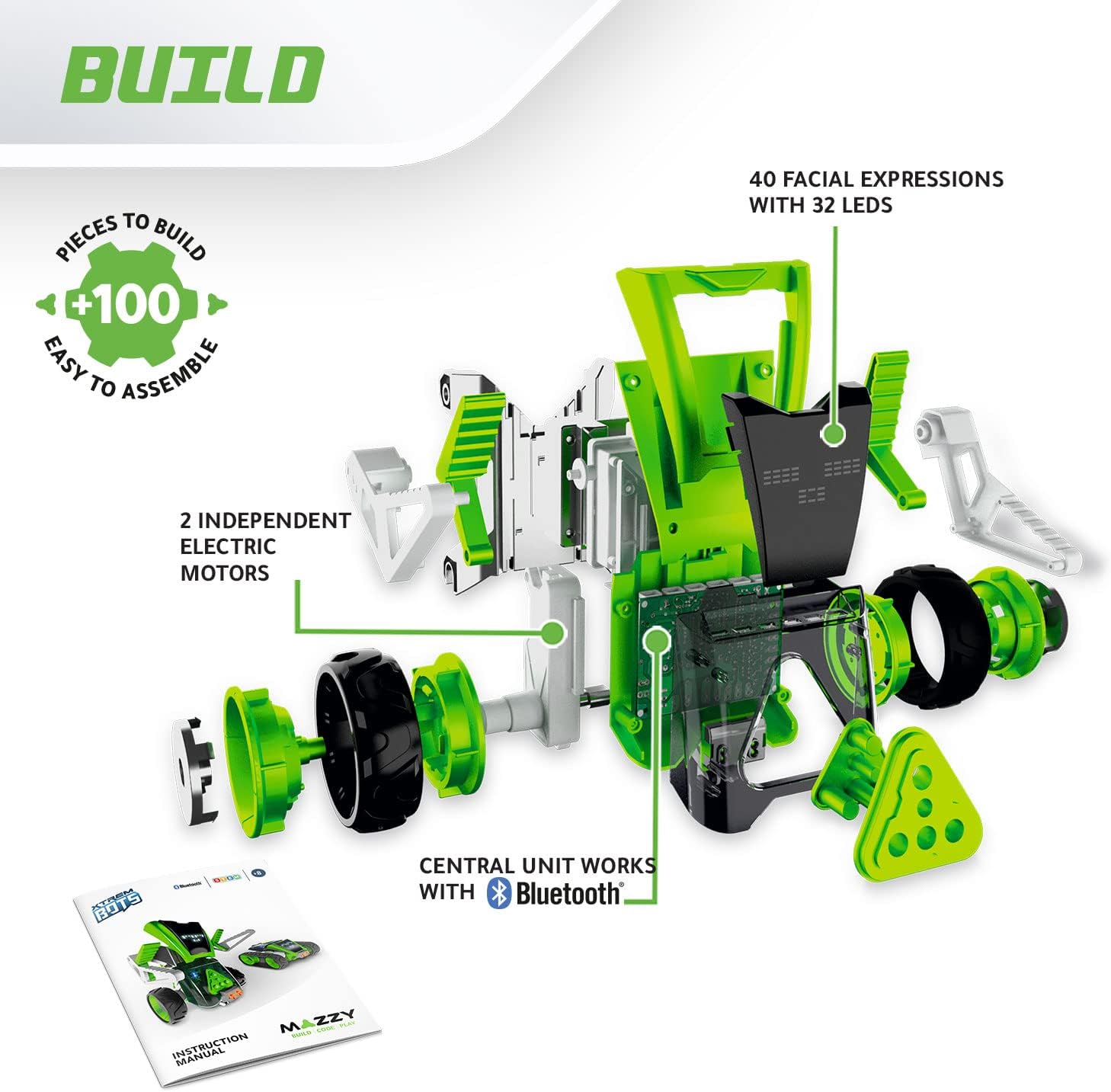
The Mazzy kit includes over 100 pieces, allowing you to construct your robot in one of two forms: a robot or a vehicle. Detailed assembly instructions are provided in the included manual. Adult assistance may be beneficial for younger users.
2.1 開梱と部品の識別
Carefully unpack all components from the box. Refer to the parts list in the included instruction manual to identify each piece. Ensure all more than 100 pieces are present before beginning assembly.
2.2 Construction Options
Mazzy offers two primary construction options:
- Robot Form: Assemble the components to create the humanoid robot.
- Vehicle Form: Assemble the components to create the tracked vehicle.
Follow the step-by-step diagrams and instructions in the physical manual for your chosen configuration.
2.3 バッテリーの取り付け
Mazzy requires 単三電池4本 そして 1V電池9個 (not included). Locate the battery compartments on the main unit. Insert the batteries, ensuring correct polarity. Secure the battery compartment covers.
3. Operating Your Mazzy Robot
Once assembled and powered, Mazzy can be operated through its onboard control panel or via the dedicated mobile application.
3.1 電源のオン/オフ
Locate the power switch on the main unit of Mazzy. Flip the switch to the 'ON' position to power on the robot. To power off, flip the switch to the 'OFF' position.
3.2 アプリ接続(Bluetooth)
Download the official Xtrem Bots Mazzy app from your device's app store (compatible with iOS and Android). Enable Bluetooth on your mobile device. Open the app and follow the on-screen instructions to pair with your Mazzy robot. The app allows for advanced control and programming.

3.3 プログラミングモード
Mazzy offers two ways to program its actions:
- コントロールパネルのプログラミング: Use the buttons on Mazzy's body to input simple command sequences.
- アプリプログラミング: Utilize the visual programming interface within the app to create complex sequences of up to 200 actions.
3.4 Facial Expressions
Mazzy can display 20 different facial expressions using its LED screen. These can be programmed via the app to correspond with specific actions or emotions.

3.5 特殊モード
- ダンスモード: Activate the dance mode for Mazzy to perform a series of movements accompanied by sounds.
- 障害物の検出: In certain modes, Mazzy will automatically detect obstacles and adjust its movement to avoid collisions.
4. メンテナンス
Proper maintenance ensures the longevity and optimal performance of your Mazzy robot.
4.1バッテリーケア
- Always use fresh batteries of the specified type (4 AA and 1 9V).
- ロボットを長期間使用しない場合は、液漏れを防ぐために電池を取り外してください。
- 古い電池と新しい電池、または異なる種類の電池を混ぜないでください。
4.2 クリーニング
Wipe the robot's surface with a soft, dry cloth. Avoid using harsh chemicals or abrasive cleaners. Do not immerse the robot in water.
4.3 ストレージ
Store Mazzy in a cool, dry place away from direct sunlight and extreme temperatures.
5。 トラブルシューティング
If you encounter issues with your Mazzy robot, please refer to the following common solutions:
- ロボットの電源が入らない: Ensure batteries are correctly installed and fully charged. Check the power switch position.
- ロボットは動きません: Verify that the robot is in an operating mode and not paused. Check for any obstructions to its movement. Ensure motors are properly connected during assembly.
- アプリ接続の問題: Make sure Bluetooth is enabled on your device and Mazzy is powered on. Try restarting both the app and the robot. Ensure your device meets the app's compatibility requirements.
- Incorrect movements or commands: Review your programmed sequences in the app or on the control panel for errors.
- Parts falling off: Re-examine the assembly steps for any loose connections or incorrectly attached pieces.
これらの解決策を試しても問題が解決しない場合は、カスタマー サポートにお問い合わせください。
6. 仕様
| 特徴 | 詳細 |
|---|---|
| 製品寸法 | 7.4 x 35.1 x 50.1 cm |
| 重さ | 1.2キロ |
| 推奨年齢 | 8歳以上 |
| 教育的価値 | Programming and Robotics |
| モデル番号 | 843659803 |
| 個数 | 100以上 |
| 組み立てが必要 | はい |
| 電池が必要 | Yes (4 AA and 1 9V) |
| 電池付属 | いいえ |
| 材質タイプ | プラスチック |
| 色 | 黒、緑 |
7.サポートと保証
For technical assistance, missing parts, or any other inquiries regarding your Xtrem Bots Mazzy robot, please refer to the contact information provided in the product packaging or visit the official Xtrem Bots webサイト。
7.1 保証情報
This product is covered by a standard manufacturer's warranty against defects in materials and workmanship. Please retain your proof of purchase for warranty claims. Specific warranty terms and conditions may vary by region; refer to the documentation included with your product for full details.