
VR-robot V9 Pro
VR-robot V9 Pro オートバイヘルメットインターコム通信システム ユーザーマニュアル
モデル: V9 Pro
導入
This manual provides comprehensive instructions for the VR-robot V9 Pro Motorcycle Helmet Intercom Communication System. It covers setup, operation, maintenance, and troubleshooting to ensure optimal performance and user safety. The V9 Pro is designed to provide clear communication, stereo music, and FM radio functionality for motorcycle riders.

Image: The VR-robot V9 Pro main unit with attached speakers and microphone, illustrating the complete system components.
パッケージ内容
以下にリストされているすべてのアイテムがパッケージに含まれていることを確認してください。

Image: A visual representation of all components included in the VR-robot V9 Pro package, numbered for easy identification.
- ベルクロ
- 3M接着剤
- Fixed Velcro
- Fixed Velcro (additional)
- Microphone Protective Cover
- イヤホンクリップ
- ユーザーマニュアル
- スピーカーパッド
- 充電ケーブル
- マイク延長ケーブル
- 隠しマイク
- V9 Pro Main Unit
- ポールマイク
- スピーカーキット
セットアップとインストール
The V9 Pro offers two installation methods: Velcro and metal earphone clip. Choose the method best suited for your helmet type.
1. デバイスの充電
Before first use, fully charge the V9 Pro. Connect the provided charging cable to the device and a USB power source. A full charge takes approximately 2.5 hours.

Image: Illustration showing the 850mAh battery capacity and charging time of 2.5 hours, with a standby time of up to 200 hours.
2. ヘルメットへの取り付け
The V9 Pro is compatible with both open helmets and full-face helmets. No additional screws are needed, preserving the helmet's appearance.

Image: Various types of motorcycle helmets, demonstrating the versatility of the V9 Pro's installation across different helmet designs.
Using the Earphone Clip:
- Attach the earphone clip to the side of your helmet.
- Slide the V9 Pro main unit onto the clip until it securely locks into place.
- Insert the speakers into the helmet's ear pockets, ensuring they are positioned directly over your ears for optimal sound.
- Attach the microphone (soft or rod-type) to a suitable position inside the helmet, near your mouth, using the microphone extension cable if needed.
ベルクロの使用:
- Clean the desired installation area on your helmet.
- Apply the fixed Velcro strips to the helmet surface.
- Attach the V9 Pro main unit to the Velcro.
- Proceed with speaker and microphone installation as described above.
Image: A step-by-step visual guide demonstrating how to install the V9 Pro unit onto a motorcycle helmet using the provided clip and connecting the speakers and microphone.
操作手順
The V9 Pro features multi-function buttons designed for easy operation, even while wearing gloves.

Image: A comparison illustrating the ease of operating the V9 Pro's large buttons with both bare hands and gloved hands.
1. 電源のオン/オフ
- 電源オン: 電源ボタンを3秒間押し続けます。
- 電源を切る: 電源ボタンを3秒間押し続けます。
2.Bluetoothペアリング
The V9 Pro uses Bluetooth 3.0 for connectivity.
- デバイスがオフになっていることを確認してください。
- Press and hold the Multi-function button until the indicator light flashes red and blue, indicating pairing mode.
- On your mobile device, search for "V9 Pro" in the Bluetooth settings and select to pair.
- Once paired, the indicator light will turn blue.
3. インターコム通信
The V9 Pro supports intercom communication between two riders up to 800 meters (2625 feet).

Image: Two motorcyclists communicating, with an overlay indicating an intercom distance of up to 800 meters.
- To initiate intercom, ensure both V9 Pro units are powered on and within range.
- Press the Intercom button on one unit to connect.
- To end intercom, press the Intercom button again.
4.電話
The V9 Pro supports hands-free calling with automatic answer functionality.

Image: A motorcyclist riding, with an overlay of a smartphone screen showing an incoming call, illustrating the automatic call answering feature.
- 通話に応答: Incoming calls are automatically answered after a few rings. You can also short press the Multi-function button to answer.
- 通話終了: マルチファンクションボタンを短く押します。
- 通話を拒否: 多機能ボタンを 2 秒間押し続けます。
- 最後の番号にリダイヤル: マルチファンクションボタンを2回押します。
5.音楽の再生
Enjoy stereo music with DSP noise reduction technology for clear audio.
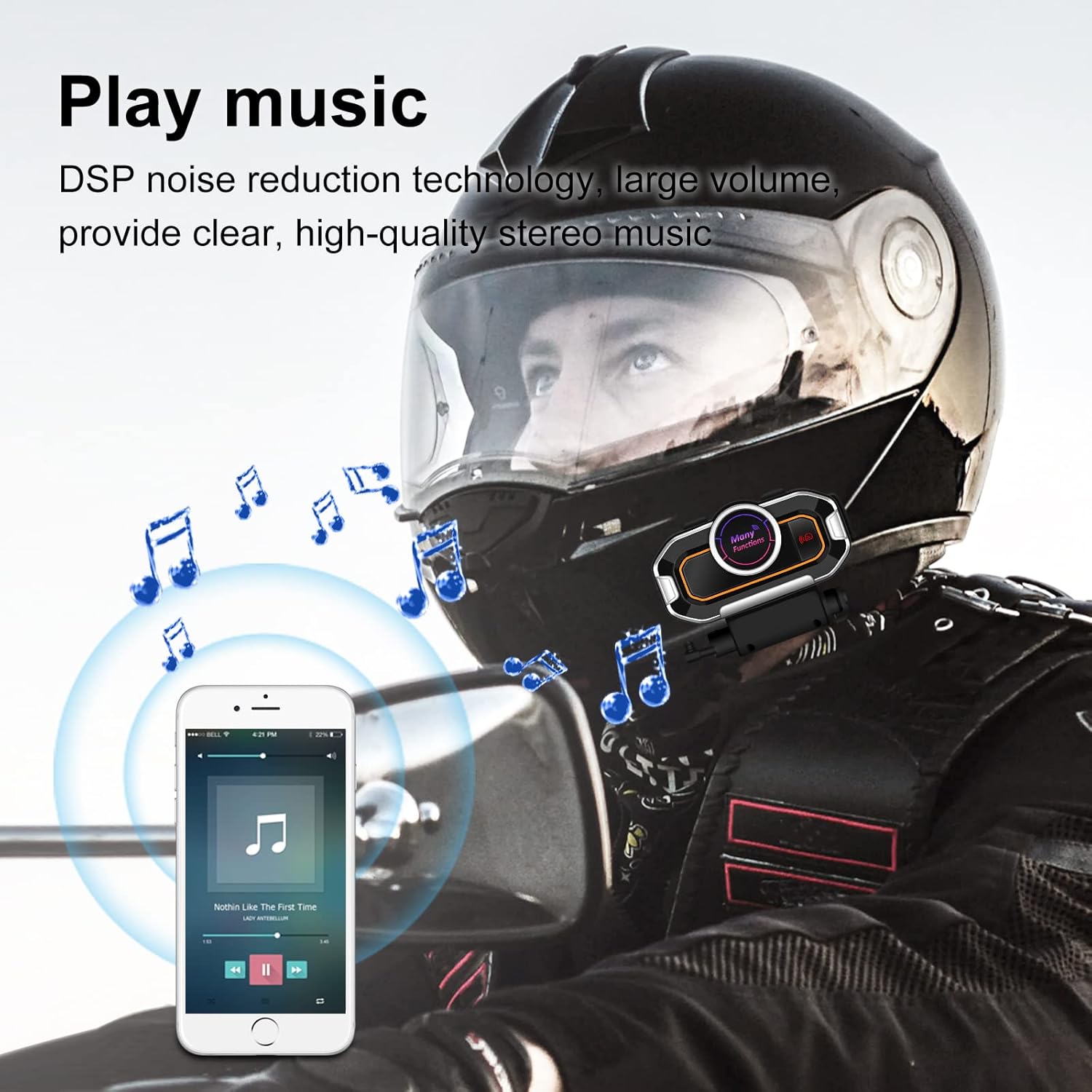
Image: A motorcyclist wearing a helmet, with musical notes floating around, indicating the stereo music playback capability of the V9 Pro.
- 再生/一時停止: マルチファンクションボタンを短く押します。
- 次のトラック: 音量アップボタンを短く押します。
- 前のトラック: 音量ダウンボタンを短く押します。
- ボリュームアップ: 音量アップボタンを長押しします。
- ボリュームダウン: 音量ダウンボタンを長押しします。
6. FMラジオ
Tune into FM radio for real-time road conditions and entertainment.

Image: A motorcyclist riding, with a transparent map overlay showing radio waves, symbolizing the FM radio function for real-time information.
- FMラジオのオン/オフ: FMボタンを押します。
- スキャンチャンネル: FM ボタンを長押しすると、利用可能な放送局が自動的にスキャンされて保存されます。
- 次の駅: 音量アップボタンを短く押します。
- 前の駅: 音量ダウンボタンを短く押します。
7. Voice Prompts and GPS
The V9 Pro provides voice prompts for device status and can relay GPS voice instructions from your paired smartphone.
メンテナンス
Proper maintenance ensures the longevity and optimal performance of your V9 Pro system.
- クリーニング: 柔らかくてamp cloth to clean the main unit and speakers. Avoid using harsh chemicals or abrasive cleaners.
- 耐水性: The V9 Pro has a daily-use waterproof design, allowing normal operation in bad weather. However, avoid submerging the device in water.
- ストレージ: When not in use for extended periods, store the device in a cool, dry place. Ensure it is fully charged before storage to preserve battery health.
- バッテリーのケア: Recharge the battery regularly, even if not frequently used, to maintain its capacity.

Image: The V9 Pro unit with water droplets on its surface, demonstrating its waterproof capabilities against rain.
トラブルシューティング
If you encounter issues with your V9 Pro, refer to the following common problems and solutions:
| 問題 | 考えられる原因 | 解決 |
|---|---|---|
| デバイスの電源が入りません。 | バッテリー残量が少なくなりました。 | デバイスを少なくとも 2.5 時間充電してください。 |
| 電話とペアリングできません。 | Device not in pairing mode; Bluetooth off on phone; device already paired with another device. | Ensure V9 Pro is in pairing mode (flashing red/blue). Turn on phone's Bluetooth. Disconnect from other devices. |
| インターホンが接続されません。 | Units out of range; units not properly paired for intercom. | Ensure units are within 800m. Re-initiate intercom connection. |
| 音質が悪い/ノイズが多い。 | Microphone/speakers improperly positioned; external interference. | Adjust microphone closer to mouth. Ensure speakers are centered over ears. Move away from strong electromagnetic fields. |
| ボタンが反応しません。 | デバイスがフリーズしました。バッテリー残量が少なくなっています。 | Try restarting the device. Charge the device. |
If the problem persists, please contact VR-robot customer support.
仕様
| 特徴 | 詳細 |
|---|---|
| モデル名 | V9プロ |
| 接続技術 | ワイヤレス(Bluetooth) |
| Bluetoothバージョン | 3.0 |
| インターコム範囲 | Up to 800 meters (2625 feet) for 2 riders |
| バッテリー容量 | 850mAhリチウム電池 |
| 充電時間 | 2.5時間 |
| 連続作業時間 | 10 hours (Play time: 12 hours) |
| 待機時間 | 最大200時間 |
| 騒音制御 | アクティブノイズキャンセレーション(DSP) |
| 耐水性レベル | Waterproof (Daily-use) |
| マイクのオプション | Soft microphone, Rod-type hard microphone |
| コントロールタイプ | Call Control, Noise Control, Voice Control, Volume Control (Multi-function buttons) |
| 寸法 | 3.26 x 1.73 x 1.02インチ |
| アイテム重量 | 1.94オンス |
保証とサポート
VR-robot is committed to providing satisfactory solutions. If you have any questions or require assistance with your V9 Pro, please contact customer support.
サポートへのお問い合わせ:
- Refer to the contact information provided in your product packaging or on the official VR-robot webサイト。
- For Amazon purchases, you can typically click "VR robot" on the product page and then "ASK A QUESTION" for support.

Image: An image depicting customer service representatives, symbolizing the availability of support for VR-robot products.
Ask a question about this manual
Ask about setup, troubleshooting, compatibility, parts, safety, or missing instructions. Manuals+ will review the question and use this page’s manual context to help answer it.