
Furbo Furbo3
Furbo 360°ドッグカメラ ユーザーマニュアル
Model: Furbo3
導入
The Furbo 360° Dog Camera is an advanced pet monitoring system designed to keep you connected with your dog from anywhere. It features a full HD camera with a 360-degree rotating view, two-way audio communication, and a treat-tossing function. This manual provides essential information for setting up, operating, and maintaining your Furbo 360° Dog Camera.

The Furbo 360° Dog Camera, shown in white with a wooden top, alongside a smartphone displaying a live view of a dog and a treat mid-air, illustrating its core functionalities.
安全情報
Please read all safety instructions before using the Furbo 360° Dog Camera to prevent injury or damage. Keep the device away from water and extreme temperatures. Ensure the power cord is not a tripping hazard and is out of reach of pets. Use only the provided USB cable. Power adapter is not included and must be purchased separately.
箱の中身
- Furbo 360°ドッグカメラ
- USB C - USB A 電源コード(電源アダプターは付属していません)
セットアップガイド
- Plug in Furbo: Connect your Furbo using the included USB C to USB A power cord. Note that a USB power adapter is not included and must be supplied by the user.
- Furboアプリをダウンロードしてください: 検索する and download the free Furbo app from your device's app store (iOS/Android).
- Create an Account & Connect to Wi-Fi: Open the Furbo app, create your account, and follow the in-app instructions to connect your Furbo to a 2.4GHz Wi-Fi network. 5GHz Wi-Fi is not supported.
- 監視を開始します: Once connected, you can begin using your Furbo camera. A 30-day free trial of Furbo Nanny is included, which can be upgraded anytime.
Furbo utilizes bank-level encryption and recommends 2-step verification for enhanced security of your device and data.
操作手順
Full HD Camera with 360° Rotating View
The Furbo 360° Dog Camera provides 1080p full HD live view with 4x digital zoom, offering comprehensive room coverage day and night. The 360-degree rotating view eliminates blind spots, allowing you to monitor your pet and home from any location via the Furbo app.

The Furbo app interface highlights the camera's capabilities: 1080p Full HD resolution, Color Night Vision for low-light conditions, and 4x digital zoom for detailed viewing。
リアルタイム双方向オーディオとカラーナイトビジョン
Engage with your pet using the two-way audio feature, allowing you to hear and speak to them. Adjust the volume within the app for clear communication. Enhanced night vision with infrared technology provides clear visibility in dark environments, ensuring you can check on your pet at any time.

This image demonstrates the two-way audio feature, allowing users to speak to their pets remotely, as shown by the speech bubble instructing the dog.
Fun Adjustable Treat Tossing
Dispense treats to your dog directly from the Furbo app. The adjustable treat-tossing feature allows you to customize the treat size to suit your dog's preferences. This can be used for positive reinforcement or as a distraction for separation anxiety behaviors.
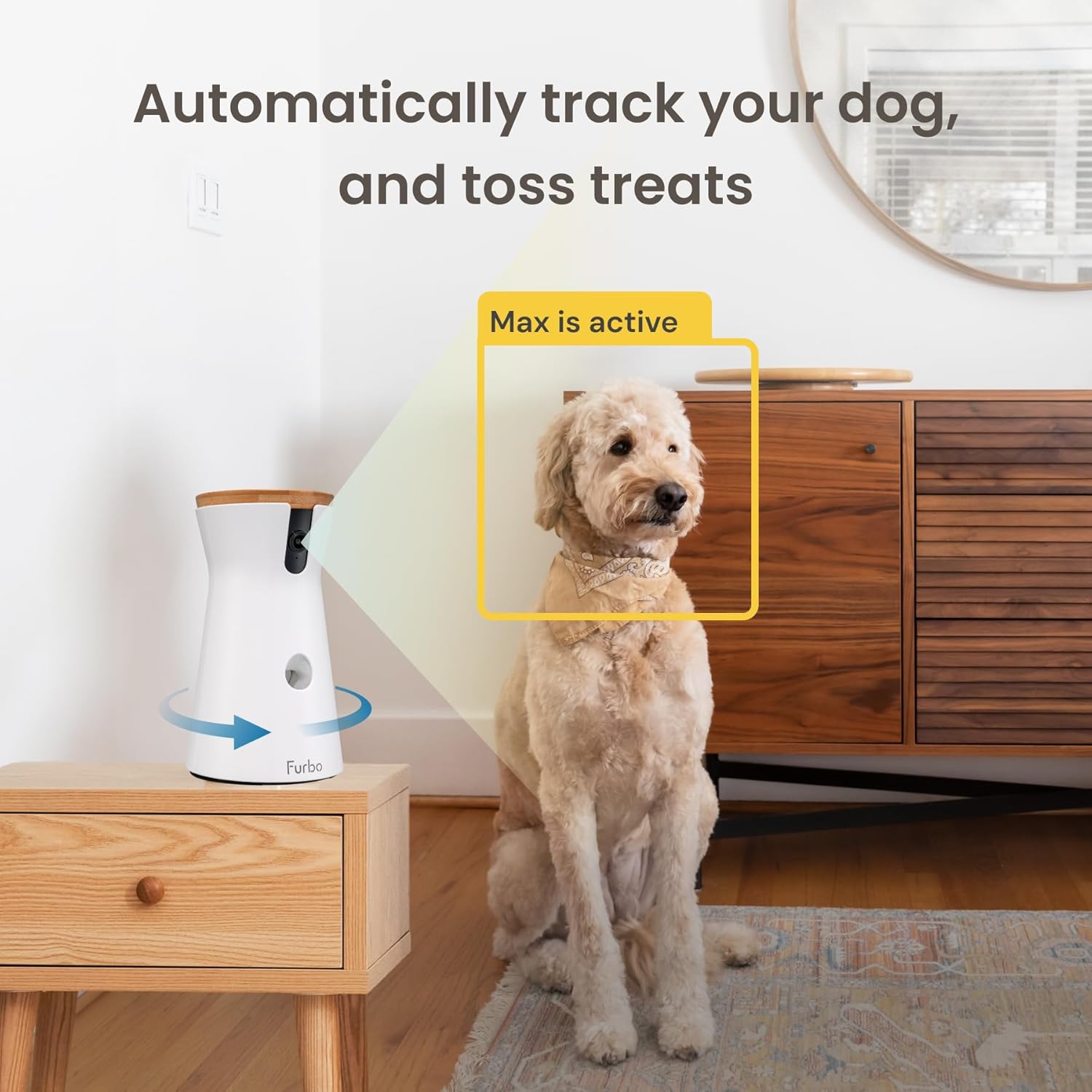
The image illustrates the automatic pet tracking and treat tossing capabilities, showing the camera focusing on the dog and dispensing a treat.
リアルタイムスマートアラート
Furbo's barking sensor detects when your dog is barking and sends push notifications to your smartphone, providing real-time insight into your pet's activity. With an optional Furbo Dog Nanny subscription, you can receive additional alerts such as Dog Activity Alert, Person Alert, and CO/Smoke Alarm Alert.
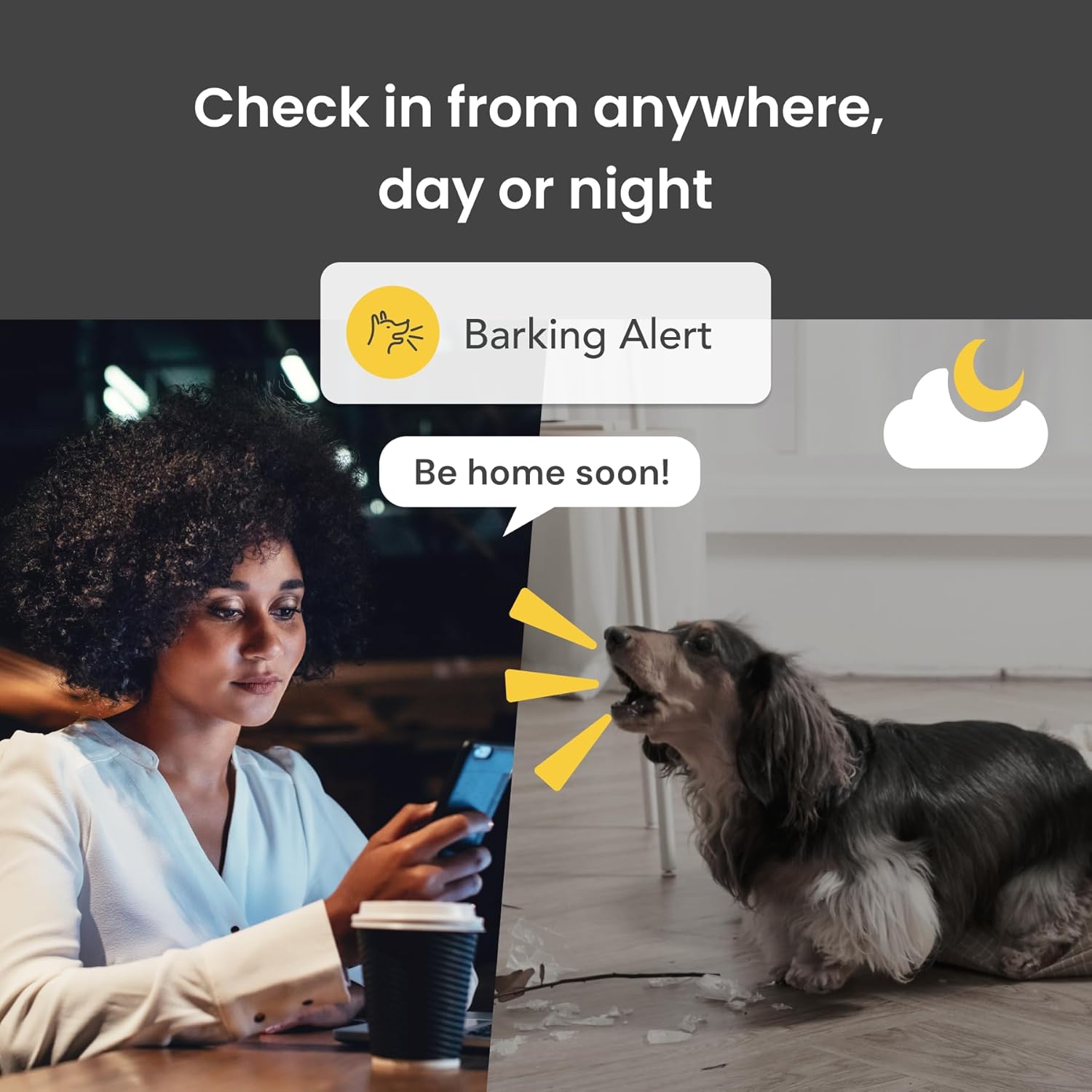
This image shows a user receiving a "Barking Alert" on their phone, demonstrating Furbo's ability to notify owners of their dog's vocalizations.
犬の自動追跡
The Furbo camera can be set to automatically track your pet as they move around the room, ensuring they remain in view. This feature provides continuous monitoring without manual camera adjustments.

The image shows the Live View Auto-Play feature, where the Furbo app automatically displays the live stream when opened, keeping the pet in view.
メンテナンス
To ensure optimal performance and longevity of your Furbo 360° Dog Camera, regular maintenance is recommended. Unplug the device before cleaning. Use a soft, dry cloth to wipe the exterior. Do not use abrasive cleaners or immerse the device in water. Periodically check the treat dispenser for any residue and clean as needed to prevent blockages.
トラブルシューティング
If you encounter issues with your Furbo 360° Dog Camera, please refer to the following common solutions:
- 電源なし: Ensure the USB cable is securely connected to the Furbo and a working power adapter (not included). Try a different power outlet.
- Wi-Fiに接続できません: Verify your Wi-Fi network is 2.4GHz. Ensure your Wi-Fi password is correct. Try restarting your router and the Furbo device.
- Treats Not Dispensing: Check if the treat dispenser is filled with appropriate-sized treats. Ensure there are no blockages in the dispensing mechanism.
- ビデオ品質が悪い: Check your internet connection speed. Ensure the camera lens is clean and free from dust or smudges.
- 音声なし: Verify the microphone and speaker settings in the Furbo app. Ensure your phone's volume is up.
For further assistance, please visit the official Furbo support webサイトをご覧いただくか、カスタマーサービスにお問い合わせください。
仕様
| 特徴 | 詳細 |
|---|---|
| 対応デバイス | Smart phone – Android or iOS |
| 電源 | コード式電気 |
| 接続プロトコル | ブルートゥース |
| コントローラータイプ | アンドロイド |
| 取り付けタイプ | 表面実装 |
| ビデオキャプチャ解像度 | 1080p、720p |
| 色 | 白 |
| アイテム数 | 1 |
| 含まれるコンポーネント | Dog Camera, USB C to USB A power cord (Power adapter not included) |
| チャンネル数 | 4 |
| 無線通信技術 | ブルートゥース |
| フォームファクター | ドーム |
| 有効なビデオ解像度 | 1080 ピクセル |
| View角度 | 360度 |
| インストールタイプ | 表面実装 |
| 材料 | プラスチック |
| 巻tage | 240ボルト |
| ワットtage | 10ワット |
| 商品の寸法(長さ×幅×高さ) | 5.24 x 4.92 x 9.17インチ |
| 電池は必要ですか? | いいえ |
| 光学ズーム | 4倍 |
| フォーカスタイプ | オートフォーカス |
| の分野 View | 360度 |
| 低光量技術 | 夜の色 |
| アラートの種類 | オーディオとモーション |
| 部屋タイプ | 廊下、リビングルーム、書斎の可能性 |
| 光源の種類 | 赤外線 |
| ビデオキャプチャフォーマット | MPEG-4 |
| 製品の具体的な用途 | Amateur, Inside, Inside; Amateur |
| ユニット数 | 1.0 カウント |
| 国際保護格付け | IP65 |
| 最大 Webカム画像解像度 | 8 MP |
| 制御方法 | アプリ |
| 製品寸法 | 5.24 x 4.92 x 9.17インチ |
| アイテム重量 | 1.89ポンド |
| 商品型番 | ファーボ3 |
| メーカー | トモファン合同会社 |
| 製品の推奨用途 | 屋内セキュリティ |
| ブランド | ファーボ |
| 接続技術 | 無線 |
| 屋内/屋外での使用 | 屋内 |
保証とサポート
The Furbo 360° Dog Camera comes with a 1-year warranty. For detailed warranty information, technical support, or customer service inquiries, please visit the official Furbo website or refer to the user guide PDF provided with your purchase.
ユーザーガイド(PDF)もご覧いただけます。 ここ.
Ask a question about this manual
Ask about setup, troubleshooting, compatibility, parts, safety, or missing instructions. Manuals+ will review the question and use this page’s manual context to help answer it.