
Milestone MPT-II
Milestone MPT-II 58mm Thermal Printer User Manual
Model: MPT-II | Brand: Milestone
1. はじめに
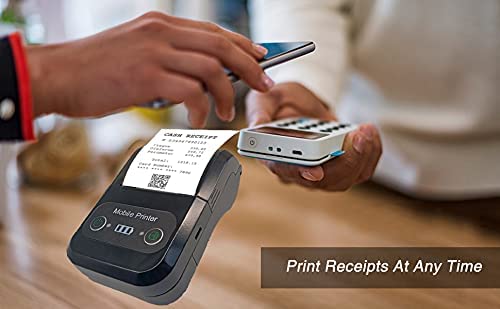
The Milestone MPT-II is a compact and portable 58mm thermal printer designed for various business applications, including retail, restaurants, and mobile logistics. It offers high-speed, clear printing and features Bluetooth connectivity for seamless integration with Android and iOS devices. Its lightweight design and long-lasting battery make it ideal for on-the-go printing needs.

2. 主な特徴
- Bluetooth 印刷: Supports Android and iOS devices for wireless printing.
- 移植性: Light and compact design allows for printing anywhere, anytime.
- 低い運用コスト: Direct thermal printing eliminates the need for ink ribbons or cartridges, requiring only thermal paper.
- 長いバッテリー寿命: Built-in 7.4V/2500mAh rechargeable lithium battery provides up to 4 hours of continuous printing.
- 多用途インターフェース: Equipped with both USB and Bluetooth connectivity.
- ESC/POS Compatible: Supports standard ESC/POS print commands for broad software compatibility.

3. 初期設定
3.1 開梱と内容物
Carefully unpack the printer and verify all components are present:
- 1 x Milestone MPT-II Thermal Printer
- USBケーブル1本
- USBアダプター x 1
- 1xロール紙
- ユーザーマニュアル (本書) x 1
3.2 プリンターの充電
- Connect the USB cable to the printer's charging port.
- USB アダプターを標準の電源コンセントに差し込みます。
- The charging indicator light will illuminate. Charge the printer fully before first use (approximately 2.5-3 hours for continuous printing).
3.3 感熱紙のセット
- Open the paper compartment cover by gently pushing the latch.
- Insert the thermal paper roll with the printing side facing outwards (as shown in Figure 2). Ensure the roll is seated correctly.
- Pull a small length of paper out beyond the cutting edge.
- 用紙コンパートメントカバーをカチッと音がするまでしっかりと閉じます。
4. 操作手順
4.1 電源のオン/オフ
- 電源を入れるには: インジケーター ライトが点灯するまで電源ボタンを押し続けます。
- 電源を切るには: インジケーター ライトが消えるまで電源ボタンを押し続けます。
4.2 Bluetooth接続
The MPT-II printer supports Bluetooth connectivity for mobile devices.
- プリンターの電源がオンになっており、モバイル デバイスの範囲内にあることを確認します。
- On your mobile device (Android/iOS), go to Bluetooth settings and turn Bluetooth on.
- 検索する available devices. The printer will appear as "MPT-II".
- Select "MPT-II" to pair. If prompted for a password, enter 1234 or 0000.
- Once paired, the printer is ready for use with compatible applications.
4.3 アプリケーションでの使用
For mobile printing, you will need a compatible application. Milestone recommends downloading RAWBT Printer App or MYXPrint App from the Google Play Store. For iOS, search for compatible thermal printer apps in the App Store.
- Open your chosen printing application.
- Navigate to the printer settings within the app.
- Select the "MPT-II" printer from the list of available Bluetooth devices.
- You can now send print commands from the application.

4.4 USB接続(PCの場合)
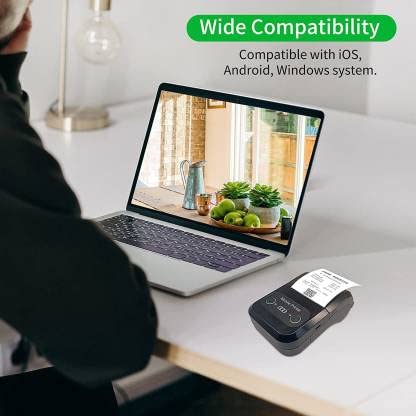
The printer can also be connected to a PC via USB. You may need to install a printer driver, which is typically available from the manufacturer's website or included on a CD with the product (if applicable).
5. メンテナンス
5.1プリンターのクリーニング
To ensure optimal performance and print quality, regularly clean the printer:
- 印字ヘッド: 綿棒で軽く拭き取ってください。ampイソプロピルアルコールで湿らせた布でサーマルプリントヘッドを優しく拭き、完全に乾いてからご使用ください。
- 用紙パス: Use a soft, dry cloth or a small brush to remove any paper dust or debris from the paper path.
- 外観: プリンタの外側を柔らかくて乾いた布で拭いてください。amp 布。 刺激の強い化学薬品や研磨剤の入ったクリーナーの使用は避けてください。
5.2バッテリーケア
- 最初に使用する前に、バッテリーを完全に充電してください。
- 頻繁にバッテリーを完全に消耗しないようにしてください。
- If storing the printer for an extended period, charge it to about 50% and recharge every few months to prevent battery degradation.
6。 トラブルシューティング
| 問題 | 考えられる原因 | 解決 |
|---|---|---|
| プリンターの電源が入りません。 | バッテリー残量が少ないか、消耗しています。 | Charge the printer using the provided USB cable and adaptor. |
| Bluetooth経由で接続できません。 | Bluetooth is off on device; incorrect pairing password; printer not discoverable. | Ensure Bluetooth is enabled on your device. Re-attempt pairing with password 1234 or 0000. Restart both printer and device. |
| No print output or blank paper. | Paper loaded incorrectly; out of paper; print head dirty. | Check paper orientation (printing side out). Replace paper roll if empty. Clean the thermal print head (refer to Maintenance section). |
| 印刷品質が悪い(かすれ、線)。 | Print head dirty; low battery; poor quality thermal paper. | Clean the print head. Charge the printer fully. Use high-quality thermal paper. |
| Printer beeps continuously. | Paper alarm (out of paper or paper jam); low battery reminder. | Check and replace paper roll or clear jam. Charge the printer. |
7. 技術仕様
| 特徴 | 仕様 |
|---|---|
| 印刷方法 | サーマルライン印刷 |
| 印刷幅 | Paper width 58mm, effective width 58mm |
| 印刷濃度 | 576ドット/ライン |
| 解決 | 8 dots/mm, 203 DPI |
| 印刷速度 | 70mm/s (Max Print speed Monochrome: 50 ppm) |
| Printer Core Life | 50KM (25% print density or less than 100 million pulses) |
| Printable Content | English, numbers, symbols, characters, pictures, 1D/2D barcode, multi-languages |
| データ通信インターフェース | USB / ブルートゥース |
| 電源 | Machine charging 9V-1.5A |
| バッテリー | Built-in rechargeable 2600mAh lithium-ion battery (7.4V/2500mAh) |
| 連続印刷時間 | 2.5~3時間 |
| 命令セット | ESC/POS対応 |
| 紙切り | Manually tear |
| オペレーティングシステムの互換性 | Android、iOS、Windows |
| 製品寸法 | 奥行き15cm x 幅12cm x 高さ6cm |
| アイテム重量 | 310グラム |
| 含まれるコンポーネント | 1 x Thermal Printer, 1 x USB Cable, 1 x USB Adaptor, 1 x Paper Roll, 1 x User Manual |
8. 保証とサポート
This product comes with a 10-day warranty as per the purchase terms. For any technical assistance, troubleshooting beyond this manual, or warranty claims, please contact your retailer or the manufacturer's customer support. Refer to your purchase documentation for specific contact details.
メーカー: マイルストーン
輸入業者: SB RETAILS, SECTOR 28, PRADHIKARAN, PUNE-44, +918888881631
Ask a question about this manual
Ask about setup, troubleshooting, compatibility, parts, safety, or missing instructions. Manuals+ will review the question and use this page’s manual context to help answer it.