
1. はじめに
This manual provides essential information for setting up, operating, and maintaining your TECLAST T60Pro 12-inch 2K Tablet. The T60Pro features a 12-inch 2K IPS display, powered by a MediaTek Helio G99 Octa-Core processor, running Android 15. It includes 20GB RAM (8GB physical + 12GB virtual expansion) and 128GB internal storage, expandable up to 1TB via Micro SD. The tablet is equipped with four stereo speakers, a 13MP rear camera, an 8MP front camera, and an 8000mAh battery with 18W fast charging.

The TECLAST T60Pro features a slim 7.9mm metal body, weighing 553g, designed for portability and comfortable handling.
2. 箱の中身
パッケージにすべてのアイテムが揃っていることを確認します。
- TECLAST T60Pro Tablet (x1)
- 充電器(×1)
- USB-Cケーブル(x1)
- SIM Ejector Tool (x1)
- ユーザーマニュアル (x1)
This video demonstrates the unboxing process of the TECLAST T60Pro tablet and its included accessories.
3. セットアップ
3.1 デバイスのレイアウト
The image displays the side profile of the tablet, highlighting the SIM/TF Card slot, speaker grilles, and the Type-C port for charging and data transfer.
3.2 タブレットの充電
Before first use, fully charge the tablet using the provided USB-C cable and charger. Connect the USB-C cable to the tablet's Type-C port and the charger to a power outlet. The battery indicator on the screen will show charging status.
3.3 電源オン/オフ
- 電源をオンにするには: TECLAST ロゴが表示されるまで電源ボタンを押し続けます。
- 電源を切るには: 電源ボタンを長押しし、画面上のオプションから「電源を切る」を選択します。
- 再起動するには: 電源ボタンを長押しし、オプションから「再起動」を選択します。
3.4 SIM/TFカードのインストール
To install a SIM card for cellular connectivity or a TF (Micro SD) card for expanded storage:
- タブレットの側面にある SIM/TF カード トレイを見つけます。
- 付属の SIM イジェクタ ツールをトレイの横にある小さな穴に挿入し、トレイが飛び出すまで軽く押します。
- Nano-SIM カードおよび/または Micro SD カードをトレイの指定されたスロットに正しい向きで挿入します。
- カチッと音がするまでトレイをタブレットに慎重に押し戻します。

The tablet supports up to 1TB Micro SD card expansion for additional storage.
3.5 Androidの初期設定
Upon first power-on, follow the on-screen prompts to complete the initial setup, which includes selecting your language, connecting to Wi-Fi, setting up your Google account, and configuring security options.
4. 操作手順
4.1 ディスプレイとビジュアル
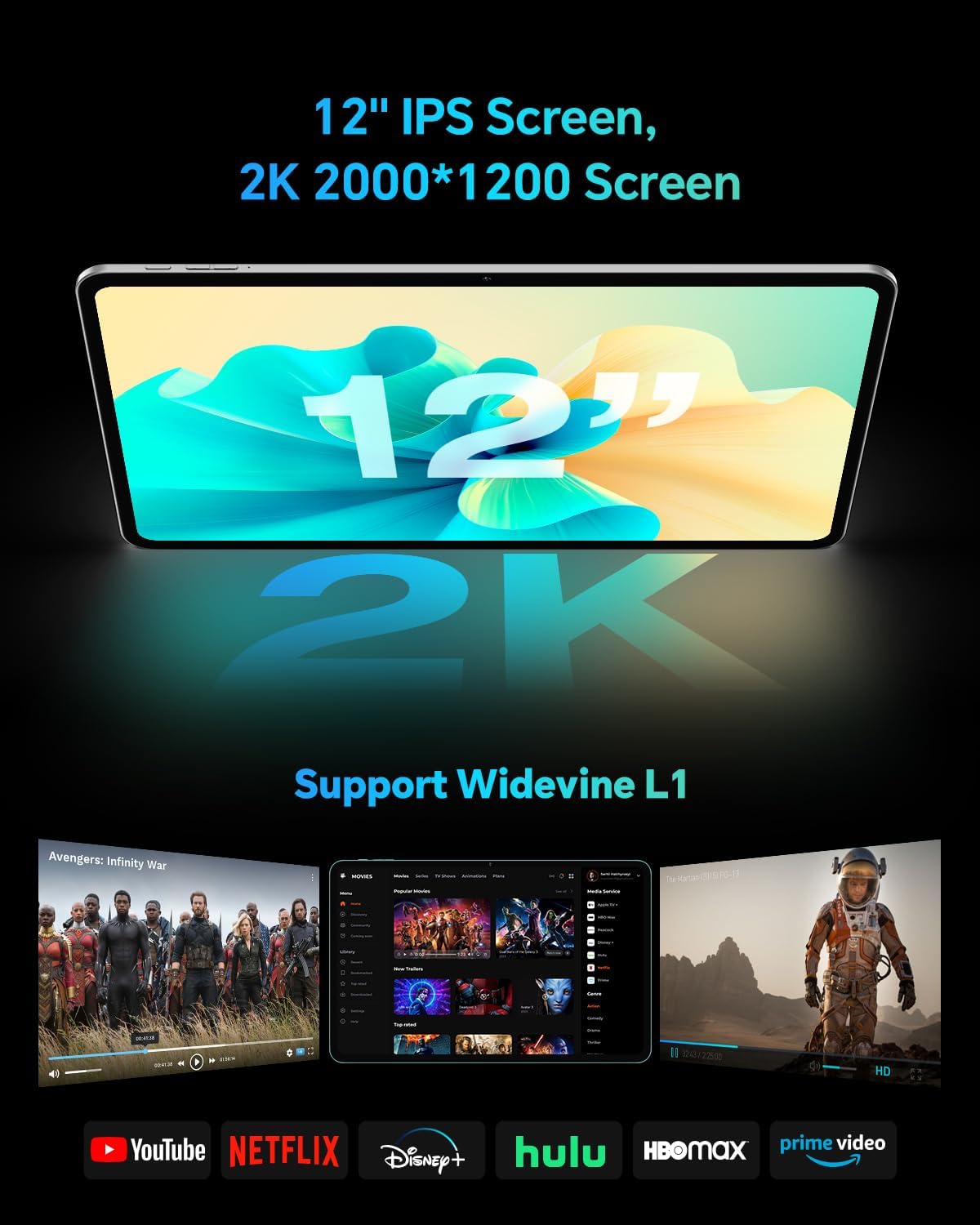
The TECLAST T60Pro features a 12-inch 2K (2000x1200) IPS TDDI full-lamination screen. It includes built-in blue light filtering for eye protection. The display supports Widevine L1 for high-definition streaming content.

Experience crisp visuals and support for HD streaming with the 12-inch 2K IPS display and Widevine L1 certification.
4.2 オーディオ
The tablet is equipped with four high-fidelity stereo speakers, providing an immersive audio experience for media consumption and video calls.
4.3 カメラ機能
The T60Pro includes a 13MP rear camera and an 8MP front camera. The rear camera is designed for clear shooting, even in low-light conditions. Utilize the camera for photos, videos, and video calls.

The tablet features a 13MP rear camera and an 8MP front camera, supporting features like Google Lens and Face Recognition.
4.4 接続性
- Wi-Fi: Supports 2.4/5GHz dual-band Wi-Fi (802.11a/b/g/n/ac) for stable internet connection.
- ブルートゥース: ワイヤレスアクセサリを接続するための Bluetooth 5.2 を搭載しています。
- 携帯電話: Supports 4G cellular connectivity with a compatible SIM card.
- GPS: Integrated A-GPS/GPS/BeiDou/GLONASS/Galileo multi-navigation system for accurate location services.

The tablet includes built-in GPS with support for multiple satellite positioning systems for reliable navigation.
4.5 ストレージ管理
The tablet comes with 128GB of internal storage. This can be expanded up to 1TB using a Micro SD card (sold separately).
4.6 顔認識
For convenient and secure unlocking, the tablet supports face recognition. Simply hold your face in front of the front camera. If face recognition fails, use your registered password or adjust ambient lighting for better recognition.

Unlock your tablet quickly and securely using the face recognition feature.
4.7 ワイヤレス投影
Mirror your tablet's display to a larger screen, such as a TV, for an enhanced viewing experience. Refer to your TV's manual for specific wireless projection setup instructions.
4.8 Parental Controls and Kids Mode
The Android 15 system includes built-in parental controls to manage screen time and app access for children. Utilize these features to create a safe and controlled environment for younger users.
5. メンテナンス
5.1デバイスのクリーニング
Use a soft, lint-free cloth to clean the tablet's screen and body. Avoid using harsh chemicals or abrasive materials that could damage the surfaces.
5.2バッテリーケア
バッテリー寿命を延ばすには:
- 極端な温度を避けてください。
- バッテリーを頻繁に完全に消耗させないでください。
- 最適な充電のために付属の充電器を使用してください。
5.3ソフトウェアアップデート
Regularly check for and install system updates to ensure optimal performance, security, and access to the latest features. Navigate to 設定 > システム > システムアップデート 利用可能なアップデートを確認します。
5.4 画面保護
The tablet comes with a pre-applied tempered glass screen protector. A protective film for shipping is also applied, which should be removed after opening the package.

The tablet includes a pre-applied screen protector for immediate use and protection.
6。 トラブルシューティング
6.1 デバイスの電源が入らない
- バッテリーが充電されていることを確認してください。電源を入れる前に、タブレットを充電器に接続して少なくとも30分間お待ちください。
- 強制的に再起動するには、電源ボタンを 10 ~ 15 秒間押し続けます。
6.2 接続の問題(Wi-Fi/Bluetooth)
- Toggle Wi-Fi or Bluetooth off and on in the Settings menu.
- Restart your router or Bluetooth device.
- ネットワーク/デバイスを忘れて再接続します。
6.3 Low Audio Volume
- Adjust the volume using the physical Volume buttons on the tablet.
- Check media volume settings in 設定>音とバイブレーション.
- Ensure no external audio devices are connected via Bluetooth or Type-C that might be overriding the internal speakers.
6.4 アプリがクラッシュまたはフリーズする
- アプリを閉じて再度開きます。
- アプリのキャッシュとデータを消去する 設定 > アプリ > [アプリ名] > ストレージ > キャッシュを消去/データを消去.
- Google Play ストアからアプリが最新バージョンに更新されていることを確認してください。
7. 仕様
| 特徴 | 仕様 |
|---|---|
| ブランド | テクラスト |
| モデル名 | T60プロ |
| オペレーティング·システム | アンドロイド15 |
| 画面サイズ | 12インチ |
| ディスプレイ解像度 | 2000x1200ピクセル(2K) |
| プロセッサ | MediaTek Helio G99 オクタコア (2.2 GHz) |
| RAMメモリ | 20 GB (物理 8 GB + 仮想 12 GB) |
| ストレージ容量 | 128ギガバイト |
| 拡張可能なストレージ | 最大1TB(マイクロSD) |
| グラフィックスコプロセッサ | マリ-G57 MC2 |
| バッテリー容量 | 8000mAh |
| 充電 | 18W USB-PD急速充電 |
| リアカメラ | 13 MP |
| フロントカメラ | 8 MP |
| ワイヤレステクノロジー | Wi-Fi (2.4/5GHz), Bluetooth 5.2, 4G Cellular |
| GPS機能 | GPS/BEIDOU/GLONASS/GALILEO |
| ヘッドフォンジャック | タイプC |
| 寸法(長さ x 幅 x 高さ) | 10.97インチ x 6.85インチ x 0.31インチ |
| 色 | ダークグレー |
8. 保証とサポート
8.1 製造元の保証
The TECLAST T60Pro tablet comes with a 1年間のメーカー保証この保証は、通常の使用状況における材料および製造上の欠陥を対象としています。保証請求の際は、購入証明書を保管してください。
8.2 カスタマーサポート
For technical assistance, troubleshooting, or warranty inquiries, please contact TECLAST customer support. Most questions are answered within 24 hours. Refer to the official TECLAST web具体的な連絡先情報については、サイトまたは購入プラットフォームをご覧ください。
Online resources and FAQs may also be available on the TECLAST support page.