
1. はじめに
The Victrola T1 Bluetooth Turntable is designed to bring your vinyl record collection to life with modern features and sleek aesthetics. This manual provides essential information for the proper setup, operation, and care of your turntable, ensuring an optimal listening experience.
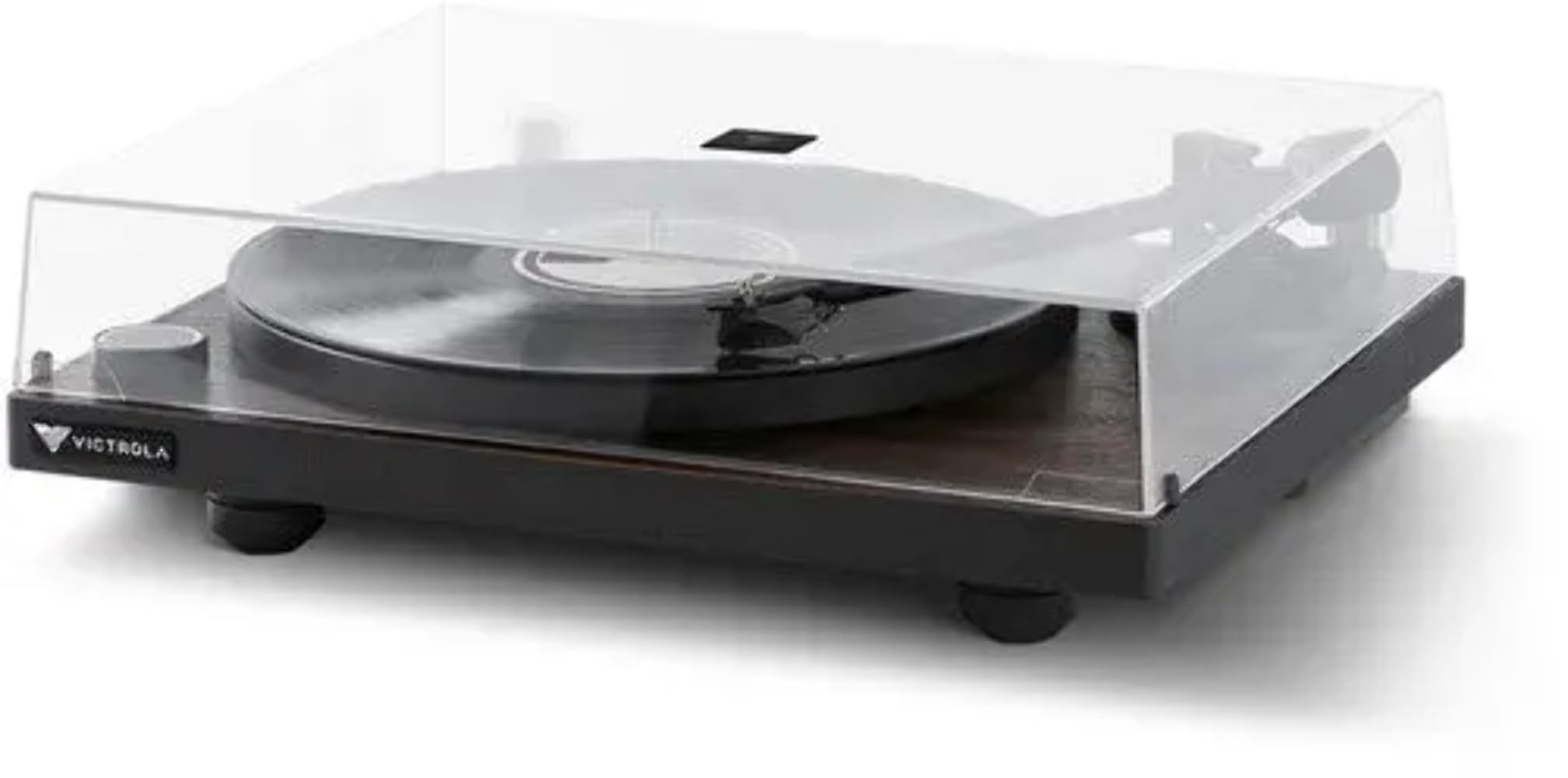
Image 1: Victrola T1 Bluetooth Turntable with dust cover closed.
2. 箱の中身
開梱したら、すべてのコンポーネントが揃っていることを確認してください。
- Victrola T1 Turntable Unit
- 取扱説明書
- 45RPMアダプター
- プレミアムシリコンスリップマット
- 電源アダプター

Image 2: Victrola T1 Turntable with dust cover open.
3. セットアップ手順
3.1. Tonearm Counterweight and Anti-Skate Adjustment
Proper adjustment of the tonearm counterweight and anti-skate is crucial for optimal sound quality and to prevent damage to your records and stylus. The Victrola T1 features a factory-balanced VPC-190 Moving Magnetic (MM) cartridge.
- Locate the Allen Wrench: Find the Allen wrench provided in the accessory box. This is the only tool needed for this adjustment.
- Remove Stylus Cover: Carefully remove the clear protective cover from the moving magnetic cartridge stylus.
- Loosen Counterweight: Move the tonearm to the rear, where the counterweight is mounted. Insert the Allen wrench into the counterweight and rotate the screw counter-clockwise by a quarter turn to loosen it. This allows the counterweight to move freely.
- トーンアームのバランスをとる: Gently move the tonearm from its holder and position it between the tonearm holder and the platter. Rotate the counterweight until the tonearm is flat and perfectly balanced, floating horizontally.
- Set Tracking Force to Zero: On the front of the counterweight, locate the number ring. While holding the counterweight in place, rotate only the number ring until the "0" (zero) aligns with the alignment mark (a straight line) on the rear of the tonearm.
- Adjust Tracking Force: Now, rotate both the number ring and the counterweight together counter-clockwise by one and a half turns. This will align the "1" (one) on the number ring with the alignment mark, indicating a tracking force of 1.5 grams.
- Secure Counterweight: While holding the counterweight in this position, use the Allen wrench to rotate the screw clockwise until it is secure.
- アンチスケートを調整する: Locate the anti-skate knob near the tonearm base. Rotate this knob to the recommended setting of 1.5. A small triangle mark indicates the setting.
Video 1: Official guide on how to adjust the tonearm counterweight and anti-skate on your Victrola Premiere Turntable.

Image 3: Close-up of the tonearm and stylus.
4. 操作手順
4.1. レコードを聴く
- 電源オン: Press the power/volume knob on the front of the turntable to turn it on. The indicator light will illuminate.
- 速度を選択します: Ensure the turntable speed is set correctly for your record (33-1/3 RPM or 45 RPM).
- 順位記録: Carefully place your vinyl record on the platter. If playing a 45 RPM single, use the included 45 RPM adapter.
- トーンアームの位置: Gently lift the tonearm from its rest using the cueing lever. Move the tonearm over the desired starting groove of the record.
- 下部トーンアーム: キューイングレバーを使ってトーンアームをゆっくりとレコードの上に下ろします。レコードの再生が始まります。
- 音量を調整: Use the power/volume knob or the included remote control to adjust the playback volume.
- 再生を停止します。 At the end of the record, the turntable will auto-stop. Alternatively, lift the tonearm using the cueing lever and return it to its rest.
4.2. Bluetooth Connectivity (Vinyl Stream Technology)
The Victrola T1 features built-in Bluetooth 5.0 with Vinyl Stream Technology, allowing you to wirelessly transmit audio to any Bluetooth-enabled AV receiver, integrated amp充電器、パワードスピーカー、またはヘッドフォン。
- Bluetoothを有効にする: With the turntable powered on, press and hold the power/volume knob until the indicator light flashes blue, indicating pairing mode.
- ペアデバイス: On your Bluetooth-enabled receiving device (e.g., speaker, headphones), enable Bluetooth and select "Victrola T1" from the list of available devices.
- 接続を確認: Once connected, the indicator light on the turntable will turn solid blue. You can now play records, and the audio will stream wirelessly to your paired device.

Image 4: Vinyl Stream Technology for wireless audio transmission.
5. メンテナンス
- ダストカバー: ターンテーブルを使用していないときは、ほこりやゴミから保護するために、必ずダストカバーを閉じてください。
- クリーニング: Use a soft, dry cloth to clean the turntable's surface. Avoid abrasive cleaners or solvents. For the stylus, use a specialized stylus cleaning brush.
- スタイラスのケア: Handle the stylus with extreme care. Avoid touching it with your fingers. Replace the stylus when signs of wear appear to prevent damage to your records.
- レコードクリーニング: Regularly clean your vinyl records with a proper record cleaning solution and brush to maintain sound quality and extend record life.
6。 トラブルシューティング
| 問題 | 考えられる原因 | 解決 |
|---|---|---|
| 電源なし | 電源アダプタが接続されていません。コンセントがアクティブではありません。 | 電源アダプタがターンテーブルにしっかりと接続され、電源コンセントが機能していることを確認します。 |
| 音が出ない、または音量が小さい | Volume too low; incorrect input selected; Bluetooth not paired; external speakers off. | Increase volume. Check input selection. Re-pair Bluetooth device. Ensure external speakers are powered on and connected. |
| 音飛びや歪んだ音 | Dust/debris on record/stylus; tonearm not balanced; record damaged. | Clean record and stylus. Re-balance tonearm (refer to Section 3.1). Inspect record for damage. |
| ターンテーブル速度が正しくありません | 選択した速度が正しくありません。 | Verify the speed switch is set to the correct RPM (33-1/3 or 45) for the record being played. |
| "POP" sound when powering on/off | Normal operation of the built-in preamp. | This is a characteristic of the built-in preamp. Lower the volume on connected speakers/amplifier before powering the turntable on or off to minimize the sound. |
| Bluetoothデバイスが接続されない | ターンテーブルがペアリングモードになっていません。デバイスが遠すぎます。干渉があります。 | Ensure turntable is in pairing mode (flashing blue light). Move device closer. Reduce interference from other wireless devices. |
7. 仕様
- ブランド: ビクトローラ
- モデル名: T1
- モデル番号: VPT-1000-ESP
- 最大回転速度: 45 RPM (supports 33-1/3 & 45 RPM)
- 接続技術: Wired, Wireless (Bluetooth 5.0 with Vinyl Stream Technology)
- 材料: アルミニウム、金属、木材
- 商品の重量: 7.28キログラム
- 電源: Corded Electric (127 Volts AC Motor)
- 特集: Vinyl Stream Technology, Built-in Phono Preamp
- カートリッジ: Victrola VPC-190 Moving Magnetic (MM)
- 国際コード: 810033110870
8. 保証とサポート
保証情報、技術サポート、またはサービスに関するお問い合わせについては、公式Victrolaをご覧ください。 web公式サイトをご覧いただくか、カスタマーサービス部門にお問い合わせください。保証請求のために購入時のレシートを保管してください。
オンラインサポート: www.victrola.com/support