
導入
Welcome to the Helix TIMEX METALFIT 2.0 Smartwatch user manual. This guide provides detailed instructions on how to set up, operate, and maintain your smartwatch. Please read this manual carefully to ensure proper use and to maximize the device's features.
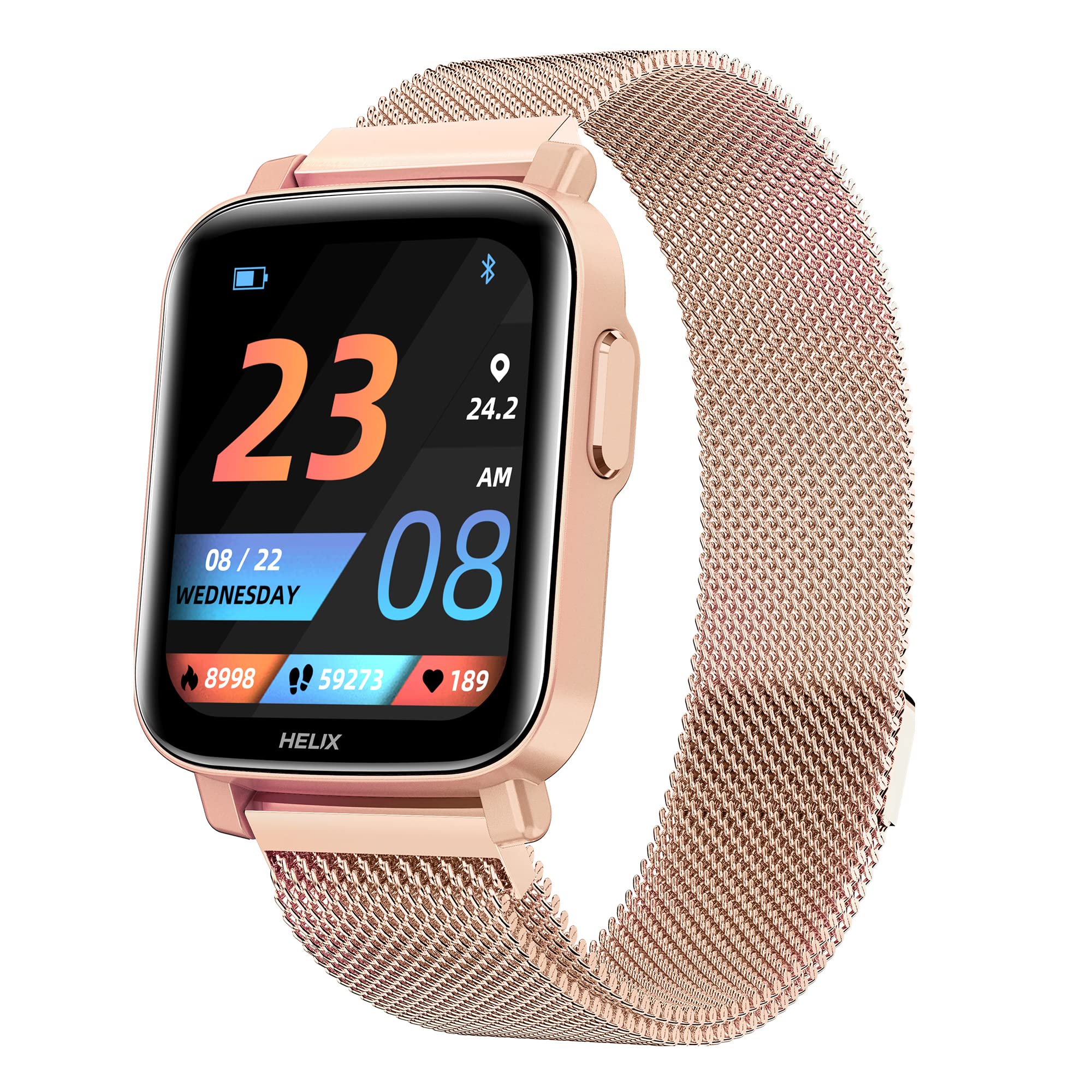
Image: The Helix TIMEX METALFIT 2.0 smartwatch, showcasin洗練されたデザインとディスプレイ。
設定
1. スマートウォッチの充電
Before first use, fully charge your smartwatch. Connect the magnetic charging cable to the charging pins on the back of the watch and plug the USB end into a standard USB power adapter (not included).
- フル充電には通常約 2 時間かかります。
- 画面上のバッテリーアイコンで充電状態が示されます。
2. Installing the Helix Smart App
To unlock the full potential of your METALFIT 2.0 smartwatch, download and install the 'Helix Smart' application on your smartphone.
- Scan the QR code provided in the watch packaging or search for 'Helix Smart' in the Google Play Store (for Android) or Apple App Store (for iOS).
- スマートフォンにアプリケーションをインストールします。

Image: Screenshots of the Helix Smart App interface on a smartphone, showing options for Google Play and App Store downloads.
3. スマートウォッチとスマートフォンのペアリング
Ensure Bluetooth is enabled on your smartphone and the smartwatch is sufficiently charged.
- Open the 'Helix Smart' app on your phone.
- 画面上の指示に従ってアカウントを作成するか、ログインします。
- Navigate to the 'Device' section and select 'Add Device'.
- The app will search for available devices. Select 'METALFIT 2.0' from the list.
- 携帯電話とスマートウォッチの両方でペアリング要求を確認します。
スマートウォッチの操作
1. 基本的なナビゲーション
The METALFIT 2.0 features a 1.5-inch HD IPS full-touch display for intuitive interaction.

Image: Close-up of the smartwatch display showing time, date, and activity metrics, highlighting the large touchscreen with auto brightness.
- 上/下にスワイプ: メニューと通知をスクロールします。
- 左/右にスワイプ: クイック機能またはウィジェットにアクセスします。
- タップ: 項目を選択するか、アクションを確認します。
- サイドボタン: 押すと画面が起動し、ホーム画面に戻るか、メイン メニューにアクセスします。
2. Bluetooth通話
スマートウォッチは Bluetooth 通話をサポートしており、スマートフォンに接続すると手首から直接電話をかけたり受けたりすることができます。

Image: A person wearing the smartwatch, with an enlarged view of the watch display showing an incoming call interface, indicating dial pad, inbuilt contacts, microphone, and speaker.
- 電話をかける: 通話を開始するには、時計のダイヤル パッドまたは連絡先リストにアクセスします。
- 電話を受ける: An incoming call notification will appear on the watch. Tap to answer or decline.
- The watch utilizes an inbuilt microphone and speaker for call functionality.
3. 健康モニタリング
The METALFIT 2.0 provides comprehensive health monitoring features.

Image: The smartwatch display showing SpO2 (blood oxygen) measurement at 98%, alongside icons for Female Health Tracking, SpO2 Monitor, Temperature Sensor, and Stress Monitor.
- SpO2モニター: 血中酸素飽和度を測定します。
- 体温: 体温を監視します。
- 血圧(BP): 血圧測定値を提供します。
- 心拍数モニター: 心拍数を継続的に追跡します。
- 睡眠追跡: 睡眠パターンを分析します。
- 女性の健康追跡: Offers dedicated tracking for female health cycles.
注:健康モニタリングデータは参考用であり、医学的な診断や治療には使用しないでください。健康上の懸念については、医療専門家にご相談ください。
4. スポーツモード
Engage in various physical activities with 20 built-in sports modes.
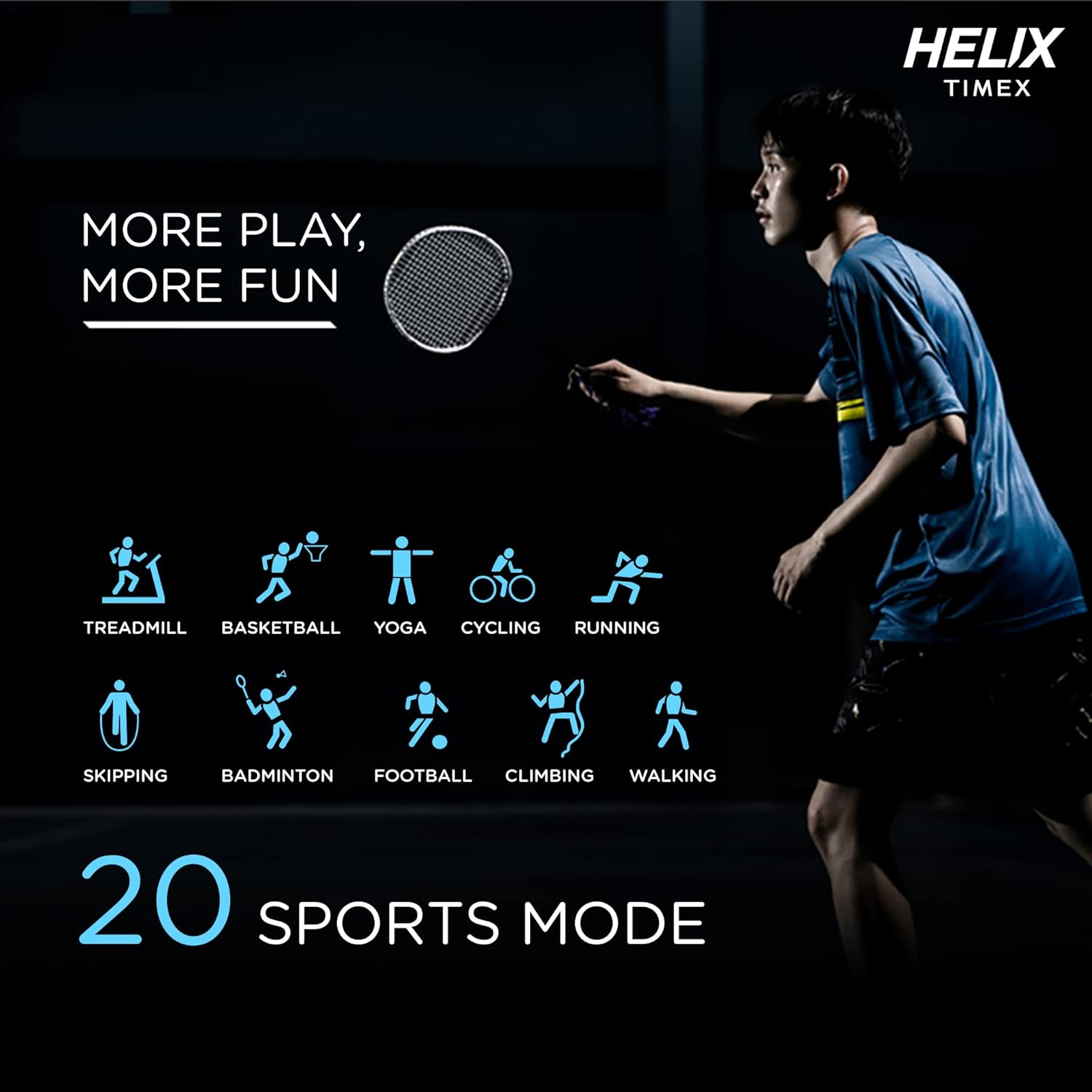
Image: A person playing badminton, with icons representing 20 different sports modes including Treadmill, Basketball, Yoga, Cycling, Running, Skipping, Badminton, Football, Climbing, and Walking.
- Select a sports mode before starting your workout to track specific metrics like duration, calories burned, and heart rate.
- Modes include Treadmill, Basketball, Yoga, Cycling, Running, Skipping, Badminton, Football, Climbing, Walking, and more.
5. スマートな機能
The smartwatch offers a range of smart features to enhance your daily life.

Image: The smartwatch surrounded by icons representing various smart features: Female Health Tracking, Music Control, Camera Control, Daily Activity Tracking, Call Answering Option, Social Media Notifications, Sleep Tracking, Message, Phone Finder, and Sedentary Reminder.
- 音楽コントロール: スマートフォンで音楽の再生を制御します。
- カメラコントロール: 時計を携帯電話のカメラのリモートシャッターとして使用します。
- 毎日のアクティビティの追跡: 歩数、距離、消費カロリーを監視します。
- ソーシャル メディア通知: Receive alerts from your favorite apps.
- メッセージ通知: View 受信メッセージ。
- 電話ファインダー: ペアリングしたスマートフォンを見つけます。
- 座りすぎ注意: 一定期間アクティビティがないと移動するように通知されます。
- 音声アシスタント: 音声コマンドを使用してデバイスを操作します。
6. ウォッチフェイス
Personalize your smartwatch with a variety of watch faces available through the Helix Smart App.

Image: A collage of different watch face designs displayed on the smartwatch, illustrating customization options.
- Browse and download new watch faces from the app to match your style or mood.
メンテナンス
1. スマートウォッチのクリーニング
- 画面とストラップを柔らかくて乾いた布で拭いてください。amp糸くずの出ない布。
- 強力な化学薬品や研磨材の使用は避けてください。
- 充電する前に、充電接点が清潔で乾燥していることを確認してください。
2. 耐水性
The METALFIT 2.0 is IP67 water and dust resistant.
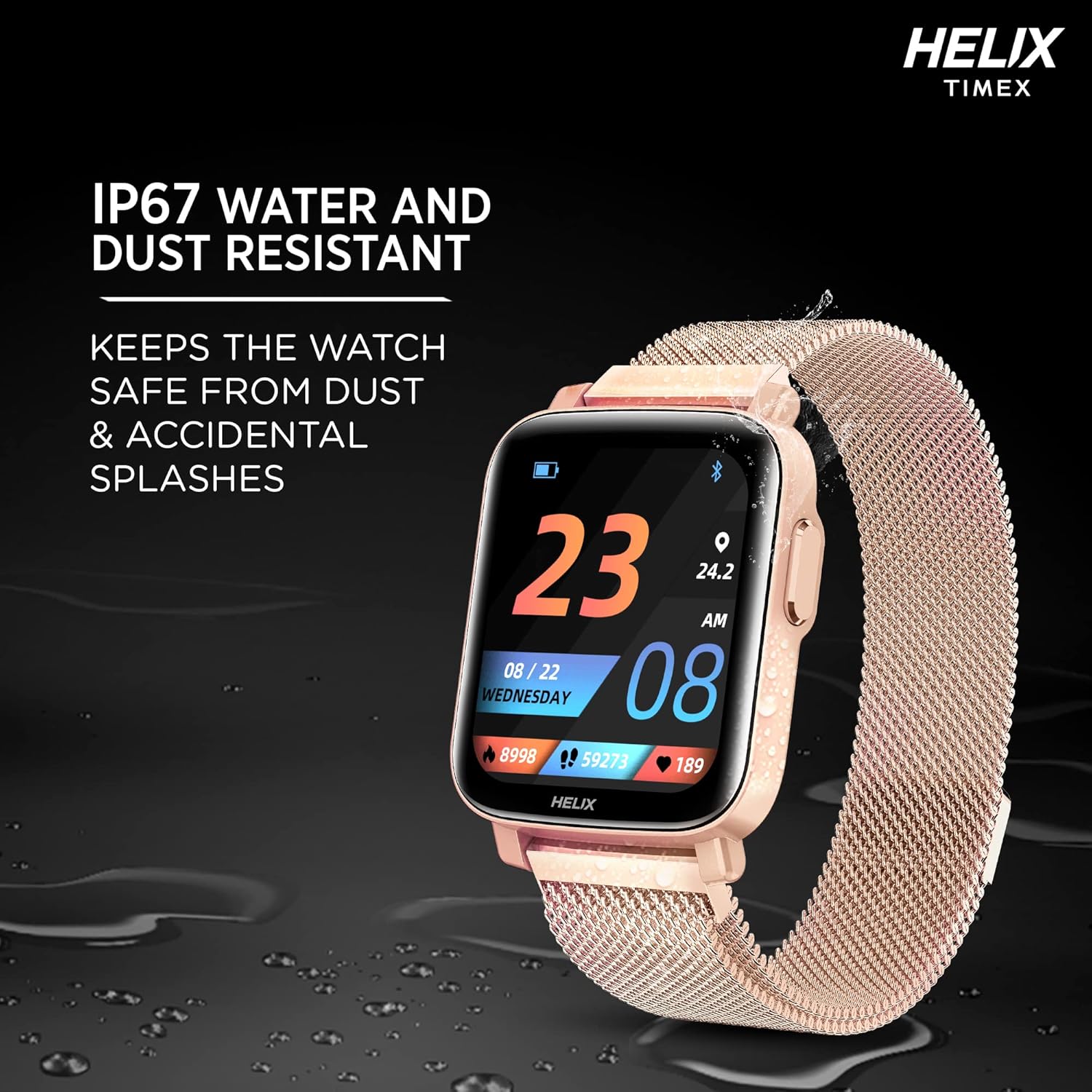
Image: The smartwatch lying on a wet surface, illustrating its IP67 water and dust resistance.
- It is resistant to splashes, rain, and brief immersion in water (up to 1 meter for 30 minutes).
- Not suitable for swimming, showering with hot water, or diving.
- Avoid exposure to high-pressure water or steam.
3. バッテリー寿命と充電
The smartwatch offers extended battery life depending on usage.

Image: The smartwatch display showing a charging animation, with text indicating up to 7 days battery life without call function and up to 72 hours with call function.
- Up to 7 days of battery life without the Bluetooth calling function.
- Up to 72 hours of battery life with the Bluetooth calling function enabled.
- Charge the device using the provided magnetic charging cable.
トラブルシューティング
- スマートウォッチが起動しない: デバイスが完全に充電されていることを確認してください。充電器に少なくとも30分間接続してください。
- 携帯電話とペアリングできません: Make sure Bluetooth is enabled on your phone and the smartwatch is within range. Restart both devices and try pairing again through the Helix Smart App.
- 不正確な健康データ: 時計が手首にぴったりとフィットしていることを確認してください。締めすぎたり緩すぎたりしないでください。時計の裏側にあるセンサーを清掃してください。
- 通知が表示されない: Check app permissions on your phone to ensure the Helix Smart App has access to notifications. Verify notification settings within the app.
- Bluetooth通話の問題: Ensure the watch is properly connected to your phone via Bluetooth. Check the volume settings on both devices.
仕様
| 特徴 | 詳細 |
|---|---|
| モデル名 | METALFIT 2.0 |
| ブランド | ヘリックス |
| 表示タイプ | 1.5-inch HD IPS Full-touch LCD |
| 接続性 | ブルートゥース |
| オペレーティング·システム | スマートウォッチOS |
| 測定された指標 | Heart Rate, Blood Oxygen (SpO2), Body Temperature, Blood Pressure |
| スポーツモード | 20+ (e.g., Treadmill, Basketball, Yoga, Cycling, Running, Skipping, Badminton, Football, Climbing, Walking) |
| バッテリー寿命(標準) | Up to 7 days (without calling), Up to 72 hours (with calling) |
| 防水等級 | IP67 |
| ヒューマンインターフェイス入力 | Microphone, Touch Control |
| 対応デバイス | Bluetooth搭載のスマートフォン |
| アイテム重量 | 120グラム |
| メーカー | ヘリックス |
サポート
For any questions or support regarding your Helix TIMEX METALFIT 2.0 Smartwatch, please contact our customer service.
- フリーダイヤルサポート: 1800 419 2727
- 営業時間: 月曜日から土曜日、午前10時から午後7時
This service is provided by the TIMEX Group.