
導入
ご購入ありがとうございますasing the Acctim Model 15789 Alarm Clock. This compact and versatile alarm clock features an LCD display showing time, calendar, and indoor temperature. It is designed for ease of use and portability, making it an ideal travel companion. Please read this manual carefully to ensure proper setup and operation.
重要な安全情報
- 時計を極端な温度、直射日光、高湿度にさらさないでください。
- 時計を落としたり、強い衝撃を与えたりしないでください。
- 古い電池と新しい電池、または異なる種類の電池を混ぜないでください。
- 長期間時計を使用しない場合は、液漏れを防ぐため電池を取り外してください。
- お子様の手の届かない場所に保管してください。
パッケージ内容
- Acctim Model 15789 Alarm Clock
- ユーザーマニュアル(このドキュメント)
製品の特徴
- Multi-function LCD display with time, calendar, and indoor temperature.
- Foldable travel case design for portability.
- スヌーズ機能付きアラーム。
- コンパクトな寸法: 71 x 63 x 63 mm。
設定
1. バッテリーの取り付け
The Acctim Model 15789 requires 2 x AAA batteries (not included).
- 時計の背面にある電池ボックスのカバーを開きます。
- 電池ボックス内の指示に従って、極性 (+ と -) が正しいことを確認して、新しい AAA 電池を 2 本挿入します。
- 電池カバーをしっかりと閉じてください。
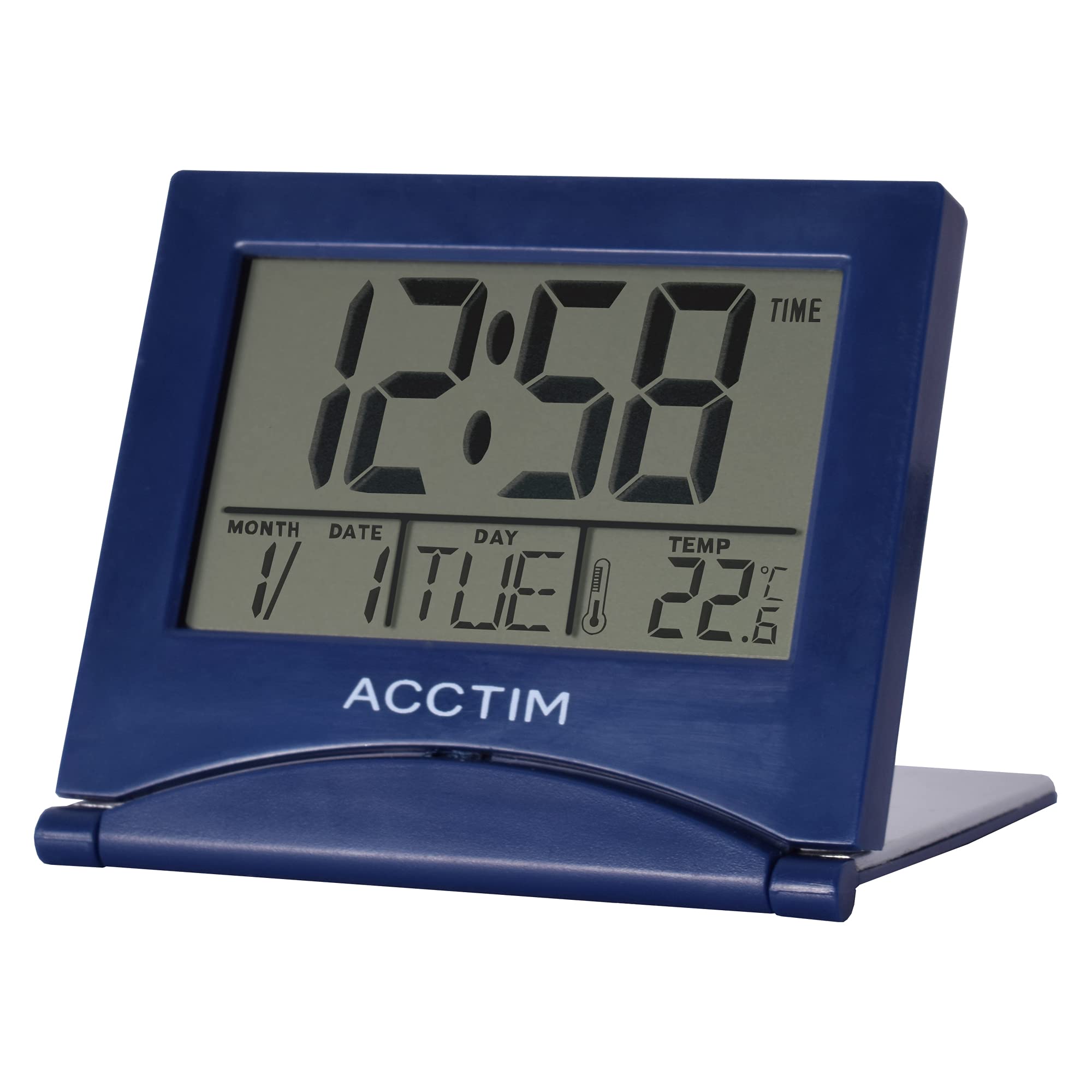
画像: 正面 view of the Acctim Model 15789 Alarm Clock, showing the LCD screen and compact design. This image illustrates the product's appearance for reference during setup and operation.
2. 初回電源投入
Upon inserting the batteries, the clock will power on and display default time and date settings. You will need to set the current time and date.
操作手順
Familiarize yourself with the buttons on your alarm clock. Typically, these include MODE, SET, UP, DOWN, and SNOOZE/LIGHT.
1.時間を設定する
- を押す モード button repeatedly until the time display starts flashing or you enter time setting mode.
- 使用 UP or 下 時間を調整するボタン。
- プレス セット (または モード again) to confirm the hour and move to setting the minutes.
- 使用 UP or 下 分を調整するためのボタン。
- プレス セット (または モード again) to confirm the minutes and exit time setting mode.
2.アラームの設定
- を押す モード アラーム時刻が表示されるまでボタンを押し続けます (通常はアラーム アイコンで示されます)。
- を押し続けます セット アラームの時間が点滅し始めるまでボタンを押し続けます。
- 使用 UP or 下 ボタンでアラーム時間を調整します。
- プレス セット to confirm the alarm hour and move to setting the alarm minutes.
- 使用 UP or 下 アラームの分数を調整するボタン。
- プレス セット to confirm the alarm minutes.
- アラームをオンまたはオフにするには、 UP or 下 button while the alarm time is displayed. An alarm icon will appear or disappear on the screen.
3. スヌーズ機能
アラームが鳴ったら、を押します スヌーズ/ライト button to temporarily silence the alarm. The alarm will sound again after a few minutes (typically 5-10 minutes, depending on the model). To turn off the alarm completely, press any other button.
4. Calendar and Temperature Display
The clock automatically displays the current date and indoor temperature. You can cycle through different display modes (e.g., time only, time and date, time and temperature) by pressing the モード button. To set the date, enter the time setting mode and continue pressing セット until the year, month, or day flashes, then adjust with UP/下.
5. バックライト
を押す スヌーズ/ライト button to activate the backlight for a few seconds, allowing you to read the display in low light conditions. Note that some models may emit a soft beep when this button is pressed.
メンテナンス
- 時計は柔らかく乾いた布で拭いてください。研磨剤入りの洗剤や溶剤は使用しないでください。
- Replace batteries promptly when the display dims or functions become erratic.
トラブルシューティング
| 問題 | 考えられる解決策 |
|---|---|
| ディスプレイが暗いか空白です。 | Replace the batteries with new AAA batteries. Ensure correct polarity. |
| アラームは鳴りません。 | Ensure the alarm is activated (alarm icon visible). Check if the alarm volume is set (if applicable) or if batteries are low. |
| 時刻または日付が正しくありません。 | Follow the "Setting the Time" and "Calendar and Temperature Display" instructions to reset. |
| ボタンが反応しません。 | Remove and reinsert batteries to perform a soft reset. If the issue persists, replace batteries. |
仕様
- モデル番号: Acctim 15789
- 寸法: 6.3 x 7.1 x 6.3 cm(高さx幅x奥行き)
- 重さ: 44グラム
- 電源: 2 x AAA電池(別売)
- 表示タイプ: 液晶
- 特別な機能: Alarm, Temperature Indicator, Calendar Display, Foldable Design
- 材料: プラスチック
保証とサポート
This Acctim product comes with a 2年間保証 ご購入日から1年間有効です。この保証は製造上の欠陥を対象としており、誤用、事故、不正な改造、または通常の摩耗や損耗による損傷は対象外となります。
For technical support or warranty claims, please contact your retailer or visit the official Acctim webカスタマーサービス情報については、こちらのサイトをご覧ください。保証の有効性を確認するため、購入証明書を保管してください。