
ベースス NGTW060001
Baseus W11 True Wireless Earbuds User Manual
モデル: NGTW060001
1. はじめに
Thank you for choosing Baseus W11 True Wireless Earbuds. This manual provides detailed instructions for the proper use and maintenance of your device. Please read it carefully before use.

Image: Baseus W11 True Wireless Earbuds and Charging Case.
2. 箱の中身
パッケージには以下のアイテムが含まれています:
- Baseus W11 True Wireless Earbuds (Left and Right)
- ワイヤレス充電ケース
- USB-C充電ケーブル
- Multiple sizes of silicone ear tips (XS, S, M, L)
- ユーザーマニュアル
Video: TWS W11 Operation Guide Video, demonstrating unboxing and initial setup steps.
3.製品オーバーview
イヤホン
- タッチコントロールエリア
- マイクロフォン
- 充電接点
- シリコンイヤーチップ
充電ケース
- イヤホン充電スロット
- バッテリーインジケーターライト
- USB-C充電ポート
- 機能ボタン

Image: Baseus W11 Earbuds inside their charging case, showing the earbuds and charging contacts.
4. セットアップ
4.1 初期充電
Before first use, ensure the charging case and earbuds are fully charged. Remove any insulation stickers from the earbud charging contacts.
- USB-C ケーブルを充電ケースと電源に接続します。
- または、充電ケースを互換性のあるワイヤレス充電パッドの上に置きます。
- ケースのインジケーターライトが充電状態を示します。

Image: Baseus W11 charging case on a wireless charging pad, illustrating wireless charging capability.

Image: Baseus W11 charging case connected via USB-C cable, showing fast charging feature.
4.2 デバイスとのペアリング
- 充電ケースを開けると、イヤホンは自動的にペアリングモードになります。
- デバイス(スマートフォン、タブレットなど)で Bluetooth を有効にします。
- 検索する "Baseus Encok W11" in the list of available Bluetooth devices and select it to connect.
- 接続すると音声プロンプトが聞こえ、イヤホンが使用できるようになります。
4.3 Baseusアプリのインストール
For enhanced features like anti-lost function, gesture customization, and firmware updates, download the official Baseus app from your device's app store.

Image: Baseus app interface showing anti-lost function, low latency, and button customization options.
5. 操作手順
5.1 イヤホンの装着
Choose the ear tips that provide the most comfortable and secure fit for your ears. Insert the earbuds into your ear canal and gently twist them to lock them in place.

Image: Man wearing Baseus W11 earbuds while running, demonstrating the secure and comfortable fit for active use.
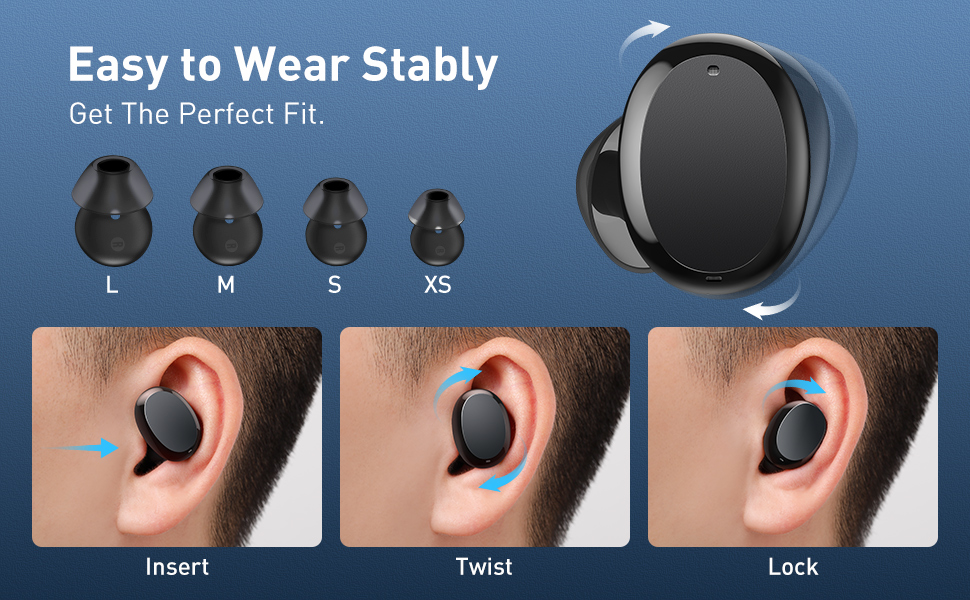
Image: Diagram illustrating the three steps to achieve a secure fit for the Baseus W11 earbuds: insert, twist, and lock.
5.2 タッチコントロール
The earbuds feature smart touch controls. Functions can be customized via the Baseus app.
- 再生/一時停止: Double-tap Left/Right earbud.
- 次のトラック: Long press Right earbud.
- 前のトラック: Long press Left earbud.
- 音声アシスタントを有効にする: Triple-tap Left/Right earbud.
- 電話に出る/電話を切る: Double-tap Left/Right earbud.
- 通話を拒否: Long press Left/Right earbud.
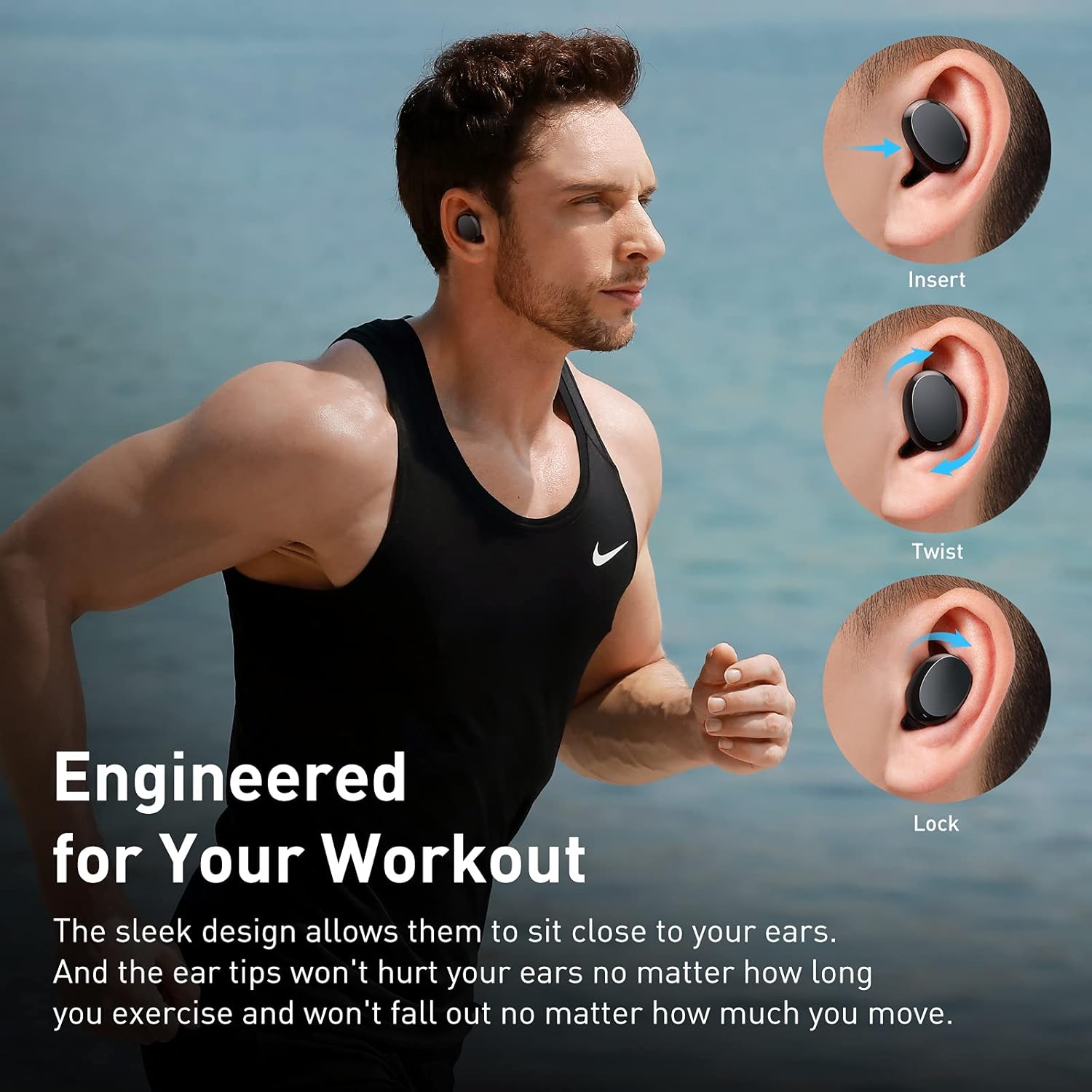
Image: Diagram illustrating the various touch control functions for the Baseus W11 earbuds, including play/pause, track skipping, voice assistant, and call management.
5.3 片耳イヤホン使用
The Baseus W11 earbuds support independent use. You can use either the left or right earbud individually while the other is charging or stored.
6. 充電
6.1イヤフォンの充電
Place the earbuds into the charging case. They will automatically begin charging. The case's indicator light will show the charging status.
6.2 ケースの充電
The charging case can be charged via the included USB-C cable or wirelessly using a compatible Qi-certified wireless charger.
6.3 急速充電
The earbuds feature fast charging. A 10-minute charge can provide up to 4 hours of playback time.
7. メンテナンス
7.1 防水等級(IPX8)
The Baseus W11 earbuds are IPX8 waterproof, providing protection against sweat and rain. This makes them suitable for sports and outdoor activities. Avoid prolonged submersion in water.
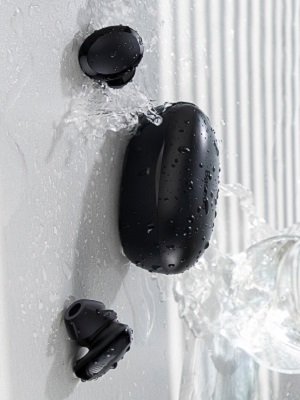
Image: Baseus W11 earbuds and case with water splashing, demonstrating IPX8 waterproof rating.
7.2 クリーニング
Regularly clean the earbuds and charging case with a soft, dry cloth. Ensure charging contacts are free from dust and debris to maintain optimal charging performance.
8。 トラブルシューティング
- イヤホンがペアリングされない: Ensure both earbuds are fully charged and removed from the case. Check your device's Bluetooth settings and try reconnecting. If issues persist, try resetting the earbuds (refer to the app or full user manual for specific reset instructions).
- 片方のイヤホンが動作しない: Ensure both earbuds are charged. Try placing them back in the case and taking them out again. If only one earbud connects, try re-pairing them as a pair.
- 音質の問題: Ensure ear tips are properly fitted to create a good seal. Check the audio source and volume levels on both your device and the earbuds.
- Lost Earbuds: Use the anti-lost function in the Baseus app to locate misplaced earbuds by making them emit a sound.
Video: Great Waterproof Wireless Earbuds with Locator App, demonstrating the app's anti-lost feature.
9. 仕様
| 特徴 | 仕様 |
|---|---|
| モデル名 | NGTW060001 (W11) |
| 接続技術 | ワイヤレス(Bluetooth) |
| 無線通信技術 | ブルートゥース V5.0 |
| イヤフォンのバッテリー容量 | 40mAh(0.148Wh) |
| 充電ボックスのバッテリー容量 | 300mAh(1.11Wh) |
| 周波数応答範囲 | 20Hz-20kHz |
| 充電インターフェース | タイプC |
| 耐水性レベル | IPX8防水 |
| オーディオドライバータイプ | 10mmダイナミックドライバー |
| 制御方法 | アプリ、タッチ |
| 重さ | 5.1オンス(総重量) |
| 材料 | Durable Plastic or Rubber |
10. 保証とサポート
Baseus products come with a standard manufacturer's warranty. For warranty claims, technical support, or any product-related inquiries, please contact Baseus customer service through their official webサイトまたは製品パッケージに記載されている連絡先情報を参照してください。
さらに詳しいヘルプについては、次のサイトをご覧ください。 www.baseus.com/support
Ask a question about this manual
Ask about setup, troubleshooting, compatibility, parts, safety, or missing instructions. Manuals+ will review the question and use this page’s manual context to help answer it.