
導入
The FreedConn T-COMVB Bluetooth Helmet Headset is designed to provide wireless communication for motorcyclists. This system allows for hands-free phone calls, music listening, FM radio, GPS voice prompts, and intercom communication between riders. It features Bluetooth 5.0 technology, noise cancellation, and a waterproof design for various riding conditions.
箱の中身
パッケージにすべてのコンポーネントが含まれていることを確認します。
- FreedConn T-COMVB Bluetooth Headset Unit (x2 for 2-pack)
- ステレオスピーカー
- Boom Microphone (for open-face/modular helmets)
- Soft-Wire Microphone (for full-face helmets)
- Helmet Mount Bracket (clip-on and adhesive options)
- USB充電ケーブル
- ユーザーマニュアル
- スピーカーとマイク用のベルクロパッド
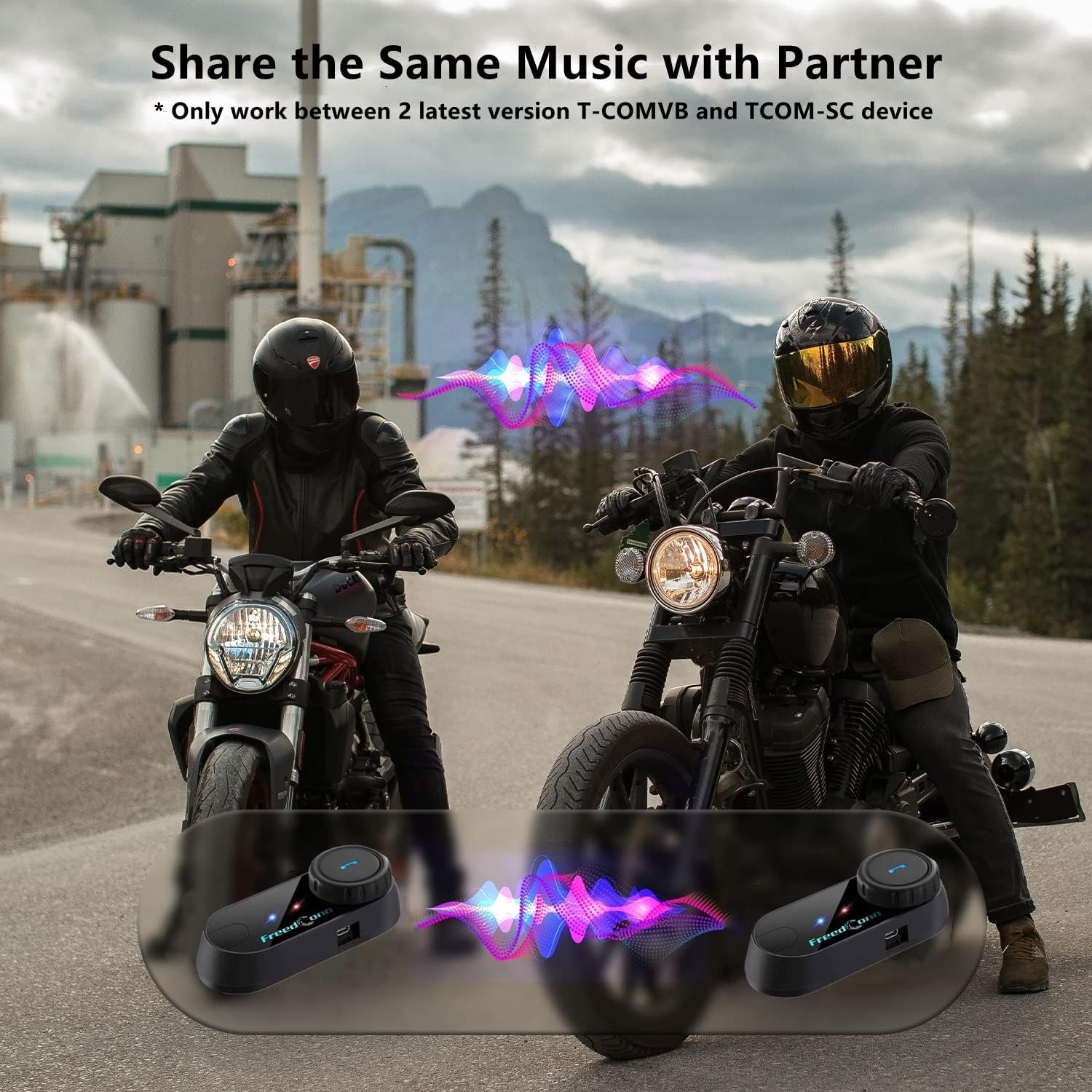
Image: Package contents for the FreedConn T-COMVB Bluetooth Helmet Headset 2-pack, showing all included accessories.
設定
1. デバイスの充電
Before first use, fully charge the T-COMVB unit. Connect the USB charging cable to the headset's charging port and a USB power source. The indicator light will show charging status.
- 充電時間: 約3〜4時間。
- バッテリー寿命: Up to 7-8 hours of intercom, 10 hours of phone calls/music, 300 hours standby.

Image: Visual representation of the 400mAh battery capacity and estimated usage times for intercom, phone calls, and standby.
2. Microphone Selection
ヘルメットの種類に適したマイクを選択してください。
- ブームマイク: Recommended for open-face, half, and modular flip-up helmets.
- Soft-Wire Microphone: Recommended for full-face and off-road helmets.
Connect the chosen microphone and speakers to the corresponding ports on the headset unit.
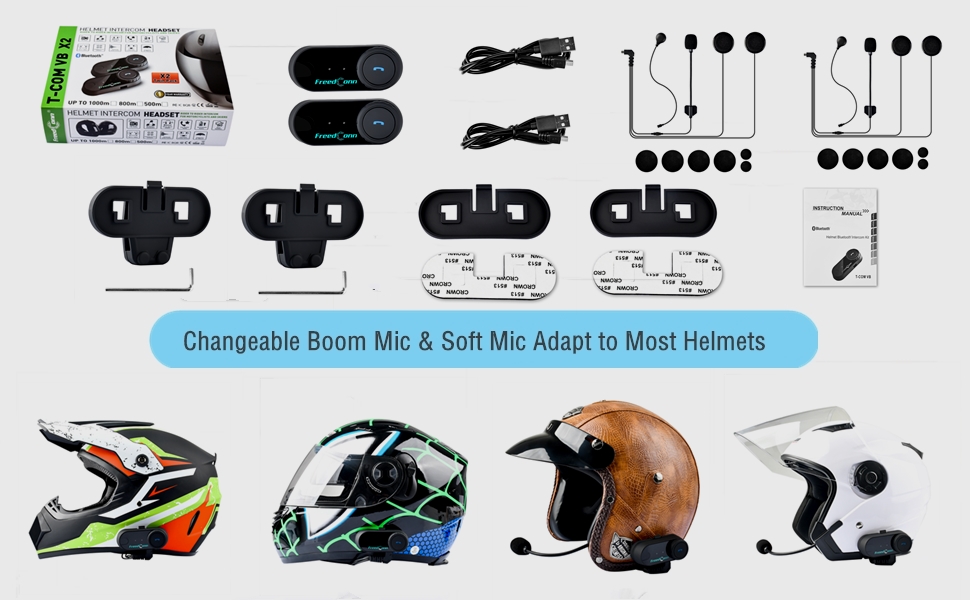
Image: Illustration demonstrating the compatibility of boom and soft-wire microphones with various helmet styles.
3. ヘルメットの取り付け
Mount the T-COMVB unit to the side of your helmet using either the clip-on bracket or the adhesive bracket. Ensure the unit is securely attached and the speakers are positioned correctly inside the helmet for optimal audio.

Image: A FreedConn T-COMVB unit securely installed on the exterior of a motorcycle helmet.
操作手順
1. 電源のオン/オフ
- 電源オン: インジケータ ライトが点滅するまで電源ボタンを押し続けます。
- 電源を切る: インジケータ ライトが消えるまで電源ボタンを押し続けます。
2. Bluetoothペアリング(電話/GPS)
To connect your T-COMVB to a Bluetooth-enabled device (phone, GPS):
- Ensure the T-COMVB is off.
- インジケーター ライトが赤と青に交互に点滅し、ペアリング モードを示すまで、電源ボタンを約 5 ~ 7 秒間押し続けます。
- On your phone or GPS, enable Bluetooth and search for available devices.
- Select "FreedConn T-COMVB" from the list. If prompted, enter "0000" as the PIN.
- ペアリングされると、インジケーター ライトが青色でゆっくり点滅します。

Image: The T-COMVB headset demonstrating its Bluetooth 5.0 and universal connectivity with different devices and helmet types.
3. Intercom Communication (Rider to Rider)
The T-COMVB supports intercom communication with other T-COMVB or TCOM-SC units.
- Ensure both units are powered on and not connected to other Bluetooth devices.
- On one unit, press and hold the Intercom button until the indicator light flashes red and blue alternately.
- On the second unit, press the Intercom button once.
- ユニットは自動的に検索とペアリングを行います。接続されると、インジケーターライトが青色でゆっくり点滅します。
- To initiate intercom, press the Intercom button once. To end, press it again.
4. 音楽の再生と共有
Once paired with your phone, you can play music. Music sharing is supported between two latest version T-COMVB and TCOM-SC devices.
- 再生/一時停止: 多機能ボタンをXNUMX回押します。
- 次のトラック: Rotate the Multi-function button clockwise.
- 前のトラック: Rotate the Multi-function button counter-clockwise.
- 音楽共有: While music is playing, press and hold the Intercom button on both units to initiate music sharing.

Image: Two riders sharing music through their FreedConn T-COMVB headsets, highlighting the music sharing feature.
5. FMラジオ
To activate the built-in FM radio:
- FMをオンにする: FMボタンを1回押します。
- スキャンチャンネル: Rotate the Multi-function button to scan for stations.
- FMをオフにする: Press the FM button again.
6.電話
When paired with your phone, the T-COMVB allows for hands-free calls.
- 通話に応答: 多機能ボタンをXNUMX回押します。
- 通話終了: 通話中にマルチファンクションボタンを1回押します。
- 通話を拒否: 多機能ボタンを 2 秒間押し続けます。
- 最後の番号にリダイヤル: 多機能ボタンをXNUMX回押します。
- Voice Assistant (Siri/Google Voice): Press the Voice Assistant button to activate your phone's voice assistant.

Image: Icons representing voice assistant activation (Siri, Google Voice) for hands-free calling functionality.
メンテナンス
- クリーニング: 柔らかくてamp cloth to clean the unit. Do not use harsh chemicals or solvents.
- 耐水性: The unit is waterproof, but avoid submerging it in water. Ensure all ports are securely closed when exposed to rain.
- バッテリーのケア: If the device is not used for an extended period, charge it at least once a month to preserve battery life.

Image: The FreedConn T-COMVB headset on a helmet, illustrating its waterproof feature in rainy conditions.
トラブルシューティング
- 電源なし: 本体が完全に充電されていることを確認してください。電源に接続し、充電インジケーターを確認してください。
- Bluetoothをペアリングできません: Ensure the unit is in pairing mode (red and blue flashing light). Make sure other Bluetooth devices are disconnected. Try restarting both the headset and your phone/GPS.
- スピーカーから音が出ない: Check that the speakers are securely plugged into the headset unit. Ensure volume is not set to minimum.
- インターホンが接続されない: Ensure both units are T-COMVB or TCOM-SC models and are in intercom pairing mode. Keep units within range (up to 800 meters).
- 音質が悪い/ノイズがある: Ensure the microphone is positioned correctly, close to your mouth. The T-COMVB features advanced noise cancellation technology.

Image: A visual representation of the advanced noise cancellation technology, demonstrating its effect on sound quality.
仕様
| モデル | T-COMVB |
| Bluetoothバージョン | 5.0 +EDR |
| インターコム範囲 | 最大800メートル(2~3人のライダー) |
| バッテリー容量 | 400mAh |
| 充電時間 | 3~4時間 |
| インターホン時間 | 7~8時間 |
| Phone Call/Music Time | 10時間 |
| 待機時間 | 300時間 |
| 耐水性 | 防水 |
| 制御方法 | Voice, Manual Buttons |
| 特集 | Microphone Included, Noise Cancellation, FM Radio |
| 材料 | ポリマー |
| アイテム重量 | 約1.15ポンド(2個分) |
保証とサポート
For warranty information, technical support, or service inquiries, please refer to the contact details provided with your purchase or visit the official FreedConn webサイトでご確認ください。保証請求に備えて購入証明書を保管してください。