
導入
This manual provides essential instructions for the safe and effective operation, setup, and maintenance of your iFlight Nazgul Evoque F5D 6S HD FPV Drone. Please read this manual thoroughly before operating the drone to ensure proper usage and to prevent damage or injury.
安全ガイドライン
- ドローンは常に、人、動物、障害物から離れた広い場所で操作してください。
- 操作中はドローンから安全な距離を保ってください。
- 飛行前には必ずすべてのプロペラがしっかりと取り付けられ、損傷がないことを確認してください。
- 空港や制限空域の近くを飛行しないでください。
- 使用後および輸送中は必ずバッテリーを外してください。
- Never attempt to catch a flying drone.
- ドローンの操作に関するすべての現地の規制と法律を遵守してください。
- 推奨されたバッテリーと充電器のみを使用してください。
パッケージ内容
パッケージにすべてのアイテムが含まれていることを確認します。
- iFlight Nazgul Evoque F5D 6S HD FPV Drone
- Propellers (set)
- アンテナ
- バッテリーストラップ
- USBケーブル
- Remote Control (check specific package contents for inclusion)

画像: トップダウン view of the iFlight Nazgul Evoque F5D 6S HD FPV Drone, showcasing its carbon fiber frame, propellers, and central electronics stack.
設定
1. プロペラの取り付け
Attach the propellers to the motors. Ensure correct rotation direction for each motor as indicated in the flight controller software or on the motor bells. Secure them firmly with the provided nuts or screws.

画像: クローズアップ view of a drone motor with a propeller attached, highlighting the secure mounting.
2. バッテリーの接続
Connect your 6S LiPo battery to the integrated XT60 connector on the drone. Ensure the battery is fully charged before flight. Use the provided battery strap to secure the battery to the drone's top plate.
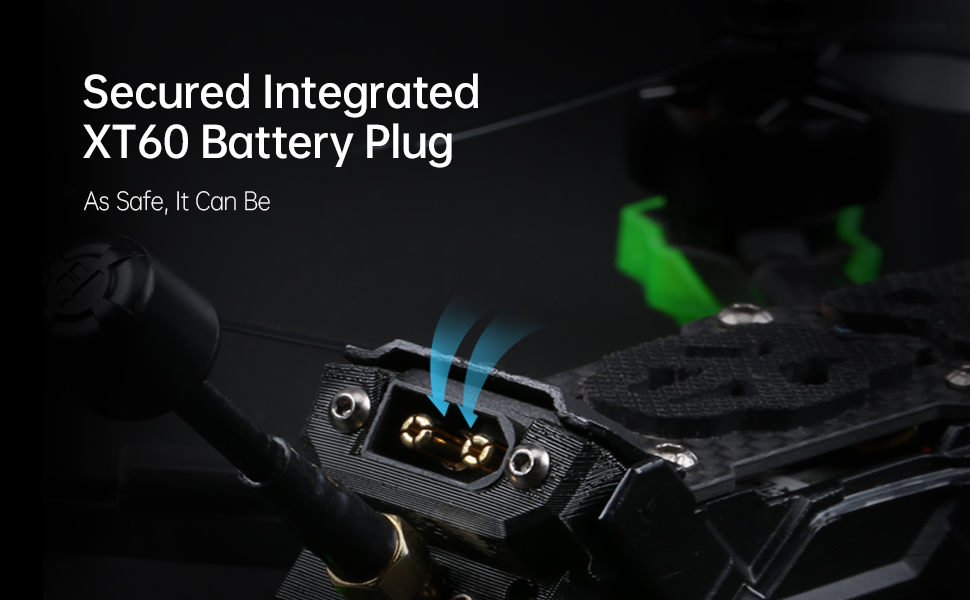
Image: Detail of the secured integrated XT60 battery plug, designed for safe and reliable power connection.
3. Binding to Remote Controller
Refer to your specific remote controller's manual for binding instructions. Typically, this involves putting both the drone's receiver and the remote controller into binding mode. Ensure successful binding before proceeding.
4. Flight Controller Configuration (Betaflight)
The Nazgul Evoque F5D comes pre-configured with Betaflight. For advanced settings or calibration, connect the drone to your computer via the USB port and use the Betaflight Configurator software. Ensure all sensor calibrations (accelerometer, gyroscope) are performed and check motor directions.

画像: View of the high-performance F7 55A Power Stack, which includes the flight controller and electronic speed controller, located within the drone's frame.
操作手順
1. 飛行前点検
- Inspect propellers for damage and ensure they are secure.
- Check battery charge level on both drone and remote controller.
- Verify FPV video feed in your DJI FPV Goggles.
- Ensure no loose wires or components on the drone.
- Confirm clear flight area.

Image: Components of the Caddx Polar digital HD FPV system, which provides high-definition video transmission to compatible FPV goggles.
2. 武装と武装解除
To arm the drone, move the throttle stick to its lowest position and activate the designated arming switch on your remote controller. The motors will spin slowly. To disarm, activate the arming switch again. Always disarm immediately after landing or in an emergency.
3. 飛行制御
Familiarize yourself with the standard FPV drone controls:
- スロットル: Controls altitude (left stick up/down).
- ヨー: Rotates the drone horizontally (left stick left/right).
- ピッチ: Tilts the drone forward/backward (right stick up/down).
- ロール: Tilts the drone left/right (right stick left/right).
Practice in a simulator before your first real flight if you are new to FPV drones.
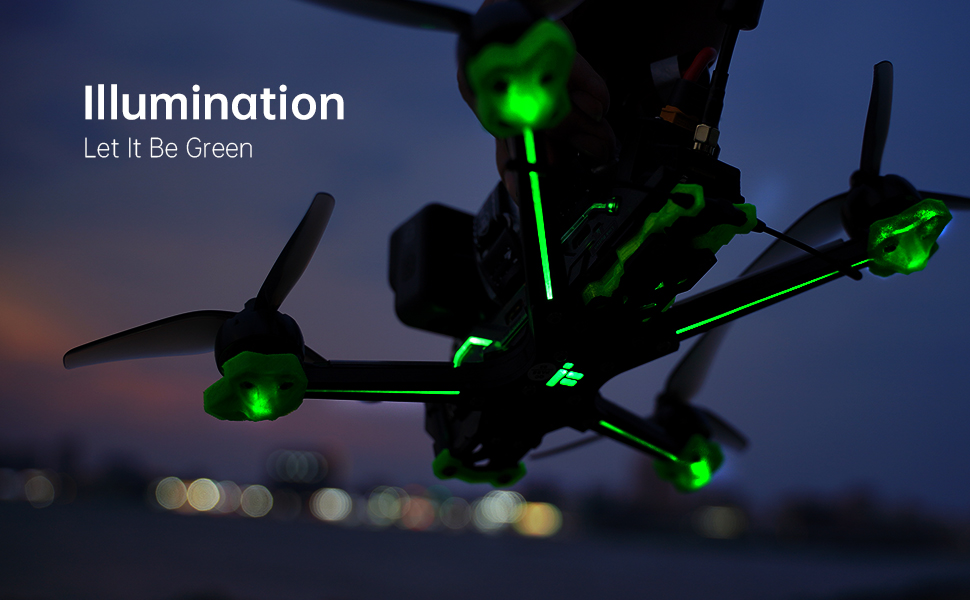
Image: The iFlight Nazgul Evoque F5D drone illuminated with green LEDs, visible during low-light conditions or for aesthetic purposes.
メンテナンス
- プロペラの検査: プロペラにひび割れ、曲がり、傷がないか定期的に点検してください。損傷したプロペラは直ちに交換してください。
- クリーニング: Keep the drone free from dirt, dust, and debris. Use a soft brush or compressed air. Avoid moisture.
- ファームウェアの更新: Periodically check the iFlight website for firmware updates for the flight controller and ESCs. Follow update instructions carefully.
- コンポーネントの検査: After any crash or hard landing, inspect the frame, motors, camera, and antennas for damage. Ensure all screws are tight.
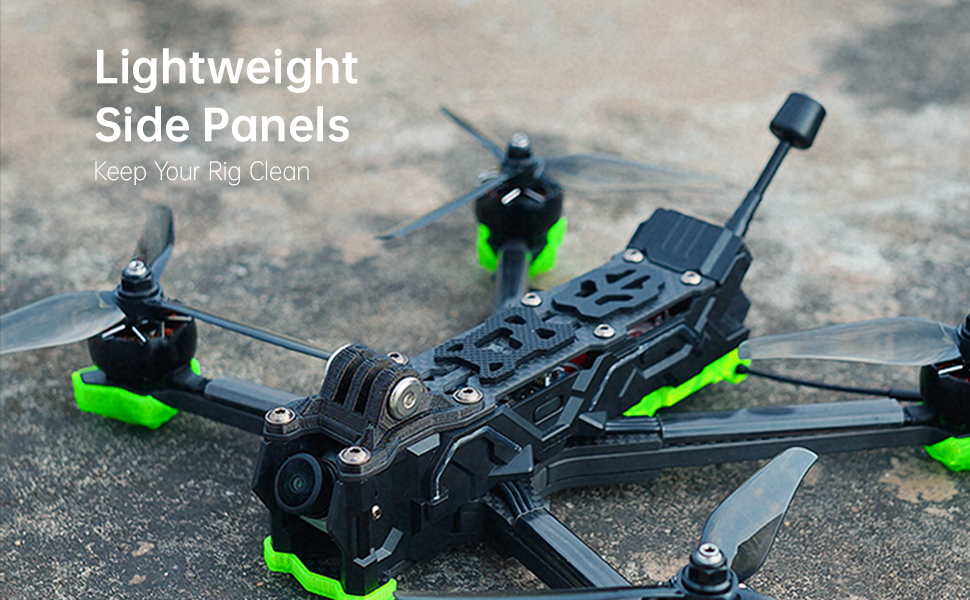
Image: The lightweight side panels of the drone, designed to protect internal components and keep the electronics clean.
トラブルシューティング
| 問題 | 考えられる原因 | 解決 |
|---|---|---|
| ドローンは武装しません。 | Throttle not at lowest position, arming switch not activated, safety pre-arm conditions not met (e.g., no receiver signal, low battery). | Ensure throttle is at zero. Check arming switch. Verify receiver is bound and connected. Check battery voltage. Connect to Betaflight Configurator to check pre-arm flags. |
| FPV ビデオ フィードがありません。 | Caddx Polar not powered, antenna disconnected, incorrect channel selected on DJI FPV Goggles, damaged VTX/camera. | Ensure drone battery is connected. Check antenna connections. Verify goggles are on the correct channel. Inspect VTX and camera for physical damage. |
| ドローンは飛行中にドリフトします。 | Uncalibrated accelerometer, unbalanced propellers, bent motor shaft. | Perform accelerometer calibration in Betaflight. Inspect and replace unbalanced or damaged propellers. Check motors for smooth rotation. |
| 短い飛行時間。 | Degraded battery, incorrect battery type, aggressive flying style. | Use a healthy, fully charged 6S LiPo battery. Adjust flying style. Consider a higher capacity battery if compatible. |
仕様
| 特徴 | 詳細 |
|---|---|
| ブランド | iFlight |
| モデル名 | Nazgul Evoque |
| 特集 | HD FPV Capability, Integrated Long-Range Transmission System |
| 年齢範囲(説明) | アダルト |
| ビデオキャプチャ解像度 | 4K |
| 接続技術 | USB |
| 含まれるコンポーネント | Remote Control (check specific package) |
| スキルレベル | Beginner (with learning curve for FPV) |
| Battery Capacity (Internal) | 450ミリamp Hours (for internal components, main flight battery sold separately) |
| ビデオキャプチャフォーマット | MP4 |
| リモートコントロール技術 | RF |
| コントロールタイプ | リモートコントロール |
| 最大範囲 | 0.75 Miles (approx. 1.2 km, depends on environment and FPV system) |
| 無線通信技術 | 無線周波数 |
| 電池は付属していますか | No (main flight battery) |
| ビデオ出力解像度 | 4K |
| 光センサー技術 | シーモス |
| アイテム重量 | 1.54ポンド(約698g) |
| パッケージ寸法 | 10.63 x 8.9 x 2.76インチ |
| 初回利用可能日 | 21年2021月XNUMX日 |

Image: The iFlight Nazgul Evoque F5D drone placed on a digital scale, displaying a weight of 414.1 grams (without battery).
保証とサポート
保証情報
iFlight products typically come with a limited warranty covering manufacturing defects. Please retain your proof of purchase. For detailed warranty terms and conditions, refer to the official iFlight website or contact their customer service directly. Damage due to crashes, improper use, or unauthorized modifications is generally not covered.
カスタマーサポート
For technical assistance, troubleshooting, or spare parts, please visit the official iFlight website for their support resources, FAQs, and contact information. You may also find community forums helpful for general FPV drone support.
Official iFlight Store: iFlight Amazon Store