
1. はじめに
ご購入ありがとうございますasing the BYTECH BYMCLB116BK Projector Decor Light-Rainbow. This device is designed to project vibrant rainbow light effects, enhancing room ambiance and providing unique lighting for creative photography. Please read this manual thoroughly before use to ensure proper operation and maintenance.

Image 1.1: The BYTECH BYMCLB116BK Projector Decor Light-Rainbow packaging, highlighting its key features including rainbow glow, secure stabilization, 360-degree rotation and tilt, and USB connectivity.
2. 安全情報
- デバイスを水や湿気から遠ざけてください。
- デバイスを極端な温度や直射日光にさらさないでください。
- 落としたり、強い衝撃を与えないでください。
- ご自身でデバイスの分解や修理を試みないでください。すべてのメンテナンスは資格のある専門家にご依頼ください。
- Use only the provided USB cable or a certified equivalent for power.
- 転倒を防止するために、デバイスが安定した平らな面に設置されていることを確認してください。
- お子様やペットの手の届かない場所に保管してください。
3. パッケージ内容
パッケージの内容をよくご確認ください。不足品や破損品がございましたら、販売店までご連絡ください。
- 1 x BYTECH BYMCLB116BK Projector Decor Light-Rainbow
- 1 x USB Power Cable (with wired remote control)
- ユーザーマニュアル x 1
4. セットアップ
- 開梱: Carefully remove the Projector Decor Light from its packaging.
- 配置: Place the projector on a stable, flat surface. Consider the desired projection area and distance from the wall or ceiling for optimal effect. The device features 360-degree rotation and tilt for flexible positioning.
- 接続電源: Insert the small end of the USB power cable into the USB port on the projector. Connect the larger end of the USB cable to a standard USB power adapter (not included) or a powered USB port (e.g., on a computer or power bank).
- Secure Stabilization: Ensure the base is firmly placed to prevent accidental movement, utilizing its secure stabilization feature.
5. 操作手順
The BYTECH Projector Decor Light is designed for simple operation.
- 電源オン/オフ: Once connected to a power source, locate the wired remote control on the USB cable. Press the power button on the remote to turn the light on or off.
- Adjust Brightness/Mode: Use the other buttons on the wired remote control to cycle through different brightness levels or projection modes, if available. Refer to the remote's markings for specific functions.
- 投影角度を調整します: lを手動で調整しますamp head to rotate and tilt 360 degrees to direct the rainbow light projection to your desired area.
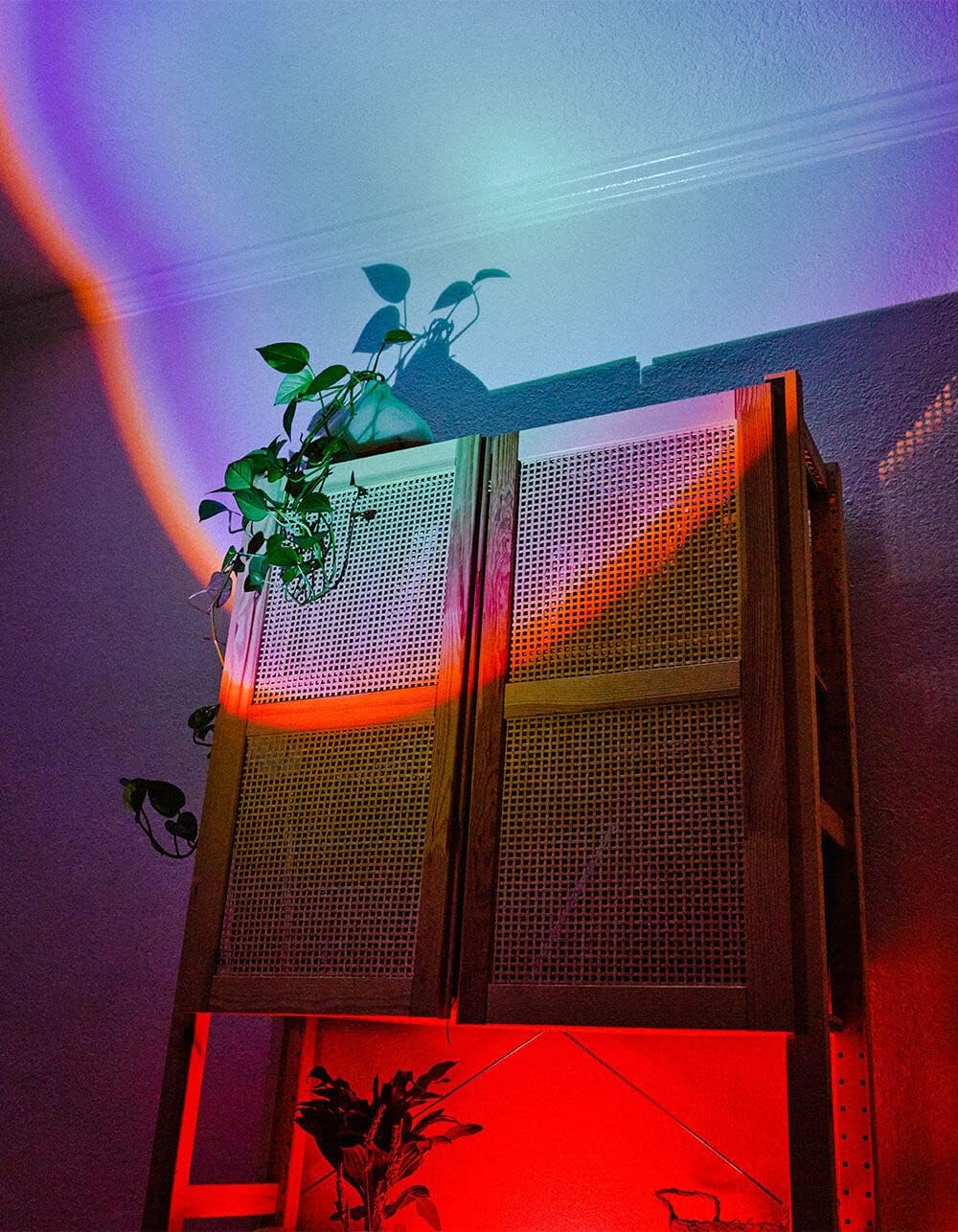
Image 5.1: The BYTECH Projector Decor Light-Rainbow in operation, casting vibrant rainbow light patterns onto a room's wall and furniture, demonstrating its ambient effect.
6. メンテナンス
- クリーニング: Disconnect the power before cleaning. Use a soft, dry cloth to wipe the surface of the projector. Do not use abrasive cleaners or solvents.
- ストレージ: When not in use for extended periods, store the device in a cool, dry place, away from direct sunlight and moisture.
- 取り扱い: Handle the device with care to avoid damage to the lens or internal components.
7。 トラブルシューティング
| 問題 | 考えられる原因 | 解決 |
|---|---|---|
| デバイスの電源が入らない。 | 電源が接続されていないか、ケーブルに障害があります。 | Ensure the USB cable is securely connected to both the projector and a powered USB port/adapter. Try a different USB port or adapter. |
| 光が暗かったりちらついたりします。 | Insufficient power supply or dirty lens. | Ensure the power source provides adequate power. Clean the projector lens gently with a soft, dry cloth. |
| 投影がぼやけています。 | レンズが汚れています。 | プロジェクターのレンズを、柔らかく乾いた布で優しく拭いてください。 |
8. 仕様
- モデル: BYMCLB116BK
- ブランド: バイテック
- 電源入力: USB Powered (5V DC, current not specified, typical for USB)
- 光源: 導かれた
- 投影タイプ: Rainbow Glow
- 調整可能性: 360° Rotation & Tilt
- パッケージ寸法: 5 x 5 x 5インチ
- 商品の重量: 1ポンド
- メーカー: バイテック
9. 保証とサポート
This product is covered by a limited warranty provided by BYTECH. For specific warranty terms and conditions, please refer to the warranty card included with your purchase or visit the official BYTECH website. For technical support, troubleshooting assistance, or to inquire about replacement parts, please contact BYTECH customer service through their official channels.
保証請求のために購入証明書を保管してください。