
1. はじめに
Thank you for choosing gorsun A66 Wired Kids Headphones. This manual provides essential information for the safe and effective use of your new headphones. Please read it thoroughly before use and retain it for future reference. These headphones are designed with children's safety and comfort in mind, featuring volume limiting technology and durable construction.
2.製品オーバーview
2.1 主な特徴
- Child-Safe Volume Limiting: Built-in 85dB/94dB volume limiter to protect children's hearing.
- In-Line HD Microphone: Enables clear communication for online classes and video calls.
- Audio Sharing Function: Allows multiple headphones to connect to a single device without a splitter.
- Durable & Tangle-Free Cord: Features a nylon-braided cable designed to withstand daily wear and tear.
- 快適で折りたたみ可能なデザイン: Ultra-soft ear cushions, adjustable headband, and foldable for easy portability.
- 没入型ステレオサウンド: 40mm drivers deliver balanced audio with rich bass and crisp highs.
- 幅広い互換性: Compatible with any device featuring a standard 3.5mm audio jack.

Figure 2.1: gorsun A66 Wired Kids Headphones, showcasing the blue color and overall design.

Figure 2.2: Summary of key features including fold-flat design, in-line microphone, volume limiting, audio sharing, balanced sound, and premium nylon cord.
2.2 パッケージ内容
The gorsun A66 Wired Kids Headphones package includes:
- 1 x gorsun A66 Wired Kids Headphones
- ユーザーマニュアル (本書) x 1
3. 安全ガイドライン
To ensure safe usage and protect your child's hearing, please adhere to the following guidelines:
- 音量コントロール: The headphones feature an 85dB/94dB volume limiter. Always use the appropriate volume setting for the environment. The 85dB setting is recommended for extended listening sessions, while 94dB can be used for noisier environments like travel, but for shorter durations.
- 監督: Young children should always be supervised while using headphones.
- 物質の安全性: The headphones are made from child-safe, recyclable, and sustainable materials, rigorously tested to meet CPC and CPSIA safety standards.
- クリーニング: Do not immerse headphones in water. Clean only with a dry, soft cloth.
- 窒息の危険: Keep small parts and the cable away from infants and toddlers to prevent choking or strangulation hazards.

Figure 3.1: Illustration of the kid-friendly volume limiter, showing 85dB for study mode and 94dB for travel mode.
4. セットアップと接続
The gorsun A66 headphones are designed for simple plug-and-play operation.
4.1 デバイスへの接続
- Locate the 3.5mm audio jack on your device (e.g., smartphone, tablet, laptop, PC, Nintendo Switch, Chromebook, Kindle Fire).
- Insert the 3.5mm audio plug of the gorsun A66 headphones firmly into the device's audio jack.
- Ensure the connection is secure for optimal sound quality.

Figure 4.1: The standard 3.5mm jack and its compatibility with various devices like laptops, PCs, cellphones, tablets, and iPads.
5. ヘッドフォンの操作
5.1 Volume Limiter Switch
The in-line control features a switch to select between two volume limits:
- 85dB: Ideal for general listening and extended use, protecting sensitive hearing.
- 94dB: Suitable for noisier environments, providing a slightly higher volume for clarity. Use this setting for shorter periods.

Figure 5.1: Close-up of the in-line volume limiter switch, showing 85dB and 94dB options.
5.2 In-Line HD Microphone and Multi-function Button
The headphones are equipped with an in-line microphone and a multi-function button for convenient control:
- 再生/一時停止: マルチファンクションボタンを 1 回押すと、オーディオが再生または一時停止されます。
- 通話の応答/終了: 多機能ボタンを 1 回押すと、着信に応答するか、進行中の通話を終了します。
- 次のトラック: マルチファンクションボタンを素早く 2 回押すと、次のトラックに進みます。
- 前のトラック: マルチファンクションボタンを素早く 3 回押すと、前のトラックに戻ります。
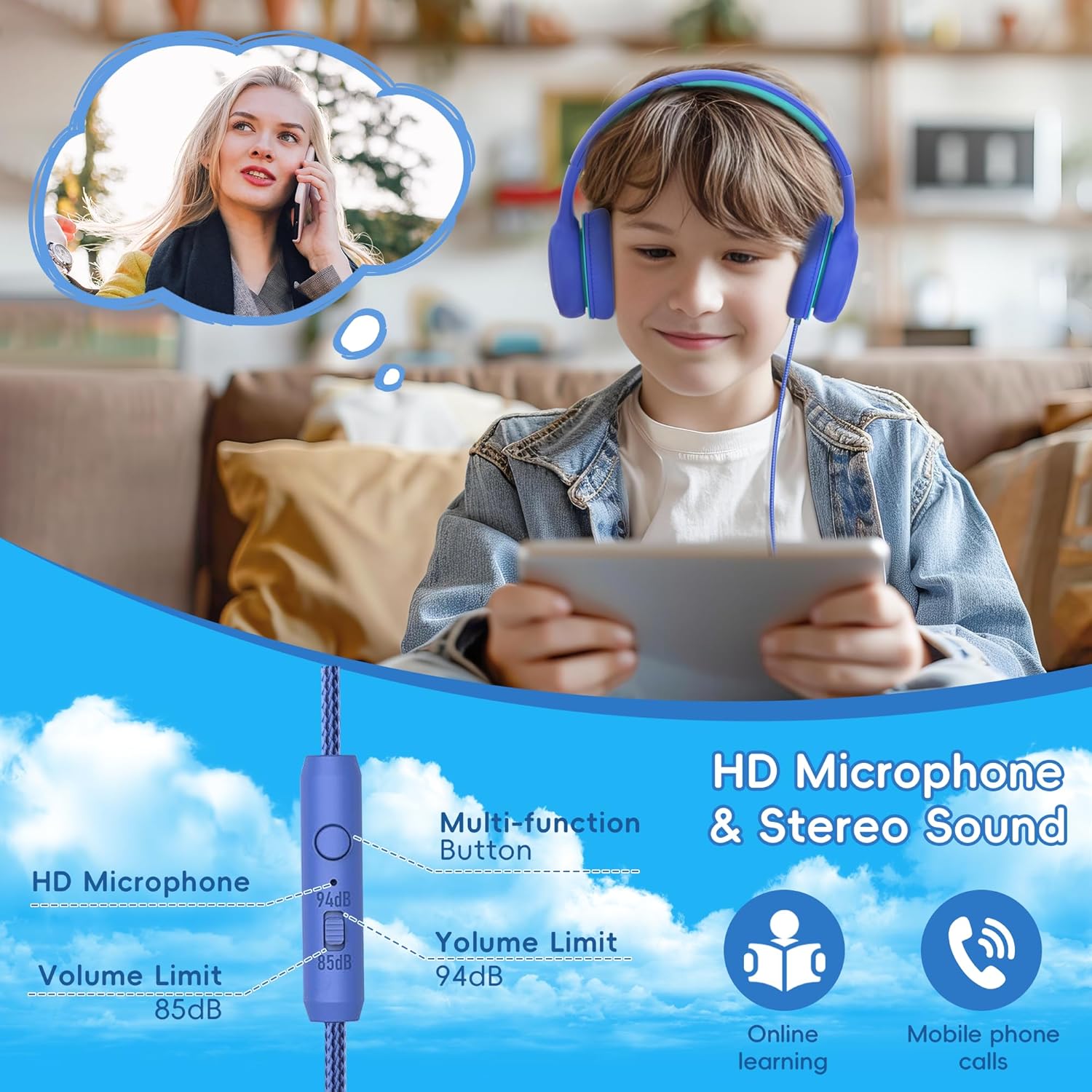
Figure 5.2: Depiction of the HD microphone and stereo sound capabilities, useful for online learning and mobile phone calls.

Figure 5.3: Close-up of the in-line remote with clear microphone for communication.
5.3 オーディオ共有機能
The gorsun A66 headphones include an audio share jack, allowing another pair of headphones to connect directly to them, sharing the audio from a single source device. No splitter is needed.
- Connect the gorsun A66 headphones to your primary audio source device.
- Plug a second pair of headphones (with a 3.5mm jack) into the audio share jack located on the gorsun A66 headphones.
- Both pairs of headphones will now receive audio from the primary source.

Figure 5.4: Children sharing audio from one device using the audio sharing feature of the headphones.

Figure 5.5: Close-up of the audio sharing port on the headphone ear cup.
6. お手入れとメンテナンス
Proper care will extend the life of your gorsun A66 headphones.
- クリーニング: Use a soft, dry, lint-free cloth to clean the ear cups and headband. Do not use liquid cleaners or sprays.
- ストレージ: 使用しない時は、ヘッドホンを折りたたんでコンパクトに収納してください。直射日光や極端な温度を避け、涼しく乾燥した場所に保管してください。
- ケーブルのお手入れ: Avoid sharp bends or excessive pulling on the cable to prevent damage. The nylon-braided cable is designed for durability, but proper handling is still recommended.
- 湿気を避ける: These headphones are not water-resistant. Keep them away from water, rain, and excessive humidity.
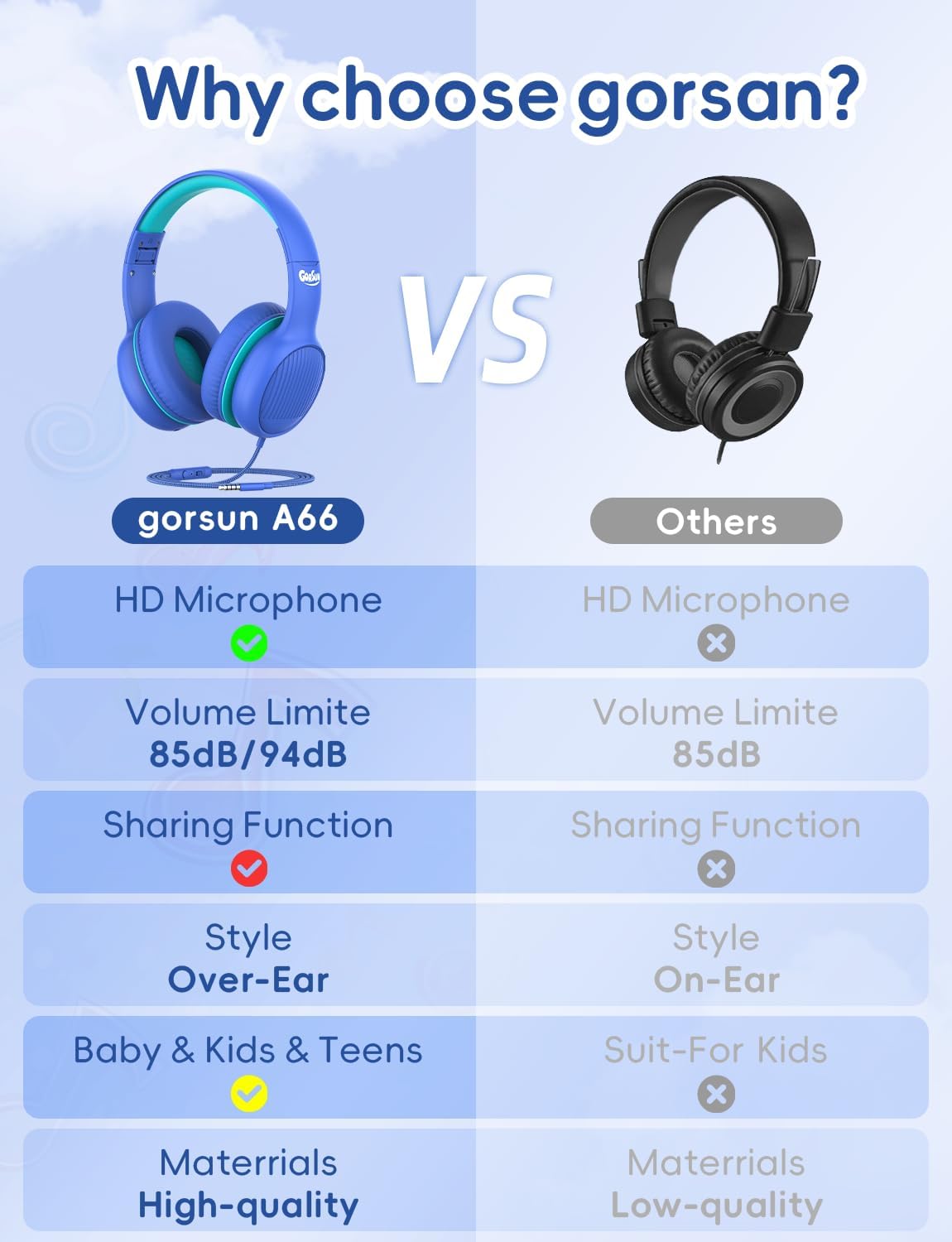
Figure 6.1: The foldable design for portability and soft over-ear cushions with a cushioned, stretchable headband for comfort.

Figure 6.2: Illustration of the durable 1.2-meter nylon cable design.
7。 トラブルシューティング
ヘッドフォンで問題が発生した場合は、次の一般的な問題と解決策を参照してください。
| 問題 | 考えられる原因 | 解決 |
|---|---|---|
| 音が出ない、または音量が小さい |
|
|
| マイクが機能しない |
|
|
| Audio sharing not working |
|
|
8. 技術仕様
| 仕様 | 詳細 |
|---|---|
| モデル名 | GS-A66 |
| 接続技術 | 有線 |
| ヘッドフォンジャック | 3.5ミリジャック |
| ドライバーサイズ | 40ミリメートル |
| 感度 | 85 dB (with 85dB/94dB volume limit) |
| 周波数応答 | 20 Hz - 20 kHz |
| インピーダンス | 32オーム |
| 騒音制御 | 遮音性 |
| 材料 | アクリロニトリルブタジエンスチレン(ABS) |
| ケーブル機能 | Tangle Free Nylon Cord |
| アイテム重量 | 7.1オンス(200グラム) |
| 製品寸法 | 6.3 x 5.51 x 3.15インチ |
| 色 | 青 |
| 年齢範囲(説明) | 子供 |
9. 保証と顧客サポート
gorsun is committed to crafting high-quality products and providing outstanding customer care.
If you have any questions or require assistance with your gorsun A66 headphones, please do not hesitate to reach out to our customer support team. We aim to respond and resolve your inquiries within 24 hours.
For support, please visit the official gorsun store on Amazon or contact us through the platform where you purchased the product.
Please note: Specific warranty terms and conditions may vary based on region and retailer. Refer to your purchase documentation for detailed warranty information.
10. 廃棄に関する情報
When disposing of the product, please ensure it is done in an environmentally responsible manner. Electronic devices should not be disposed of with household waste. Please recycle the product at an appropriate collection point for electrical and electronic equipment. Contact your local authorities for information regarding recycling facilities in your area.