
導入
Thank you for choosing the Baseus 2 in 1 Bluetooth 5.0 FM Transmitter Car Charger. This device combines a car charger with an FM transmitter, allowing you to stream audio wirelessly from your mobile device to your car's FM radio and charge your devices simultaneously. Please read this manual carefully before use to ensure proper operation and to maximize the product's lifespan.
製品終了view

Image: The Baseus 2 in 1 Bluetooth 5.0 FM Transmitter Car Charger, showing its compact design with dual USB ports and a digital display.
The Baseus Car Wireless MP3 Charger (Model CCNLZ-C0G) features Bluetooth 5.0 for stable audio transmission, dual USB ports for quick charging, and an FM transmitter function. It is designed for ease of use with a single-key operation and includes an intelligent digital display for voltageモニタリング。
主な特徴:
- Bluetooth 5.0 for stable and fast audio transmission.
- Dual USB ports for charging, supporting 18W Quick Charge 3.0, AFC, and FCP.
- FM frequency transmission for audio playback through car radio.
- Single-key operation for volume, track, frequency adjustment, and call management.
- Lossless audio decoding for high-quality sound.
- Intelligent digital display for real-time voltageモニタリング。
- Music playback from a USB flash drive.
- Automatic reconnection and power-off memory playback.
セットアップ手順
- 車のソケットに挿入します: Insert the Baseus FM Transmitter into your car's cigarette lighter socket. The device will power on automatically, and the digital display will show the current car battery voltag数秒間押し続けてから、FM 周波数に切り替えます。

Image: The Baseus device securely plugged into a car's 12V power outlet.
- FM周波数の設定:
- 車の FM ラジオを空いている周波数 (強い放送信号がない周波数) に合わせます。
- On the Baseus device, press and hold the multi-function knob until the frequency display starts flashing.
- Rotate the knob left or right to adjust the FM frequency of the transmitter to match your car's radio frequency.
- Once matched, wait a few seconds for the display to stop flashing, or press the knob briefly to confirm.

Image: Close-up of the digital display on the Baseus device, showing the current FM frequency.
- Bluetooth経由でペアリング:
- モバイルデバイスで Bluetooth を有効にします。
- 検索する available Bluetooth devices and select "Baseus" (or similar name) from the list.
- ペアリングされると、音声プロンプトによって接続が確認されます。
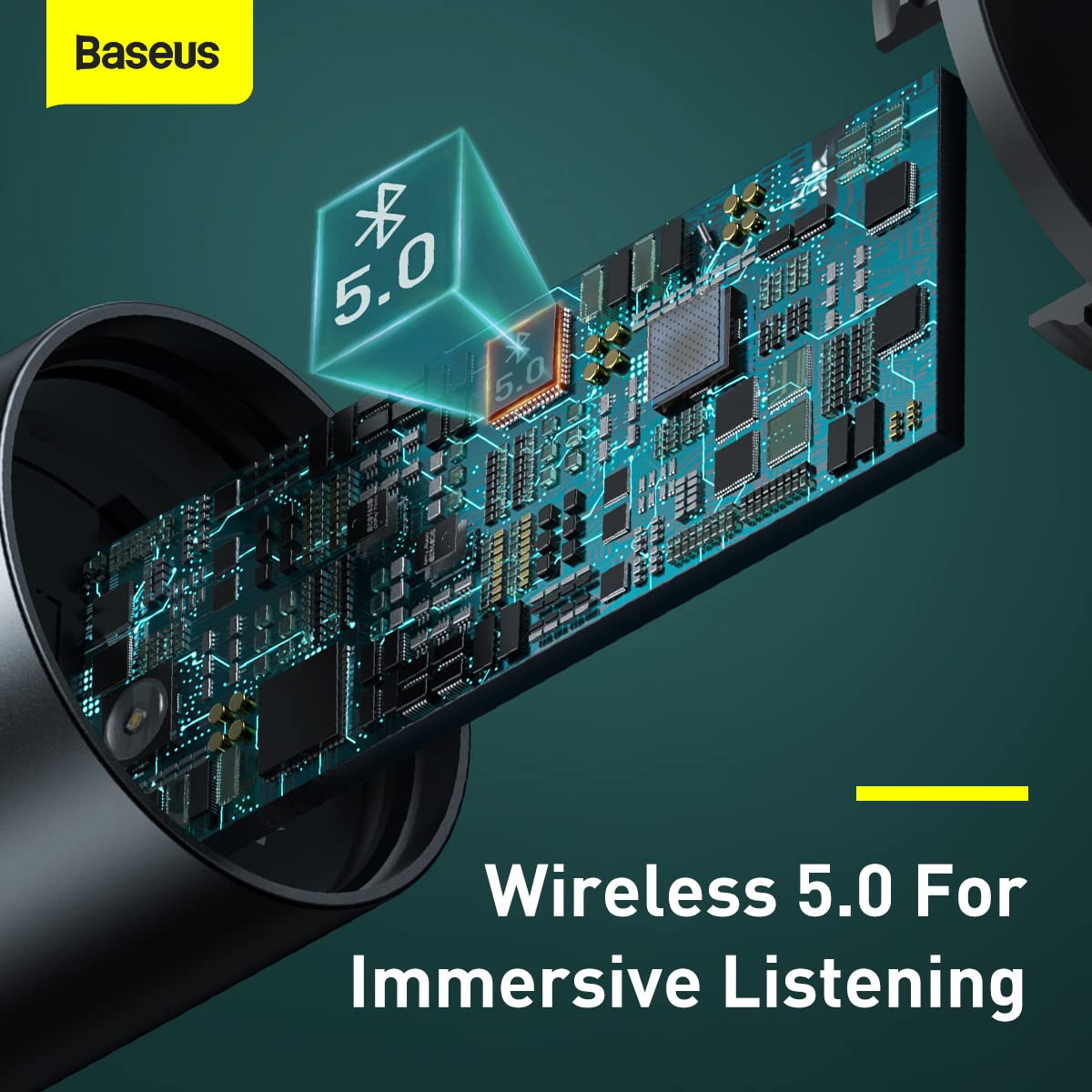
画像: 内部 view highlighting the Bluetooth 5.0 chip, representing the wireless connection capability.
操作手順
音楽再生:
- Bluetoothオーディオ: Once paired, play music on your mobile device. The audio will be transmitted to your car's FM radio.
- USBフラッシュドライブの再生: Insert a USB flash drive containing MP3/WAV/FLAC/APE/WMA audio files into the designated USB port (marked with a music note icon). The device will automatically detect and play music from the drive.

Image: A USB flash drive plugged into the Baseus device, illustrating its music playback capability.
通話処理:
- 通話の応答/終了: Briefly press the multi-function knob to answer an incoming call or end an ongoing call.
- 通話を拒否: 着信を拒否するには、マルチファンクションノブを長押しします。
- リダイヤル: マルチファンクションノブを 2 回押すと、最後の番号にリダイヤルします。
コントロール:
- 音量調整: Rotate the multi-function knob left or right to adjust the volume.
- トラック切り替え: During music playback, briefly press the multi-function knob and then rotate it left (previous track) or right (next track).
- 周波数調整: As described in the Setup section, press and hold the knob until the frequency flashes, then rotate to adjust.

Image: A finger interacting with the multi-function knob, demonstrating its single-key operation.
充電デバイス:
- Connect your device's charging cable to either of the two USB ports on the transmitter.
- The device supports 18W Quick Charge 3.0, AFC, and FCP for fast charging compatible devices.

Image: The Baseus device showing its two USB ports, ready for charging mobile devices.
メンテナンス
- クリーニング: デバイスの清掃には、柔らかく乾いた布をご使用ください。液体クリーナーやエアゾールは使用しないでください。
- ストレージ: 長期間使用しない場合は、直射日光や極端な温度を避け、涼しく乾燥した場所に保管してください。
- 取り扱い: デバイスを落としたり、強い衝撃を与えたりしないでください。
- 電源を切る: Always ensure the device is properly seated in the car socket to maintain a stable connection.
トラブルシューティング
| 問題 | 考えられる原因 | 解決 |
|---|---|---|
| 電源がありません/デバイスの電源が入りません。 | 車のソケットの接続が緩んでいるため、車のソケットから電力が供給されません。 | Ensure the device is firmly inserted into the car's cigarette lighter socket. Check if the car's socket is functional (e.g., by testing with another device). |
| Poor FM signal/Static noise. | FM 周波数干渉。カーラジオが正しく調整されていません。 | Find a clearer, unused FM frequency on your car radio and match the transmitter's frequency to it. Avoid frequencies used by strong local radio stations. |
| Bluetoothが接続されていません。 | Bluetooth not enabled on phone; device not in pairing mode; incorrect device selected. | Ensure Bluetooth is enabled on your phone. Restart both the phone and the FM transmitter. Forget the device in your phone's Bluetooth settings and re-pair. |
| 充電が遅い、または充電されない。 | Cable issue; device not compatible with fast charging; multiple devices drawing too much power. | Try a different USB cable. Ensure your device supports the fast charging protocols (QC3.0, AFC, FCP). If charging multiple devices, total output may be limited. |
仕様
| 特徴 | 詳細 |
|---|---|
| ブランド | ベースス |
| モデル番号 | CCNLZ-C0G |
| 製品寸法 | 8 x 6 x 1.5 cm |
| アイテム重量 | 100グラム |
| ハードウェアインターフェイス | Bluetooth 5、USB |
| 対応デバイス | MP3 Player, Smartphones, Tablets |
| 特集 | 18W quick charge, FM frequency transmission, Intelligent digital display, Support playback from flash disk |
| オーディオ出力モード | FM transmission, A2DP |
| ワットtage | 18ワット |
| ワイヤレスタイプ | ブルートゥース |
| USBポート合計 | 2 |
| コネクタタイプ | ブルートゥース |
| 対応メディアタイプ | Bluetooth 5.0, FM, USB Flash Drive |
| 材料 | 金属 |
保証情報
This Baseus product comes with a 1年間保証 from the date of purchase. The warranty covers manufacturing defects and malfunctions under normal use. It does not cover damage caused by misuse, accidents, unauthorized modifications, or normal wear and tear. Please retain your proof of purchase for warranty claims.
カスタマーサポート
For further assistance, technical support, or warranty claims, please contact Baseus customer service through their official website or the retailer where you purchased the product. Please have your model number (CCNLZ-C0G) and proof of purchase ready when contacting support.
You can find more information and support resources on the official Baseus webサイト: www.baseus.com